
ServSafe Administrative — Complete Guide (2026)
ServSafe administrative guide: how to get an access code, run a proctor session, request accommodations, print your certificate, and fix common errors. 📚
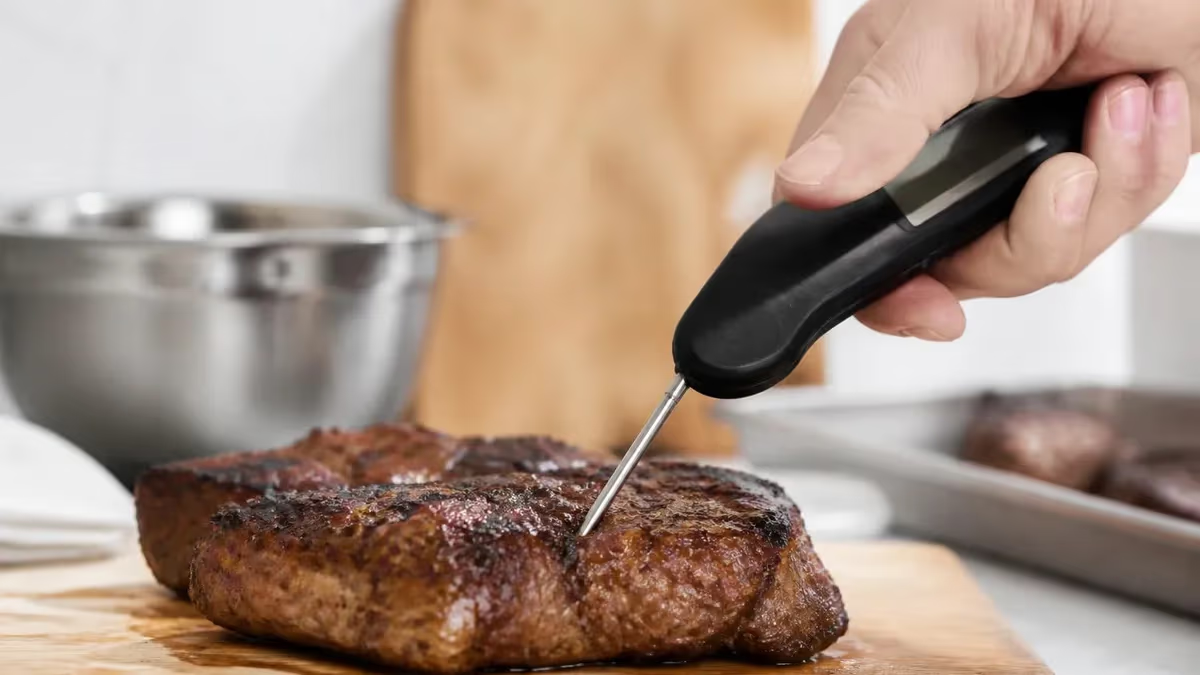
ServSafe Administrative — Access Codes, Proctor Sessions, and Print Certificate (2026 Guide)
You don't just sit down and take the ServSafe exam. There's a paperwork layer in front of it — access codes, proctor sessions, accommodation requests, certificate retrieval — and most first-time test-takers learn it the hard way. This guide walks you through every administrative step so you walk into your exam (or your online proctored session) without surprises.
Short version: an servsafe certification exam requires a unique Exam Access Code, purchased by your employer, school, or instructor for about $36 each. The code is single-use, tied to one person, and burns the moment you start the exam. Lose it before exam day and you'll need to buy another.
Then there's the Proctor Access Code — that's a separate credential held by the certified proctor running your session, not by you. Confusing these two is the #1 admin error on test day. We'll separate them clearly.
After you pass, your certificate doesn't arrive in the mail. You log into ServSafe.com, find your result, and print it yourself. Wallet card? Optional, and you order it separately. We'll cover all of it — plus accommodations under the ADA, the 5-year expiration rule, state-to-state transfers, and what to do when something goes sideways.
Why ServSafe Admin Trips People Up
Most test-takers come in expecting a clean process. They get the opposite. The system was built for instructors and proctors, not for individual buyers — so the workflow assumes someone is handing you a code, telling you when to show up, and clicking through the proctor screens for you. If you're flying solo, half the interface won't make sense until you've done it once.
The ServSafe portal has three roles: Administrator, Instructor/Proctor, and Examinee. As an examinee, you only see a slice of the dashboard. Codes, session creation, and grading happen on the proctor side — invisible to you. That asymmetry is why so many test-takers feel like they're missing a step. You're not — you just don't have the keys to the back office.
Worth knowing: the ServSafe customer service team handles thousands of access-code mix-ups a week. You're not alone if you get stuck. Save the number now — 800-765-2122 — and email customerservice@restaurant.org for non-urgent issues. Phones run 8 a.m. to 5 p.m. Central. Email response is usually one business day.
One more thing nobody tells you: keep every receipt, every confirmation email, every screenshot of your code. If anything goes wrong — wrong product, expired session, lost result — your paper trail is what gets you a refund or a regrade. Without it, the answer is usually no.
This guide covers the full administrative side, end to end. If you also need the actual exam content prep — what's on the test, how to study, which domains carry the most weight — head to our servsafe study guide. This page is about the paperwork; that one is about the knowledge.
- Exam Access Code — yours, single-use, ~$36, buy from NRA/instructor/employer
- Proctor Access Code — proctor's credential, NOT yours
- Session ID — generated by proctor when your exam session opens
- Print certificate — log in at ServSafe.com → My Certificates → Print
- Expiration — 5 years (Manager and Food Handler)
- Accommodations — request via ADA form ≥ 30 days before exam
The Three Codes You Need to Know
- Who has it: You — the test-taker
- Cost: $36 retail (Manager)
- Uses: 1 (single-use, burns at start)
- Source: NRA, Penn Build, employer, school
- Who has it: The certified proctor
- Cost: N/A — credentialed once
- Uses: Unlimited (per proctor)
- Source: ServSafe proctor certification
- Who has it: Auto-generated
- Cost: Free
- Uses: One exam session
- Source: Created when proctor opens session

How to Get an Exam Access Code
Three real paths. Pick the one that matches your situation.
Buy it Yourself from NRA
Go to ServSafe.com → Manager → Exam Only. Add an Exam Access Code to your cart ($36 retail). Checkout with a credit card or PayPal. The code lands in your account inbox within minutes — sometimes 30 seconds, sometimes 15. Print it. Write it down. Screenshot it. Email it to yourself. Lose it and you buy another.
The code is alphanumeric, usually 16 characters, and case-sensitive. Don't try to retype it from memory at the proctor's keyboard — paste it. If the platform blocks paste (some online proctor environments do), have a printed copy you can read out character by character.
Through Your Employer or School
Restaurants, hotels, school districts, and food-service companies buy access codes in bulk at a discount. Volume discounts kick in around 25 codes and get steeper at 100+. If your boss told you "go take the test," your code is probably sitting in their training portal. Ask the manager who handles compliance training. Don't buy your own first — you'll waste $36 that the company would've covered.
Bundled with a Course
If you bought a servsafe manager online course from ServSafe or a third-party provider like Penn Build, the access code is included. It unlocks after you complete coursework. Check your course dashboard — usually under "Exam" or "Final Assessment." Some courses require 100% module completion before the code appears; others release it after 80%.
What the Code Actually Unlocks
One attempt at one exam type. A Manager code won't work for a Food Handler exam. A primary alcohol code won't work for advanced. Read the SKU on your receipt before checkout — refunds for wrong-product purchases require a customer service ticket and proof you haven't started the exam. Once you click "Begin Exam," the code is locked to that exam, period.
Free Codes? Almost Never.
You'll see search results promising "servsafe access code free" — those are almost always expired, scammy, or tied to dormant employer accounts. Some sites even ask for your email "to send the code" and then sell your address to spam lists. Skip them.
The legitimate exception: some county health departments and workforce-development programs cover the fee for residents. Check your county's environmental health office before paying out of pocket. Veterans, displaced workers, and certain unemployment-program participants sometimes qualify for vouchers too — call your state workforce agency.
Online Proctor vs In-Person Proctor
Done from home via ProctorU or ServSafe's built-in proctor platform. You schedule a time, the proctor verifies your ID over webcam, checks your room (360° sweep), and watches you take the full exam. Total session: 2.5–3 hours.
Requirements: webcam + mic, government photo ID, quiet private room, working internet, no second monitor, no notes, no phone in the room.
Common fails: a family member walking through the room (auto-flag), looking off-screen (auto-flag), wearing a smartwatch.
Inside the Proctor Session: What Happens, In Order
The proctor session is the part most people overthink. Here's the actual sequence, beginning to end. No mystery, no surprises.
Before You Sit Down
The proctor logs into the ServSafe Administrator portal using their personal credentials and their Proctor Access Code. That code is unique to them — it doesn't apply to you, doesn't help you, and you'll never see it on paper. The proctor uses it to open a new exam session for your test type.
Once opened, the system generates a Session ID — a short string the proctor will need if anything technical goes wrong. Some proctors write it on the whiteboard. Most don't. Ask. If the system crashes mid-exam, that Session ID is what customer service uses to recover your progress instead of telling you to start over.
Verifying Your Identity
Bring government photo ID. Driver's license, passport, military ID, state ID — all fine. Expired ID = denied entry, no refund. Online proctors hold your ID up to the webcam and zoom in to read it. In-person proctors photocopy or scan it.
Name on ID must match name on the exam registration exactly. If you registered as "Mike" but your ID says "Michael," the proctor can usually waive it. If your last name changed (marriage, divorce) and your ID doesn't match, bring documentation. Better still: update your ServSafe account name before the exam, free, in your account settings.
Entering Your Exam Access Code
You'll be prompted to enter your code. Type it carefully. Three failed attempts locks the session and you'll need to reschedule. Don't copy-paste from a screenshot if the platform blocks paste — type it from a printed copy. The most common mistake is confusing zero with the letter O, or one with lowercase L. Codes use uppercase letters and numerals only.
Taking the Test
Manager exam: 90 questions, 2 hours. Food Handler: 40 questions, no formal time limit. The full exam content rules are covered in our servsafe manager guide. You can flag questions to review, skip and return, and change answers freely until you submit. The interface shows a question counter, a clock, and a flag toggle on every screen.
Submitting and Closing the Session
Hit Submit. Confirm again on the pop-up — there's no undo. The system processes the result and shows pass/fail (computer-based) or queues for grading (paper). The proctor confirms session closure in their portal. You're done.
For computer-based exams, an unofficial score appears immediately. Official results post to your ServSafe.com account within 24 hours and your certificate becomes available to print from there. For paper exams, expect 7–10 business days.

ADA Accommodation Request Timeline
Step 1: 30+ Days Before
Step 2: Doctor Documentation
Step 3: Submit Form
Step 4: Approval Letter
Step 5: Proctor Setup
Step 6: Take the Exam
How to Print Your ServSafe Certificate
Your certificate isn't mailed. Not anymore. Everything lives in your ServSafe.com account, and you print it yourself the day you pass — or any day after.
The Step-by-Step
Log into ServSafe.com with the email you used to register. Click your name (top right) → My Certificates. You'll see every certificate tied to your account, with issue date, expiration date, and a Print button next to each one. Click Print. A PDF opens. Send it to a real printer on heavyweight paper if you want it to look official.
If You Can't See Your Certificate
Three reasons it might not appear: (1) you took the exam under a different email, (2) the result hasn't posted yet (paper exams take up to 10 business days), or (3) you failed. Reasons 1 and 2 fix themselves — for reason 3, see the retake section below. If you suspect a duplicate account, email customer service with both addresses and they'll merge them.
Wallet Card
The plastic wallet-sized card is sold separately. Order it from your account: My Certificates → Order Wallet Card → $25. It ships in 5–10 business days from Chicago. Most employers accept the printed PDF, so the wallet card is optional unless your state or franchise specifically requires it. Health inspectors usually want to see the certificate on the wall, not the card in your wallet.
State Health Department Versions
Some states (California, Illinois, Texas) require a state-specific food handler card rather than the national ServSafe certificate. If your employer is in one of those states, check before assuming the standard servsafe food handler certificate is enough. We cover state-by-state rules in the Manager guide. New York City has its own Food Protection Course on top.
Replacement Copies
Lost your printed copy? Log back in and print it again. There's no fee — the system never "loses" a passing result. The 5-year window doesn't restart, but you can reprint as many times as you want during that window. Keep a digital copy in cloud storage too. If your phone dies during a health inspection and you can't pull up the PDF, the inspector won't wait while you reset your password.
Score Transcripts
Need an official letter for a state board, an attorney, or your insurance company? Order a score transcript from your account — it's $10 and arrives by mail in 7–10 business days. The transcript is signed, sealed, and dated; the printable PDF certificate is not. Most agencies will accept the PDF, but check first to avoid paying for something nobody asked for.
ServSafe Admin Cost Breakdown
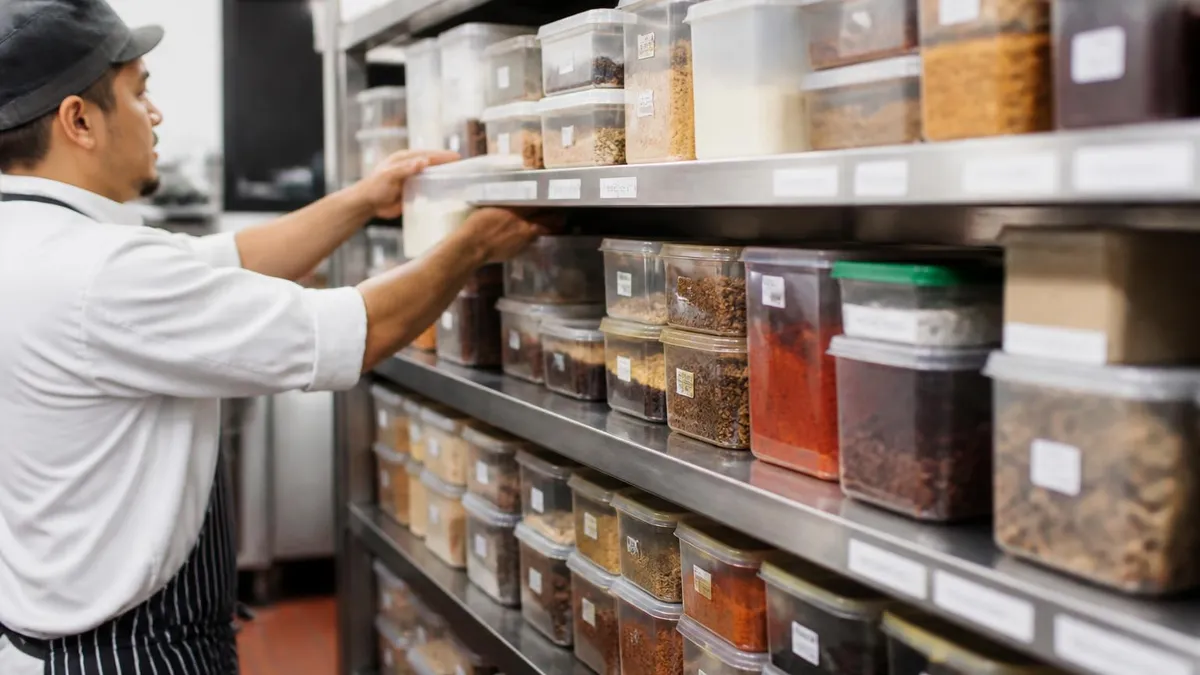
Expiration, Renewal, and State Transfers
ServSafe Manager certification lasts five years from the issue date. Food Handler is also five years in most states, but a handful (California, Illinois, Texas, Arizona) require local renewal every 2–3 years regardless of when your ServSafe cert expires. The state rule always wins.
When Does Yours Expire?
Log into your account → My Certificates → look at the Expiration column. Mark it on your calendar 90 days before the date. Renewal isn't automatic — if it lapses, you re-test from scratch (full exam, full fee). See our how long does servsafe certification last guide for the renewal flowchart. ServSafe does not send expiration reminders; the clock is on you.
Re-Test Policy
Failed your first attempt? You can retake the exam. ServSafe allows up to 3 retakes within 30 days. Each retake needs a new Exam Access Code ($36 each). After 3 fails in 30 days, you wait 60 days before another attempt. Most failures cluster in HACCP and Time/Temperature — review those domains hard before round 2. Use a fresh practice quiz, not the same one you took before, to avoid memorization bias.
Moving Between States
The national ServSafe Manager certificate is recognized in all 50 states and DC. You don't "transfer" it — it's already valid wherever you go. The exception is the state-card states above: if you move from Ohio to California, your national cert is still good, but California also requires the California Food Handler card on top. Same logic for Texas and Illinois.
Name Changes
Got married, divorced, or legally changed your name? Email customerservice@restaurant.org with proof of name change (marriage cert, divorce decree, court order) and they'll reissue your certificate under the new name. Free. Takes about 5 business days. The original certificate number stays the same — only the printed name changes.
Common Admin Errors and How to Fix Them
Five problems that derail more exam sessions than any others. Fix any of these before they cost you a session.
Lost Access Code
If you bought directly: log into ServSafe.com → My Account → Orders. The code is reprinted there. If your employer bought it: ask them to pull it from their administrator portal. They can resend the email containing the original code.
Expired Access Code
Access codes don't expire on their own — but if you start the exam and abandon it mid-way, the code burns. Same outcome. You'll need to buy another one. ServSafe does not issue refunds on burned codes regardless of reason — including power outages, browser crashes, or family emergencies.
Name Mismatch on ID
Bring documentation (passport + driver's license, or marriage certificate + ID). Proctors have discretion to accept minor mismatches. Big mismatches (entirely different name) get the session canceled with no refund.
Wrong Exam Type Purchased
Bought a Food Handler code thinking you needed Manager? Customer service can issue a one-time swap if you haven't started the exam. Call within 30 days of purchase: 800-765-2122. Have your order number ready.
Score Won't Post After Paper Exam
Paper exams take up to 10 business days to grade. If 15 business days pass with nothing in your account, email customerservice@restaurant.org with your Session ID and the proctor's name. They'll trace the booklet through the grading queue and post the result manually if needed.
For a fuller set of questions on this topic, see our servsafe alcohol certification resource.
Day-Of Exam Admin Checklist
- ✓Print your Exam Access Code on paper and write it in a notebook as backup (don't rely on phone screenshot)
- ✓Bring government photo ID — driver's license, passport, military ID, or state-issued non-driver ID; expired ID is not accepted under any circumstance
- ✓If you requested ADA accommodations, bring your printed ServSafe approval letter and hand it to the proctor before the session starts
- ✓Arrive 15 minutes early for in-person, 10 minutes early for online proctored sessions to allow time for ID verification and room scan
- ✓Phone, smartwatch, smartglasses, fitness trackers, headphones, earbuds — leave them outside the room or sealed in a bag
- ✓For online: 360° webcam sweep of your room, ID up to camera, no second monitor, no notes on walls, no other people in the room
- ✓For paper: bring a #2 pencil and an eraser, confirm in advance whether scratch paper is provided by the testing site
- ✓Note the Session ID if the proctor displays it on screen — write it down for any tech support call later
- ✓Submit your exam, then stay seated until the proctor confirms the session closed in their portal — leaving early can void the result
- ✓Same day: log into ServSafe.com → My Certificates → print PDF copy and save a backup to cloud storage
Online vs In-Person Proctored — Which to Pick
- +Online: skip the commute, test from home, schedule evenings or weekends
- +Online: instant computer-based scoring
- +Online: re-take immediately the next day if you fail
- +In-person: no webcam stress, no tech failures, simpler setup
- +In-person: paper exam option for those who prefer pencil-and-paper
- +In-person: in-room proctor can explain instructions clearly
- −Online: webcam glitches can void your session — buy a backup code
- −Online: anyone walking into the room = auto-flag and potential failure
- −Online: requires a quiet private room (hard with kids or roommates)
- −In-person: tied to scheduled class dates, rural areas have few options
- −In-person: paper version waits 10 business days for scoring
- −In-person: travel time and parking add cost to the $36 exam fee
4-Week Plan: From Access Code Purchase to Certificate
- ▸Buy Exam Access Code from NRA or confirm employer-issued code
- ▸Submit ADA accommodation form (if applicable) — 30-day lead time
- ▸Skim the official ServSafe Manager Coursebook table of contents
- ▸Schedule your proctor session (online or in-person)
- ▸Read chapters 1-3 of the Coursebook
- ▸Take a 40-question practice quiz on foodborne illness
- ▸Memorize the temperature danger zone (41°F to 135°F)
- ▸Drill cross-contamination scenarios
- ▸Read chapters 4-7 of the Coursebook
- ▸Memorize the 7 HACCP principles in order
- ▸Complete a full 90-question timed practice exam
- ▸Review every missed question, write down why
- ▸Take 2 more full-length practice exams
- ▸Print Exam Access Code, photo ID, accommodation letter
- ▸Confirm proctor session time and tech setup
- ▸Day before: light review only, sleep early
ServSafe Admin by the Numbers
Key Facts at a Glance
| Item | Value | Details |
|---|---|---|
| Certificate Validity | 5 years | |
| Manager Exam Time | Not published | |
| Manager Questions | 90 | |
| Passing Score | 70% | |
| ADA Lead Time | 30+ days |
Sample ServSafe Food Safety Practice Questions
Try these questions from our free ServSafe Food Safety practice tests. The correct answer and an explanation follow each question.
Which method of thawing frozen food is NOT acceptable according to ServSafe guidelines?
- A. In the refrigerator at 41°F or below
- B. On the counter at room temperature
- C. Under cold running water at 70°F or below
- D. As part of the cooking process
Answer: B. On the counter at room temperature
Thawing food on a counter at room temperature allows the outer surface to enter the temperature danger zone while the interior remains frozen, promoting bacterial growth.
According to ServSafe, how long must shellfish identification tags be kept on file after the last shellfish is used?
- A. 14 days
- B. 30 days
- C. 60 days
- D. 90 days
Answer: D. 90 days
ServSafe requires shellfish identification tags to be retained for 90 days from the date the last shellfish in the container was used.
The temperature danger zone, as defined by ServSafe, is the range between:
- A. 40°F and 140°F
- B. 32°F and 165°F
- C. 41°F and 135°F
- D. 70°F and 125°F
Answer: C. 41°F and 135°F
The ServSafe temperature danger zone is from 41°F to 135°F. TCS foods must be kept out of this range as much as possible to prevent the rapid growth of harmful bacteria. While pathogens grow especially fast between 70°F and 125°F, the entire range from 41°F to 135°F is considered the danger zone.
A stockpot of chili needs to be cooled. Which method meets ServSafe cooling guidelines?
- A. Leave covered on the counter until room temperature, then refrigerate
- B. Place directly into the walk-in refrigerator in the stockpot
- C. Divide into shallow pans and place in an ice-water bath while stirring
- D. Cool at room temperature for 4 hours, then freeze
Answer: C. Divide into shallow pans and place in an ice-water bath while stirring
Dividing food into shallow containers and using an ice-water bath with stirring rapidly reduces temperature through the danger zone within the required timeframes.
ServSafe Questions and Answers
Related ServSafe Guides
ServSafe Certification Guide 2026 — Food Handler & Manager

SERVSAFE Manager 2026: Complete Guide to the Manager Certification Exam

ServSafe Food Handler Guide 2026 — Certification Requirements

How Long Does ServSafe Certification Last? Renewal Guide 2026

ServSafe Cost 2026: Exam Fees, Renewal & Training Prices
ServSafe Score 2026: Passing Score, Results & What You Need to Know
About the Author

Registered Sanitarian & Food Safety Certification Expert
Cornell University College of Agriculture and Life SciencesThomas Wright is a Registered Sanitarian and HACCP-certified food safety professional with a Bachelor of Science in Food Science from Cornell University. He has 17 years of experience in food safety auditing, regulatory compliance, and foodservice management training. Thomas prepares food industry professionals for ServSafe Manager, HACCP certification, and state food handler examinations.