
Excel Free in 2026 September: How to Use Microsoft Excel Without Paying
🏆 Use Microsoft Excel free in 2026 September. Browser, mobile, education plan, 30-day trial, and trusted alternatives - no shady downloads required.

Searching for a free way to use Microsoft Excel — without paying for a subscription, without dropping money on a one-time license, and without sneaky strings attached? You're not the only one. Millions of students, jobseekers, and small-business owners type some variant of "excel free" into Google every month.
The good news: there are genuinely free, fully legal ways to use Excel today. The slightly less good news? Each option has trade-offs that most blog posts gloss over. This guide walks through every legitimate route — browser, mobile, desktop trial, education program, plus some surprisingly capable alternatives — so you can pick the right one in about ten minutes.
By the end of this page you'll know exactly which free Excel option fits your needs, what each one actually costs you (storage caps, feature gaps, file-size limits), and how to avoid the shady "free download" sites that quietly install adware or worse.
We'll also share a few power-user moves: how to convert older .xls files, how to keep your spreadsheets synced across devices, and how to practice your skills with realistic Excel practice test PDF resources before a job interview or certification attempt.
Free Excel by the Numbers

Before we tour the options, a quick reality check. The version of Microsoft Excel you see in TV adverts — the full desktop app with Power Query, Power Pivot, VBA, and every keyboard shortcut you've ever Googled — is a paid product. Microsoft makes most of its consumer revenue from Microsoft 365 subscriptions, and they aren't about to give that away.
But Microsoft does offer a free, slimmed-down version of Excel called Excel for the web. Plus, students and teachers at qualifying institutions can get the full Microsoft 365 suite for nothing. And there's a 30-day trial that gives you everything, no card hoops, if you're willing to set a calendar reminder.
Then there are the alternatives — and we don't mean janky knockoffs. Google Sheets, LibreOffice Calc, and Apple Numbers are free and, for 90% of everyday tasks, indistinguishable from Excel. The real question isn't whether you can avoid paying. It's which free path gives you the features you actually need without forcing you into workflows that slow you down.
Quickest free Excel right now
Go to office.com, click "Sign in" (or "Sign up for free"), create a Microsoft account with any email address — Gmail, Yahoo, your own domain — and Excel for the web opens in your browser. No credit card. No trial timer. No download. You'll have a working Excel environment in under two minutes.
Excel for the web: the official free version
Excel for the web (sometimes still called Excel Online) is Microsoft's browser-based version of Excel. It runs in Chrome, Edge, Firefox, Safari, and most modern browsers on Windows, macOS, Linux, Chromebooks, iPads, and Android tablets. You sign in with a free Microsoft account and immediately get access to a workbook editor that opens, edits, and saves .xlsx files natively. Your files live in OneDrive, where you get 5 GB of cloud storage free of charge.
What works? All the everyday tasks: SUM, AVERAGE, IF, VLOOKUP, INDEX/MATCH, pivot tables (yes, in the browser), conditional formatting, charts, sparklines, named ranges, data validation, freeze panes, sorting, filtering, and co-authoring with anyone you share the file with — in real time, like a Google Doc.
What's missing? VBA macros won't run. Power Query and Power Pivot are absent. Some advanced chart types (like 3D maps) are desktop-only. The XLOOKUP function works fine, but a handful of newer dynamic-array functions can be flaky. If you live and breathe spreadsheets for finance modelling, the browser version will frustrate you. For everyone else — homework, budgets, inventory, small-business invoices — it's genuinely excellent.
Free Excel Options at a Glance
Free with any Microsoft account, runs in any modern browser on Windows, macOS, Linux, and Chromebooks. Includes 5 GB OneDrive storage, real-time co-authoring, and full .xlsx compatibility. No installer required.
Full desktop Excel for one month at no charge. Installs on up to six PCs or Macs with 1 TB OneDrive per person. Credit card required up front; cancel before day 30 to avoid renewal.
Free indefinitely for students and teachers with a qualifying .edu, .ac.uk, or .edu.au email. Full desktop and web apps plus Teams. Renews automatically while you remain enrolled.
Free on iPhone, small iPads, Android phones, and small Android tablets up to 10.1 inches diagonally. Includes view, edit, and create modes. Devices over 10.1 inches need a subscription to edit.
The 30-day Microsoft 365 free trial
If you need the full Microsoft Excel desktop application — say, to run macros, use Power Query, or open a heavy financial model — Microsoft offers a one-month free trial of Microsoft 365 Family. It installs the entire Office suite (Word, Excel, PowerPoint, Outlook, OneNote, Access, Publisher) on up to six PCs or Macs and gives you 1 TB of OneDrive storage per person. Yes, you do need to enter a credit card to start the trial. Yes, it will auto-renew unless you cancel.
The trick is to set a phone reminder for day 28, log into your Microsoft account, navigate to Services & subscriptions, and toggle off recurring billing. You keep the apps active until day 30. After that, the apps switch to read-only mode and you can either subscribe, drop down to the free web version, or uninstall. No data is deleted from OneDrive; only your editing access is throttled.
Worth noting: Microsoft sometimes runs longer promotional trials through partners (Best Buy, Dell, Lenovo, Walmart) that bundle a 60-day or 90-day code with a hardware purchase. If you're already buying a new laptop, check the box for an Office card before checkout.
Microsoft 365 Education — free for life if you qualify
This is the option most people miss. If you're a student or teacher at an accredited school, college, or university with a valid .edu (or country equivalent like .ac.uk, .edu.au, .edu.in) email address, you can get Microsoft 365 Education completely free — and not just a trial. You keep it for as long as your institution participates and your email stays active.
What's included? The full desktop apps for Windows and Mac, mobile apps, 1 TB of OneDrive, plus collaboration tools like Microsoft Teams and Sway. The only catch: some institutions opt into a slimmer A1 plan (web apps only, no desktop install). Most go with A3 or A5, which include everything. Check by visiting microsoft.com/education and entering your school email — the page tells you immediately what your institution offers.

Comparing the Four Free Excel Paths
Free forever with a Microsoft account. Works in any browser. Saves to OneDrive (5 GB free). Real-time co-authoring. No macros, no Power Query, no add-ins. Best for school, budgets, light business use. Compatible with .xlsx files from any Excel version.
Excel on your phone — free, with a quiet caveat
The Microsoft Excel mobile app on iOS and Android is free to download and free to use for personal accounts. You can open existing workbooks, edit cells, build new spreadsheets, view charts, and even create pivot tables on a tiny screen if you're brave. Sign in with the same free Microsoft account you use for Excel for the web, and your files sync via OneDrive automatically.
The caveat: on devices with screens larger than 10.1 inches diagonally, Microsoft requires a Microsoft 365 subscription to use editing features. So an iPad mini, an iPad 10.2-inch (just barely), or any Android phone is fully free. An iPad Pro 12.9-inch is view-only without a subscription. It's a confusing policy, and Microsoft updates it occasionally — if you're on a borderline device, install the app, try editing, and see what happens.
The shady downloads — please don't
If you Google "Excel free download" you'll find dozens of sites offering cracked installers, KMS activators, and "portable" versions of Office. Don't. These files are the single most common vector for ransomware targeting home users. Anti-malware vendors report that roughly half of all bundled installers from these sites carry adware, cryptominers, or info-stealers. The original Excel installer is harmless, but the patches and key generators are not. Your antivirus may catch them; it may not.
Worse, if you ever need to use the result for work — a job application spreadsheet, a freelance invoice — you're handing your client a file produced by software you don't have a license for. Microsoft does audit corporate use. The legitimate free options above cover essentially every scenario, so there's no reason to take the risk.
Sites offering "Office 2021 free download with key" or "KMS activator" almost always bundle malware. Stick to office.com, education.microsoft.com, or your device's official app store. If a download asks for SMS verification, your phone number, or admin rights for a tool unrelated to Office, close the page.
Free Excel alternatives that don't compromise
Sometimes the right answer is a different program. The three big free alternatives — Google Sheets, LibreOffice Calc, and Apple Numbers — each handle .xlsx files, support formulas, build charts, and do everything most people use Excel for. The choice between them comes down to where you work, who you collaborate with, and how attached you are to specific Excel features.
Google Sheets wins on collaboration. If you and a team need to edit the same workbook simultaneously, Sheets is honestly better than Excel's co-authoring. It runs in any browser, syncs across devices, and has an Android and iOS app. The downside: complex Excel formulas sometimes translate imperfectly (especially array formulas), and macros must be rewritten in Google Apps Script instead of VBA.
LibreOffice Calc is the heavyweight free desktop option. It opens .xlsx files natively, supports macros (with some compatibility tweaks), runs on Windows, macOS, and Linux, and has no usage limits or accounts. The interface looks like Excel 2003 by default, which long-time users find familiar and newcomers find dated. You can install it from libreoffice.org with zero strings attached.
Apple Numbers ships free with every Mac and iPhone. It's gorgeous, easy to use, and integrates beautifully with the rest of macOS. It also handles spreadsheets in a fundamentally different way — multiple tables per sheet, free-form layout — so converting a complex Excel model to Numbers can feel like translating poetry. For simple budgets and personal trackers, it's lovely.
Five-Minute Setup Checklist
- ✓Open any modern browser — Chrome, Edge, Safari, Firefox, Brave — and navigate to office.com.
- ✓Click the blue "Sign up for free" button. You can use any email address you already own; Gmail, Yahoo, or a custom domain all work.
- ✓Verify the email by clicking the link Microsoft sends, then choose a strong password and a recovery contact method.
- ✓From the Microsoft 365 home dashboard, click the green Excel icon in the left-hand app launcher to open Excel for the web.
- ✓Create a new blank workbook, save it once, and watch it autosave to OneDrive every few seconds for the rest of your session.
- ✓Optionally download the free Excel mobile app from the iOS App Store or Google Play Store, then sign in with the same account.
- ✓If you have a .edu email, also visit microsoft.com/education and follow the verification flow to claim the full desktop subscription as well.
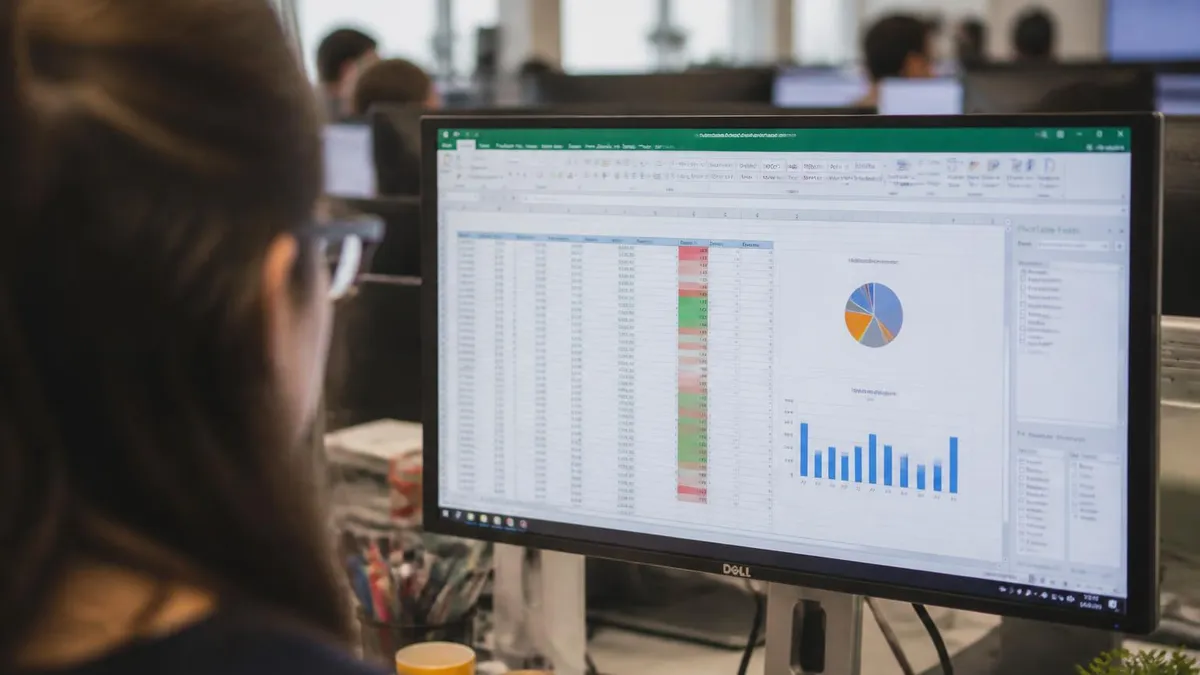
Which free Excel is right for you?
If you're a student, the answer is almost always Microsoft 365 Education. Full desktop Excel for as long as you're enrolled, plus the entire Office suite, plus 1 TB of OneDrive. It's the single biggest software perk of being in school, and somehow lots of students never claim it. Check eligibility at microsoft.com/education before you do anything else.
If you don't have an .edu email and need Excel only occasionally — to open a file someone sent you, to fill in a tax spreadsheet once a year, to track personal finances — Excel for the web is plenty. You'll never pay anything, your files live safely in OneDrive, and the feature set covers everyday tasks comfortably. The browser version has matured dramatically; what felt limited in 2018 feels surprisingly complete in 2026.
If you need Excel for serious work — financial modelling, large datasets, VBA macros, Power Query — and you don't qualify for the education plan, the honest answer is to subscribe to Microsoft 365 Personal (around £59.99 / $69.99 a year). It's not free, but it's a fraction of what a perpetual license used to cost, and you'll spend more time fighting workarounds than the subscription costs in coffee per month. The 30-day trial is a perfectly acceptable way to verify the desktop apps run on your hardware before you commit.
If you reject subscriptions on principle, LibreOffice Calc is your friend. It's free forever, runs offline, opens .xlsx files, and is maintained by a non-profit foundation. The learning curve is real but small. Many former Excel users we've spoken to say they don't miss anything after a week.
Common things people try to do with free Excel
Some real questions we see from people exploring free Excel options:
Free Excel Pros and Cons
- +Excel for the web is genuinely free with no expiry date and no payment information required.
- +Files autosave to OneDrive automatically — no lost work from a browser crash or accidental tab close.
- +Real-time collaboration with multiple editors works just like Google Sheets, with live cursors visible.
- +The Education plan gives full desktop Excel free for years if you qualify with a school email.
- +Mobile apps are free on iPhone, Android, and small tablets, syncing across all your devices.
- +LibreOffice Calc is free, offline, account-free, and maintained by a respected non-profit foundation.
- +Google Sheets handles the bulk of Excel formulas and opens .xlsx files cleanly for casual use.
- +Apple Numbers ships free with every Mac, iPhone, and iPad — no setup or sign-up needed.
- −The web version cannot run VBA macros, Power Query, or any third-party Excel add-ins.
- −The free OneDrive tier is only 5 GB and fills quickly if you also back up phone photos.
- −The 30-day desktop trial requires a credit card up front, with auto-renewal enabled by default.
- −Larger tablets (over 10.1 inches) need a paid subscription to edit Excel files on mobile.
- −Compatibility with very advanced Excel files is imperfect in Google Sheets and LibreOffice.
- −Cracked or pirated Excel downloads carry serious malware, ransomware, and adware risk.
- −Browser-based Excel feels slower than the desktop app for very large datasets above 100,000 rows.
- −Some education institutions limit their plan to web-only A1, blocking the desktop install option.
Pros and Cons at a Glance
| Pros | Cons |
|---|---|
| Excel for the web is genuinely free with no expiry date and no payment information required. | The web version cannot run VBA macros, Power Query, or any third-party Excel add-ins. |
| Files autosave to OneDrive automatically — no lost work from a browser crash or accidental tab close. | Compatibility with very advanced Excel files is imperfect in Google Sheets and LibreOffice. |
| Real-time collaboration with multiple editors works just like Google Sheets, with live cursors visible. | Cracked or pirated Excel downloads carry serious malware, ransomware, and adware risk. |
Practicing Excel skills for free
Once you have a free copy of Excel, the next step is using it well. The job market for spreadsheet-literate workers stays consistently strong — recruiters expect candidates to know VLOOKUP, INDEX/MATCH, pivot tables, conditional formatting, and basic data cleaning by sight. The fastest way to climb that curve is structured practice with feedback. Free templates from the Excel Start page give you starter workbooks for budgets, calendars, and invoices. YouTube has thousands of hours of beginner-to-advanced tutorials. And realistic Excel training courses walk you through specific skills with hands-on exercises rather than passive video.
If you're preparing for a certification — the Microsoft Office Specialist exam — try a few timed Microsoft Excel certification practice tests to gauge where you stand. The questions push you to know shortcuts, recognise formula errors, and navigate dialog boxes quickly. A lot of candidates discover they're far stronger at building Excel formulas than at remembering keyboard shortcuts; that's useful intel before exam day.
One of the most common interview tasks is given a messy Excel spreadsheet with merged cells, inconsistent date formats, and stray whitespace, then ask you to clean it. Spending an hour with TRIM, CLEAN, SUBSTITUTE, and TEXT-to-columns pays for itself the first time a recruiter screen-shares a sloppy file.
Excel Questions and Answers
Wrapping up: free Excel is real, just pick the right door
The myth that you have to pay to use Microsoft Excel hasn't been true for years. Between Excel for the web, the 30-day trial, the education plan, the mobile apps, and the legitimate free alternatives, virtually every spreadsheet task you can imagine has a no-cost path.
The only thing to avoid is the shadow market of cracked installers — those will cost you in malware, lost time, and possibly money, in ways that dwarf any subscription fee. Microsoft's own free routes cover so much ground that there's simply no upside to the risky downloads.
Whichever route you pick, the most valuable thing you can do next is practice. Free Excel access only matters if you actually build the skills. Spend half an hour exploring pivot tables on a sample dataset. Spend an hour learning XLOOKUP. Spend an afternoon cleaning a deliberately messy Excel spreadsheet — and your free Excel becomes more useful than someone else's paid copy that sits unused.
The software is a tool. What matters is what you build with it. Workbooks that solve a real problem — a household budget that flags overspending, a marketing tracker that surfaces winning campaigns, an inventory sheet that catches stock-outs before they cost sales — all those exist in the free version exactly as they do in the paid one.
One last tip: keep your free OneDrive tidy. Five gigabytes runs out quickly if you also let it back up your phone's photos. Disable the camera-roll backup unless you genuinely want it, and your storage stays clear for the spreadsheets that matter.
And if you're considering certification, a course followed by timed Microsoft Excel certification practice will move you from "knows the basics" to "trusted with the company finance file" faster than any tutorial binge. The free path is wide open. The next move is yours.
About the Author

Business Consultant & Professional Certification Advisor
Wharton School, University of PennsylvaniaKatherine Lee earned her MBA from the Wharton School at the University of Pennsylvania and holds CPA, PHR, and PMP certifications. With a background spanning corporate finance, human resources, and project management, she has coached professionals preparing for CPA, CMA, PHR/SPHR, PMP, and financial services licensing exams.