
Excel Certification: Your Complete Guide to Microsoft MOS 2026 September
Excel certification through the Microsoft Office Specialist (MOS) exam proves your skills to employers. Learn which exam to take, costs, and how to 💯

Excel Certification: What It Is and Why It Matters
If you've spent any time applying for office, finance, or administrative roles, you've seen Excel listed as a required skill more times than you can count. 'Proficient in Microsoft Excel' appears in the skills sections of resumes and job postings alike — and it's almost never verified. Excel certification changes that.
It takes a self-reported claim and converts it into a tested, documented, and verifiable fact: this person demonstrated specific Excel tasks in a live environment and met Microsoft's defined standard for that skill level. That distinction matters in ways that compound over a career, and for many candidates it's the differentiator that moves their application from a pile to a shortlist.
Excel certification is formal, verified proof that you can use Microsoft Excel at a defined proficiency level. The most widely recognised Excel certification is the Microsoft Office Specialist (MOS) certification — a credential created and administered by Microsoft through its authorised testing partner, Certiport. MOS certification is performance-based, meaning you're tested by completing actual tasks in a live Excel environment rather than answering multiple-choice theory questions. That distinction matters to employers: a MOS-certified candidate has demonstrably done the work in Excel, not just answered questions about it.
Why does Excel certification matter? Because Excel skills on a CV or resume are self-reported and impossible to verify without a standard. Two candidates might both say they 'know Excel', but one might be able to write a nested IF formula while the other struggles to create a basic SUM. Excel certification bridges that credibility gap — it tells an employer the candidate has been evaluated against a published Microsoft standard and passed. For finance, accounting, data analysis, administrative, and project management roles where Excel competency is expected, a MOS certification is a meaningful differentiator that many candidates don't have.
Excel certification also matters for career changers and new graduates who lack the professional history to demonstrate skills organically. A fresh graduate with no work experience and a MOS Excel Expert certification is signalling something concrete about their capabilities. Someone transitioning from a non-data role into data analysis who holds a MOS certification shows they've made a deliberate investment in building the skills needed for the new role. In competitive hiring environments, these concrete signals carry weight that unverified self-descriptions don't.
- Most recognised certification: Microsoft Office Specialist (MOS) Excel Associate or Expert
- Who administers it: Certiport (a Pearson VUE company), authorised by Microsoft
- Exam format: Performance-based — you complete real tasks in a live Excel environment
- Exam duration: 50 minutes
- Passing score: 700 out of 1000
- Cost: Approximately $80–$100 USD per exam (varies by testing centre and country)
- Levels available: MOS Excel Associate (intermediate) and MOS Excel Expert (advanced)
- Version options: Exams available for Microsoft 365/Office 2019 (current) and older Office versions at some centres
- Certificate validity: No expiry — MOS certifications do not expire, though skills and software versions evolve over time
MOS Excel Certification Levels Explained
MOS Excel Associate (Exam MO-200)
MOS Excel Expert (Exam MO-201)
Microsoft 365 Certified: Fundamentals (MS-900)
LinkedIn Learning / Coursera Excel Certificates
What the MOS Excel Exam Actually Tests
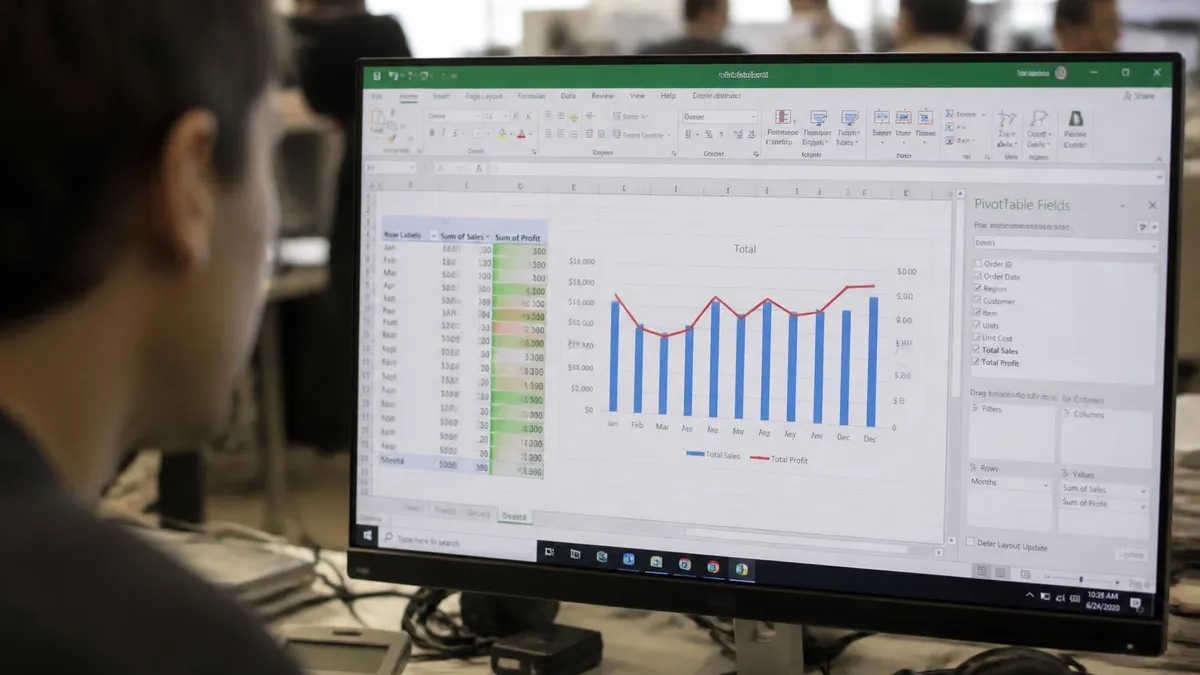
MOS Excel exams are performance-based — you open a real Excel workbook with partially completed tasks and receive instructions to complete specific actions. A task might say 'Apply a COUNTIF formula in cell D5 that counts all values in column B greater than 1000' or 'Create a named range called SalesData that includes cells B2:B25'. You perform the task directly in Excel, and the exam software evaluates whether the result is correct.
This format tests whether you can actually do things in Excel, not whether you know the theory behind them. You can't fake your way through a performance-based exam — either you can navigate to the right menu, apply the correct formula, or configure the chart correctly, or you can't. This is why MOS certification carries more employer credibility than online course certificates: the exam has no way to be bluffed by someone who's good at answering multiple-choice questions but hasn't actually built Excel skills.
The MOS Excel Associate exam (MO-200) covers five main skill domains: managing worksheets and workbooks, managing data cells and ranges, managing tables and table data, performing operations with formulas and functions, and managing charts. The Expert exam (MO-201) adds: managing workbook options and settings, managing and formatting data, creating advanced formulas and macros, and managing advanced charts and tables. Microsoft publishes the complete skills measured for each exam on its website — reviewing these before studying ensures you're practising the right things.
One practical implication of the performance-based format is that you'll need to know exactly where things are in the Excel interface — ribbon tabs, menu locations, dialogue boxes — without hunting around for them during the exam. Candidates who've learned Excel by recording macros without understanding what they do, or who know formulas but have never touched PivotTable settings, will encounter blind spots under exam conditions that they wouldn't have noticed in their regular workflow. Pre-exam preparation specifically needs to cover navigating Excel's interface efficiently, not just knowing what functions exist.
Exam tasks are drawn from real-world Excel scenarios — you might work with a sales report, an inventory workbook, a budget tracker, or a project plan. The workbooks are realistic and multi-tab, requiring you to navigate between sheets and understand how changes in one area affect another. Time management matters: 50 minutes is enough time to complete the exam for a prepared candidate, but it's tight for someone who isn't fluent with the interface. Slow keyboard navigation, hesitation over menu locations, and struggling to recall formula syntax all eat into available time.
How to Prepare for MOS Excel Certification
Microsoft publishes an official Skills Measured document for every MOS exam. This document lists every skill domain and sub-skill that may be tested on the exam — it's essentially the exam blueprint. Download it from Microsoft's Learn website before you start studying. Use it as a checklist: work through each skill and honestly assess whether you can perform it confidently. Gaps in your checklist are your study priorities. Many candidates discover skills they use occasionally but couldn't perform quickly — exactly what exam conditions reveal.
The most effective preparation for a performance-based exam is performance-based practice. Open Excel and practise completing specific tasks: create a PivotTable from scratch, write a VLOOKUP, apply conditional formatting with a custom formula rule, record a simple macro. Don't just read about these features — do them repeatedly until the steps are automatic. Exam conditions eliminate the luxury of figuring things out; you need to know where to click without thinking about it.
MOS practice tests and exam simulators are available through Certiport's GMetrix platform and third-party providers. Simulators replicate the exam interface, giving you a realistic experience of the task format and timing before the actual exam. Practice tests help you identify which skill areas need more attention and build the timed performance experience that generic YouTube tutorials don't provide. Using a practice exam at least once before the real thing significantly reduces exam-day anxiety and interface unfamiliarity.
Excel certification exams are timed — 50 minutes for approximately 35 tasks. Knowing how to do something isn't enough if it takes you four minutes to accomplish a task that should take 30 seconds. Deliberately practise working quickly through common operations: applying named ranges, using Flash Fill, creating dropdown lists, navigating between sheets and applying cross-sheet formulas. Speed comes from repetition — the more you practise, the more automatic these actions become, leaving cognitive capacity for the genuinely challenging tasks in the exam.
Excel Certification: Career Value and Industry Recognition
MOS Excel certification is recognised across most industries where Excel is a tool, but it's particularly valued in:
- Finance and accounting: CFOs, controllers, accountants, and bookkeepers work in Excel daily — certification signals professional-grade skill
- Data analysis: Analysts who use Excel for data manipulation, pivot tables, and reporting benefit from demonstrated Excel competency, particularly early in their careers before more advanced BI tool experience is established
- Administrative and executive support: Executive assistants and office administrators who manage reporting, scheduling, and documentation in Excel find MOS certification valued by employers seeking reliable, skilled coordinators
- Education: Teachers seeking positions in business or computer literacy instruction often benefit from MOS certifications as credentials that parallel subject expertise
- Project management: Project coordinators who build tracking systems, resource schedules, and budget monitors in Excel use intermediate-to-advanced skills that MOS Associate or Expert certification validates
- Human resources: HR professionals who manage compensation analysis, headcount reporting, and training tracking in Excel use skills that MOS certification covers

How to Register and Take the MOS Excel Exam
MOS exams are administered through Certiport, which operates a network of authorised testing centres. Testing centres include schools, colleges, libraries, and commercial testing facilities — many university career centres and public libraries are authorised Certiport centres, making access more widespread than it might initially seem. To register, create a free account at certiport.com, search for a testing centre near your location, and register for the specific exam you want to take. Payment (approximately $80–$100 USD depending on the centre) is processed at registration.
On exam day, you'll check in at the testing centre with valid ID and be seated at a designated computer. The exam interface walks you through the instructions and then presents a workbook with tasks to complete. You work directly in Excel — the exam software overlays task instructions and monitors your actions to evaluate correctness. You can mark tasks to come back to, and there's a task navigator that lets you move between tasks non-linearly. After submission, your score is typically displayed immediately, showing 700 or higher for a pass (scale of 1000).
The day-of exam experience itself deserves some attention in your preparation. Certiport testing centres are standard testing environments — quiet rooms, monitored seats, no external materials allowed. You'll log into the exam interface with your Certiport credentials, verify the exam, and begin when ready. The exam interface shows one task at a time with a task panel you can minimise, and a navigation bar lets you mark tasks and return to them.
The Excel workbook you're working in is a complete workbook, not a simplified mock — it may have formulas, named ranges, or formatting already in place, and your tasks interact with that existing context. Reading the instructions for each task carefully is essential; rushing through a task instruction and completing the wrong action wastes time and costs points.
If you don't pass on the first attempt, Certiport allows retakes — typically after a waiting period. The specific retake policy varies by testing centre. Some candidates take both the Associate and Expert exams on the same day if the testing centre allows it, though back-to-back testing is demanding. Most candidates benefit from scheduling the exams separately, particularly if the Expert exam is their goal — passing the Associate exam first confirms baseline competency and provides a milestone before attempting the more demanding Expert level.
Excel Certification Preparation Checklist
- ✓Download and review the official Microsoft Skills Measured document for your target exam (MO-200 or MO-201) from Microsoft Learn
- ✓Assess your current Excel skills honestly against the skills measured list — identify gaps rather than assuming you know everything covered
- ✓Practise completing specific tasks in live Excel, not just watching tutorials — exam conditions require hands-on muscle memory
- ✓Use a MOS exam simulator or practice test at least once before the real exam to experience the interface format and timing
- ✓Focus practice time on the skills you're least confident with — overlearning your strengths while ignoring weak areas won't improve your score
- ✓Practise for speed as well as accuracy — 50 minutes for approximately 35 tasks means you can't afford to be slow on common operations
- ✓Register at certiport.com and locate a testing centre near you — confirm ID requirements and what to expect on exam day
- ✓On exam day, arrive early, read each task instruction fully before beginning, and use the task navigator to skip and return to difficult items
MOS Excel Certification: Worth It?
- +Performance-based testing means the certification actually validates real skill — you can't pass by memorising theory alone, which is why employers trust it more than self-reported Excel experience
- +No expiry — unlike many technical certifications that require renewal, MOS certifications don't expire. The credential remains on your CV indefinitely (though employers may ask about your experience with current Excel versions separately)
- +Recognised by Microsoft directly — this isn't a third-party credential that depends on the provider's reputation; it's created and endorsed by the software developer whose product you're being certified in
- +Multiple levels allow progression — starting with Associate and progressing to Expert gives you clear milestones and lets you build credentials incrementally as your skills develop
- +Accessible cost — at $80–$100 per exam, MOS certification is among the more affordable professional certifications, making it attainable without employer reimbursement
- −Employer recognition varies — MOS certification is well-known in education, government, and large organisations that have standardised on Microsoft credentials, but some smaller employers in technical fields may not actively look for it in candidates
- −Doesn't cover Excel's most cutting-edge features — the exam versions lag slightly behind the latest Microsoft 365 features; candidates using very recent Excel additions (Copilot integration, latest dynamic array functions) won't find exam tasks testing those specifically
- −Performance pressure — the live-environment, timed format is more stressful than a multiple-choice exam for some candidates, particularly those who know the material but struggle with timed conditions
- −Limited scope for advanced data work — MOS Expert certification is the highest MOS Excel level, but it doesn't cover Power BI, Python in Excel, or data engineering workflows that advanced data professionals need. These require separate credentials.

Excel Certification vs Practical Experience
A common question is how Excel certification compares to simply having years of Excel experience at work. The honest answer is that both have value and they complement each other rather than competing. Practical experience demonstrates breadth — you've used Excel across diverse real-world scenarios over time. Certification demonstrates depth at a specific skill level — you've been formally evaluated against a standard and can perform those skills under exam conditions without looking anything up.
For candidates with five or more years of regular Excel use in finance, analysis, or administration, MOS Associate certification might feel redundant — the experience speaks louder. But for candidates with experience in roles that used Excel in a limited way (basic data entry, simple formatting, occasional SUM formulas), the certification signals that they've actively built skills beyond what their day-to-day required. That distinction — candidate who used Excel passively versus candidate who invested in developing Excel skills — is meaningful to hiring managers in roles where Excel productivity matters.
For new graduates with limited work experience, Excel certification is one of the most accessible concrete signals of professional competency. It's cheaper than most professional certifications, can be obtained without employer sponsorship, and directly addresses the most common 'required skills' line item on entry-level job postings in business, finance, and administrative fields. For a student who anticipates competing for analyst or coordinator roles, adding MOS Excel Associate (or Expert) to a degree is a low-cost, high-signal investment that can shift their application from the pile to the interview list.
MOS Excel Certification: Key Numbers
Getting Excel Certified as a Student or Job Seeker
For students, the best time to pursue MOS Excel certification is while enrolled in a programme — colleges, universities, and secondary schools are commonly Certiport authorised testing centres, and many offer exams at discounted rates for enrolled students. Some business, accounting, and computer applications programmes include MOS preparation and testing as part of their curriculum. If your school offers this, take advantage of it — getting certified while your coursework covers the relevant material is more efficient than preparing independently after graduation.
For job seekers who aren't currently enrolled, commercial Certiport testing centres — including some libraries and community centres — provide access to MOS testing without any institutional affiliation. You register, pay, and take the exam independently. The preparation is entirely self-directed: Microsoft's free Learn platform has official MOS preparation content, and platforms like GMetrix offer paid practice test simulators that closely replicate the exam format. A motivated job seeker can go from zero preparation to exam-ready in four to eight weeks of focused practice depending on their starting Excel proficiency.
Once certified, list MOS certifications on your CV or LinkedIn profile in the Certifications section using the full official name: 'Microsoft Office Specialist: Excel Associate' or 'Microsoft Office Specialist: Excel Expert'. Include the exam version and year of certification. On LinkedIn specifically, certifications can be added through the dedicated Licenses & Certifications section, which makes them visible on your profile and searchable by recruiters. Displaying the Microsoft certification badge — available through Certiport's digital credentialing system — on your LinkedIn profile adds additional visual credibility.
MOS Excel exams are version-specific — make sure you're taking the exam that matches the Excel version your employer uses. The current standard exams are MO-200 (Excel Associate) and MO-201 (Excel Expert) for Microsoft 365/Office 2019. Older versions (Excel 2016 exams 77-727 and 77-728) may still be available at some centres but represent older software versions. For most job seekers and professionals in 2026, the Microsoft 365 exam versions (MO-200 and MO-201) are the appropriate choice — they reflect current software capabilities and are what employers with Microsoft 365 subscriptions will recognise as most relevant. If your target employer or organisation uses an older Office version, confirm which exam version aligns before registering.
Beyond MOS: Other Ways to Validate Excel Skills
While MOS certification is the gold standard for Excel skills validation, it isn't the only option worth considering. Platforms like LinkedIn Skill Assessments offer short, free, multiple-choice assessments on Excel that display a 'verified skill' badge on your LinkedIn profile — not as rigorous as MOS but low-effort and visible.
Completing LinkedIn's Excel skill assessment in the top 30% or top 15% adds a badge that hiring managers can see on your profile without any cost to you. It's not a direct substitute for MOS but a useful and entirely free complement to it that adds visible proof to your LinkedIn profile with minimal effort.
Project portfolios are another powerful and often underused way to demonstrate Excel competency alongside or instead of formal certification. A GitHub repository or portfolio website containing Excel files you've built — financial models, data clean-up pipelines, automated reports using formulas and conditional formatting — is concrete, reviewable evidence that complements any credentials. For data-focused roles, showing your work in Excel is often more persuasive than any certification badge, because it demonstrates problem-solving and creativity in addition to technical proficiency.
It's also worth understanding how Excel certification fits into a broader data skills development path. MOS Expert is the top of the MOS Excel ladder, but it's a stepping stone in the larger landscape of data skills that the market currently rewards. Professionals who hold MOS Expert and are comfortable with Excel's most advanced features — dynamic array formulas, Power Query data transformation, complex pivot analysis — are well-positioned to learn adjacent tools like Power BI (Microsoft's business intelligence platform), Python basics for data analysis, or SQL for database querying.
Excel certification doesn't teach these adjacent skills, but it validates the analytical thinking and tool fluency that makes learning them faster and more natural. Thinking of MOS Excel Expert as a foundation for further data skills development, rather than an endpoint, is the most productive framing for career planning.
Corporate Excel training programmes offered by employers are worth pursuing if available. Many large organisations have internal Excel training tracks — from basic to advanced — with internal completion records. While these don't produce the external recognition of a MOS certification, they demonstrate employer-validated Excel development and can be listed on your CV as professional development.
Combined with MOS certification, they build a complete picture of your investment in Excel competency that stands up to scrutiny in interviews and hiring reviews. A candidate who holds MOS Expert certification and has completed their organisation's advanced Excel training track is clearly someone who takes the tool seriously — and that seriousness, signalled through multiple documented channels, resonates with hiring managers evaluating technical staff for data-intensive roles where Excel forms the backbone of daily analytical work.
Excel Certification Questions and Answers
About the Author

Business Consultant & Professional Certification Advisor
Wharton School, University of PennsylvaniaKatherine Lee earned her MBA from the Wharton School at the University of Pennsylvania and holds CPA, PHR, and PMP certifications. With a background spanning corporate finance, human resources, and project management, she has coached professionals preparing for CPA, CMA, PHR/SPHR, PMP, and financial services licensing exams.