
Pearson VUE NREMT: How to Schedule & Take the Cognitive Exam 2026 September
🔎 Pearson VUE NREMT cognitive exam guide: schedule via NREMT portal, what to bring, test center experience, CAT format, scoring, retake policy.
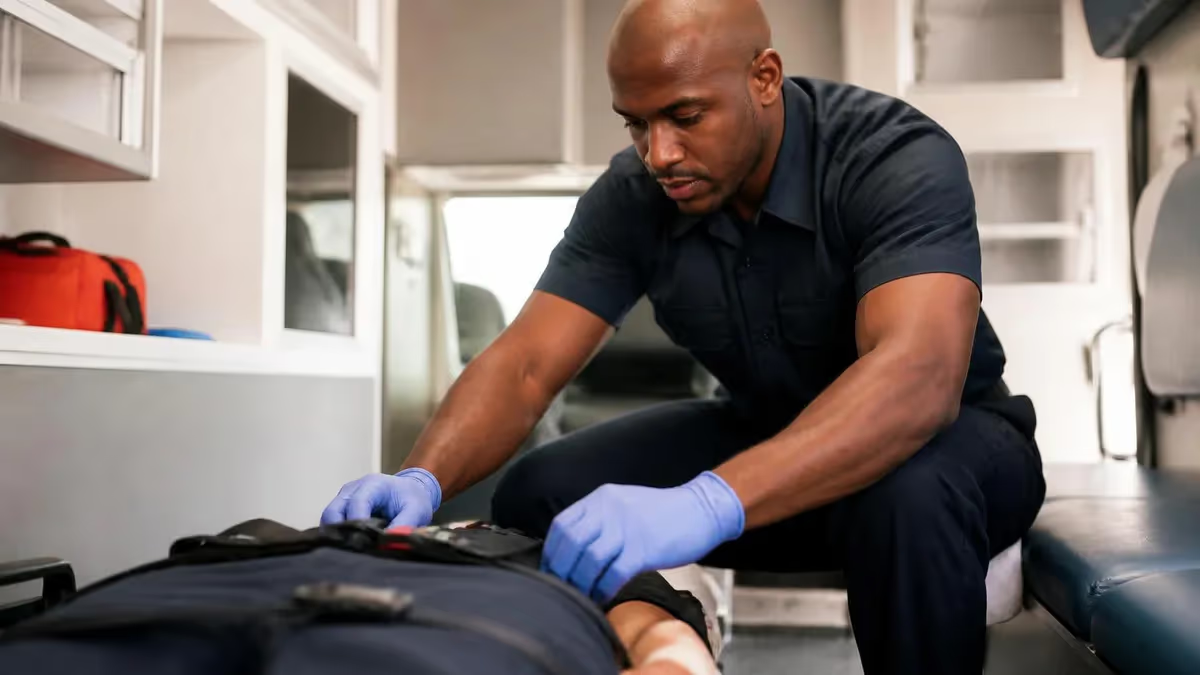
Pearson VUE and the NREMT Cognitive Exam
The nremt of Emergency Medical Technicians (NREMT) is the certifying body for EMS providers across the United States. Every candidate at every level — EMR, EMT, AEMT, and Paramedic — takes the cognitive exam at a Pearson VUE test center.
Pearson VUE is the global testing vendor that runs the secure facilities, computer hardware, and proctoring infrastructure used by NREMT. You will not take the cognitive exam at home, online, or inside your school. It happens in person, inside a monitored Pearson VUE site.
That setup shapes your whole exam day. It dictates how you register, what identification you bring, what you can carry into the room, the rules for breaks, and when your score becomes visible.
Candidates often mix up the NREMT portal (where you create an account, pay fees, and apply) with Pearson VUE (where you actually sit the test). The two systems share data, but they are not the same login. Knowing which platform handles what saves real time.
This guide walks through the whole flow end-to-end. Account setup. Eligibility approval. Scheduling a seat. What to expect when you arrive. The computer-adaptive (CAT) format. Score release. The retake policy if you do not pass.
Whether you are testing for EMT for the first time or sitting your Paramedic recertification, the Pearson VUE process works the same way — only the content and length of the exam change by level. The booking flow, the test center rules, the CAT engine, and the score release timeline stay identical across every NREMT certification level.
Pearson VUE NREMT Exam At a Glance
Key Facts at a Glance
| Item | Value | Details |
|---|---|---|
| Authorization to Test letter required before scheduling at Pearson VUE | ATT | |
| Standard validity window of the NREMT ATT letter to schedule and test | 90 days | |
| Question count range across EMR, EMT, AEMT, and Paramedic levels | 70-150 | |
| Minimum wait between cognitive exam retake attempts | 15 days | |
| Government photo ID plus secondary ID required at test center | 2 IDs |

How to Schedule Your NREMT Exam at Pearson VUE
Scheduling is a two-step process. It trips up roughly 1 in 5 first-time candidates.
Step one happens on the NREMT side. You apply, pay the application fee, and wait for your program director to verify that you completed an approved EMS course.
Step two happens on the Pearson VUE side. Once NREMT issues your Authorization to Test (ATT) letter, you log into a separate Pearson VUE account to pick a date, time, and physical test center.
The ATT letter is the critical handoff. It carries a unique candidate ID number that Pearson VUE uses to match you to the right exam level and to confirm your eligibility window.
ATT letters are typically valid for 90 days from issue. If you do not test inside that window, you lose your application fee and have to reapply. Schedule early. Popular metros often book 2 to 4 weeks out, especially in summer when graduating cohorts compete for seats.
You can schedule a Pearson VUE seat online at pearsonvue.com/nremt or by phone. Online is faster. It also lets you see real-time availability across multiple nearby centers.
Pay close attention to time zones. The system displays local center time, not your home time zone. Pearson VUE charges a separate seat fee on top of the NREMT application fee. Budget both up front.
You can reschedule up to 24 hours before your appointment without penalty. No-shows forfeit the entire fee. Bookmark the confirmation email — it has your appointment code, the center address, parking notes, and check-in time.
You apply, pay the application fee, and view your results inside your NREMT account at nremt.org. You schedule the actual exam seat, pay the seat fee, and check in on test day with Pearson VUE. The two systems share your eligibility status but use different logins. Most scheduling mistakes happen when candidates try to do both on one site. Always wait for your ATT letter before logging into Pearson VUE.
What to Bring on Exam Day
Pearson VUE enforces identification and personal-item rules strictly. The NREMT cognitive exam is no exception.
The single most common reason candidates are turned away at the door is an ID problem. An expired license. A name that does not match the NREMT registration. Only one form of identification when two are required. Read the rules below before you leave home.
You need one primary government-issued photo ID with your full legal name and signature. Acceptable primary IDs include a current driver's license, state ID, US passport, or military ID.
The name on your ID must match the name on your NREMT account exactly. "Mike Johnson" on a license will not match "Michael R. Johnson" on the registration. If you changed your name recently, update both systems before booking.
Most test centers also ask for a second ID as a backup. A credit card or student ID with your name is usually acceptable.
You are not required to bring a printed ATT letter. Pearson VUE pulls eligibility from the shared system automatically. Many candidates print it anyway as a safety net.
Beyond ID, you bring nothing into the testing room. Phones, smartwatches, food, drinks, study notes, hats, jackets with hoods, and fitness trackers all go into the assigned locker. Plan to arrive 30 minutes early to clear security check-in, palm vein scan, photo, and locker assignment.
What to Bring to a Pearson VUE NREMT Appointment
Current driver's license, state ID, US passport, or military ID. Name must match your NREMT account exactly — middle initials, hyphens, and recent legal name changes all count.
Credit card, debit card, student ID, or employer ID with your name. Pearson VUE typically requires a second ID even if your primary is a passport. Bring both to avoid any check-in delay.
Email or printed confirmation showing your Pearson VUE appointment code, center address, and check-in time. Not strictly required but speeds up check-in if there is any system lookup issue.
Phone, smartwatch, fitness tracker, study notes, food, drinks, and outerwear all go into the assigned locker. Nothing leaves the locker except your ID. Plan to wear simple clothing without hoods or large pockets.
Inside the Pearson VUE Test Center
Pearson VUE test centers are quiet, secure spaces. They run anywhere from 8 to 40 individual testing stations divided by privacy partitions.
The room is monitored continuously by an on-site proctor and ceiling-mounted cameras with audio recording. Every candidate is photographed, fingerprinted (or palm vein scanned, depending on the center), and signs in on a digital tablet.
You will be given an erasable note board and a marker. You cannot bring or take your own scratch paper.
Once seated, you will go through a short tutorial. It explains the exam interface, how to flag questions, how to take an unscheduled break, and how to end the exam. The tutorial does not count toward your exam time, so take it slowly.
After the tutorial, the cognitive exam begins immediately. Breaks are allowed, but the exam timer keeps running during unscheduled breaks, and you must sign out and back in with the proctor each time. Plan hydration and bathroom needs accordingly.
Test centers vary in quality. Some are dedicated Pearson Professional Centers (PPCs) with newer equipment and consistent staffing. Others are Pearson VUE Authorized Test Centers (PVTCs) hosted inside colleges, libraries, or training schools.
PPCs are generally a more controlled environment. PVTCs are often more conveniently located. Read Google reviews for your chosen site before booking — recurring complaints about noisy rooms or unhelpful staff are worth taking seriously.

NREMT Cognitive Exam by Certification Level
The EMT-Basic cognitive exam runs 70 to 120 questions in up to 2 hours. The CAT algorithm starts with a moderate-difficulty item and recalibrates after each response. Content is weighted toward airway, cardiology, trauma, and medical/OB-GYN, with EMS operations as a smaller fifth domain. Most candidates finish in 80 to 100 questions and 90 minutes; running long or short is normal and does not predict outcome.
- Pass rate: approximately 66% on first attempt
- Topics: 5 content domains, weighted by patient demographics (adult vs pediatric)
- Calculator: not allowed and not needed — all math is mental
The Computer-Adaptive Testing (CAT) Format Explained
The NREMT cognitive exam is a computer-adaptive test (CAT), not a fixed-length exam. This is where many candidates' anxiety spikes.
In a CAT, the difficulty of the next question depends on whether you answered the previous one correctly. Answer correctly — the system serves a harder question. Answer incorrectly — it serves an easier one.
The system is constantly recalculating an estimate of your ability level and the precision of that estimate. The exam ends when one of three things happens: the algorithm reaches 95% confidence about pass or fail, you hit the maximum question count, or you run out of time.
Two candidates sitting next to each other can finish the same exam after different numbers of questions. One might end at 70, another at 120. This does not indicate pass or fail.
Short tests are not automatically passing tests. Long tests are not automatically failing tests. The exam stops when the system has enough data to make a confident call either way. Trying to "read" the algorithm by counting questions is a waste of mental energy.
For EMT-Basic, expect 70 to 120 questions in up to 2 hours. AEMT runs 135 questions max in 2 hours 15 minutes. Paramedic ranges 80 to 150 questions in 2.5 hours. EMR is the shortest at 90 to 110 questions in 1 hour 45 minutes.
Content domains include airway, ventilation, and oxygenation; cardiology and resuscitation; trauma; medical and obstetrics/gynecology; and EMS operations. Knowing the rough distribution helps with study planning — but should not change how you approach individual questions on test day.
Test-Taking Strategy for an Adaptive Exam
Because the CAT recalibrates after every answer, two strategic shifts from traditional exams matter.
First, you cannot skip questions and come back to them. Every question must be answered before the next appears.
Second, the early questions weigh more heavily on your initial ability estimate than later questions. Giving the first 15 to 20 questions your sharpest focus produces a better starting point for the algorithm and can shorten the exam.
Use the full time on early questions even if you feel confident. Read every word. Eliminate clearly wrong options first. Pick the best answer from what remains rather than the perfect answer — the NREMT often offers two reasonable options with one being slightly better.
When you hit a topic you genuinely do not know, make an educated guess based on EMS scope of practice principles. Airway first. Then breathing. Then circulation. Then disability. Move on without second-guessing.
Time management matters less on CAT than on fixed-length exams, but pacing still helps. If you spend more than 90 seconds on any single question, flag it mentally and commit to an answer. Lingering rarely improves accuracy on medical scenario items.
Treat the exam as a marathon. If you start to feel mentally exhausted, take a brief unscheduled break, get water, and reset before continuing. The few minutes off the timer are usually worth the recovered focus.
Pearson VUE NREMT Day-Of Checklist
- ✓Arrive 30 minutes early — check-in includes ID verification, photo, palm scan, and locker assignment
- ✓Bring primary government photo ID (driver's license, passport, state ID, or military ID) with name matching NREMT account
- ✓Bring a secondary ID such as a credit card or student ID as backup
- ✓Leave phone, smartwatch, fitness tracker, notes, food, and drinks in the assigned locker
- ✓Wear simple clothing without hoods or large pockets — layers are fine if removable at check-in
- ✓Use the on-screen tutorial slowly to get comfortable with the exam interface before the timer starts
- ✓Plan bathroom and hydration needs before testing — unscheduled breaks do not pause the timer
- ✓Stay calm and treat every question independently — CAT difficulty fluctuation is normal

Score Release and What to Expect
After you finish, the exam closes immediately. You will not see a preliminary score on screen — only a confirmation that the test was submitted.
Pearson VUE transmits your raw response data to the NREMT, where it is rescored and verified before being released to your candidate account. Most candidates see their result posted within 1 business day, often the morning after they test.
Tests taken on Friday afternoon, weekends, or US federal holidays may take until the next business day. Plan ahead if you are waiting on results to apply for a job.
You will log into your NREMT account (not Pearson VUE) to see whether you passed. The NREMT does not report a numerical score — you only see "pass" or "fail."
If you passed, you can download a wallet card and verify your registration status with state licensing agencies. If you failed, the system reports your performance by content domain ("below standard," "near passing," "above passing"). That gives you a clear road map for retake preparation.
State EMS offices automatically receive notification of your pass through the NREMT data feed. You do not need to forward anything.
That said, NREMT certification is separate from your state license. You still must apply for state licensure with most agencies, and some states require additional state-specific exams or background checks. Check your state EMS office's requirements before assuming you are ready to work.
Pearson VUE Delivery: Pros and Cons
- +Standardized testing environment — every candidate sits the same monitored, secure exam regardless of school or region
- +Score release in 1 business day means you know fast whether to celebrate or schedule a retake
- +Computer-adaptive format shortens the exam for high-performing candidates — many finish in under 2 hours
- +Wide center network with sites in most metros and many smaller cities, so travel is usually under an hour
- +Strict ID and security rules mean your certification has real credibility with state EMS offices and employers
- −Two separate accounts (NREMT and Pearson VUE) confuse first-time candidates and cause scheduling errors
- −ATT letter only valid 90 days — missed scheduling windows mean reapplying and repaying the application fee
- −Test center fees stack on top of NREMT application fees, raising the per-attempt cost to $100 to $150
- −Strict day-of policies (ID, name match, no late entries) cause forfeited fees for small administrative mistakes
- −Centers vary in quality — older PVTC sites can have noisy rooms, dated hardware, or inconsistent staffing
Retake Policy and Next Steps After a Fail
If you do not pass on the first attempt, do not panic. First-time nremt retake policy hover around 65 to 75% depending on the level — roughly a third of candidates need at least one retake.
The NREMT retake policy is structured to encourage focused study between attempts rather than rapid resits. You must wait a minimum of 15 days before retesting.
You can take the exam up to three times in a 12-month period through the standard retake process. After three failed attempts, you must complete additional remedial education before applying again.
Each retake requires a new ATT letter and a new Pearson VUE appointment. You pay both the NREMT application fee and the Pearson VUE seat fee again. Budget approximately $100 to $150 per attempt depending on your level.
Use the content-domain feedback from your failed attempt to guide review. If "cardiology and resuscitation" came back as "below standard," that is where to spend most of your study hours — not on domains that scored "above passing."
Take a free NREMT practice test before you book the retake. Practice tests that mirror the CAT format and content distribution give a more honest assessment of readiness than reviewing notes.
Aim for 80% or better on multiple full-length practice exams before scheduling. Candidates who retake within a few days of failing tend to fail again. Those who take 4 to 6 weeks to genuinely fill the knowledge gaps pass more reliably.
Common Pearson VUE Day-Of Issues and How to Handle Them
Even with thorough preparation, things can go wrong at the test center. Knowing the standard recovery steps prevents a missed appointment from turning into a forfeited fee.
The most common problem is being turned away for an ID mismatch. If your NREMT account name and ID name differ — even by a middle initial — the proctor has authority to deny entry. Update both systems and reschedule rather than arguing at the desk. Staff cannot override the policy.
Late arrivals are the second most common issue. Pearson VUE typically allows entry up to 15 minutes after the scheduled start. Anything beyond that becomes a no-show, and the fee is forfeit.
Drive to the test center the day before if you have never been. Metro traffic and parking can add 20 to 30 minutes to your travel time. If your appointment is at a college-hosted PVTC, check for student parking restrictions and after-hours building access — some sites require a security escort to reach the testing room.
Technical issues during the exam (computer freeze, power blip, software error) trigger an automatic incident report. The proctor logs the time and event. Pearson VUE then works with NREMT to determine whether your session must be invalidated and rescheduled.
You do not lose your fee for verified technical failures. The recovery process can take 5 to 10 business days. Stay calm, raise your hand, and follow the proctor's instructions — arguing or attempting to fix it yourself only complicates the incident report.
NREMT Questions and Answers
About the Author
Paramedic & Emergency Services Certification Trainer
George Washington UniversityCaptain Ryan O'Brien is a licensed paramedic and NREMT-certified emergency medical professional with a Bachelor of Science in Emergency Medical Services from George Washington University. He has 15 years of field experience as a paramedic and firefighter, and has coached hundreds of EMT and paramedic candidates through their NREMT written and psychomotor licensing examinations.
Join the Discussion
Connect with other students preparing for this exam. Share tips, ask questions, and get advice from people who have been there.
View discussion (2 replies)