
Excel ROUND Function: Complete Guide to Syntax and Practical Use 2026 September
🎯 Complete guide to the Excel ROUND function covering syntax, examples, ROUND vs ROUNDUP vs ROUNDDOWN, decimal places, common errors, and practical

The Excel ROUND function provides essential capability for controlling decimal precision in spreadsheet calculations. The function rounds numbers to specified numbers of digits supporting consistent presentation of calculation results, accurate financial calculations, and reasonable display of computed values that might otherwise show excessive decimal places. Understanding the ROUND function and its related functions ROUNDUP and ROUNDDOWN supports more professional Excel work across personal and business spreadsheet applications.
Basic syntax for the ROUND function uses the format ROUND number num_digits where number represents the value to round and num_digits specifies how many decimal places to retain. Positive num_digits values round to that many decimal places. Zero num_digits rounds to whole numbers. Negative num_digits values round to tens, hundreds, or larger units depending on specific value. The flexible parameter supports rounding at any level of precision appropriate for specific calculation contexts.
Excel rounds half values using standard rounding conventions sometimes called banker rounding or round-half-to-even depending on specific Excel version. Most Excel ROUND implementations round 0.5 values away from zero meaning 2.5 rounds to 3 and -2.5 rounds to -3. The rounding behavior supports straightforward expectations though some statistical applications prefer banker rounding for unbiased statistical results. Understanding rounding behavior supports proper interpretation of results across various calculation contexts.
Historical context for the ROUND function traces back to early Excel versions in the 1980s when spreadsheet software became widely available. The function has remained essentially unchanged across decades supporting backward compatibility for spreadsheets created in older Excel versions. The stable function definition produces predictable behavior across Excel versions supporting reliable use throughout business and personal applications without version-specific concerns.
International number formatting affects how ROUND function results display in different regional Excel configurations. American English uses period as decimal separator while many European configurations use comma. The underlying values remain identical regardless of regional display preferences. Function syntax remains the same with English function names though some Excel versions support localized function names. The internationalization considerations matter for spreadsheets used across multiple regions with different formatting conventions.
Significant figures versus decimal places represents conceptual difference affecting some scientific applications. Decimal places control rounding at specific positions relative to decimal point. Significant figures control rounding based on total digits regardless of decimal point position. Excel ROUND function works with decimal places rather than significant figures. Custom solutions using LOG and INT functions can implement significant figures rounding when required for specific scientific applications.
Spreadsheet model documentation should describe rounding decisions made throughout calculations. Audit trails for financial models particularly require clear documentation of where and why rounding occurs. Some organizations require formal documentation of significant rounding decisions in financial models supporting regulatory compliance and audit requirements. The documentation discipline supports both immediate review and long-term maintenance of complex calculation models requiring proper governance.

The Excel ROUND function rounds numbers to specified decimal places using syntax ROUND number num_digits. Positive num_digits values round to decimal places, zero rounds to whole numbers, and negative values round to tens, hundreds, or larger units. Related functions include ROUNDUP, ROUNDDOWN, MROUND, FLOOR, and CEILING for specific rounding behaviors.
The ROUND function combined with other Excel functions supports virtually all rounding requirements across business and scientific spreadsheet applications producing clean professional results.
Common applications of the ROUND function include financial calculations where currency requires exactly two decimal places, scientific calculations requiring specific significant figures, and reporting where excessive decimal places clutter presentation. Sales tax calculations typically use ROUND to ensure clean two-decimal-place results. Currency conversions benefit from rounding to appropriate decimal places matching target currency conventions. Statistical results often require rounding to meaningful precision avoiding false precision that excessive decimals can imply about measurement accuracy.
Decimal places parameter accepts both positive and negative values supporting various rounding scenarios. ROUND 123.456 2 produces 123.46 rounded to two decimal places. ROUND 123.456 0 produces 123 rounded to whole number. ROUND 123.456 -1 produces 120 rounded to tens. ROUND 123.456 -2 produces 100 rounded to hundreds. The flexible parameter supports rounding at any precision level from many decimal places through rounding to thousands or larger units.
Memory and computational implications of ROUND in large spreadsheets remain minimal for typical applications. Each ROUND operation requires only basic arithmetic supporting fast calculation. Large spreadsheets with thousands of ROUND operations calculate quickly on modern hardware. Real-time calculation in interactive spreadsheets supports immediate result updates as inputs change. The minimal performance impact makes ROUND practical for virtually any application without performance concerns affecting typical business spreadsheets.
Subscript and superscript formatting in spreadsheet headers helps clarify rounding precision communicated to users. Header notations like Amount in thousands or Amount rounded to nearest dollar communicate rounding decisions to spreadsheet users. Clear communication about applied rounding prevents user confusion about apparent inconsistencies between displayed values and expected calculations. The presentation aspects complement actual rounding implementation in formulas.
Spreadsheet templates often include ROUND function as standard practice for specific calculation types. Financial planning templates round currency to two decimal places. Project management templates round duration estimates to clean values. Sales analysis templates round percentages to one or two decimal places. Standard template practices support consistent presentation across organizations using common spreadsheet templates beyond just individual user preferences alone.
Comparison with similar functions in other spreadsheet platforms supports cross-platform spreadsheet portability. Google Sheets ROUND function works identically to Excel ROUND. LibreOffice Calc ROUND matches Excel behavior. Apple Numbers ROUND produces consistent results. The cross-platform consistency supports moving spreadsheets between platforms when needed without rounding behavior changes affecting results. The standard rounding implementation produces reliable cross-platform spreadsheet behavior.
Excel Rounding Functions
Standard rounding to specified decimal places using normal rounding rules where 0.5 rounds away from zero in most implementations. Detailed function syntax and parameters appear in Excel help documentation supporting comprehensive reference.
Always rounds away from zero regardless of decimal value. ROUNDUP 2.1 0 returns 3 and ROUNDUP -2.1 0 returns -3 forcing rounding up in absolute value. Detailed function syntax and parameters appear in Excel help documentation supporting comprehensive reference.
Always rounds toward zero regardless of decimal value. ROUNDDOWN 2.9 0 returns 2 and ROUNDDOWN -2.9 0 returns -2 forcing rounding down in absolute value. Detailed function syntax and parameters appear in Excel help documentation supporting comprehensive reference.
Rounds to nearest multiple of specified value. MROUND 23 5 returns 25 rounding to nearest multiple of 5. Useful for rounding to specific increments like quarters or fives. Detailed function syntax and parameters appear in Excel help documentation supporting comprehensive reference.
Rounds down to nearest multiple of specified significance. FLOOR 23 5 returns 20 always rounding down to multiple of 5 regardless of how close to next multiple. Detailed function syntax and parameters appear in Excel help documentation supporting comprehensive reference.
Rounds up to nearest multiple of specified significance. CEILING 23 5 returns 25 always rounding up to next multiple of 5 regardless of how close to lower multiple. Detailed function syntax and parameters appear in Excel help documentation supporting comprehensive reference.
Comparison between ROUND and number formatting affects how Excel handles displayed versus actual values. Cell number formatting changes display without changing underlying values. ROUND function changes actual stored values. The distinction matters substantially when subsequent calculations use rounded values. Calculations using formatted but unrounded values produce different results than calculations using values that were actually rounded through ROUND function application. Understanding this difference prevents subtle calculation errors that can affect financial accuracy.
Multiple ROUND function applications within complex formulas support intermediate rounding at specific calculation steps. Some calculations require rounding intermediate results before subsequent operations affecting final results substantially. Other calculations should preserve full precision until final results. The choice depends on specific calculation requirements with financial calculations often requiring careful rounding control at each step matching accounting requirements producing consistent results across various accounting reports.
Power Query and ROUND together support data transformation workflows in modern Excel. Power Query provides data import and transformation capabilities supporting cleaning data from external sources. Within Power Query M language, similar rounding functions exist supporting equivalent operations during data import. Some workflows perform rounding during Power Query import while others wait for spreadsheet formulas. Choosing appropriate timing supports clean data architecture and predictable calculation results.
Educational settings teach ROUND function as standard part of Excel curriculum across business education and accounting programs. Students learn ROUND alongside other essential Excel functions supporting professional spreadsheet skills. The widespread teaching produces broad familiarity with ROUND across business professionals who encountered the function during education. The familiarity supports both effective use and ability to understand spreadsheets created by others using ROUND in their calculations.
ROUND Function Examples
ROUND 3.14159 2 returns 3.14 rounded to two decimal places. ROUND 3.14159 4 returns 3.1416 rounded to four decimal places. ROUND 3.14159 0 returns 3 rounded to whole number. The positive num_digits values control how many decimal places remain in the result supporting precise control over decimal precision in various calculation contexts.
Specific examples provide concrete reference for typical ROUND function applications supporting confident use across various calculation needs.
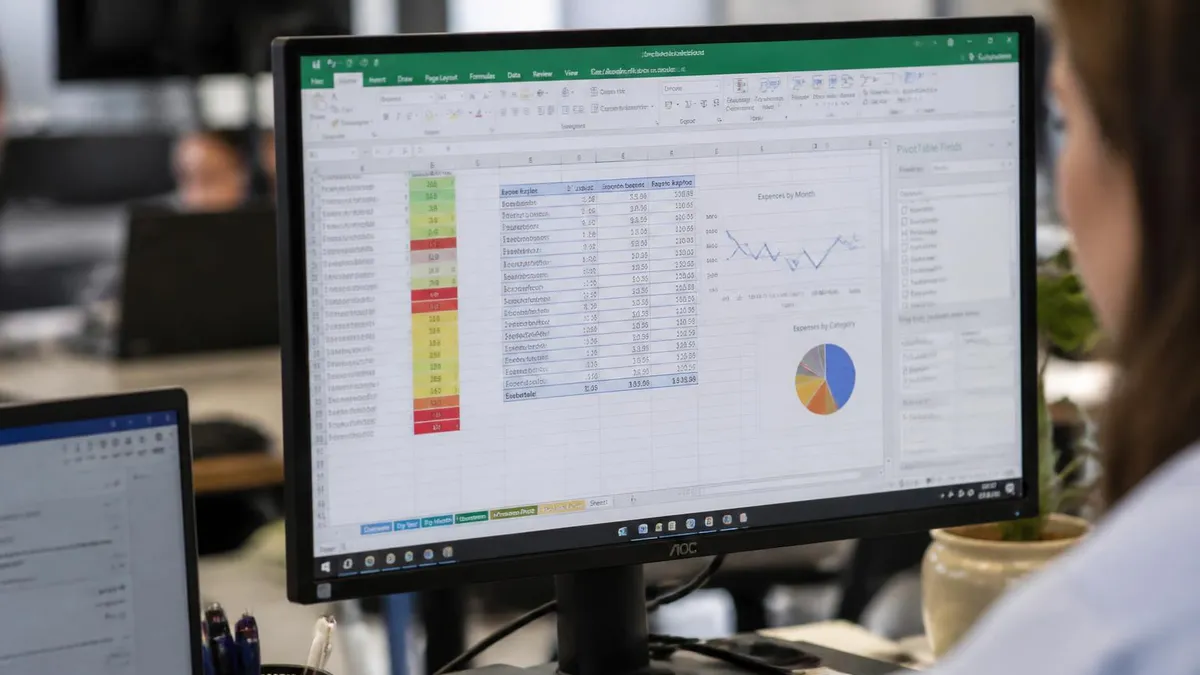
Combining ROUND with other functions creates powerful calculations supporting various business needs. ROUND combined with VLOOKUP rounds lookup results to appropriate precision. ROUND with SUM rounds summed values to clean presentation. ROUND with division operations rounds results of calculations to appropriate precision. The combination capability extends ROUND utility beyond just simple number rounding into complex calculation pipelines producing professional results across various spreadsheet applications.
Error handling around ROUND function applies when input values produce errors. If the number parameter contains a text value that cannot convert to number, ROUND returns VALUE error. Number formatting issues sometimes cause unexpected values though typically ROUND handles numeric inputs reliably. Combining ROUND with IFERROR provides strong handling of potential calculation errors supporting clean output even when input data contains occasional problems requiring graceful error management.
VBA programming alternatives to ROUND function include Round function in VBA which behaves slightly differently from worksheet ROUND. VBA Round uses banker rounding while worksheet ROUND uses standard rounding producing different results for 0.5 values. VBA Application.Round provides access to worksheet ROUND behavior from VBA when banker rounding is not desired. Understanding the difference between VBA Round and worksheet ROUND prevents subtle errors in macros and custom functions.
Rounding can produce subtle errors in calculations particularly when intermediate values are rounded before final results. Verify rounding decisions match your specific calculation requirements. Financial calculations particularly require careful attention to rounding to comply with accounting standards. Test calculations with known expected results before relying on complex calculations involving multiple rounding operations.
Document rounding decisions in spreadsheet comments or separate documentation supporting future maintenance when others may need to understand or modify the calculation logic.
Banker rounding represents alternative rounding behavior used in some statistical and financial applications. Banker rounding rounds 0.5 values to the nearest even number rather than always rounding away from zero. Banker rounding produces 2.5 rounding to 2 and 3.5 rounding to 4 rather than 3 and 4 respectively. The approach produces unbiased statistical results when many values are rounded though differs from common rounding expectations. Excel ROUND uses standard rounding rather than banker rounding though some specialized scenarios use banker approaches.
Performance considerations for ROUND function across large spreadsheets affect calculation speed in spreadsheets with thousands or millions of ROUND applications. Single ROUND operations are very fast though massive applications can affect overall calculation time. Optimizing complex spreadsheets sometimes involves reducing unnecessary ROUND operations while maintaining necessary rounding for accurate results. The performance impact rarely matters for typical business spreadsheets but can affect very large analytical models.
Spreadsheet auditing tools help identify ROUND function usage in complex spreadsheets supporting both maintenance and quality assurance. Formula tracing shows precedents and dependents helping understand how ROUND results flow through calculation networks. Find and Replace identifies all ROUND function uses supporting bulk review. Conditional formatting can highlight cells containing ROUND function supporting visual identification of rounded values. The auditing tools support managing complex spreadsheets with substantial ROUND function use.
Using ROUND Effectively
- ✓Identify whether you need ROUND, ROUNDUP, or ROUNDDOWN based on specific rounding requirements
- ✓Choose appropriate decimal places parameter matching the precision needed for your specific application
- ✓Consider whether to round intermediate values or preserve full precision until final results
- ✓Test calculations with known expected results verifying rounding produces correct outputs
- ✓Distinguish between number formatting which changes display and ROUND which changes actual values
- ✓Document rounding decisions in complex spreadsheets supporting future maintenance and review
- ✓Combine with IFERROR for strong error handling when input data may contain occasional problems
- ✓Review existing spreadsheets for proper ROUND function use particularly in financial calculations
- ✓Train colleagues on ROUND function use supporting consistent spreadsheet practices across teams
Practical applications across business functions include sales tax calculations, currency conversions, statistical reporting, and various other scenarios where rounding matters. Sales tax requires rounding to two decimal places matching currency conventions and accounting requirements. Currency exchange calculations produce many decimal places requiring rounding for clean presentation. Statistical reports require rounding to meaningful precision avoiding false precision implications. Each application has specific rounding requirements that ROUND function flexibility supports effectively.
Financial reporting standards often specify rounding requirements affecting how Excel calculations should handle decimal precision. Generally Accepted Accounting Principles include various rounding requirements affecting financial statements. International Financial Reporting Standards have similar requirements with specific differences. Tax calculations follow specific rounding rules from tax authorities. Compliance with applicable standards requires careful ROUND function application matching specific regulatory requirements beyond just general business preferences for clean numbers.
Mobile Excel apps on iOS and Android implement ROUND function consistently with desktop Excel. The mobile implementations support viewing and editing spreadsheets containing ROUND function without compatibility issues. Some advanced features in desktop Excel may not appear in mobile versions though basic ROUND function works reliably across platforms. The cross-platform consistency supports business workflows where users access spreadsheets across various devices including phones and tablets.
Common errors with ROUND function include forgetting num_digits parameter, using wrong sign for num_digits, and confusing ROUND with other functions. Forgetting num_digits produces error since Excel requires both parameters. Wrong sign produces unexpected results rounding at wrong precision level. Confusion with TRUNC produces different results since TRUNC removes decimals without rounding while ROUND properly rounds based on value. Understanding the specific function behavior prevents common usage errors across spreadsheet applications.
Differences between Excel ROUND and rounding in other programming languages affect users transitioning between platforms. Many programming languages use banker rounding by default while Excel uses standard rounding. Database systems often have different default rounding behaviors. Financial systems may implement specific rounding rules required by accounting standards. Verifying actual rounding behavior in specific platforms supports accurate results when calculations involve multiple systems with potentially different default rounding approaches.
Pivot tables and ROUND function interact in specific ways affecting calculated field results. Pivot table calculated fields can include ROUND function supporting clean presentation of aggregated data. Some pivot table calculations apply rounding to subtotals or grand totals affecting how rounded values appear in summary rows. Understanding pivot table behavior with ROUND helps create clean pivot table presentations matching specific business requirements for aggregated data display.
ROUND Function Reference
Common ROUND Use Cases
Rounding tax calculations to two decimal places ensures clean currency amounts matching accounting requirements and customer expectations. Detailed function syntax and parameters appear in Excel help documentation supporting comprehensive reference.
Rounding converted amounts to appropriate decimal places matching target currency conventions including different conventions for various currencies. Detailed function syntax and parameters appear in Excel help documentation supporting comprehensive reference.
Rounding statistical results to meaningful precision avoiding false precision implications that excessive decimals can suggest. Detailed function syntax and parameters appear in Excel help documentation supporting comprehensive reference.
Rounding time-based calculations to clean values supporting straightforward presentation of duration or schedule information. Detailed function syntax and parameters appear in Excel help documentation supporting comprehensive reference.
Rounding intermediate or final results in financial models supporting consistent presentation matching accounting and analyst expectations. Detailed function syntax and parameters appear in Excel help documentation supporting comprehensive reference.
Rounding dashboard values for clean presentation while maintaining sufficient precision for meaningful business insights from displayed data. Detailed function syntax and parameters appear in Excel help documentation supporting comprehensive reference.
Excel version differences in ROUND function behavior remain minimal across major Excel versions. The function has been included in Excel since early versions with consistent behavior across Excel 2007, 2010, 2013, 2016, 2019, 2021, and Microsoft 365. Cross-platform behavior between Windows Excel and Mac Excel produces consistent ROUND results. Google Sheets implements ROUND with similar behavior supporting spreadsheet portability between platforms. The consistent behavior across versions and platforms supports reliable ROUND use without version-specific concerns affecting typical applications.
Alternative functions for specific rounding needs supplement basic ROUND when standard rounding does not match specific requirements. TRUNC removes decimal portions without rounding supporting straight truncation. INT returns largest integer less than or equal to value supporting consistent behavior with negative numbers. EVEN rounds up to nearest even integer. ODD rounds up to nearest odd integer. The varied rounding functions cover virtually all rounding needs across business and scientific applications beyond just basic ROUND function alone.
Continued mastery of Excel ROUND function combined with related rounding functions supports increasingly sophisticated spreadsheet work matching professional standards across various industries that depend on accurate numerical calculations for business decisions and reporting requirements.
Building Excel skills including effective ROUND function use produces career value extending across many professional roles. Most office workers benefit from solid Excel skills regardless of specific job function. ROUND function represents one element within broader Excel proficiency supporting professional success. Continued learning and practice with Excel functions including ROUND produces increasingly sophisticated spreadsheet capabilities supporting career advancement.
Practice with ROUND function in actual spreadsheet projects produces durable skill development beyond just theoretical knowledge supporting confident application across various business contexts.
Professional Excel skill development supports career advancement opportunities.
Excel ROUND Function Considerations
- + —
- + —
- + —
- + —
- + —
- + —
- − —
- − —
- − —
- − —
- − —
- − —
Excel Questions and Answers
About the Author

Business Consultant & Professional Certification Advisor
Wharton School, University of PennsylvaniaKatherine Lee earned her MBA from the Wharton School at the University of Pennsylvania and holds CPA, PHR, and PMP certifications. With a background spanning corporate finance, human resources, and project management, she has coached professionals preparing for CPA, CMA, PHR/SPHR, PMP, and financial services licensing exams.