
PSSA App: The Complete Guide to Digital Tools for Pennsylvania State Assessment Prep
Looking for a PSSA app to boost your score? 📚 Discover top digital tools, practice test platforms, and study strategies for Pennsylvania students.

Finding the right PSSA app can make a measurable difference in how Pennsylvania students prepare for one of the state's most important standardized assessments. The Pennsylvania System of School Assessment evaluates students in grades 3 through 8 in English Language Arts and Mathematics, and in grades 4, 8, and 11 in Science. With digital learning tools becoming more accessible than ever, students and families are turning to apps and online platforms to supplement classroom instruction, build content knowledge, and reduce test anxiety before the big day arrives.
Digital preparation tools work best when they mirror the structure and difficulty of the actual exam. A good PSSA app will not just quiz students on random facts — it will present questions in the same format they'll encounter during testing, give immediate feedback on incorrect answers, track performance over time, and identify the specific skill gaps that need the most attention. This kind of adaptive, targeted practice is far more effective than passive reading or last-minute cramming sessions the night before the exam.
Parents often wonder whether apps are worth the investment or whether free tools are just as effective. The honest answer is that both paid and free resources can be highly valuable, depending on how consistently they are used. A free platform used every day for six weeks will almost always outperform a premium subscription that a student opens once. Consistency, not cost, is the strongest predictor of improvement on standardized assessments like the PSSA.
Teachers and school counselors frequently recommend combining multiple digital tools rather than relying on a single platform. For example, a student might use one app to practice Math fluency, another to work through reading comprehension passages, and a third to review Science vocabulary and concepts. When these tools are aligned to Pennsylvania's academic standards, the cumulative effect on test readiness can be substantial. Knowing pssa app scheduling details also helps families plan their digital study calendar effectively.
One of the most underrated benefits of using a PSSA app is the reduction in test anxiety. Many students experience significant stress around standardized testing, and part of that anxiety comes from unfamiliarity with the format and timing. When students practice regularly using digital tools that simulate the testing environment — timed sections, multiple-choice questions, written response prompts — the actual exam day feels far less intimidating. Familiarity breeds confidence, and confidence directly supports better performance.
This guide covers everything you need to know about choosing and using the right digital tools for PSSA preparation. From free browser-based platforms to dedicated mobile apps, from structured study schedules to quick review sessions during a lunch break, you will find actionable advice that applies to students across all tested grade levels. Whether you are a student, a parent supporting a child at home, or a teacher looking for recommended resources to share with your class, this article provides the roadmap you need.
The sections below walk through the most important features to look for in a PSSA prep app, how to build a study routine around digital tools, what subjects and grade levels each type of platform covers best, and how to evaluate whether your chosen tools are actually producing measurable improvement over time. By the end of this guide, you will have a clear, practical framework for building a digital study plan that gets results.
PSSA Digital Prep by the Numbers

Key Features to Look for in a PSSA App
The most important feature any PSSA prep app can offer is alignment to Pennsylvania's official academic standards. Tools not tied to PA-specific benchmarks may cover irrelevant material and waste valuable study time. Always verify that the platform explicitly references Pennsylvania Core Standards.
High-quality apps adjust question difficulty based on student performance. If a student consistently answers grade-3 Math questions correctly, the platform should escalate to grade-appropriate challenge problems rather than continuing to serve easy content that builds no new skills.
Feedback that explains why an answer is correct or incorrect is far more valuable than a simple right-or-wrong indicator. The best PSSA apps provide step-by-step solution walkthroughs, helping students learn from mistakes rather than simply moving on to the next question.
A visual dashboard showing mastery by skill, topic, or standard helps students and parents identify where the most work remains. Look for apps that track performance trends over time and flag areas that need review before the testing window opens.
Timed, full-length practice tests that replicate the real PSSA testing experience are essential for building stamina and reducing test anxiety. The best apps include at least two to three complete simulated exams with scoring reports that mirror the official state score format.
Using digital prep tools effectively requires more than just downloading an app and opening it occasionally before school. Students who see the greatest gains from PSSA preparation apps are those who integrate them into a deliberate, structured study routine. That means choosing specific days and times for practice, setting weekly goals tied to particular skills or subject areas, and reviewing performance data regularly to adjust the plan as the testing window approaches.
The most effective study routines combine short, frequent sessions with periodic longer review blocks. Research on spaced repetition consistently shows that studying the same material across multiple shorter sessions produces better long-term retention than a single extended session. For PSSA prep, this might mean spending twenty to thirty minutes each weekday using a math fluency app, with one longer sixty-to-ninety-minute full practice test session on the weekend. This rhythm keeps content fresh without overwhelming students.
Subject rotation is another strategy that makes digital prep more effective. Rather than spending an entire week only on Mathematics and then switching to English Language Arts the following week, students benefit from mixing subjects within the same week or even the same daily session. This approach, sometimes called interleaving, strengthens the brain's ability to distinguish between different problem types and switch cognitive strategies — a skill that directly applies to navigating a multi-subject assessment like the PSSA.
Parents can support their children's digital study routine by creating a distraction-free environment for app-based practice. This means designating a specific location in the home for study sessions, ensuring devices are charged and connected to reliable internet, and establishing clear boundaries around notifications from social media and games during practice time. Even small environmental improvements can have a meaningful impact on focus and the quality of practice time.
Teachers who incorporate PSSA prep apps into classroom instruction report that the data these tools generate can be just as valuable as the practice itself. When a platform tracks every student's performance by standard, teachers gain a real-time view of class-wide skill gaps that would otherwise take multiple rounds of paper-based assessment to identify. This data can then inform targeted small-group instruction in the weeks leading up to the test, making classroom prep time significantly more efficient.
It is equally important to use digital tools alongside — not instead of — traditional study methods. Reading printed passages, writing by hand, solving math problems on paper, and discussing science concepts verbally all engage different cognitive pathways that app-based practice alone may not activate. A well-rounded PSSA preparation plan weaves together digital tools, printed materials, classroom instruction, and conversation-based review for the most comprehensive outcome.
Students in the upper tested grades, particularly eighth graders preparing for both the Math and Science assessments, often benefit from subject-specific apps that go deeper than general test-prep platforms. Science apps that focus on Pennsylvania's ecology, physical science, and earth science standards, for example, can cover content in far greater depth than a generalist platform that treats science as a secondary subject. Investing time in finding the right specialized tool for each tested subject can pay dividends on test day.
Best PSSA App Options by Subject Area
English Language Arts preparation apps for the PSSA should cover the full range of skills assessed on the test: literary text comprehension, informational text analysis, vocabulary in context, editing and revision, and written response construction. Look for platforms that include passages at the appropriate grade-level Lexile range and that ask inferential questions requiring students to cite textual evidence, not just recall surface-level details from what they read.
The most effective ELA apps also include writing prompt practice, since the PSSA tests written response in addition to multiple-choice reading comprehension. Students should look for tools that provide scoring rubrics aligned to Pennsylvania's writing standards and that offer sample scored responses at each performance level so students can self-assess their own written answers before receiving feedback from a teacher or parent.

PSSA App Prep: Benefits and Limitations
- +Immediate feedback helps students correct misconceptions before they become ingrained habits
- +Adaptive difficulty keeps practice challenging and prevents students from coasting on easy questions
- +Progress dashboards make it easy to see exactly which skills need the most attention before the test
- +Flexible access means students can practice on evenings, weekends, or during free periods at school
- +Timed practice tests build stamina and reduce test anxiety by simulating real exam conditions
- +Many platforms offer free or low-cost access, making quality prep available to all students regardless of income
- −Screen fatigue can reduce focus during long app-based study sessions, especially for younger students
- −Not all apps are aligned to Pennsylvania's specific academic standards, leading to misdirected study time
- −App-based practice cannot fully replicate the experience of writing extended responses by hand on paper
- −Students may develop a passive habit of guessing and reading explanations without deeply engaging with concepts
- −Unreliable internet access at home can disrupt study schedules for students in rural or low-income areas
- −Some paid platforms use subscription models that can become expensive over a full academic year of use
PSSA Digital Prep Checklist: 10 Steps to App-Based Success
- ✓Verify that your chosen app explicitly aligns to Pennsylvania Core Standards before committing study time to it
- ✓Set a daily practice goal of at least 20–30 minutes at least five days per week in the six weeks before testing
- ✓Complete at least one full-length timed practice test before the actual PSSA testing window opens
- ✓Review every incorrect answer in detail — read the explanation and rework the problem before moving on
- ✓Use the app's progress dashboard weekly to identify your three weakest skill areas and prioritize them
- ✓Rotate between ELA, Math, and Science apps within the same study week to keep all subjects fresh
- ✓Practice writing extended responses by hand using prompts from app-based platforms before test day
- ✓Ask a parent, guardian, or teacher to review your practice test scores and discuss areas for improvement
- ✓Turn off all notifications and social media apps during scheduled digital study sessions to protect focus
- ✓Use the Science app's data analysis modules at least twice per week if you are in grade 4, 8, or 11
Consistency Outperforms Intensity Every Time
Students who use a PSSA prep app for 25 minutes every day for six weeks consistently outperform students who cram for three or four hours the weekend before the test. Spaced repetition and regular retrieval practice are among the most well-validated strategies in educational psychology. Build the habit early and let consistency do the heavy lifting.
Maximizing the value of your digital study sessions requires more than just showing up and clicking through questions. Students who get the most out of PSSA prep apps approach each session with a clear intention — a specific skill, standard, or question type they are targeting that day. This intentional practice is fundamentally different from passive scrolling through content, and the difference in learning outcomes reflects that distinction clearly and consistently.
One powerful strategy is to begin each study session by reviewing performance data from the previous session. Most quality apps retain a detailed history of all questions attempted, including which ones were answered correctly and which required multiple tries. Spending the first five minutes of each session reviewing yesterday's errors — without looking at the explanations again — is a form of retrieval practice that dramatically strengthens long-term memory for the material you struggled with most.
Another effective technique is to narrate your thinking out loud while working through practice problems. Cognitive scientists call this self-explanation, and it has been shown to improve comprehension and problem-solving accuracy across subject areas. When a student says aloud, "I know this is asking me to find the main idea, so I need to identify the sentence that all the other sentences support," they are actively constructing meaning rather than passively recognizing a familiar answer pattern. This habit translates directly to better performance on the actual exam.
Students who struggle with the written response portions of the PSSA — which appear in both the ELA and Science assessments — benefit from using apps that provide scored examples of student responses at each performance level. Reading a four-point response and a two-point response side by side, then articulating what the stronger response does differently, builds the meta-cognitive awareness students need to improve their own writing. This comparative analysis strategy is something most passive study methods cannot replicate.
Time management during practice tests deserves explicit attention as well. Many students who know the material still underperform on standardized tests because they spend too much time on difficult questions early in the test and run out of time for easier questions later. Digital practice tests are an ideal environment to practice the skill of strategic pacing — setting a rough time budget per question, flagging items to return to, and making an educated guess when necessary rather than leaving an answer blank.
Parents and guardians can play an active supporting role in maximizing app-based study sessions without hovering over their child's shoulder. Setting a consistent study location, keeping the device charged, asking open-ended questions about what the child practiced that day, and celebrating incremental progress milestones all contribute to a positive study culture at home. Research consistently shows that parental involvement in academic preparation, even at a light-touch level, has a meaningful positive effect on student motivation and persistence.
Finally, students should not underestimate the value of taking intentional breaks during extended study sessions. The Pomodoro Technique — twenty-five minutes of focused work followed by a five-minute break — has been widely adopted in academic settings because it aligns with how the brain naturally processes and consolidates new information. Incorporating structured breaks into app-based study sessions prevents cognitive fatigue and helps students maintain the quality of attention that makes practice genuinely productive rather than merely time-consuming.
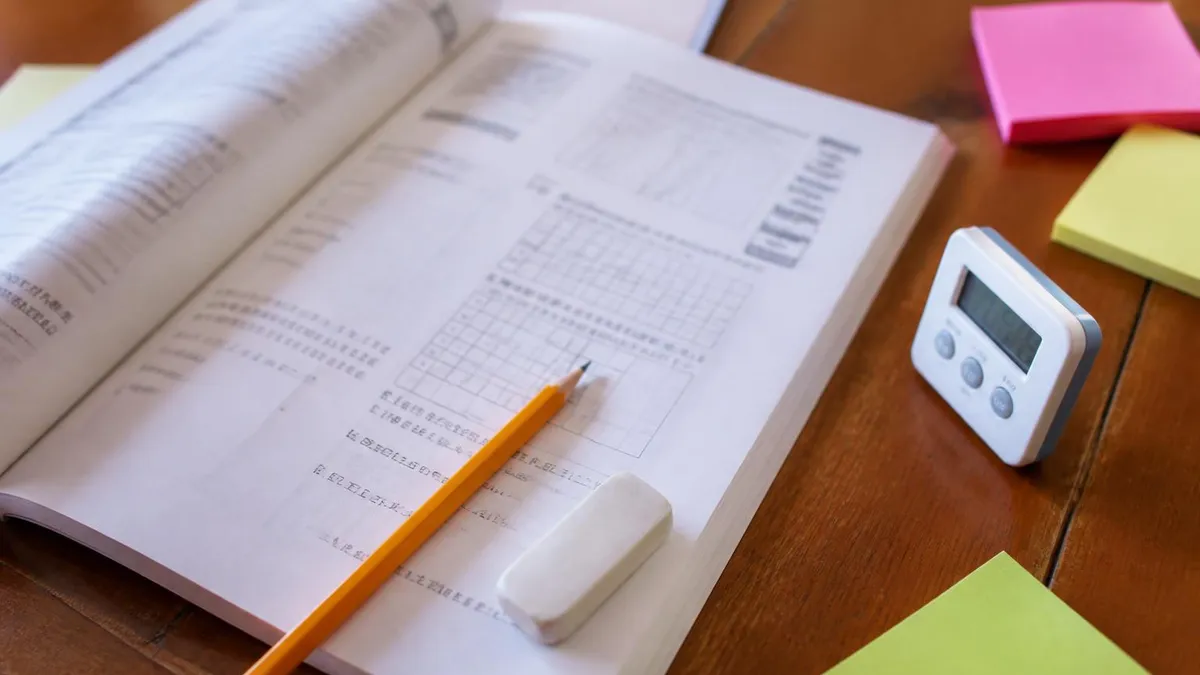
The PSSA testing window typically opens in the spring, and students who begin app-based preparation less than two weeks before the exam rarely see meaningful score improvements. Plan to start your digital study routine at least six weeks before the testing window opens to allow enough time for spaced repetition, skill building, and at least one full-length practice test simulation.
Tracking your progress with a PSSA prep app is one of the most motivating and actionable things a student can do in the weeks leading up to the exam. Most modern platforms generate detailed performance reports that break down scores by standard, skill cluster, and question type. Learning how to read and act on this data — rather than treating a score as a final judgment — is a skill that pays dividends not just for the PSSA but for every academic challenge that follows.
When reviewing progress data, focus on trends rather than individual data points. A single poor score on a practice quiz may reflect a bad day, a distraction, or a particularly difficult question set — it does not necessarily indicate a systemic gap. What matters is the direction of your scores over time. If you answered 55 percent of fraction questions correctly two weeks ago and 68 percent correctly this week, that upward trajectory is a genuine signal of growth, even if your overall score is not yet where you want it to be.
Skill-level reporting is where the most actionable insights live. When an app tells you that you are in the 90th percentile on literary text comprehension but in the 40th percentile on informational text analysis, that discrepancy is a clear instruction: spend more time on informational passages and less time on fiction. Without this granular data, students tend to practice what they are already good at — which feels productive but does little to close the gaps that matter most for their final score.
For parents monitoring a child's progress, the best approach is to schedule a brief weekly check-in conversation focused on what the data shows rather than whether the child is studying enough. Ask specific questions: Which standard did you improve on most this week? Which one still feels the hardest? What is your plan for that skill over the next few days? This kind of structured reflection turns performance data into a collaborative planning tool rather than a source of pressure or anxiety.
Some PSSA prep platforms allow teachers to create class accounts that aggregate individual student performance data into a single dashboard. When schools provide access to these tools, students benefit from the added accountability of knowing their teacher can see their practice activity. More importantly, teachers who regularly review this data can identify students who are consistently struggling with specific standards and provide targeted in-class support before the testing window opens.
Setting specific, measurable goals before each practice session also enhances the value of progress tracking. Rather than simply opening an app and answering whatever questions appear, a student might set a goal of answering ten consecutive data analysis questions correctly before ending the session. This goal-setting behavior shifts the mental frame from "completing practice" to "achieving mastery," which produces a fundamentally different quality of engagement with the material.
As the testing window approaches, it is important to taper the intensity of digital practice rather than escalating it. In the final week before the exam, students should shift from skill-building to light review and confidence reinforcement. Revisiting previously mastered standards, taking one final abbreviated practice test, and reviewing the testing schedule and logistics are all more valuable at this stage than attempting to cram new material. Arriving at the test well-rested and confident is worth more than any last-minute study session, no matter how good the app.
Practical preparation tips can transform a student's app-based study plan from a vague intention into a concrete, actionable routine. The most important tip is deceptively simple: start earlier than you think you need to. Students who begin using PSSA prep apps in January or February — well before the spring testing window — have time to work through the full range of tested standards, take multiple practice tests, and genuinely close their skill gaps rather than simply becoming familiar with the test format at a surface level.
When selecting an app, look for platforms that were built specifically for the PSSA rather than generic test-prep tools that have been relabeled for Pennsylvania students. The difference matters because Pennsylvania's academic standards differ in important ways from the Common Core standards used in many other states, and from the national frameworks that most generic platforms are built around. Content that is not specifically mapped to Pennsylvania's standards may leave students underprepared for the specific types of questions they will encounter on test day.
Students who use multiple apps simultaneously can benefit from cross-referencing their performance data across platforms. If one app shows strong performance in a skill area but another app shows weaker performance in the same area, the discrepancy may indicate that the question difficulty or format differs between the two platforms. This kind of multi-platform comparison gives students a more accurate picture of their true readiness than any single platform can provide on its own.
Teachers and parents should also be aware that some students experience a phenomenon called "app fatigue" — a gradual decrease in engagement and effort quality when using the same platform for too many consecutive days. Rotating between two or three different apps every few weeks can keep the practice experience fresh and prevent the mechanical, low-effort engagement that develops when students become overly familiar with a single platform's interface and question patterns.
For students with individualized education plans or 504 accommodations, it is worth investigating whether your chosen app supports extended time settings, text-to-speech functionality, or other accessibility features that match your approved accommodations. Practicing under conditions that mirror your actual testing accommodations ensures that your practice scores reflect your true knowledge rather than a mismatch between study conditions and test conditions.
The Science portion of the PSSA is often the most overlooked by both students and parents, partly because it is only tested in three grade levels rather than six. Students in grades 4, 8, and 11 who are preparing for the Science assessment should dedicate at least one-third of their total digital study time to Science content, with particular emphasis on data analysis, experimental design, and the specific content domains outlined in Pennsylvania's science assessment anchors.
Finally, remember that no app or digital tool can replace the foundational learning that happens in the classroom. Apps are most effective when they reinforce and extend what students are already learning with their teachers, not when they are used as a substitute for engaged classroom participation. The students who perform best on the PSSA are those who combine attentive classroom learning with consistent, strategic use of digital prep tools — the two approaches reinforce each other in ways that neither can achieve alone.
PSSA Questions and Answers

PSSA Testing Window: Everything Pennsylvania Students Need to Know

PSSA Prep: Study Guide for Pennsylvania Students

PA Department of Education PSSA: Complete Guide for Pennsylvania Students and Families

PSSA Calculator Policy: What Every Pennsylvania Student Needs to Know

PSSA Testing: Pennsylvania System of School Assessment Guide
About the Author

Educational Psychologist & Academic Test Preparation Expert
Columbia University Teachers CollegeDr. Lisa Patel holds a Doctorate in Education from Columbia University Teachers College and has spent 17 years researching standardized test design and academic assessment. She has developed preparation programs for SAT, ACT, GRE, LSAT, UCAT, and numerous professional licensing exams, helping students of all backgrounds achieve their target scores.
Join the Discussion
Connect with other students preparing for this exam. Share tips, ask questions, and get advice from people who have been there.
View discussion (8 replies)