
PSSA Calculator Policy: What Every Pennsylvania Student Needs to Know
Learn the PSSA calculator policy — what's allowed, when calculators are permitted, and how to prepare. 📝 Full guide for PA students.
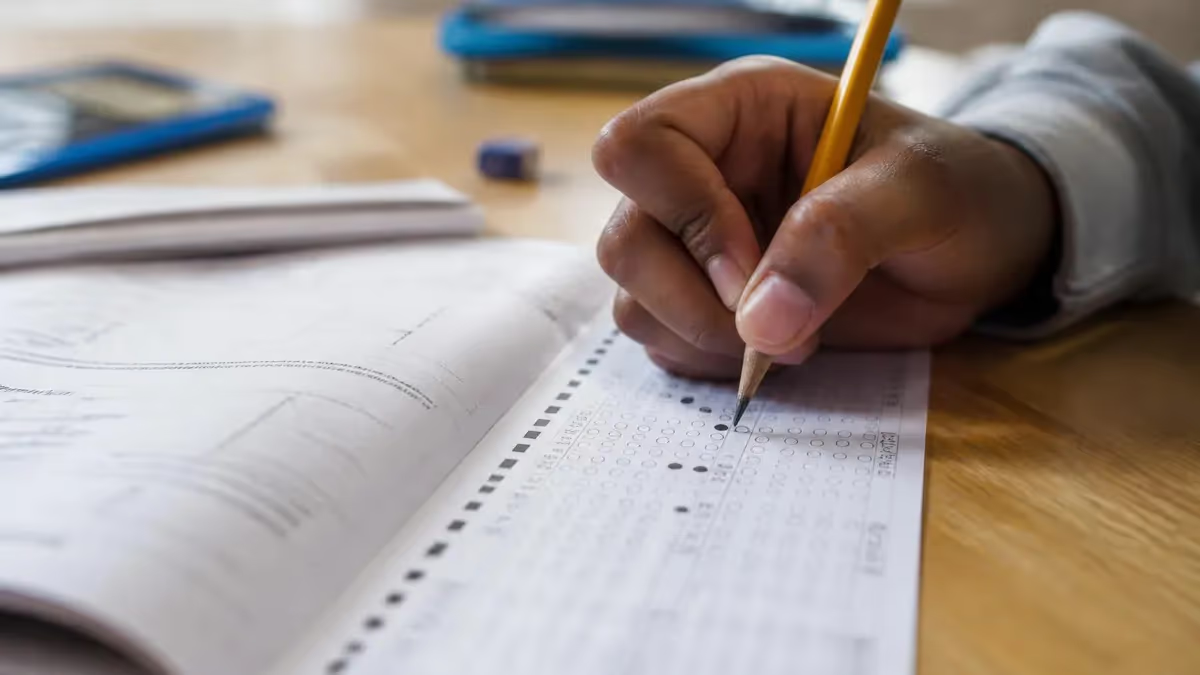
The PSSA calculator policy is one of the most important test-day rules Pennsylvania students and parents need to understand before sitting for the Pennsylvania System of School Assessment. Knowing exactly when a calculator is allowed — and when it is strictly prohibited — can prevent costly mistakes on test day and help students allocate their preparation time more wisely. The Pennsylvania Department of Education has crafted a detailed policy that varies by grade level and by specific sections within the Mathematics assessment, so a one-size-fits-all assumption can lead to surprises in the testing room.
Each year, thousands of Pennsylvania students in grades 3 through 8 take the PSSA in Mathematics, English Language Arts, and Science. Within the Mathematics assessment, the calculator policy is especially nuanced. Some sections of the math test are designated as calculator-active, meaning students may use an approved calculator to work through multi-step problems. Other sections are strictly calculator-inactive, requiring students to rely entirely on mental math, estimation, and pencil-and-paper computation. Understanding this split is essential for targeted practice and confident test performance.
Parents often wonder whether their child can bring a personal calculator from home or whether the school will provide one. The answer depends on what the school's test coordinator has arranged and what the state policy permits for that grade. In most cases, schools provide approved calculators for calculator-active sections, and no personal devices are allowed on the test floor. Students who arrive expecting to use their own calculator may find it collected before the session begins, leaving them flustered if they haven't practiced with a school-provided model.
The policy also intersects directly with the pssa calculator policy and the broader testing window schedule, because different test sections are administered on different days. A student who misunderstands which day is calculator-active and which is calculator-inactive may spend the night before the wrong section practicing with a calculator instead of sharpening mental computation skills. This guide breaks down every layer of the PSSA calculator policy so that students, parents, and teachers are fully prepared well before the first bubble is filled in.
For students with documented disabilities or those receiving accommodations under an Individualized Education Program (IEP) or 504 Plan, the calculator policy has additional provisions. Certain accommodations may allow the use of calculators on otherwise calculator-inactive sections. These accommodations must be documented and pre-approved by the district; they cannot be requested on the day of testing. Knowing these rules in advance helps families work with school counselors early enough to ensure every eligible accommodation is in place before the testing window opens.
Teachers and test prep instructors play a critical role in helping students internalize these rules. The best classroom preparation mirrors the actual test conditions — running calculator-inactive practice sessions that build fluency with arithmetic, fractions, and proportional reasoning, then switching to calculator-active sessions that focus on data interpretation, multi-step word problems, and applying mathematical reasoning efficiently. Students who train under realistic conditions consistently outperform those who practice with calculators freely available throughout all study sessions, because the real test demands both skill sets.
This comprehensive guide covers every aspect of the PSSA calculator policy: the specific grade-level rules, which sections are calculator-active versus calculator-inactive, what types of calculators are approved, how accommodations work, common mistakes students make, and practical strategies for mastering both styles of problem-solving. Whether you are a third grader encountering standardized testing for the first time or an eighth grader preparing for your final PSSA, the information here will help you walk into the testing room with confidence and a clear understanding of the rules.
PSSA Calculator Policy by the Numbers
Key Facts at a Glance
| Item | Value | Details |
|---|---|---|
| Math Section Types | 2 Sections | One calculator-active, one calculator-inactive per grade |
| Calculator-Active Time | ~80 min | Approximate combined time for calculator sections |
| Calculator-Inactive Time | ~60 min | Approximate time with no calculator allowed |
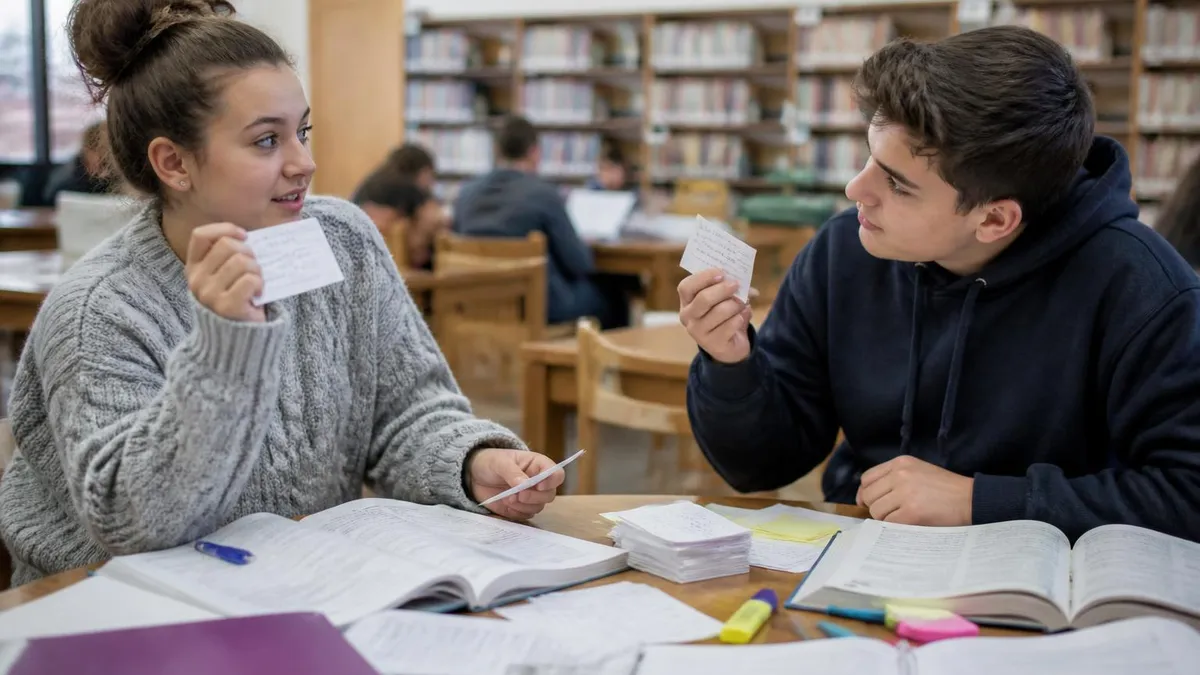
PSSA Calculator Rules by Grade Level
Third and fourth graders do not use calculators on any portion of the PSSA Mathematics assessment. At these grade levels, the test focuses on foundational number sense, basic operations, and early algebraic thinking — all skills best measured without calculator assistance.
Fifth graders also complete the entire Mathematics PSSA without a calculator. The emphasis on multi-digit multiplication, division, fractions, and decimals at this grade level requires students to demonstrate computational fluency using only pencil-and-paper strategies.
Students in grades 6, 7, and 8 encounter a split calculator policy. The Mathematics assessment is divided into a calculator-inactive section and a calculator-active section. Only approved four-function or scientific calculators may be used during the designated active section.
The Grade 8 Science PSSA allows the use of a calculator as needed on the full assessment, since science problems often involve multi-step calculations, unit conversions, and data analysis that would be unreasonable to restrict. Check with your school for the specific approved model.
Understanding the split between calculator-active and calculator-inactive sections is the single most important element of the PSSA calculator policy for middle school students. For grades 6, 7, and 8, the Mathematics assessment is intentionally divided into two distinct parts that are typically administered separately, often on different days or in separate testing blocks within the same day. The calculator-inactive section appears first, and students must complete it and hand in all materials before any calculators are distributed for the active section.
The calculator-inactive portion of the PSSA Mathematics test covers concepts that the Pennsylvania Department of Education expects students to know by memory and by mathematical reasoning. These include integer operations, fraction arithmetic, ratio and proportion, basic geometry formulas, and understanding of expressions and equations. Because students cannot lean on a calculator to compensate for shaky arithmetic, this section genuinely measures mathematical fluency. Practice under identical conditions — pencil only, no scratch paper from outside, no digital devices — is the most effective preparation strategy for this portion of the test.
Once the calculator-inactive section is completed and collected, the test administrator distributes approved calculators for the active section. The calculator-active portion is designed around tasks where calculation is a means to an end rather than the end itself. Students may need to compute the area of a complex polygon, analyze a statistical data set, solve a multi-step real-world problem involving percents, or apply the Pythagorean theorem across a word problem with messy numbers. In these contexts, a calculator saves time and reduces arithmetic errors so the student's reasoning ability can shine through.
A common misconception is that the calculator-active section is easier simply because a calculator is available. In reality, many of the most challenging PSSA items appear in this section precisely because the problem complexity would be unreasonable without calculation assistance. Students who have not practiced interpreting complex word problems, setting up equations correctly, or reading statistical graphs will find that having a calculator in hand does not help them know which buttons to press. Preparation for calculator-active sections must include problem-solving strategy, not just arithmetic practice.
Test administrators are trained to enforce the calculator policy strictly. If a student attempts to use a calculator during the inactive section — even briefly — the test may be invalidated. Students should be aware that cell phones and smartwatches are strictly prohibited in the testing room, regardless of whether a calculator app on those devices could technically be used. Only district-approved physical calculators distributed by the test administrator are permitted during active sections. Any student caught using an unauthorized device faces serious consequences including score cancellation.
The separation between sections also has logistical implications. Students cannot go back and revise answers on the calculator-inactive section once they have moved to the active section. This means time management during the inactive portion is critical. Students who rush through calculator-inactive problems to get to the calculator section faster may leave errors behind that cannot be corrected. The smart approach is to treat each section as its own independent test and allocate the full allotted time accordingly, checking work before the materials are collected.
Practice tests that mirror this split format are invaluable for building readiness. Teachers should structure classroom simulations so that students put pencils down after the inactive section, wait while materials are exchanged, then begin the active section with calculators. This rehearsal eliminates the confusion and excitement of the transition so that on real test day, the process feels routine rather than disorienting. Familiarity with the format reduces anxiety and allows cognitive resources to be directed toward solving problems rather than navigating logistics.
Approved Calculator Types for the PSSA
A four-function calculator performs addition, subtraction, multiplication, and division — nothing more. These are typically approved for sixth grade PSSA Mathematics and represent the simplest permitted device. They help students compute numerical answers without providing any mathematical shortcuts like built-in equation solvers or trigonometric functions. Schools often stock basic four-function models in bulk to ensure every student has identical access during the calculator-active section, eliminating any advantage from a more advanced personal device.
Because four-function calculators are so limited, students using them still need strong mental math skills to set up problems correctly and interpret results. A calculator that can only multiply cannot tell a student which numbers to multiply or whether the answer makes sense in context. Teachers preparing students for this level should emphasize problem-setup skills — identifying the relevant quantities, choosing the right operation, and checking whether the computed answer is reasonable before bubbling it in on the answer sheet.
Calculator Access on the PSSA: Benefits and Limitations
- +Reduces arithmetic errors on multi-step word problems in calculator-active sections
- +Allows students to focus cognitive effort on reasoning and problem setup rather than computation
- +Levels the playing field by ensuring all students have identical access to district-provided tools
- +Speeds up calculations involving large numbers, decimals, or percentages in real-world problem contexts
- +Helps students check answers quickly by performing the computation a second way
- +Builds confidence during the active section for students who struggle with pencil-and-paper arithmetic
- −Calculator-inactive sections demand strong fluency skills that some students have not fully developed
- −Students who over-rely on calculators may struggle when the device is taken away during inactive sections
- −Unfamiliar calculator models provided by the school can slow students down if they haven't practiced with them
- −Calculators do not help if a student sets up the problem incorrectly — garbage in, garbage out
- −The transition between inactive and active sections can be disorienting if students haven't rehearsed it
- −Prohibited device rules can cause anxiety for students who accidentally bring a phone into the testing room
PSSA Calculator Policy Preparation Checklist
- ✓Confirm with your teacher whether your grade level permits a calculator on the PSSA Mathematics test.
- ✓Find out which specific calculator model your school will provide for calculator-active sections.
- ✓Practice at least 10 full sessions on the exact calculator model the school will distribute.
- ✓Complete at least 5 timed practice sessions with zero calculator access to build inactive-section fluency.
- ✓Review all arithmetic procedures — fractions, decimals, percentages, and integers — without calculator assistance.
- ✓Memorize key formulas (area, perimeter, percent change, rate) so you can apply them quickly in both sections.
- ✓Rehearse the section-transition protocol so the exchange of materials does not cause stress on test day.
- ✓Verify that your IEP or 504 Plan accommodation for calculator use has been submitted and approved by your school.
- ✓Leave your personal calculator, phone, and smartwatch at home or in your locker on test day.
- ✓Practice reading multi-step word problems carefully to set up equations before reaching for the calculator.
Grades 3–5 Have NO Calculator Access — Ever
Many families assume that because older students get calculators, younger students do too — but students in grades 3, 4, and 5 complete the entire PSSA Mathematics assessment without any calculator. If your child is in one of these grades, every minute of math practice should be pencil-and-paper to mirror real test conditions accurately.
Building mathematical fluency for the calculator-inactive sections of the PSSA requires a different approach than general math practice. Fluency is defined not as the ability to eventually arrive at a correct answer, but as the ability to compute efficiently, accurately, and with flexibility — choosing the method that gets to the right answer fastest given the specific numbers involved. For example, a fluent student recognizes that 25 × 16 is easier solved as 25 × 4 × 4 than through standard long multiplication, saving precious seconds during a timed test without a calculator.
Number sense is the backbone of calculator-inactive performance. Students with strong number sense can estimate products and quotients before computing, catch unreasonable answers immediately, and use mental shortcuts rooted in understanding how numbers relate to each other. Teachers and parents can build number sense through daily practice with estimation activities, mental math challenges, and number talks where students share different strategies for solving the same computation. These conversations reveal multiple valid approaches and build the cognitive flexibility the PSSA rewards.
Fraction operations are among the most commonly tested skills in the calculator-inactive sections for grades 5 through 8. Adding, subtracting, multiplying, and dividing fractions — especially with unlike denominators or mixed numbers — requires procedural knowledge that must be automatic under test conditions. Students who have not fully automated fraction procedures will slow to a crawl on the inactive section, burning through time that should be spent on problem-solving. Targeted fraction practice three to five times per week in the months leading up to the PSSA is the most efficient investment of preparation time for many students.
Integer operations, including working with negative numbers across all four arithmetic operations, also feature prominently in grades 6 through 8 calculator-inactive sections. Many students have a fragile understanding of why multiplying two negative numbers produces a positive result or how to subtract a negative integer. Without a calculator to produce the answer automatically, these conceptual gaps become visible on the test. Building genuine understanding — not just memorizing rules — ensures students can apply the logic even when the numbers in a problem are presented in an unfamiliar format or embedded in a word problem context.
Proportional reasoning is another high-priority skill for calculator-inactive preparation, especially at grade 7 where ratios, rates, and proportional relationships are central to the curriculum. Setting up and solving a proportion using cross-multiplication, identifying unit rates, and scaling recipes or map distances up or down are all tasks that appear frequently in the inactive section. These problems are not computationally demanding — the numbers are usually chosen to be manageable by hand — but they do require students to understand the underlying multiplicative relationship and translate it correctly into an equation before computing.
Geometry formulas must be memorized and applied without calculator support in the inactive sections. The perimeter of polygons, area of rectangles, triangles, and circles, and the volume of rectangular prisms all appear across various grade levels. While the PSSA provides a reference sheet for some formulas, students who have memorized the most common ones do not need to search the reference sheet under time pressure, which is a meaningful advantage. Teachers should integrate formula memorization as a low-stakes daily warm-up activity rather than an isolated event right before the test.
Test-taking strategy during the calculator-inactive section should include skipping and returning. If a computation problem is taking more than 90 seconds and no progress is being made, a strategic student marks the question, moves forward, and returns with fresh eyes during any remaining time. Spending 5 minutes on a single arithmetic problem while 10 other questions wait unanswered is a poor tradeoff. This skip-and-return strategy must be practiced explicitly — students who have never practiced it tend to freeze in the moment and keep grinding on a problem that is consuming their score.
Even if a student's phone is set to airplane mode or locked in a bag, possessing a cell phone in the PSSA testing room may be considered a violation of test security protocols. Pennsylvania testing rules require that all electronic devices — phones, smartwatches, earbuds, and tablets — be stored outside the testing room before the session begins. A score cancellation can result from a device being present, even if it was not used during the test. Remind students to leave all devices in a locker or leave them at home on test days.
Students who receive special education services or who have a 504 Plan may be entitled to accommodations that modify how the PSSA calculator policy applies to them. The most common calculator-related accommodation is extended access — meaning a student may be permitted to use a calculator on sections that are otherwise calculator-inactive.
This accommodation must be documented in the student's IEP or 504 Plan and must reflect how the student typically accesses math instruction in their classroom. A student who uses a calculator in every math class can reasonably request this accommodation for the PSSA, but it requires advance paperwork and administrator approval.
The accommodation process is time-sensitive. IEP and 504 Plan updates related to testing accommodations must be finalized before the testing window opens. Last-minute requests are rarely granted, and no accommodation can be added once a student has begun testing. Families who believe their child is entitled to a calculator accommodation should meet with the school's special education coordinator or 504 coordinator at least six to eight weeks before the testing window to ensure all documentation is complete and submitted to the district assessment office on time.
English Language Learners (ELLs) who are receiving language development services may also be entitled to certain testing accommodations, though calculator access specifically is typically tied to documented mathematical disability rather than language needs. ELL students should discuss with their school counselor which accommodations are available and appropriate for their specific situation. Testing in a small group or extended-time settings can reduce anxiety, even if the calculator policy itself remains unchanged for language-based accommodations.
It is also worth noting that some students are eligible for online testing rather than paper-based testing. Online versions of the PSSA may include a built-in digital calculator tool that appears automatically during calculator-active sections and disappears or is locked during inactive sections. This built-in tool is the only permissible calculator for students in the online testing environment — bringing a physical calculator to use alongside the online test is not permitted and may constitute a testing irregularity. Teachers and test coordinators should clarify which testing modality each student is assigned well before the testing window.
For students with physical disabilities that make operating a standard calculator difficult, modified calculator tools may be available as part of assistive technology accommodations. These might include large-button calculators, talking calculators for visually impaired students, or on-screen calculators operated through alternate input devices. These accommodations are highly individualized and require close coordination between the student's IEP team, the district assistive technology specialist, and the building test coordinator to ensure the approved tool is available and functional on test day.
Parents play a vital advocacy role in the accommodation process. Requesting a meeting with school staff, reviewing the IEP or 504 Plan annually, and confirming that all approved accommodations are listed on the testing accommodation page within the district's student information system are practical steps families can take. Many accommodation-related issues — such as a calculator not being available in the testing room or a student not being assigned to the correct testing group — stem from administrative oversights that would have been caught with a confirmation conversation two to three weeks before the test.
Regardless of whether accommodations apply, all students benefit from knowing the rules thoroughly before test day arrives. Uncertainty about what is and is not allowed creates anxiety that consumes mental bandwidth that should be directed toward problem-solving. A student who has read and internalized the calculator policy, practiced under real conditions, and confirmed their accommodation status with their teacher walks into the testing room with a significant psychological advantage over one who is still asking questions on test morning about what they can and cannot bring to their seat.
Preparing specifically for the calculator-active sections of the PSSA requires a different mindset than general math practice. The goal is not to practice computing faster — the calculator handles that — but to practice problem interpretation, equation setup, and result verification. Many students make the mistake of simply turning on a calculator and working through random problems. A more effective approach is to work through complex, multi-step word problems where the challenge lies in identifying what calculation to perform rather than in performing the calculation itself.
Data analysis and statistics are especially prominent in the calculator-active sections of the PSSA for grades 6 through 8. Students may be asked to calculate the mean, median, or mean absolute deviation of a data set, interpret a box plot or histogram, or compare two statistical displays to draw conclusions about populations. These tasks genuinely benefit from calculator access because the numbers involved in statistical calculations can be messy, and mental arithmetic would slow down the problem-solving process significantly. Students should practice reading data displays carefully and identifying exactly which calculation the question requires before touching the calculator.
Geometry problems involving the Pythagorean theorem, coordinate distance, or composite area figures often appear in calculator-active sections at grade 8. Working through these problems requires identifying the correct formula, substituting the given values, and computing — a sequence that is straightforward with a calculator but can derail a student who hasn't practiced the setup. Always write out the equation with placeholders before entering numbers, and double-check that the calculator entry matches what was written. A miskeyed digit invalidates the entire chain of correct reasoning that preceded it.
Percentage problems — calculating discounts, tax, interest, and percent change — are perennial favorites in calculator-active PSSA sections because they reflect real-world mathematics. Students should know multiple approaches: for example, finding 15% of a number by multiplying by 0.15 rather than finding 10% and adding 5%, because the decimal approach is more reliable on a calculator. Choosing a calculator-friendly method is its own skill, and students who practice selecting efficient approaches for their specific device will work faster and more accurately than those who use the same method regardless of whether it suits the tool.
After completing calculator-active practice problems, students should develop the habit of asking whether the answer makes sense in context. A word problem asking for the cost per item should not produce an answer in the thousands of dollars; a geometry problem asking for the length of a side should not produce a negative number. The calculator produces a numerical result but cannot evaluate whether that result is reasonable. Sense-making is a human skill that the test measures precisely because it distinguishes students who understand mathematics from those who only know procedures.
Timed practice is essential for both sections of the test. Students who understand all the math content but have not practiced under timed conditions frequently run out of time on the actual PSSA, not because they worked incorrectly but because they worked slowly. The goal is to build automaticity — the ability to execute familiar procedures quickly and accurately — so that more time can be spent on genuinely challenging items. Start timed practice sessions at 120% of the actual time limit, then reduce to 110%, and finally simulate the real time limit in the final weeks of preparation.
Finally, review wrong answers from practice tests with the calculator present during the debrief, even for problems from the calculator-inactive section. The debrief is a learning session, not a test simulation, and understanding why an answer was wrong is more valuable than replicating test conditions at that moment.
Use the calculator to verify what the correct answer is, then trace back through your work to find where the error entered. Pattern-matching across multiple errors often reveals a specific skill gap — a particular fraction operation, a misunderstood geometry formula, or a consistent misreading of problem language — that targeted practice can fix efficiently before the real test.
For a fuller set of questions on this topic, see our pssa practice test resource.
Sample PSSA - Pennsylvania System of School Assessment Practice Questions
Try these questions from our free PSSA - Pennsylvania System of School Assessment practice tests. The correct answer and an explanation follow each question.
A student reads two articles about climate change, one by a scientist and one by an oil company spokesperson. What should the student consider about the sources?
- A. Both sources are equally reliable because they are both published.
- B. The scientist's article is likely more objective while the company spokesperson may have a bias.
- C. The oil company is more credible because it has more money.
- D. Neither source should be trusted because they disagree.
Answer: B. The scientist's article is likely more objective while the company spokesperson may have a bias.
Evaluating author bias and purpose is essential; a scientist's peer-reviewed work is generally more objective than a company representative who has financial interests.
A student reads a passage and notices the author uses sarcasm. What should the student conclude about the author's tone?
- A. The author is being sincere and straightforward.
- B. The author is expressing a mocking or ironic attitude.
- C. The author is confused about the topic.
- D. The author is neutral and objective.
Answer: B. The author is expressing a mocking or ironic attitude.
Sarcasm is a form of verbal irony used to mock or express contempt, signaling an ironic or critical tone.
When asked to 'analyze' a text on the PSSA, what are students expected to do?
- A. Retell the story in order from beginning to end
- B. Examine how different elements work together to create meaning and support ideas
- C. Write a creative story inspired by the text
- D. Memorize important quotations from the passage
Answer: B. Examine how different elements work together to create meaning and support ideas
Analyzing a text means examining how its elements—structure, word choice, evidence—work together to develop meaning and support the author's purpose.
In the PSSA Reading assessment, what does the term 'author's purpose' refer to?
- A. The setting where the author wrote the text
- B. The reason the author wrote the piece — to inform, persuade, or entertain
- C. The author's personal background and experience
- D. The length and format of the text
Answer: B. The reason the author wrote the piece — to inform, persuade, or entertain
Author's purpose refers to the reason an author writes a piece, most commonly to inform, persuade, or entertain the reader.
Take the full PSSA - Pennsylvania System of School Assessment practice test
PSSA Questions and Answers

PSSA Testing Window: Everything Pennsylvania Students Need to Know

PSSA Prep: Study Guide for Pennsylvania Students

PSSA Testing: Pennsylvania System of School Assessment Guide

Motivational Quotes for PSSA Testing: Inspire Pennsylvania Students to Do Their Best

PSSA Scores: Understanding Score Ranges and What They Mean
About the Author

Educational Psychologist & Academic Test Preparation Expert
Columbia University Teachers CollegeDr. Lisa Patel holds a Doctorate in Education from Columbia University Teachers College and has spent 17 years researching standardized test design and academic assessment. She has developed preparation programs for SAT, ACT, GRE, LSAT, UCAT, and numerous professional licensing exams, helping students of all backgrounds achieve their target scores.
Join the Discussion
Connect with other students preparing for this exam. Share tips, ask questions, and get advice from people who have been there.
View discussion (8 replies)