

Photoshop Practice Test
Updated November 2026Facts verified Nov 22, 2026 against Adobe
1. Photo Restoration
Photoshop Software Purpose
Photoshop is a powerful photo editing program created by Adobe Corporation. Not just for graphic editing, but also for digital creative projects, the program is employed all over the world. Numerous capabilities, filters, and tools have been added to the raster graphics editor to make editing tasks easier for users. If you're seeking for another reason to use Photoshop, we've listed a few more options below. Practice with the free Photoshop practice test on PracticeTestGeeks (25 questions with answer explanations).
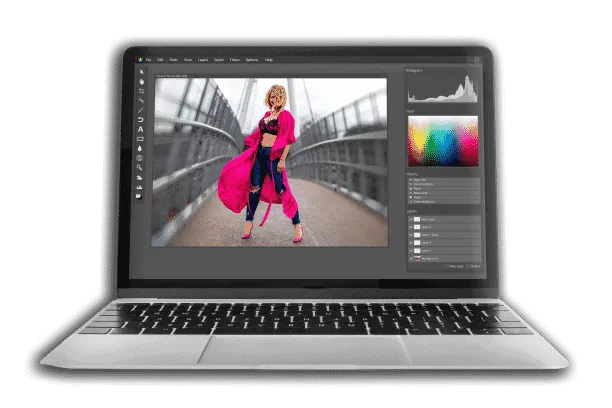
Photographs that have been damaged or are old can be restored with Photoshop. You can use Photoshop's tools and filters to repair small damages.
Photoshop: upcoming dates and official changes
- Oct 21, 2026: On October 21, 2026, Certiport and Adobe updated the certification expiration policy, extending validity from 3 years to 5 years. (certiport.pearsonvue.com)
Facts verified Nov 22, 2026 against Adobe. Dates that have passed are removed automatically.
- The Adobe Certified Professional in Photoshop exam includes 30 questions, consisting of selected-response questions and live-in-the-app tasks. (Adobe)
- The Adobe Certified Professional in Photoshop exam has a duration of 50 minutes. (Adobe)
- To earn the Adobe Certified Professional in Photoshop certification, candidates must achieve a passing score of 700 out of 1,000. (Adobe)
- If a candidate does not pass an Adobe Certified Professional exam on the first attempt, they must wait 24 hours before retaking it, and at least 5 calendar days before a third or subsequent attempt. (certiport.pearsonvue.com)
- The Adobe Certified Professional in Photoshop certification is valid for five years from the date of issue. (Adobe)
- To maintain Adobe Certified Professional certification status, candidates must recertify by passing the current version of the exam. (certiport.pearsonvue.com)
- The Adobe Certified Professional in Photoshop exam is administered online or at a Certiport Authorized Testing Center. (Adobe)
- Candidates do not have formal prerequisites, but are expected to have at least 150 hours of instruction and hands-on experience before taking the Adobe Certified Professional in Photoshop exam. (Adobe)
Facts verified Nov 22, 2026 against Adobe. Dates that have passed are removed automatically.
Photoshop Exam at a Glance
| Item | Detail | Official source |
|---|---|---|
| Number of questions (Adobe Certified Professional in Photoshop) | 30 questions | Adobe |
| Time limit (Adobe Certified Professional in Photoshop) | 50 minutes | Adobe |
| Passing score (Adobe Certified Professional in Photoshop) | 700 out of 1,000 | Adobe |
| Retake policy (Adobe Certified Professional in Photoshop) | 24-hour wait before 2nd attempt; at least 5 calendar days before 3rd and subsequent attempts | certiport.pearsonvue.com |
| Validity (Adobe Certified Professional in Photoshop) | 5 years from date of issue | Adobe |
| Renewal (Adobe Certified Professional in Photoshop) | Recertify by passing current version of the exam | certiport.pearsonvue.com |
| Delivery (Adobe Certified Professional in Photoshop) | Online or at a Certiport Authorized Testing Center | Adobe |
| Eligibility (Adobe Certified Professional in Photoshop) | No formal prerequisite; at least 150 hours of instruction and hands-on experience recommended | Adobe |
Facts verified Nov 22, 2026 against Adobe. Dates that have passed are removed automatically.
Free Photoshop Study Tools
Interactive Photoshop resources on PracticeTestGeeks, free to start:
- Photoshop Practice Test 1 — 25 questions with instant scoring and answer explanations
- Photoshop flashcards — review key terms and concepts card by card
- Photoshop study guide — topic-by-topic overview of what the exam covers
- Photoshop cheat sheet — one-page printable summary for last-minute review
According to Adobe (Adobe Certified Professional program), delivered by Certiport, a Pearson VUE business, “To become an Adobe Certified Professional, you need to earn a passing score of 700 out of 1,000.”[2]
Photoshop Practice Test Questions
Prepare for the Photoshop exam with our free practice test modules. Each quiz covers key topics to help you pass on your first try.
Photoshop Color Correction and Grading
Photoshop Exam Questions covering Color Correction and Grading. Master Photoshop Test concepts for certification prep.
Photoshop Filters and Effects
Free Photoshop Practice Test featuring Filters and Effects. Improve your Photoshop Exam score with mock test prep.
Photoshop Layers and Masks
Photoshop Mock Exam on Layers and Masks. Photoshop Study Guide questions to pass on your first try.
Photoshop Photo Retouching and Healing
Photoshop Test Prep for Photo Retouching and Healing. Practice Photoshop Quiz questions and boost your score.
Photoshop Practice Test
Photoshop Mock Test covering Practice Test. Online Photoshop Test practice with instant feedback.
Worked examples: how to reason through Photoshop questions
These are practice questions written for this site, not questions from the real exam. Each explanation shows why the right answer is right and why the others are wrong.
Example 1
Question: What is the difference between the Clone Stamp Tool and the Healing Brush in Photoshop?
- The Clone Stamp is slower; the Healing Brush is faster
- The Clone Stamp copies pixels exactly from the source; the Healing Brush blends sampled texture with the target area's color and luminosity
- The Healing Brush clones an exact copy; the Clone Stamp blends automatically
- There is no difference — they produce identical results
Answer: B. The Clone Stamp copies pixels exactly from the source; the Healing Brush blends sampled texture with the target area's color and luminosity
Explanation:
The correct answer is that the Clone Stamp copies pixels exactly from the source, while the Healing Brush blends sampled texture with the color and luminosity of the target area.
The speed option is wrong because the difference between these tools is how they treat the pixels, not how fast they run. The option that swaps the behaviors is wrong because it reverses the real roles: the Clone Stamp never blends automatically. The option claiming there is no difference is wrong because the results differ visibly, especially near edges or on uneven tones.
Rule to remember: use the Clone Stamp when you need an exact duplicate of an area, and the Healing Brush when the repair should take on the lighting and color of its surroundings.
Example 2
Question: What is the purpose of the Selective Color adjustment in Photoshop?
- To select and cut specific colors from the image
- To add or remove CMYK ink amounts within defined color ranges without affecting other colors
- To replace one color with another
- To saturate a specific color to maximum
Answer: B. To add or remove CMYK ink amounts within defined color ranges without affecting other colors
Explanation:
The correct answer is that Selective Color adds or removes CMYK ink amounts within defined color ranges, leaving the other colors alone.
It is not a selection feature, so the option about selecting and cutting colors is wrong; the name refers to targeting a color range, not creating a selection. The option about replacing one color with another describes something like Replace Color or a hue shift, not this adjustment. The option about saturating a color to maximum is wrong because Selective Color changes ink balance in a range, and does not push anything to an extreme.
Rule to remember: when a question mentions Cyan, Magenta, Yellow and Black sliders for Reds, Yellows, Greens and so on, think Selective Color.
Example 3
Question: Which command in Photoshop inverts the current selection?
- Select > Deselect
- Select > Inverse
- Select > Refine Edge
- Edit > Invert
Answer: B. Select > Inverse
Explanation:
The correct answer is Select > Inverse. It flips the selection so that everything previously unselected becomes selected, and the earlier selection is excluded.
Select > Deselect is wrong because it removes the selection entirely instead of reversing it. Select > Refine Edge is wrong because it adjusts the quality of a selection's boundary, such as smoothing or feathering, and does not flip what is selected. Edit > Invert is wrong because it is not a selection command at all; the similar-sounding Invert adjustment changes pixel colors, which is a different operation.
Rule to remember: commands under the Select menu change which pixels are selected, while adjustments change how the pixels look. Selecting a subject and then inverting is a common way to isolate a background.
How to use these practice tests
Start by reading the official Adobe Certified Professional Photoshop page so you know the format: a Questions section followed by a live Tasks section in the real application. Because the Tasks section happens inside Photoshop, practice with the software open, not only with questions.
Take the general Photoshop Practice Test to see which topics feel weak. Then work through the topic sets that match your gaps: Layers and Masks, Selection Tools and Techniques, Photo Retouching and Healing, Color Correction and Grading, Filters and Effects, Typography and Text and Smart Objects and Non-Destructive Editing.
After each wrong answer, open Photoshop and repeat the action on a sample image. Read the explanation, then find the menu path or tool yourself. Our questions are written by us and are not real exam questions, so use them to check understanding, not to memorize answers.
Near your test date, run the full practice test against a timer that matches the real time limit, then spend the remaining sessions on the topics that still cost you marks.
2. Resizing/Cropping
One of the most common Photoshop tasks is resizing and cropping photos. Simply select "Image” from the “Menu” option and then click ”Size” to resize your photo. You'll see a dialog box where you can adjust the pixel height, width, and resolution.
3. Animation
Photoshop may also be used to create graphical animations. All you have to do now is make frames in the form of layers. When you're finished, go to the timeline and activate the Animation panel. To construct your animation, select ”Make Frames from Layers” and then export it as a GIF.
4. Website Graphics
Photoshop may be used to create graphics for your website layouts in addition to photo editing and animation. For example, you can make a simple button form with the Shape Tool set to ”Fill.”
5. Website Layout
Photoshop may be used to design web page layouts in addition to creating graphics. You only need to design and construct the various sections of a web page in the manner that you like.

Adobe Photoshop Training Classes
The following are the best Photoshop Classes Online:
- Best Overall: CreativeLive Adobe Photoshop CC: The Complete Guide
- Best Photoshop for Beginners: Photoshop online course for beginners
- Best Free: Adobe Get Started
- Best SkillShare Course: Essentials Training Course
- Best LinkedIn: Photoshop CC 2026 Essential Training
- Best Quick Class: Photoshop Beginners Mastery - Zero to Hero
- Best Adobe Photoshop for Photographers: Photoshop Cafe - Photoshop 2026 for Digital Photographers
- +Industry-recognized credential boosts your resume
- +Higher earning potential (10-20% salary increase on average)
- +Demonstrates commitment to professional development
- +Opens doors to advanced career opportunities
- −Exam preparation requires significant time investment (4-8 weeks)
- −Certification fees can be $100-$400+
- −May require continuing education to maintain
- −Some employers may not require certification
Sample Photoshop Practice Questions
Try these questions from our free Photoshop practice tests. The correct answer and an explanation follow each question.
When you duplicate a Smart Object layer in Photoshop, what happens to both instances by default?
- A. Each copy becomes an independent Smart Object with separate source data
- B. Both copies share the same source data, so editing one updates the other
- C. The duplicate loses its Smart Object properties and becomes rasterized
- D. The original is replaced and only the duplicate remains
Answer: B. Both copies share the same source data, so editing one updates the other
Duplicated Smart Objects are linked by default, sharing the same embedded source; editing one updates all linked copies simultaneously.
Which tool is best for removing red-eye effects in portrait photographs in Photoshop?
- A. Sponge Tool
- B. Red Eye Tool
- C. Color Replacement Tool
- D. Dodge Tool
Answer: B. Red Eye Tool
The Red Eye Tool (nested under the Healing Brush) detects and eliminates red-eye by replacing the reddish pupil pixels with neutral dark tones automatically.
What does the Grow command (Select > Grow) do in Photoshop?
- A. Enlarges the canvas size
- B. Expands the selection to include adjacent pixels that fall within the current tolerance
- C. Increases the feathering radius
- D. Upscales the selected image content
Answer: B. Expands the selection to include adjacent pixels that fall within the current tolerance
Select > Grow expands the selection outward to include adjacent pixels that are within the Magic Wand Tolerance range.
What does the Emboss filter do in Photoshop?
- A. Adds a shiny, metallic appearance to the layer
- B. Creates a raised, three-dimensional relief effect by converting colors to gray and highlighting edges
- C. Stamps a watermark across the image
- D. Applies a textured surface to the layer
Answer: B. Creates a raised, three-dimensional relief effect by converting colors to gray and highlighting edges
The Emboss filter (Filter > Stylize > Emboss) converts image colors to gray and traces edges with light and shadow, giving a chiseled, bas-relief appearance.
Take the full Photoshop practice test
Photoshop Questions and Answers
Written and edited by Nathan Beja, founder of Practice Test Geeks, with AI assistance. Exam facts are checked against the official sources linked below. Editorial policy
Sources & references
Exam facts on this page (fees, format, dates, passing scores) are checked against these official sources; the date is our last check. Editorial policy
- certiport.pearsonvue.com — Renewal, retake policy, exam information · verified Nov 2026
- certifiedprofessional.adobe.com — Eligibility, fees, exam format, passing score, time limit, score validity, test delivery · verified Nov 2026