

Photoshop Practice Test
Updated for October 20261. Photo Restoration
Photoshop Software Purpose
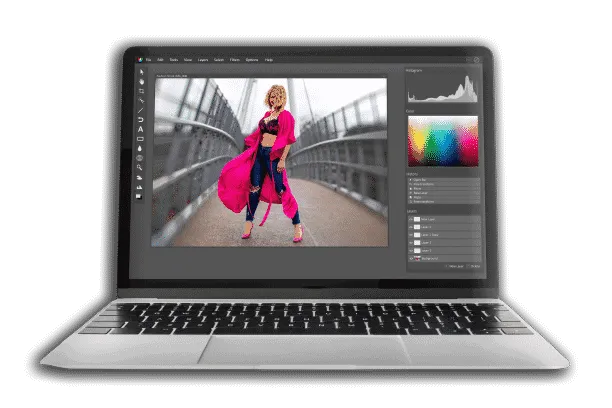
Photoshop is a powerful photo editing program created by Adobe Corporation. Not just for graphic editing, but also for digital creative projects, the program is employed all over the world. Numerous capabilities, filters, and tools have been added to the raster graphics editor to make editing tasks easier for users. If you're seeking for another reason to use Photoshop, we've listed a few more options below.
Photographs that have been damaged or are old can be restored with Photoshop. You can use Photoshop's tools and filters to repair small damages.
Photoshop Practice Test Questions
Prepare for the Photoshop exam with our free practice test modules. Each quiz covers key topics to help you pass on your first try.
Photoshop Color Correction and Grading
Photoshop Exam Questions covering Color Correction and Grading. Master Photoshop Test concepts for certification prep.
Photoshop Filters and Effects
Free Photoshop Practice Test featuring Filters and Effects. Improve your Photoshop Exam score with mock test prep.
Photoshop Layers and Masks
Photoshop Mock Exam on Layers and Masks. Photoshop Study Guide questions to pass on your first try.
Photoshop Photo Retouching and Healing
Photoshop Test Prep for Photo Retouching and Healing. Practice Photoshop Quiz questions and boost your score.
Photoshop Practice Test
Photoshop Mock Test covering Practice Test. Online Photoshop Test practice with instant feedback.
Photoshop Selection Tools and Techniques
Free Photoshop Quiz on Selection Tools and Techniques. Photoshop Exam prep questions with detailed explanations.
2. Resizing/Cropping
One of the most common Photoshop tasks is resizing and cropping photos. Simply select "Image” from the “Menu” option and then click ”Size” to resize your photo. You'll see a dialog box where you can adjust the pixel height, width, and resolution.
3. Animation
Photoshop may also be used to create graphical animations. All you have to do now is make frames in the form of layers. When you're finished, go to the timeline and activate the Animation panel. To construct your animation, select ”Make Frames from Layers” and then export it as a GIF.
4. Website Graphics
Photoshop may be used to create graphics for your website layouts in addition to photo editing and animation. For example, you can make a simple button form with the Shape Tool set to ”Fill.”
5. Website Layout
Photoshop may be used to design web page layouts in addition to creating graphics. You only need to design and construct the various sections of a web page in the manner that you like.

Adobe Photoshop Training Classes
The following are the best Photoshop Classes Online:
- Best Overall: CreativeLive Adobe Photoshop CC: The Complete Guide
- Best Photoshop for Beginners: Photoshop online course for beginners
- Best Free: Adobe Get Started
- Best SkillShare Course: Essentials Training Course
- Best LinkedIn: Photoshop CC 2026 Essential Training
- Best Quick Class: Photoshop Beginners Mastery - Zero to Hero
- Best Adobe Photoshop for Photographers: Photoshop Cafe - Photoshop 2026 for Digital Photographers
- +Industry-recognized credential boosts your resume
- +Higher earning potential (10-20% salary increase on average)
- +Demonstrates commitment to professional development
- +Opens doors to advanced career opportunities
- −Exam preparation requires significant time investment (4-8 weeks)
- −Certification fees can be $100-$400+
- −May require continuing education to maintain
- −Some employers may not require certification
Sample Photoshop Practice Questions
Try these questions from our free Photoshop practice tests. The correct answer and an explanation follow each question.
When you duplicate a Smart Object layer in Photoshop, what happens to both instances by default?
- A. Each copy becomes an independent Smart Object with separate source data
- B. Both copies share the same source data, so editing one updates the other
- C. The duplicate loses its Smart Object properties and becomes rasterized
- D. The original is replaced and only the duplicate remains
Answer: B. Both copies share the same source data, so editing one updates the other
Duplicated Smart Objects are linked by default, sharing the same embedded source; editing one updates all linked copies simultaneously.
Which tool is best for removing red-eye effects in portrait photographs in Photoshop?
- A. Sponge Tool
- B. Red Eye Tool
- C. Color Replacement Tool
- D. Dodge Tool
Answer: B. Red Eye Tool
The Red Eye Tool (nested under the Healing Brush) detects and eliminates red-eye by replacing the reddish pupil pixels with neutral dark tones automatically.
What does the Grow command (Select > Grow) do in Photoshop?
- A. Enlarges the canvas size
- B. Expands the selection to include adjacent pixels that fall within the current tolerance
- C. Increases the feathering radius
- D. Upscales the selected image content
Answer: B. Expands the selection to include adjacent pixels that fall within the current tolerance
Select > Grow expands the selection outward to include adjacent pixels that are within the Magic Wand Tolerance range.
What does the Emboss filter do in Photoshop?
- A. Adds a shiny, metallic appearance to the layer
- B. Creates a raised, three-dimensional relief effect by converting colors to gray and highlighting edges
- C. Stamps a watermark across the image
- D. Applies a textured surface to the layer
Answer: B. Creates a raised, three-dimensional relief effect by converting colors to gray and highlighting edges
The Emboss filter (Filter > Stylize > Emboss) converts image colors to gray and traces edges with light and shadow, giving a chiseled, bas-relief appearance.
Photoshop Questions and Answers
About the Author

Senior Cloud Architect & Cybersecurity Certification Trainer
Stanford UniversityDavid Chen holds a Master of Science in Computer Science from Stanford University and has earned over 25 professional certifications across AWS, Microsoft Azure, Google Cloud, cybersecurity, and enterprise architecture domains. He works as a solutions architect and now focuses on helping IT professionals pass cloud, security, and technical certification exams.