
KPA Registration Guide — How to Register for the Kentucky Paraeducator Assessment 2026 October
Pass your KPA Registration Guide exam on the first attempt. Practice questions with detailed answer explanations, hints, and instant scoring. 💡

Who Needs to Register for the KPA?
The Kentucky Paraeducator Assessment (KPA) is required for paraeducators — instructional aides, paraprofessionals, and classroom assistants — who work in Title I schools or programs funded under the Every Student Succeeds Act (ESSA). If you currently hold a paraeducator position in a Kentucky public school district or are applying for one, you will likely need to pass the KPA to demonstrate that you meet federal qualification standards.
Registration for the KPA can be completed by the paraeducator directly or by the school district's HR department on the employee's behalf. Many districts handle registration centrally, especially for newly hired staff. Before attempting to register yourself, check with your principal or HR coordinator — your district may already have a process in place and may even cover the registration fee.
The KPA is administered by the Kentucky Department of Education (KDE) in partnership with a third-party testing vendor. All scheduling and registration is managed through the KDE testing portal. Understanding the registration process in advance can save you time and help you avoid common mistakes that delay your test date.
What You Need Before Registering
Gathering the right information before you begin the registration process will help you complete it without interruption. Here is what you should have ready:
- Government-issued photo ID — Your full legal name as it appears on your photo ID (driver's license, state ID, or passport). This must match exactly what you enter during registration, as it will be verified at the testing center.
- Date of birth and last four digits of your Social Security Number — Used to verify your identity in the KDE system.
- Current employer information — Your school district name, the specific school where you work, and your job title (e.g., Instructional Paraeducator). If you are pre-service, you may need a letter of intent or conditional employment offer.
- Valid email address — All confirmation and scheduling communications are sent by email. Use an address you check regularly.
- Payment method — A credit or debit card to pay the registration fee at the time of scheduling.
If your district HR department is registering on your behalf, they will collect this information from you and submit the registration. Keep a copy of your confirmation email for your records.

Registration Fees and Test Scheduling
KPA Registration Fees
The KPA registration fee is set by the Kentucky Department of Education and administered through its testing partner. Fees are subject to change, so always check the official KDE website or the testing portal for the current amount before registering. As of 2026, paraeducators should expect a fee in the range of typical state-level certification exam costs. Some school districts reimburse the fee upon passing, so ask your HR department about reimbursement policies before you pay.
Choosing a Test Date and Location
After completing your personal and employment information and paying the fee, you will be directed to the scheduling interface. The KPA is offered at Pearson VUE authorized testing centers across Kentucky. You can search for available centers by zip code or city. Select a center that is convenient for you and choose from the available date and time slots. Testing availability varies by location, so it is advisable to register and schedule well in advance — ideally four to six weeks before you need your results.
Once you select your appointment, you will receive an immediate confirmation email. This email contains your appointment ID, the testing center address, reporting time, and the ID requirements you must bring on test day. Save this email; you will need the appointment ID if you need to reschedule.
KPA Checklist
- ✓Confirm with your HR department whether the district will register you
- ✓Gather your government-issued photo ID (name must match registration exactly)
- ✓Have your date of birth and last four SSN digits ready
- ✓Know your school district name and the school where you work
- ✓Prepare a valid email address for confirmation communications
- ✓Have a credit or debit card ready to pay the registration fee
- ✓Check the KDE website for current fee amounts and any updates
- ✓Log in to the KDE testing portal and create your account
- ✓Complete the registration form with your personal and employment information
- ✓Pay the fee and proceed to schedule your test date
- ✓Select a Pearson VUE testing center and available appointment slot
- ✓Save your confirmation email with appointment ID and center address
- ✓Ask HR about fee reimbursement policies after you pass
Step-by-Step KPA Registration Walkthrough
Follow these steps to complete your KPA registration from start to finish:
- Check with your district HR department first. Many districts register paraeducators directly. If yours does, you may only need to provide your personal information to HR and they will handle the rest. If not, proceed with the steps below.
- Go to the Kentucky Department of Education testing portal. Access the official KDE assessment site at kde.ky.gov and navigate to the paraeducator assessment section. Look for the KPA registration or "Paraeducator Testing" link.
- Create or log in to your testing account. First-time registrants will need to create an account. You will enter your full legal name, date of birth, last four SSN digits, and a valid email address. Keep your login credentials — you will need them to check your scores and manage your appointment.
- Enter your employment information. Select your school district from the dropdown list and enter your school name and current job title. If you are a new hire awaiting your official start date, you may need to contact your district for a confirmation letter.
- Select the test you need. The KPA includes sections covering reading and mathematics. Confirm with your HR department or the KDE guidance whether you need to take one or both sections.
- Pay the registration fee. Enter your credit or debit card information to complete payment. You will receive a payment receipt by email.
- Schedule your appointment. After payment, you are redirected to the scheduling system. Search for Pearson VUE centers near you, select your preferred date and time, and confirm your appointment.
- Receive and save your confirmation. A confirmation email arrives immediately. It contains your appointment ID, testing center address, check-in time, and ID requirements. Print it or save it digitally.
The entire registration process typically takes 15–20 minutes if you have all your information ready. If you encounter any issues during registration, contact the KDE assessment office directly for assistance.
For a thorough understanding of what the assessment covers, review the KPA Complete Guide before your test date. You can also explore the KPA Math Guide and KPA Reading Guide to focus your preparation on each tested section.
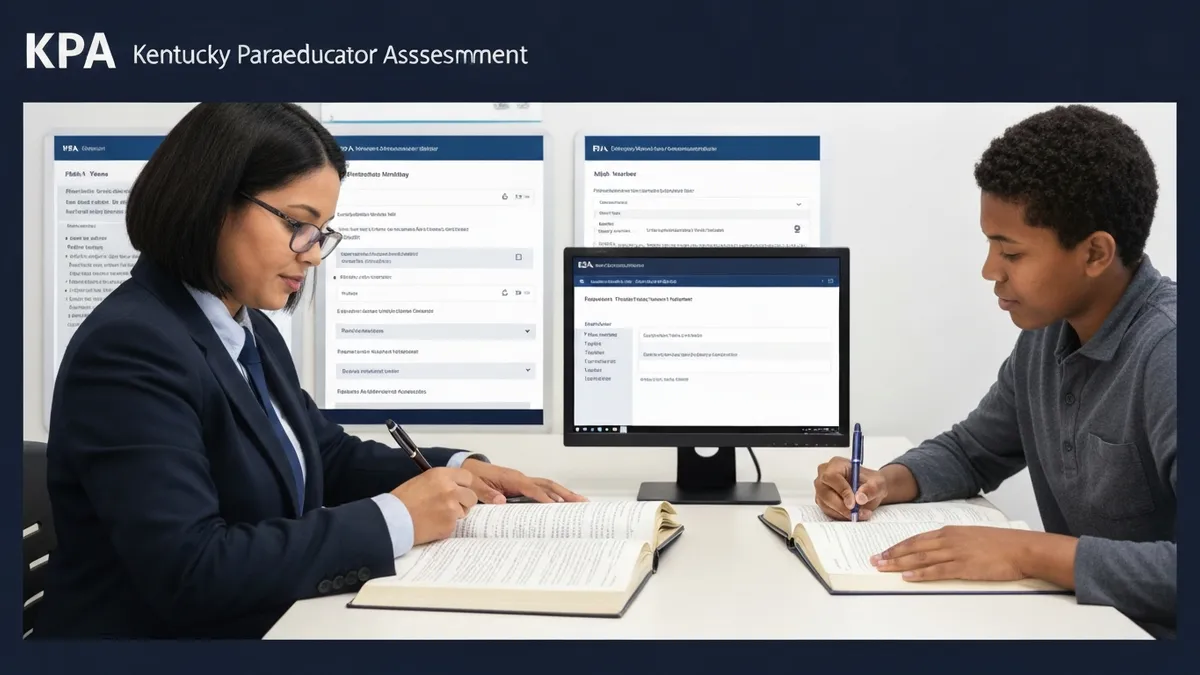
After You Register — What Happens Next
Once your registration is confirmed and your appointment is scheduled, you are officially on track to complete the KPA requirement. Here is what to expect in the days and weeks leading up to your test:
Confirmation and Preparation Resources
Your confirmation email serves as your official record of the appointment. Check it carefully — make sure the date, time, testing center, and your name are all correct. The KDE portal may also provide access to official preparation materials, including test blueprints, sample questions, and score reporting timelines. Review these resources as early as possible.
To build your readiness, use the KPA overview page to understand the full scope of the assessment, and consult the KPA Score Guide to learn what score you need to pass and what happens if you need to retake.
What to Bring on Test Day
On the day of your test, bring the government-issued photo ID you used during registration. Your name on the ID must match your registration name exactly. Arrive at the testing center at least 15 minutes before your scheduled start time. No personal items — bags, phones, notes, or study materials — are permitted in the testing area.
Rescheduling and Canceling Your KPA Appointment
Life happens, and sometimes you need to change your test appointment. Here is what to know about the KPA rescheduling and cancellation policies:
How to Reschedule
Log in to your KDE testing portal account and navigate to your scheduled appointment. Most testing programs allow rescheduling up to a set deadline before the test date — commonly 24 to 48 hours in advance — without an additional fee. To reschedule, you will select a new available date and time at the same or a different Pearson VUE testing center. You will receive a new confirmation email after rescheduling.
If you need to reschedule within the no-change window (typically the final 24 hours before your appointment), you may forfeit part or all of your registration fee, and a new fee may be required to reschedule.
How to Cancel
Cancellations made within the allowed window (usually more than 48 hours before the appointment) may be eligible for a partial refund or a credit toward a future appointment, depending on KDE and Pearson VUE policy at the time of registration. Cancellations made after the deadline are typically non-refundable.
If you miss your appointment without canceling or rescheduling in advance (a no-show), you will likely forfeit the entire registration fee and need to re-register and pay again. If you have an emergency on test day, contact the testing vendor and your district HR as soon as possible — documentation of an emergency (such as a medical note) may allow an exception.
Always check the current rescheduling and cancellation policy in your confirmation email or the KDE portal, as these terms can change between registration cycles.
KPA Pros and Cons
- +Online registration processes allow candidates to complete enrollment in minutes from any device
- +Registration confirmation provides official documentation needed for employer tuition reimbursement requests
- +Multiple test dates provide scheduling flexibility for candidates with variable availability
- +Early registration windows are typically easier to schedule for preferred testing locations and times
- +Registration systems typically provide accommodation request processes for candidates with documented needs
- −Popular test dates and testing centers fill quickly — late registration may limit date and location options
- −Registration systems can experience technical issues during high-demand periods, causing deadline stress
- −Refund and rescheduling policies are often restrictive — late changes typically result in partial or full fee forfeiture
- −International candidates may face additional documentation requirements and longer processing times
- −Registration requirements and accepted identification can change — verify current requirements rather than relying on older information
Pros and Cons at a Glance
| Pros | Cons |
|---|---|
| Online registration processes allow candidates to complete enrollment in minutes from any device | Popular test dates and testing centers fill quickly — late registration may limit date and location options |
| Registration confirmation provides official documentation needed for employer tuition reimbursement requests | Registration systems can experience technical issues during high-demand periods, causing deadline stress |
| Multiple test dates provide scheduling flexibility for candidates with variable availability | Refund and rescheduling policies are often restrictive — late changes typically result in partial or full fee forfeiture |
| Early registration windows are typically easier to schedule for preferred testing locations and times | International candidates may face additional documentation requirements and longer processing times |
| Registration systems typically provide accommodation request processes for candidates with documented needs | Registration requirements and accepted identification can change — verify current requirements rather than relying on older information |
Sample KPA - Kentucky Paraeducator Assessment Practice Questions
Try these questions from our free KPA - Kentucky Paraeducator Assessment practice tests. The correct answer and an explanation follow each question.
A fourth-grade student has written a draft about how to build a model airplane but the steps are out of order and confusing. The teacher asks the paraeducator to help the student organize their ideas more clearly. Which tool would be most helpful for the paraeducator to introduce?
- A. A dictionary to look up difficult words.
- B. A thesaurus to find better adjectives.
- C. A graphic organizer, such as a sequence chart or flowchart.
- D. A spelling and grammar checker on the computer.
Answer: C. A graphic organizer, such as a sequence chart or flowchart.
A graphic organizer like a sequence chart is specifically designed to help students plan and visualize the steps in a process. [10, 15] By mapping out the steps in the correct order on the chart before rewriting, the student can better organize their thoughts and produce a more coherent and logical piece of writing.
A parent approaches a paraeducator in the school hallway and asks for specific details about their child's academic struggles. Which of the following is the MOST appropriate response for the paraeducator?
- A. Provide a brief summary of the student's recent performance on assignments.
- B. Suggest that the parent email the teacher to schedule a conference.
- C. Inform the parent that you are not permitted to discuss any student information.
- D. Offer to create a new learning strategy for the student at home.
Answer: B. Suggest that the parent email the teacher to schedule a conference.
The correct protocol is to direct parents to the supervising teacher for information about student progress. Paraeducators support instruction but the teacher is the primary contact for academic performance and official communication with parents.
A middle school teacher asks a paraeducator to work with a small group of students to improve their inferential comprehension skills. Which activity would be most appropriate for the paraeducator to lead?
- A. A scavenger hunt to find specific facts and dates explicitly stated in the textbook.
- B. A discussion about a character's feelings based on their actions and dialogue in a short story.
- C. A drill where students match vocabulary words from the text to their definitions.
- D. A session where students take turns reading paragraphs from the text aloud.
Answer: B. A discussion about a character's feelings based on their actions and dialogue in a short story.
Inferential comprehension involves understanding what is implied but not directly stated. Discussing a character's feelings based on their actions requires students to 'read between the lines' and draw conclusions from evidence in the text, which is the definition of making an inference.
Which of the following federal acts led to the creation of the KPA to ensure paraeducators meet educational standards?
- A. Every Student Succeeds Act (ESSA)
- B. Individuals with Disabilities Education Act (IDEA)
- C. No Child Left Behind (NCLB) Act
- D. Americans with Disabilities Act (ADA)
Answer: C. No Child Left Behind (NCLB) Act
The No Child Left Behind (NCLB) Act of 2001 mandated that all paraeducators working in programs funded by Title I must meet specific educational standards, including demonstrating competency in assisting with instruction. The KPA was developed in response to this federal requirement to provide a standardized way for Kentucky paraeducators to prove their qualifications. While ESSA replaced NCLB, the KPA's origin is tied to NCLB.
Take the full KPA - Kentucky Paraeducator Assessment practice test
KPA Registration Questions and Answers




About the Author

Educational Psychologist & Academic Test Preparation Expert
Columbia University Teachers CollegeDr. Lisa Patel holds a Doctorate in Education from Columbia University Teachers College and has spent 17 years researching standardized test design and academic assessment. She has developed preparation programs for SAT, ACT, GRE, LSAT, UCAT, and numerous professional licensing exams, helping students of all backgrounds achieve their target scores.
Join the Discussion
Connect with other students preparing for this exam. Share tips, ask questions, and get advice from people who have been there.
View discussion (8 replies)