
HAM Radio Frequencies: Complete US Band Plan, Calling Frequencies & Technician Class Reference
Complete US ham radio frequencies guide: 🎓 HF/VHF/UHF bands, technician class privileges, simplex calling channels, ISS, repeaters, and emergency nets.
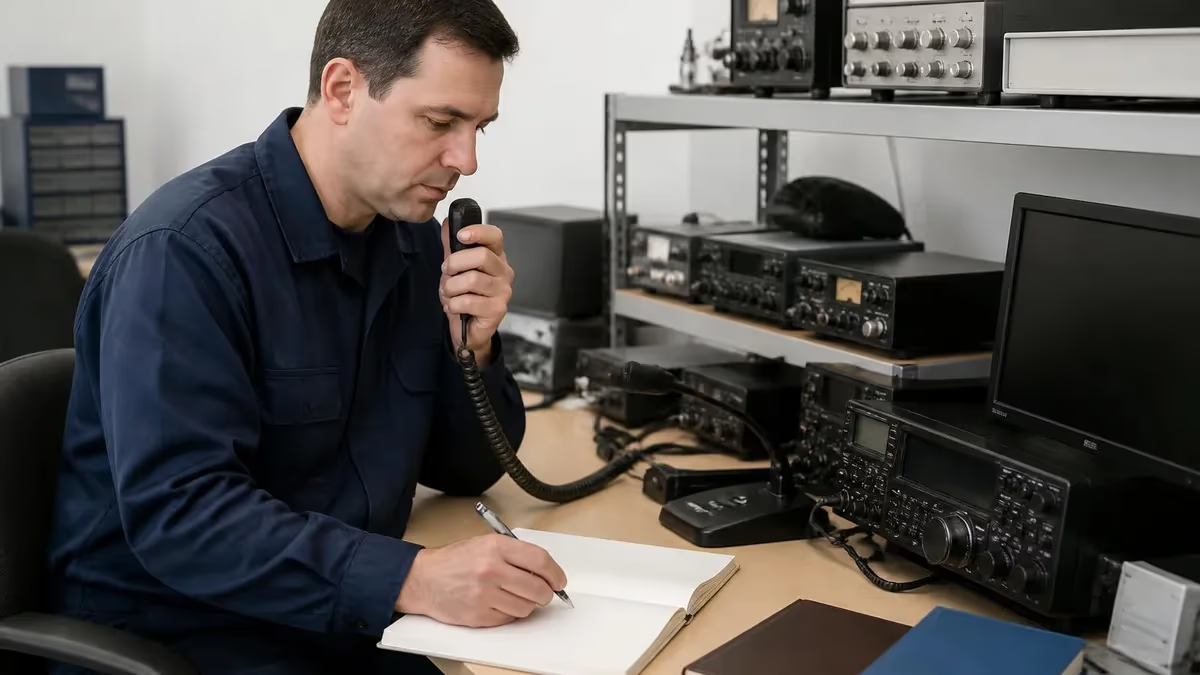
If you're studying for the technician exam, or you just unboxed your first handheld and you're staring at a blank channel screen, ham radio frequencies can feel like a wall of numbers. They aren't. Once you understand how the FCC carves up the spectrum, where licensed amateurs are allowed to transmit, and which channels people actually use day to day, the whole band plan starts to make sense.
This guide is built for US operators. We'll walk through every major amateur band from 160 meters up to microwave, show you exactly which slices a Technician class licensee can use, list the most common simplex frequencies on 2m and 70cm, cover repeater offsets and PL tones, and drop in the ISS downlink frequency so you can listen for astronauts on a $30 radio.
You don't need to memorize all of it before your first contact. The goal here is to give you a working mental map — enough that when you hear someone mention 146.520 or 14.300, you know what's happening on those frequencies and whether you're allowed to join in.
Quick answer
The most-used ham radio frequency in the US is 146.520 MHz — the 2-meter FM simplex national calling frequency. Every Technician licensee can transmit there with a basic handheld. Other heavy hitters: 446.000 MHz (70cm calling), 145.800 MHz (ISS voice downlink), and 14.300 MHz (HF maritime emergency net).
Before you key up, you need a callsign. The FCC issues those after you pass a 35-question multiple-choice test, and the entry-level credential is the Technician class. If you haven't started studying yet, our ham radio license walkthrough explains the three license tiers and what each one unlocks. To prep specifically for the entry exam, the ham radio technician test hub has every question pool topic broken down by element.
One thing worth saying upfront: a lot of frequencies you'll see written down are conventions, not laws. The FCC tells you what slices of spectrum are legal for amateurs. The community tells you which exact channels people actually park on. Both matter.
Amateur radio operates on bands the FCC has set aside under Part 97 of its rules. "Bands" just means a continuous chunk of frequencies — for example, the 2m band runs from 144.000 to 148.000 MHz in the US. Inside each band, voluntary band plans split the space into segments for CW, digital modes, SSB voice, FM voice, satellites, and repeaters. Those plans aren't law, but ignore them and you'll step on someone's QSO and earn a quick reputation.
The US is in ITU Region 2, which matters because some band edges differ from Europe (Region 1) and Asia/Pacific (Region 3). When you read frequency lists from foreign sources, double-check that the segment is actually legal here. A frequency that's perfectly fine for a German ham on 70cm may sit outside the US allocation entirely.
Bands are also referred to by their wavelength in meters or centimeters — that's where names like "2 meters" and "70 centimeters" come from. The math is simple: wavelength in meters equals 300 divided by frequency in MHz. So 146 MHz works out to about 2.05 meters, which we round to 2m. The wavelength dictates antenna size, propagation behavior, and a lot of the personality of each band.
Major US amateur radio bands
- 160m: 1.800-2.000 MHz
- 80m: 3.500-4.000 MHz
- 40m: 7.000-7.300 MHz
- 30m (WARC): 10.100-10.150 MHz — CW/data only
- 20m: 14.000-14.350 MHz
- 17m (WARC): 18.068-18.168 MHz
- 15m: 21.000-21.450 MHz
- 12m (WARC): 24.890-24.990 MHz
- 10m: 28.000-29.700 MHz
- 6m: 50.000-54.000 MHz
- 2m: 144.000-148.000 MHz
- 1.25m: 222.000-225.000 MHz
- 70cm: 420.000-450.000 MHz
- 33cm: 902-928 MHz
- 23cm: 1240-1300 MHz
- 13cm: 2.300-2.310 / 2.390-2.450 GHz
- 9cm: 3.300-3.500 GHz
- 5cm: 5.650-5.925 GHz
- 3cm: 10.000-10.500 GHz
Notice the WARC bands — 30m, 17m, and 12m. These were added in 1979 at the World Administrative Radio Conference, and by gentlemen's agreement no contests run there. They're a quiet refuge when 20m is screaming with a contest weekend, and propagation is often excellent.
Each band behaves differently. HF bands bounce off the ionosphere and reach the other side of the world. VHF and UHF are mostly line-of-sight, but with a repeater on a hill you can cover hundreds of square miles from a 5-watt handheld.
The 6m band is the "magic band" — usually quiet, then a sporadic E opening lights it up and you're working stations 1,500 miles away on a wire dipole. 10m is similar; during sunspot peaks it opens worldwide for hours at a time, and that's exactly the slice Technicians get full phone privileges on. Time your studying right and you'll have your license in hand for the next solar peak.
As a Technician, your HF privileges are intentionally narrow — you get a slice of 10 meters and small CW windows on 80m, 40m, and 15m.
- 10m CW/data: 28.000-28.300 MHz, 200 watts max
- 10m phone (SSB/AM): 28.300-28.500 MHz, 200 watts max
- 80m CW only: 3.525-3.600 MHz, 200 watts max
- 40m CW only: 7.025-7.125 MHz, 200 watts max
- 15m CW only: 21.025-21.200 MHz, 200 watts max
10m phone is where Techs get their first taste of long-distance voice contacts during sunspot peaks. 28.400 MHz is a popular Tech calling spot when 10m is open.
Most new Techs spend 90% of their air time on 2m and 70cm FM, talking through repeaters and on the simplex calling frequencies. Let's look at those next, because they're the channels you'll actually program into your radio first.
The list below shows the most-used frequencies a Technician will encounter day to day. Print it, screenshot it, tape it inside the lid of your radio bag — whatever works. After a few weeks on the air these become muscle memory.
- ✓146.520 MHz — 2m FM national simplex calling frequency (the single most important channel to program)
- ✓446.000 MHz — 70cm FM national simplex calling frequency
- ✓52.525 MHz — 6m FM simplex calling
- ✓50.125 MHz — 6m SSB calling frequency
- ✓223.500 MHz — 1.25m FM simplex calling
- ✓147.420, 147.450, 147.480, 147.510, 147.555 MHz — 2m secondary simplex channels
- ✓146.460, 146.490, 146.550, 146.580 MHz — 2m simplex (between repeater pairs)
- ✓446.025, 446.050, 446.075, 446.100 MHz — 70cm secondary simplex
- ✓144.200 MHz — 2m SSB calling frequency (USB, weak-signal work)
- ✓432.100 MHz — 70cm SSB calling frequency (USB)
- ✓121.500 MHz — aviation emergency (LISTEN ONLY — not amateur)
- ✓162.400-162.550 MHz — NOAA weather (LISTEN ONLY — not amateur)
Critical distinction: ham simplex is not the same as MURS, GMRS, or FRS. MURS gives you five VHF channels around 151-154 MHz with no license required. FRS bubble-pack walkie-talkies live up at 462-467 MHz. Even though some Baofeng radios can transmit on those frequencies, doing so without the right license violates FCC rules. Stay inside the amateur bands when you're using your Technician privileges.
GMRS is a separate beast — it shares some frequencies with FRS but allows higher power and repeaters with a $35 family-wide FCC license, no test required. Some hams pick up a GMRS license alongside their amateur ticket so the rest of the family can talk on basic radios without studying for a Tech exam.
Once you've got those simplex channels memorized, the next layer is repeaters. A repeater receives your weak signal on one frequency, then retransmits it at high power from a tower or mountaintop. Suddenly your 5-watt handheld covers 50 miles instead of 5.
Standard repeater offsets and tones
- Output range: 145.110-145.490 / 146.610-147.390 MHz
- Standard offset: -600 kHz (input below output) on 145, +/- 600 kHz on 146/147
- Channel spacing: 20 kHz (some areas 15 kHz)
- Mode: FM narrow or wide, 5 kHz deviation
- Output range: 442.000-445.000 / 447.000-450.000 MHz
- Standard offset: +5 MHz (positive offset)
- Channel spacing: 25 kHz
- Mode: FM (analog), DMR, D-STAR, Fusion (digital)
- Output range: 224.000-225.000 MHz
- Standard offset: -1.6 MHz (negative offset)
- Mode: FM mostly, very few users
- Output range: 52.000-54.000 MHz
- Standard offset: -500 kHz or -1.7 MHz (varies by region)
- Mode: FM
Most modern repeaters require a CTCSS tone — short for Continuous Tone-Coded Squelch System, often called a PL tone (Motorola's trademark, "Private Line"). Your radio sends a sub-audible tone like 100.0 Hz or 131.8 Hz along with your voice, and the repeater only opens up when it hears the right tone.
This keeps interference from distant repeaters on the same frequency from triggering yours. It's also why a repeater that sounds dead may actually be wide open — your radio just isn't sending the tone it expects.
To program a repeater into your radio, you need four pieces of information: the output frequency (what you receive on), the offset direction and amount, the CTCSS tone the repeater requires, and the mode (FM is standard for analog). Repeaterbook.com is the go-to free database — type in your zip code and it lists every nearby machine with all four values pre-filled.
HF voice contacts use SSB (single sideband), not FM. A handful of frequencies act as informal national calling channels — places where ops park to look for contacts or coordinate during emergencies. Knowing them helps you tune around productively instead of spinning the VFO randomly.
These aren't FCC-mandated — they're community conventions, but everybody respects them.
- 3.873 MHz — 75m (80m phone) regional ragchew and emergency net frequency
- 7.268 MHz — 40m emergency net (Waterway Net during the day)
- 14.300 MHz — 20m Maritime Mobile Service Net, also worldwide emergency monitoring
- 14.313 MHz — Maritime Mobile alternate
- 21.360 MHz — 15m international assistance and traffic
- 28.400 MHz — 10m SSB calling (Technician-accessible)
- 50.125 MHz — 6m SSB calling (national)
One of the coolest things you can do as a brand-new Tech is talk through the International Space Station. The ISS carries an amateur radio station — call sign NA1SS in the US, with various national callsigns when crew members from other countries are aboard.
When the station is in voice mode and a ham astronaut is on board with free time, they sometimes work the air. Far more often, the rig runs in APRS digipeater mode or as a cross-band FM voice repeater. Either way, you're using the same handheld you'd use for a local repeater contact.

ISS amateur radio frequencies
- Downlink (worldwide): 145.800 MHz
- Uplink (Region 2 — Americas): 144.490 MHz
- Uplink (Region 1 & 3): 145.200 MHz
- Mode: FM, no PL tone needed
- Frequency: 145.825 MHz simplex
- Mode: 1200 baud AFSK packet
- Path: ARISS or RS0ISS
- Voice uplink: 437.800 MHz (70cm)
- Voice downlink: 145.990 MHz (2m)
- Tone: 67.0 Hz CTCSS on uplink
- Frequency: 145.800 MHz
- Mode: PD120 SSTV (typical)
- When: ARISS commemorative events, a few times per year
To work the ISS, you need to know when it's overhead. Free apps like ISS Detector or Heavens Above will give you pass times and elevations. A pass lasts roughly 5-10 minutes from horizon to horizon.
Tune your radio to 145.800 MHz on FM with no offset, point a small Yagi (or even a rubber duck antenna) upward, and listen. If the cross-band repeater is active, you transmit on 437.800 MHz with a 67.0 Hz tone and listen on 145.990 MHz — and yes, you can talk to other hams across a continent through the ISS with a 5-watt handheld.
Ready to test what you've learned so far? Try a short practice run with our quiz set below, or download the printable ham radio technician practice test PDF to study offline.
If you can hear a repeater clearly but it never comes back when you transmit, 95% of the time the problem is one of three things: your offset is wrong (you're transmitting on the output instead of the input), you forgot the CTCSS tone, or you're set to receive a tone (TSQL) that the repeater doesn't transmit. Set TX tone only, leave RX tone off, and verify the offset direction in Repeaterbook.
- +VHF/UHF gear is cheap — a usable handheld costs $25-$40
- +No HF antenna real estate needed — a 19-inch whip works on 2m
- +Repeaters give you 50+ mile range from low power
- +Full Technician privileges, no upgrade required
- +FM voice is forgiving — no SSB tuning skills needed
- +Local nets and emergency comms run on 2m and 70cm
- −Mostly line-of-sight — no skywave propagation under normal conditions
- −Repeater dependent in many areas — without a machine, range drops fast
- −Less DX excitement compared to working stations across oceans on HF
- −Digital modes like DMR and D-STAR have a learning curve and require code-plug programming
- −Local repeater culture can be cliquey — politely listen for a while before keying up
Here's a question that trips up new operators: "What's the difference between an FCC allocation and a band plan?" The FCC tells you the legal edges — what you're allowed to transmit and at what power.
The band plan is the voluntary etiquette that splits each band into segments by mode. For example, the 2m FCC allocation is 144.000-148.000 MHz, but the band plan reserves 144.000-144.100 for CW, 144.100-144.275 for SSB and weak-signal, 144.275-144.300 for beacons, 144.300-144.500 for satellites, and so on.
Transmitting FM voice in the SSB segment isn't illegal, but you'll instantly clash with ops trying to dig out 100-watt stations from 1,500 miles away on a yagi. The fix is simple: stick to the FM portions of the band (typically 145.500-145.800 for simplex experimentation and 146.400-148.000 for repeaters and the calling channel).
Power limits matter too. Technicians can run up to 1500 watts on most VHF/UHF bands and 200 watts on the limited HF segments. Realistically, almost no Tech ever runs more than 50 watts mobile or 100 watts at a base station. A 5-watt handheld through a decent antenna gets you into most local repeaters with audio to spare.
Look up the repeater
Enter the receive frequency
Set the offset
Add the TX tone
Save to a memory channel
Programming radio by radio gets old fast. Most operators graduate to a free utility called CHIRP that connects via a USB cable, downloads the existing channels, lets you edit them in a spreadsheet view, and uploads everything back.
CHIRP can also import a CSV file straight from Repeaterbook, so you can drop in every repeater within 50 miles of your home in about 60 seconds. The same code-plug technique works for road trips — pull every machine along your route, save it as a travel zone, and you'll always have something to listen to.
If you prefer video walkthroughs to text, our ham radio technician library covers programming demos, antenna setup, and the question pool topics most likely to appear on your exam.
One last layer most new hams overlook: digital voice modes are eating into FM repeater traffic. DMR (Digital Mobile Radio), D-STAR, and Yaesu System Fusion all transmit voice as data packets, often linked to global networks like Brandmeister or DMR-MARC.
The frequencies are the same — 2m and 70cm bands — but the audio sounds robotic on an FM-only radio because it's encoded. If you scan a 70cm repeater and hear what sounds like a buzzy modem, that's digital voice. To listen or transmit, you need a radio that supports the specific protocol (an Anytone AT-D878 for DMR, an Icom ID-51 for D-STAR, a Yaesu FT-70D for Fusion).
The same goes for FT8, JS8, and other HF digital modes — they live in narrow segments like 14.074 MHz on 20m, 7.074 MHz on 40m, and 28.074 MHz on 10m (the only one a Technician can use). FT8 has eaten the SSB phone segments alive in recent years; it works at signal levels well below what your ear could decode.
You don't need a digital radio to start out, and most new operators ignore digital modes for the first year. Get comfortable on FM, learn the local repeater culture, and add complexity when you actually want it. The hobby is wide enough that you can spend decades exploring just one corner of it.
- ✓146.520 FM simplex — 2m national calling
- ✓446.000 FM simplex — 70cm national calling
- ✓52.525 FM simplex — 6m FM calling
- ✓50.125 USB — 6m SSB calling
- ✓144.200 USB — 2m SSB calling
- ✓432.100 USB — 70cm SSB calling
- ✓145.800 FM — ISS voice downlink
- ✓144.490 FM — ISS voice uplink (Region 2)
- ✓145.825 FM — ISS APRS digipeater
- ✓14.300 USB — 20m Maritime Mobile / emergency
- ✓7.268 LSB — 40m emergency
- ✓3.873 LSB — 75m emergency
- ✓28.400 USB — 10m phone (Technician)
- ✓162.550 FM — NOAA weather (RX only)
- ✓121.500 AM — aviation emergency (RX only)
If you tape that to the inside of your go-bag and add the local repeater output frequencies for your county, you'll be 95% covered for normal day-to-day ham operation and any realistic emergency scenario. For the remaining 5%, your radio's scan function and a printed copy of the ARRL band plan handle the edge cases.
You don't need to memorize every frequency in the question pool to pass the technician exam, but understanding which bands you'll actually use, what the popular calling channels are, and how repeater offsets work makes everything else easier to retain.
If you haven't taken the plunge yet, here's how to get a ham radio license — the cost is about $35 for the FCC fee plus a small exam session fee, and the test itself is 35 multiple-choice questions you can prep for in two to four weeks of evening study.
A few extra notes worth keeping in mind as you build your frequency reference. First, common ham radio frequencies for a Technician really do reduce to about a dozen channels you'll actually transmit on regularly — 146.520, 446.000, your two or three local repeater outputs, maybe 28.400 during a 10m opening, and the ISS frequencies if you're chasing satellites. Don't let a 600-page handbook intimidate you; the daily working set is small.
Second, the USA ham radio frequency chart you'll see printed by the ARRL is color-coded by license class. Yellow is Technician, red is General, blue is Extra. When you upgrade, the new color sections light up — and your band privileges expand dramatically. Many Techs upgrade to General within a year, mainly to unlock 20m and 40m phone for HF DX work.
Third, ham radio frequencies for prepping or SHTF use don't require any special list. The same 146.520 simplex calling frequency that's quiet on a Tuesday afternoon becomes the gathering point during a regional disaster. ARES and RACES nets activate on local repeaters, then drop to simplex if power fails to the repeater site. Your training-class study time is the same training that pays off in a real emergency.
Sample HAM - Radio Extra Class Test Practice Questions
Try these questions from our free HAM - Radio Extra Class Test practice tests. The correct answer and an explanation follow each question.
What is the maximum symbol rate permitted for RTTY or data emission on the 20-meter band for Amateur Extra class licensees?
- A. 300 baud
- B. 1200 baud
- C. 9600 baud
- D. 19200 baud
Answer: A. 300 baud
FCC Part 97 limits the symbol rate on the 20-meter band (14 MHz) to 300 baud for RTTY and data emissions.
What is the lowest frequency in the 80-meter band at which an Extra class licensee may operate single-sideband phone?
- A. 3.525 MHz
- B. 3.600 MHz
- C. 3.700 MHz
- D. 3.750 MHz
Answer: B. 3.600 MHz
FCC Part 97 grants Extra class licensees phone (including SSB) privileges beginning at 3.600 MHz on 80 meters, extending to 4.000 MHz. General class phone begins at 3.800 MHz, so Extra class has an additional 200 kHz of exclusive phone spectrum in the lower portion of the band.
What is the maximum transmitter power output permitted on the 60-meter band for amateur Extra class licensees?
- A. 100 watts PEP
- B. 50 watts PEP ERP
- C. 1500 watts PEP
- D. 200 watts PEP
Answer: B. 50 watts PEP ERP
On the 60-meter band, amateur stations are limited to 50 watts PEP effective radiated power relative to a dipole.
A technician is designing a filter for a radio receiver. The goal is to create a circuit that has a very narrow bandwidth to select a specific frequency while rejecting adjacent ones. Which of the following characteristics should the resonant circuit have?
- A. A low Q factor
- B. A high resistance value
- C. A high Q factor
- D. A purely capacitive impedance
Answer: C. A high Q factor
The Q (Quality) factor of a resonant circuit is a measure of its selectivity. A high Q factor corresponds to a narrow bandwidth, meaning the circuit is highly selective and responds strongly to a small range of frequencies around the resonant frequency. A low Q factor results in a wider bandwidth.
Ham Radio Frequencies Questions and Answers
Once your radio is programmed and you're confident on the calling frequencies, the best next step is just listening. Spend a week monitoring 146.520 MHz, your local 2m and 70cm repeaters, and the morning HF nets on 14.300 MHz if you have an SSB receiver.
You'll learn the local culture, the jargon, and the rhythm of how QSOs flow before you ever key up. Then make your first call — it's never as hard as you think, and the ham community welcomes new operators with surprising patience. Almost every veteran ham remembers their first contact, and most are happy to be on the other end of yours.
About the Author

Educational Psychologist & Academic Test Preparation Expert
Columbia University Teachers CollegeDr. Lisa Patel holds a Doctorate in Education from Columbia University Teachers College and has spent 17 years researching standardized test design and academic assessment. She has developed preparation programs for SAT, ACT, GRE, LSAT, UCAT, and numerous professional licensing exams, helping students of all backgrounds achieve their target scores.
Join the Discussion
Connect with other students preparing for this exam. Share tips, ask questions, and get advice from people who have been there.
View discussion (8 replies)