
Microsoft Office Specialist Excel Certification: Complete MOS Exam Guide
Pass the Microsoft Office Specialist Excel exam with confidence. ✅ Practice questions with detailed explanations and instant feedback on every answer.

The Microsoft Office Specialist Excel certification validates your ability to create and manage worksheets, format data, build formulas, create charts, and work with tables in Microsoft Excel. The MOS exam is a performance-based test lasting 50 minutes with 35 tasks completed directly in Excel. Passing requires a score of 700 out of 1000 and earns you a globally recognized credential from Microsoft that does not expire. The exam costs between $100 and $150 USD depending on your region, and preparation typically takes 4 to 8 weeks of focused study.
Candidates preparing for gmetrix can build exam confidence with our GMetrix practice exam 2026, which covers all key topics and question formats used in the real assessment.
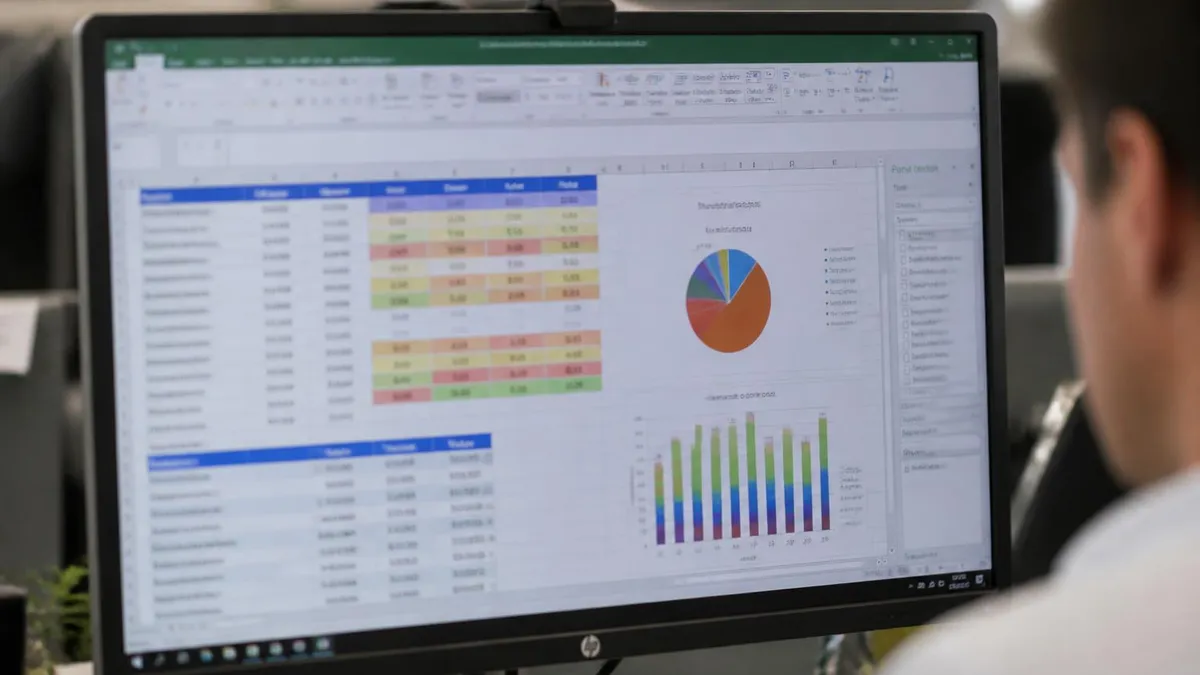
The Microsoft Excel exam uses a multiple-choice format with questions covering all major domains. Most versions allow 2-3 hours for completion.
Questions test both knowledge recall and application skills. A score of 70-75% is typically required to pass.
What Is the MOS Excel Certification?
The Microsoft Office Specialist (MOS) Excel certification is a credential issued by Microsoft that proves you can use Excel effectively in a professional environment. Unlike self-assessed skill claims on a resume, MOS certification provides verified, standardized proof of your abilities that employers trust worldwide.
Microsoft offers two levels of Excel certification:
- MOS Excel Associate (MO-210): Covers core Excel skills including worksheet management, data entry and formatting, formulas, basic functions, chart creation, and table management. This is the starting point for most professionals.
- MOS Excel Expert (MO-211): Covers advanced topics including complex formulas, VLOOKUP, INDEX/MATCH, PivotTables, PivotCharts, macros, data validation, What-If Analysis, and workbook collaboration. Earning both Associate and Expert earns you the Microsoft Office Specialist Expert title.
The certification is recognized across all industries because Excel is used universally in business, finance, healthcare, government, education, and technology. According to Microsoft, over 1.2 billion people use Microsoft Office, and Excel proficiency is one of the most frequently listed requirements in job postings across all sectors.
Who should get certified:
- Recent graduates entering the job market who want to stand out from other candidates
- Administrative professionals who use Excel daily and want formal recognition
- Career changers moving into data-heavy roles in finance, accounting, or operations
- Existing professionals seeking promotion who need to demonstrate measurable skill growth
You can start preparing by testing your current Excel knowledge with the Workbook and Worksheet Management practice test to identify gaps in your foundational skills.

MOS Excel Exam Format and Skills Tested
The MOS Excel exam is entirely performance-based, meaning you complete real tasks in a live Excel environment rather than answering multiple-choice questions. This format tests whether you can actually use Excel, not just whether you recognize correct answers.
Exam structure:
You receive approximately 35 tasks organized into 5 to 7 projects. Each project presents a realistic scenario — for example, managing a company budget spreadsheet or preparing a sales report — and asks you to complete specific tasks within that scenario. You have 50 minutes total to complete all tasks.
MOS Excel Associate (MO-210) skill domains:
- Manage worksheets and workbooks (10-15%): Navigate between worksheets, import data from various file formats, customize views, configure page setup for printing, and manage workbook properties
- Manage data cells and ranges (20-25%): Manipulate data using cut, copy, paste, and AutoFill. Apply number formats, define named ranges, and use data validation to control input
- Manage tables and table data (15-20%): Create and format tables, modify table styles, filter and sort data, and calculate totals using structured references
- Perform operations using formulas and functions (20-25%): Build formulas using SUM, AVERAGE, COUNT, IF, SUMIF, COUNTIF, and text functions. Use relative, absolute, and mixed cell references correctly
- Manage charts (20-25%): Create bar, column, line, and pie charts. Modify chart elements including titles, legends, data labels, and trendlines. Apply chart styles and switch between chart types
For hands-on practice with the charting skills tested on the exam, work through the Data Visualization with Charts practice test which covers the exact chart creation and modification tasks you will encounter.
Scoring:
Each task is scored independently — partial credit is possible on some tasks. Your total score is reported on a scale of 0 to 1000, with 700 required to pass. If you do not pass, you can retake the exam after 24 hours for your first retry, and then after 2 days for subsequent attempts.
What to expect on exam day:
You can continue preparing with the ms excel download free, which includes answer explanations for every question.
You can continue preparing with the excel latest version, which includes answer explanations for every question.
You can continue preparing with the excel exam practice, which includes answer explanations for every question.
- You must present valid government-issued photo identification
- No notes, reference materials, or external resources are allowed
- The exam runs in a locked-down version of Excel — you cannot access the internet or other applications
- Results are displayed immediately after you complete the exam
- ✓Review the official Microsoft Excel exam content outline
- ✓Take a diagnostic practice test to identify weak areas
- ✓Create a study schedule (4-8 weeks recommended)
- ✓Focus on your weakest domains first
- ✓Complete at least 3 full-length practice exams
- ✓Review all incorrect answers with detailed explanations
- ✓Take a final practice test 1 week before exam day

How to Prepare for the MOS Excel Exam
Effective preparation for the MOS Excel certification focuses on hands-on practice rather than memorization. Since the exam is performance-based, you need to build muscle memory for completing tasks efficiently in the Excel interface.
Recommended preparation timeline (4 to 8 weeks):
Weeks 1-2: Assess and Fill Gaps
- Take a baseline skills assessment to identify your weak areas
- Review the official MOS exam objectives document from Microsoft (available free on the Microsoft Learn website)
- Focus study time on domains where you score lowest — most candidates find formulas/functions and chart management to be the most challenging sections
Weeks 3-4: Hands-On Practice
- Complete practice projects that mirror exam scenarios — create a budget workbook, build a sales dashboard, format a client database
- Practice each task type multiple times until you can complete it without hesitation
- Learn keyboard shortcuts — they save significant time during the 50-minute exam. Essential shortcuts include Ctrl+Shift+L (toggle filters), Ctrl+T (create table), Alt+= (AutoSum), and F4 (toggle absolute references)
Weeks 5-6: Exam Simulation
- Time yourself completing practice projects under exam conditions (50 minutes, no reference materials)
- Use the Workbook and Worksheet Management practice test and the Data Visualization with Charts practice test to test your knowledge under timed conditions
- Review any tasks you struggle with and practice them until they become routine
Top preparation resources:
- Microsoft Learn: Free official training modules aligned to MOS exam objectives
- GMetrix practice tests: The official MOS practice test platform that simulates the actual exam environment
- LinkedIn Learning: Video courses specifically designed for MOS Excel certification
- PracticeTestGeeks: Free practice questions covering all MOS Excel exam domains
Common mistakes to avoid:
- Spending too much time on a single task — if you are stuck, skip it and return later
- Using workarounds instead of the expected method (e.g., manually typing a formula result instead of building the formula)
- Forgetting to press Enter to confirm a formula before moving to the next task
- Not reading the entire task instruction before starting — some tasks have specific requirements that are easy to miss
Career Value and Next Steps
An Excel certification delivers measurable career benefits across virtually every industry. Because Excel is a universal business tool, proving your proficiency opens doors regardless of your specific field.
Salary impact:
According to multiple salary surveys, professionals with MOS Excel certification earn 10 to 15 percent more than peers without certification in equivalent roles. The premium is particularly significant in administrative, financial, and data analysis positions where Excel is a primary work tool.
Job market advantage:
- Over 80 percent of middle-skill jobs (those requiring more than a high school diploma but less than a four-year degree) require spreadsheet proficiency
- MOS certification is recognized in over 140 countries and accepted by thousands of employers worldwide
- Certified candidates advance past applicant tracking system (ATS) filters that scan for specific credentials
- The certification provides a concrete talking point in interviews — instead of saying "I know Excel," you can reference a verified credential with a specific score
Career paths enhanced by Excel certification:
- Financial Analyst: Financial modeling, forecasting, and reporting all rely heavily on advanced Excel skills
- Data Analyst: Excel serves as the entry point for data analysis before progressing to tools like SQL, Python, or Power BI
- Operations Manager: Inventory tracking, process metrics, and resource planning frequently use Excel workbooks
- Human Resources: Employee data management, compensation analysis, and compliance reporting use Excel extensively
- Marketing: Campaign performance tracking, budget management, and ROI analysis are standard Excel use cases
Next steps after MOS Excel Associate:
- MOS Excel Expert (MO-211): Advance to the Expert level covering PivotTables, macros, advanced formulas, and data analysis tools
- Microsoft Office Specialist Expert title: Earn both Associate and Expert to receive the overall Expert designation
- Microsoft Office Specialist Master: Pass Expert exams in Word and Excel plus an elective (PowerPoint, Access, or Outlook) to earn the Master title
- Microsoft Certified: Data Analyst Associate: Move into Power BI certification for more advanced data analysis and visualization
Continue building your Excel skills by practicing with the full set of quizzes on the Excel Practice Test Exam page.
MOS Pros and Cons
- +MOS certification is recognized across employers as evidence of verified competency, often required for specific roles
- +Certification provides a structured framework for professional knowledge that benefits daily work, not just the credential itself
- +Many certified professionals report salary increases of 10–20% compared to non-certified peers in the same role
- +Certification maintenance requirements create ongoing professional development that keeps knowledge current
- +The certification credential differentiates candidates in competitive hiring processes and promotion decisions
- −MOS certification fees can be substantial — exam costs, study materials, and renewal fees add up over a career
- −Certification requirements change over time; candidates who delay testing may face updated content requirements
- −Not all employers or markets equally value or require certification — the salary return varies significantly by geography and industry
- −Exam preparation requires significant time investment alongside existing work and personal responsibilities
- −Certification does not guarantee competency in practice — it validates knowledge at a point in time, not ongoing performance
Excel Certification Questions and Answers
About the Author

Senior Cloud Architect & Cybersecurity Certification Trainer
Stanford UniversityDavid Chen holds a Master of Science in Computer Science from Stanford University and has earned over 25 professional certifications across AWS, Microsoft Azure, Google Cloud, cybersecurity, and enterprise architecture domains. He works as a solutions architect and now focuses on helping IT professionals pass cloud, security, and technical certification exams.