
ACI Presentation Mastery: How Avid Certified Instructors Design, Deliver, and Defend Their Teaching Demonstrations
Master the ACI presentation: design, delivery, and defense tips for Avid Certified Instructor candidates. Templates, rubrics, and 2026 October prep checklist. ✏️
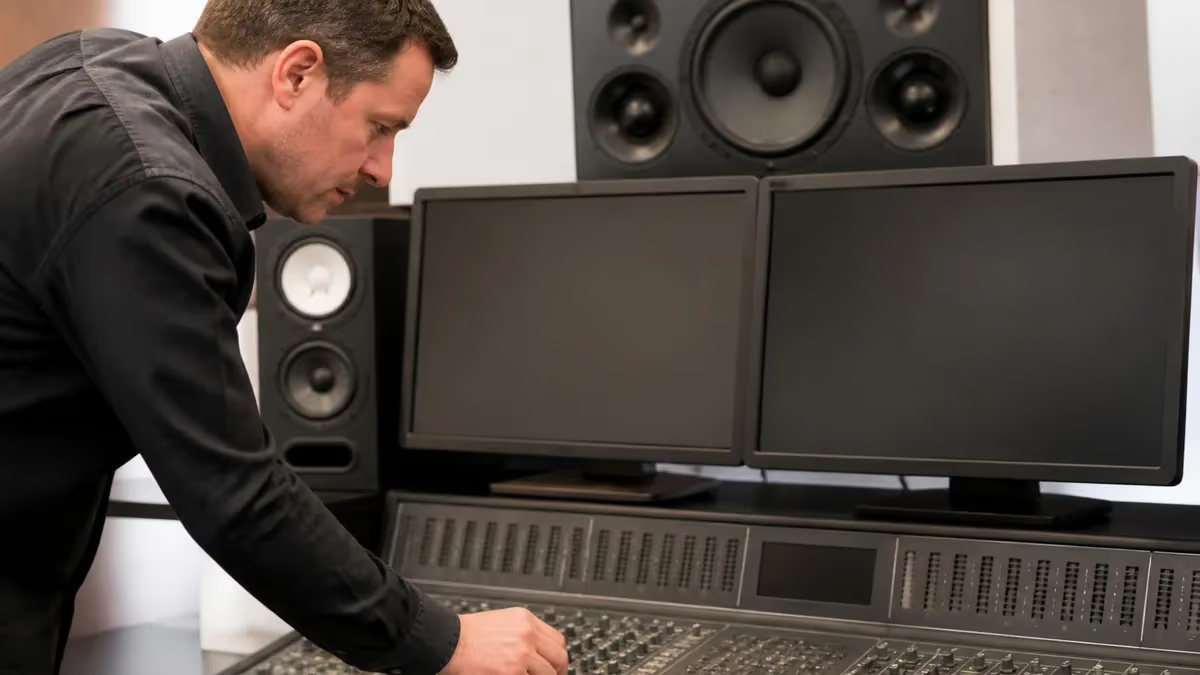
The ACI presentation is the moment every Avid Certified Instructor candidate either confirms months of preparation or watches a small slip pull their score below the cutoff. It is the centerpiece of the certification, a live teaching demonstration in which you stand in front of evaluators, walk through a structured lesson, and prove you can move learners from confusion to competence using Avid Media Composer, Pro Tools, or Sibelius. Unlike a written exam, your presentation rewards clarity, pacing, and the calm confidence of someone who has rehearsed every transition until it feels conversational.
Most candidates underestimate just how performative this segment is. You are not only teaching content; you are auditioning as an educator who represents the Avid brand inside post-production houses, broadcast schools, and university film programs. Evaluators score you on lesson architecture, learning objective alignment, demonstration accuracy, learner engagement, and your ability to recover gracefully when the timeline misbehaves or a clip refuses to play. Each of those buckets carries weight, and a strong showing in one area cannot fully rescue a weak showing in another.
This guide unpacks the ACI presentation in granular detail. We will cover the rubric used by Avid evaluators, the time blocks you should plan inside a typical 45-minute window, the props and project files you should bring on a USB drive, and the rehearsal cadence that produces a polished delivery instead of a panicked recital. You will also find sample lesson openers, common deductions to avoid, and the small habits that separate a passing demo from a memorable one.
We have studied notes from candidates who passed on their first attempt and from those who came back stronger after a reattempt. The patterns are remarkably consistent. Passing candidates plan their lesson backward from a single, narrow learning objective. They time their content in three-minute blocks. They build in a checkpoint question every six to eight minutes. And they treat every keyboard shortcut as a teachable moment rather than a flex. Those habits transform the presentation from a stressful gauntlet into a conversation you control.
Beyond rubric mechanics, the ACI presentation tests your ability to read a room. Evaluators may pretend to be novice learners and ask basic questions, or they may push you on edge cases such as round-tripping audio to Pro Tools or troubleshooting an offline media warning. Knowing how to respond without abandoning your lesson plan is a skill you build through repeated mock deliveries, ideally recorded on video so you can watch your own pacing, eye contact, and verbal tics with honest distance.
Finally, treat this article as a workshop rather than a recipe. Read each section with your own subject area in mind. If you are presenting an editing fundamentals lesson, picture the project bin you will load. If you are teaching audio mixing, picture the session template you will open. The more concretely you visualize your demonstration while you read, the more useful these tactics become when you walk into the actual ACI evaluation room.
By the end of this guide you will have a clear blueprint, a rehearsal schedule, a checklist of materials to pack, and an honest look at the pitfalls that cost candidates valuable rubric points. Combine that knowledge with focused practice using realistic question banks, and you give yourself the best possible chance of leaving the room with the Avid Certified Instructor designation.
ACI Presentation by the Numbers

ACI Presentation Format and Time Blocks
Introduce yourself, state the lesson objective in one sentence, and connect the topic to a real production scenario your learners would recognize from their own work.
Walk through the technical workflow inside Media Composer, Pro Tools, or Sibelius. Narrate every keystroke, pause for comprehension, and avoid jumping between unrelated tangents.
Pose a small task that mirrors what you just demonstrated. Invite the evaluators to imagine themselves performing the steps, then verbally walk through the correct solution.
Summarize the three to five takeaways, restate the original objective, and confirm that learners can complete the workflow independently before moving forward in a real course.
Field evaluator questions calmly. Acknowledge gaps honestly when relevant, then redirect to your prepared answers and resource handouts so the conversation stays productive.
Lesson design is the foundation that determines whether your ACI presentation feels organized or chaotic. Before you open Media Composer or Pro Tools, you should be able to write your learning objective on a single index card in fewer than fifteen words. Something like "Students will trim a sequence using slip and slide tools without rippling adjacent clips" is a strong objective because it names the audience, the action, the tool, and the measurable outcome. Vague objectives such as "Students will learn editing" virtually guarantee a low rubric score.
Once your objective is locked, work backward to identify the smallest set of prerequisite concepts a learner needs in order to succeed. If your objective focuses on slip and slide trimming, your prerequisites might include source-record editing, three-point edits, and basic timeline navigation. List those prerequisites on a slide near the top of your deck and tell evaluators which ones you are assuming. This single move signals instructional maturity and protects you from rabbit holes that eat your clock.
Next, design your demonstration sequence with what cognitive scientists call worked examples. Show the finished workflow once at normal speed, then break it into three or four micro-steps and narrate each step in detail. Repeat the full workflow at the end so learners see the cohesive whole. This I-do, we-do, you-do progression is widely recognized in adult education research, and Avid evaluators consistently reward candidates who structure their teaching this way rather than improvising linearly.
Pay close attention to vocabulary discipline. Decide in advance whether you will call the playback indicator the position bar, the blue bar, or the playhead, and use that term consistently throughout the demo. Switching terminology mid-presentation confuses novices and signals to evaluators that you have not yet internalized a clear pedagogical voice. Build a small glossary slide at the start and reference it whenever you introduce a new term, especially shortcut acronyms like JKL or trim mode toggles.
Plan one anchor metaphor for the entire lesson. Avid concepts are unusually abstract for beginners, so a single grounding image helps the material stick. For example, you might compare the source and record monitors to a kitchen prep station and a plated dish, or you might compare bins to filing cabinets and sequences to story outlines. Use that metaphor at least three times across your demonstration so it earns its place in long-term memory. Avoid mixing metaphors mid-lesson because it dilutes the cognitive anchor.
Build assessment into your design from the outset. Identify two formative check-for-understanding moments roughly one third and two thirds of the way through your demonstration. These do not have to be quizzes. A well-placed prediction question such as "What do you think happens if I slip this clip ten frames to the left?" surfaces misconceptions and gives evaluators concrete evidence that you measure learning continuously rather than waiting for an end-of-lesson test.
Finally, write your closing thirty seconds in advance and memorize them. A confident closer that restates the objective, summarizes the three key takeaways, and previews how the next lesson builds on this one leaves evaluators with a strong final impression. Candidates who trail off or simply say "that's it" routinely lose pacing points even when their core demonstration was solid, so treat the closer with the same rehearsal discipline you apply to your opening hook.
ACI Practice Test Questions
Prepare for the ACI - Avid Certified Instructor exam with our free practice test modules. Each quiz covers key topics to help you pass on your first try.
ACI Curriculum Design & Learning Objectives
ACI Exam Questions covering ACI Curriculum Design & Learning Objectives. Master ACI Test concepts for certification prep.
ACI Student Performance & Feedback Strategies
Free ACI Practice Test featuring ACI Student Performance & Feedback Strategies. Improve your ACI Exam score with mock test prep.
ACI Avid Certification Standards & Require...
ACI Mock Exam on Avid Certification Standards & Requirements. ACI Study Guide questions to pass on your first try.
ACI Avid Software Knowledge & Proficiency
ACI Test Prep for Avid Software Knowledge & Proficiency. Practice ACI Quiz questions and boost your score.
ACI Case Analysis & Practical Application
ACI Questions and Answers on Case Analysis & Practical Application. Free ACI practice for exam readiness.
ACI Communication & Client Relations
ACI Mock Test covering Communication & Client Relations. Online ACI Test practice with instant feedback.
ACI Exam Preparation & Assessment Techniques
Free ACI Quiz on Exam Preparation & Assessment Techniques. ACI Exam prep questions with detailed explanations.
ACI Professional Standards & Competencies
ACI Practice Questions for Professional Standards & Competencies. Build confidence for your ACI certification exam.
ACI Quality Control & Process Improvement
ACI Test Online for Quality Control & Process Improvement. Free practice with instant results and feedback.
ACI Regulatory Compliance & Legal Framework
ACI Study Material on Regulatory Compliance & Legal Framework. Prepare effectively with real exam-style questions.
ACI Research Methods & Evidence-Based Prac...
Free ACI Test covering Research Methods & Evidence-Based Practice. Practice and track your ACI exam readiness.
ACI Risk Assessment & Mitigation
ACI Exam Questions covering Risk Assessment & Mitigation. Master ACI Test concepts for certification prep.
ACI Presentation Delivery Modes
An in-person ACI presentation lets you read body language, walk between the projector and the keyboard, and use physical props such as printed storyboards or production schedules. Take advantage of the room by arriving thirty minutes early to test cable adapters, audio output, and the seating angle. Place a small bottle of water within reach, dim distracting overhead lights if possible, and confirm that the evaluators can see both your face and the projected workspace simultaneously so they can score engagement and technical accuracy together.
Energy management matters more in person than candidates expect. Evaluators sit through multiple back-to-back demos, so a flat opening tone disappears into the day. Stand when you introduce your objective, even if you sit during the technical demo. Use deliberate pauses, vary your pitch, and make brief eye contact with each evaluator at least twice. Avoid pacing nervously behind the laptop. A calm, anchored posture conveys instructional authority and helps the evaluators focus on the lesson rather than your stress signals.

Should You Choose a Live Demo Over a Recorded Submission?
- +Live demos allow real-time evaluator questions that reveal your pedagogical depth
- +Body language and energy translate more authentically than recorded delivery
- +You can adapt pacing on the fly if you see confused expressions
- +Recovery from small technical glitches demonstrates poise under pressure
- +Conversational Q&A often surfaces strengths that scripted recordings hide
- +Networking with evaluators after the demo can support future opportunities
- −Higher stakes if equipment fails or a project file refuses to load
- −No second take to fix verbal stumbles or skipped concepts
- −Scheduling logistics may require travel, lodging, and additional fees
- −Nervous candidates may underperform compared with controlled studio recordings
- −Limited control over room acoustics, lighting, and projector quality
- −Less opportunity to polish post-production transitions or graphics overlays
Pros and Cons at a Glance
| Pros | Cons |
|---|---|
| Live demos allow real-time evaluator questions that reveal your pedagogical depth | Higher stakes if equipment fails or a project file refuses to load |
| Body language and energy translate more authentically than recorded delivery | No second take to fix verbal stumbles or skipped concepts |
| You can adapt pacing on the fly if you see confused expressions | Scheduling logistics may require travel, lodging, and additional fees |
| Recovery from small technical glitches demonstrates poise under pressure | Nervous candidates may underperform compared with controlled studio recordings |
| Conversational Q&A often surfaces strengths that scripted recordings hide | Limited control over room acoustics, lighting, and projector quality |
| Networking with evaluators after the demo can support future opportunities | Less opportunity to polish post-production transitions or graphics overlays |
Pre-Presentation Readiness Checklist
- ✓Confirm the exact Avid software version and license type installed on the demo workstation
- ✓Pre-load your project file, media, and any reference sequences on a clearly labeled USB drive
- ✓Print three copies of your one-page lesson outline for evaluators
- ✓Rehearse the full presentation at least ten times with a timer running
- ✓Record one rehearsal on video and review pacing, eye contact, and verbal fillers
- ✓Prepare a backup plan for offline media, missing fonts, or audio routing issues
- ✓Pack noise-canceling headphones and a second adapter for HDMI, USB-C, and Thunderbolt
- ✓Write your opening hook and closing summary verbatim and memorize them
- ✓Draft answers to the five most likely evaluator questions in advance
- ✓Plan a calm pre-presentation routine including hydration, breathing, and posture reset
Rehearse out loud, on your feet, with a timer
Candidates who rehearse silently or in their heads consistently underestimate their pacing by twenty to thirty percent. Standing up, speaking at full volume, and running a visible timer trains your nervous system to perform under conditions that match the actual evaluation environment. Three full-volume rehearsals beat ten silent run-throughs every single time.
Even well-prepared candidates lose points to recurring pitfalls that the rubric flags ruthlessly. The most common deduction is objective drift. You start strong with a clear learning goal, then a mid-lesson tangent pulls you into a related but unscored topic, and suddenly you are explaining color correction during a lesson on audio mixing. Evaluators watch for these drifts and quietly subtract points for every minute your demonstration wanders away from the announced objective. Building an explicit "return to objective" cue into your script prevents this drift from happening.
The second frequent deduction comes from inaccurate shortcut narration. Candidates sometimes say one keystroke while pressing another, or describe a menu path that has changed in the current software version. Evaluators are domain experts who notice instantly. Always speak the shortcut before you press it, then confirm the result on screen. If you discover mid-demo that a shortcut has been remapped on the test machine, name the discrepancy aloud, show the menu path as a fallback, and continue without panicking. Calm acknowledgment beats silent confusion every time.
A third common issue is question evasion. When an evaluator asks a question you cannot answer fully, the worst response is a bluff. Evaluators are trained to spot fabricated answers, and they score honesty highly. A confident "I would verify that in the documentation before teaching it, but my working understanding is X, and here is how I would demonstrate it" earns far more credit than a confident-sounding wrong answer. This habit also models good pedagogical behavior for real students who deserve teachers comfortable with the limits of their knowledge.
Pacing collapse is the fourth pitfall. Many candidates spend too long on the opening hook because they over-prepared the introduction, leaving the core demonstration rushed and the practice activity skipped. The fix is mechanical. Mark a hard time check at minute eight and minute twenty in your script. If you have not reached those checkpoints by the marked time, cut the next non-essential paragraph rather than speeding up your speech. Skipping content gracefully is always safer than racing through it incoherently.
Technical recovery is the fifth area where points evaporate. When media goes offline or a sequence will not render, candidates who freeze lose more credit than those who narrate the troubleshooting process aloud. Treat every glitch as a teachable moment. Say, "In a real classroom, here is exactly what I would do to diagnose this," then walk through the steps you would take. Evaluators love this. It proves you can manage chaos in a live teaching environment instead of relying on a perfectly working demo room.
Body language is the sixth scoring area where small habits add up. Candidates who hide behind the laptop, fold their arms, or stare exclusively at the screen lose engagement points even when their content is excellent. Practice an open stance, broad gestures, and frequent screen-to-evaluator eye contact transitions. A simple discipline of glancing up every ten to fifteen seconds dramatically improves perceived warmth and authority without requiring any change to the technical content of your lesson.
Finally, watch for jargon overload. The ACI presentation rewards instructors who translate technical complexity into language a confident beginner could follow. Even when your evaluators clearly understand every Avid term, demonstrate that you can simplify. Define each acronym on first use, restate the same idea in two different ways, and check in with a question after introducing any concept that took you more than thirty seconds to explain. That habit consistently separates passing demos from borderline ones.
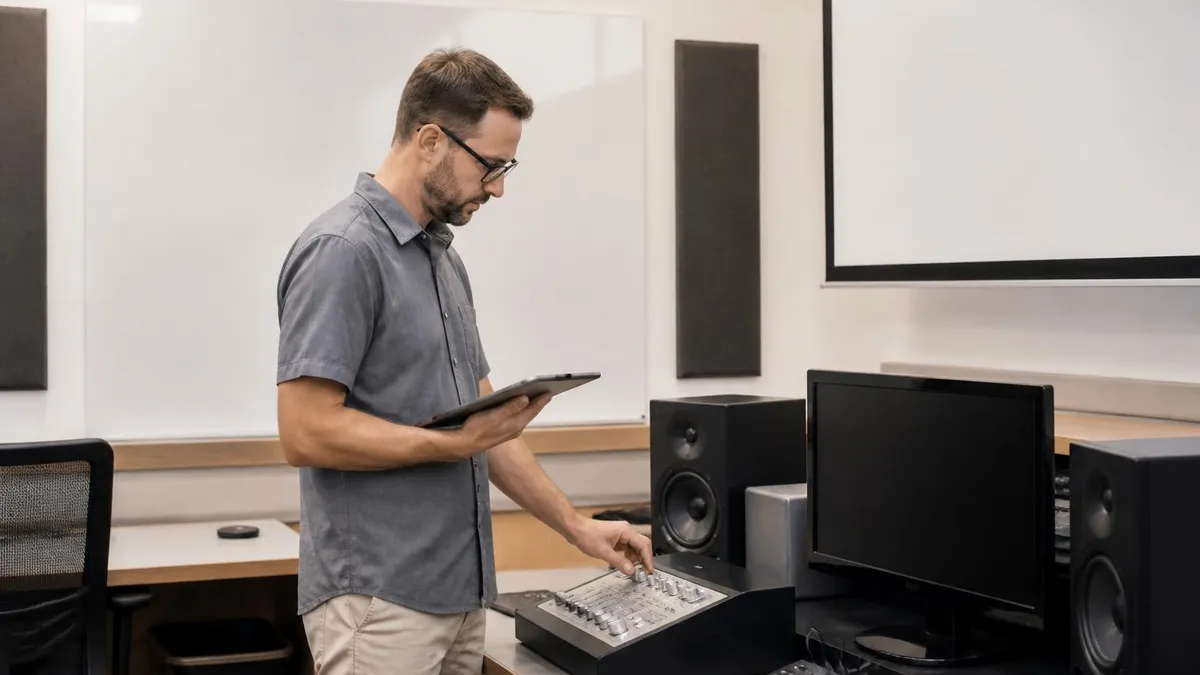
Do not present a lesson you have never taught to a real learner. Even one round of feedback from a colleague exposes blind spots that no amount of solo rehearsal can reveal. Schedule a mock teaching session at least two weeks before your evaluation and revise your script based on what confuses your test audience the most.
The official ACI rubric is organized around five weighted categories: lesson architecture, technical accuracy, learner engagement, assessment integration, and recovery behavior. Each category is scored independently, and the final result combines them with roughly equal weight. Understanding how evaluators interpret each category lets you target your final rehearsals at the dimensions where you are weakest rather than over-polishing areas where you already excel.
Lesson architecture covers your opening hook, your stated objective, your prerequisite map, your demonstration sequence, your practice activity, and your closing recap. Evaluators look for a coherent narrative arc that a novice could redraw from memory after the lesson. If your structure looks like a flat list of features instead of a problem-solution journey, you will lose architectural points even if the content is correct. Sketch your lesson as a one-page flowchart and verify the arc is visible before you rehearse.
Technical accuracy is the dimension most candidates assume they have locked down. In practice, evaluators notice small errors that experienced editors miss. Misnaming a panel, using a deprecated menu path, or confusing source and record commands all subtract points. The remedy is a deliberate vocabulary audit. Sit down with the current Avid documentation a week before your demo, list every term you plan to use, and confirm each one matches the latest interface labels. This one-hour exercise pays for itself many times over.
Learner engagement is scored on how well you read and respond to your audience. Evaluators role-play as students, sometimes asking naïve questions to test whether you maintain warmth and clarity. Engagement points come from eye contact, vocal variation, named acknowledgment of evaluator contributions, and the use of formative check-ins. A short pause after a question that invites the entire room to think, rather than rushing to answer, signals confident classroom management more clearly than any single brilliant sentence.
Assessment integration measures whether learning is visible inside the lesson rather than hypothetical after it. Plan two formative checks and one summative micro-assessment inside your demo. A formative check might be a prediction question. A summative micro-assessment might be a short task you ask evaluators to talk through aloud. Make the success criteria explicit. Tell evaluators what they should be able to do by the end, then briefly verify whether the criteria appear met. This explicit closing loop is often missing in failed demos.
Recovery behavior is the dimension you cannot fully script. It is scored when something goes wrong. Plan three possible failures in advance: an offline media warning, a missing font, and a non-responsive application. Walk through your verbal recovery script for each one until the calm narration feels automatic. A passing recovery looks like calm narration, two visible troubleshooting steps, and a graceful pivot back to the lesson. A failing recovery looks like silent panic and a long pause that pulls the room out of the lesson entirely.
Once you have practiced for each category, run a final dress rehearsal in the exact format you will encounter. If your evaluation is virtual, rehearse over your actual conferencing platform. If it is in person, rehearse standing in a room with a projector. Record the final dress rehearsal, watch it once with sound, and once on mute. The mute viewing exposes pacing and visual clarity. The audio viewing exposes verbal habits. Combine the two reviews and adjust your Avid Certified Instructor presentation script accordingly before your official demo.
The final week before your ACI presentation should be lighter than candidates expect. Heavy cramming at this stage adds anxiety without adding skill. Instead, lock in your script, run two full rehearsals daily at moderate intensity, and protect your sleep aggressively. Cognitive research is unambiguous that two consecutive nights of poor sleep impair short-term memory and verbal fluency more than caffeine can compensate for. Your pacing, your shortcut accuracy, and your composure under questioning all depend on a rested nervous system that has been trained gently rather than thrashed.
Build a pre-presentation routine that begins ninety minutes before showtime. Hydrate consistently from the previous evening, eat a light protein-forward meal at least an hour ahead, and avoid sugar spikes that crash mid-demo. Run through your opening hook out loud one final time, then put your script away. Holding the script in your hand seconds before the demo triggers second-guessing. Trust the rehearsals. Walk in with one mental anchor sentence such as "I have taught this lesson ten times already today" and let muscle memory carry the technical work.
Manage the room logistically the moment you enter. Greet the evaluators by name, set up your equipment without rushing, confirm audio and video, and ask if there is any housekeeping before you begin. This calm sequence does two things. It reduces your physiological stress, and it signals to the evaluators that you treat real classroom setup with the same professionalism. Many candidates skip this entire phase and jump straight into the lesson, which feels frantic and shaves engagement points before a single instructional minute begins.
During the demo itself, narrate transitions explicitly. Say "Now I am moving from concept introduction to live demonstration" or "We are about to shift from teacher modeling to guided practice." These verbal signposts help evaluators tick rubric boxes and help any visual learners track your lesson architecture. They take fewer than five seconds each and yield outsized scoring benefits. Repeat your learning objective at least twice across the demonstration, ideally at the beginning and just before the practice activity.
Handle questions with a three-part rhythm. Acknowledge the question, restate it in your own words for the rest of the room, then answer concisely and return to the lesson flow. If the question takes the demo seriously off track, name it gracefully with a phrase like "That is a fantastic follow-up I would address in the next lesson." This protects your pacing and shows situational awareness. Evaluators do not reward maximum length answers. They reward responsiveness, accuracy, and the discipline to keep the lesson on schedule.
When the presentation ends, do not over-apologize. Thank the evaluators, ask if they would like any specific clarification, and step away from the equipment with composed body language. The first thirty seconds after your closer are still being scored on professionalism. Many candidates collapse visibly and undermine an otherwise excellent demo by signaling exhaustion or doubt. A simple, confident closure that mirrors the calm opening leaves evaluators with a unified impression of competence.
Finally, debrief the same evening while the experience is fresh. Write down what worked, what felt awkward, and which evaluator questions surprised you. If you pass, those notes become the foundation of your future Avid teaching practice. If you do not pass on the first attempt, the same notes accelerate your second preparation cycle dramatically. Either way, the post-mortem turns a single high-stakes event into a durable instructional asset you will refine across years of certified teaching.
Sample Avid Certified Instructor Practice Questions
Try these questions from our free Avid Certified Instructor practice tests. The correct answer and an explanation follow each question.
If an Avid Certified Instructor misrepresents their certification status on marketing materials after their certification has lapsed, they may face:
- A. Legal action for false advertising and potential revocation of future certification eligibility
- B. A warning letter from Avid only, with no further consequences
- C. Criminal charges under federal telecommunications law
- D. Civil liability only if a paying customer can prove financial harm
Answer: A. Legal action for false advertising and potential revocation of future certification eligibility
Falsely claiming active certification constitutes false advertising and breaches Avid's certification agreement, potentially triggering legal and credentialing consequences.
How often do Avid Certified Instructors need to renew their certification?
- A. Every 2 years.
- B. Every 5 years.
- C. Every 10 years.
- D. No renewal is required.
Answer: A. Every 2 years.
Avid Certified Instructors are required to renew their certification every two years. This regular renewal process ensures that ACIs remain proficient with the latest Avid software versions and continue to meet Avid's high standards for instructional quality and technical expertise.
What resource is available to Avid Certified Instructors?
- A. Teaching assistants.
- B. Dedicated customer support.
- C. Paid memberships to professional organizations.
- D. Free software updates.
Answer: B. Dedicated customer support.
Avid Certified Instructors have access to dedicated customer support, which is a valuable resource for their teaching activities. This specialized support helps ACIs troubleshoot technical issues, clarify curriculum points, and ensure a smooth and effective learning experience for their students.
What type of courses do Avid Certified Instructors teach?
- A. Music production workshops.
- B. Pro Tools software training courses.
- C. General audio engineering.
- D. Video production basics.
Answer: B. Pro Tools software training courses.
Avid Certified Instructors primarily teach official Pro Tools software training courses. Their certification specifically qualifies them to deliver Avid's standardized curriculum for this industry-leading digital audio workstation, ensuring students receive consistent and high-quality instruction.
ACI Questions and Answers


About the Author

Educational Psychologist & Academic Test Preparation Expert
Columbia University Teachers CollegeDr. Lisa Patel holds a Doctorate in Education from Columbia University Teachers College and has spent 17 years researching standardized test design and academic assessment. She has developed preparation programs for SAT, ACT, GRE, LSAT, UCAT, and numerous professional licensing exams, helping students of all backgrounds achieve their target scores.