
PSSA Online Testing: What Pennsylvania Students Need to Know 2026 October
Everything about PSSA online testing — formats, tools, prep tips, and what to expect on test day. ✅ Full guide for PA students.
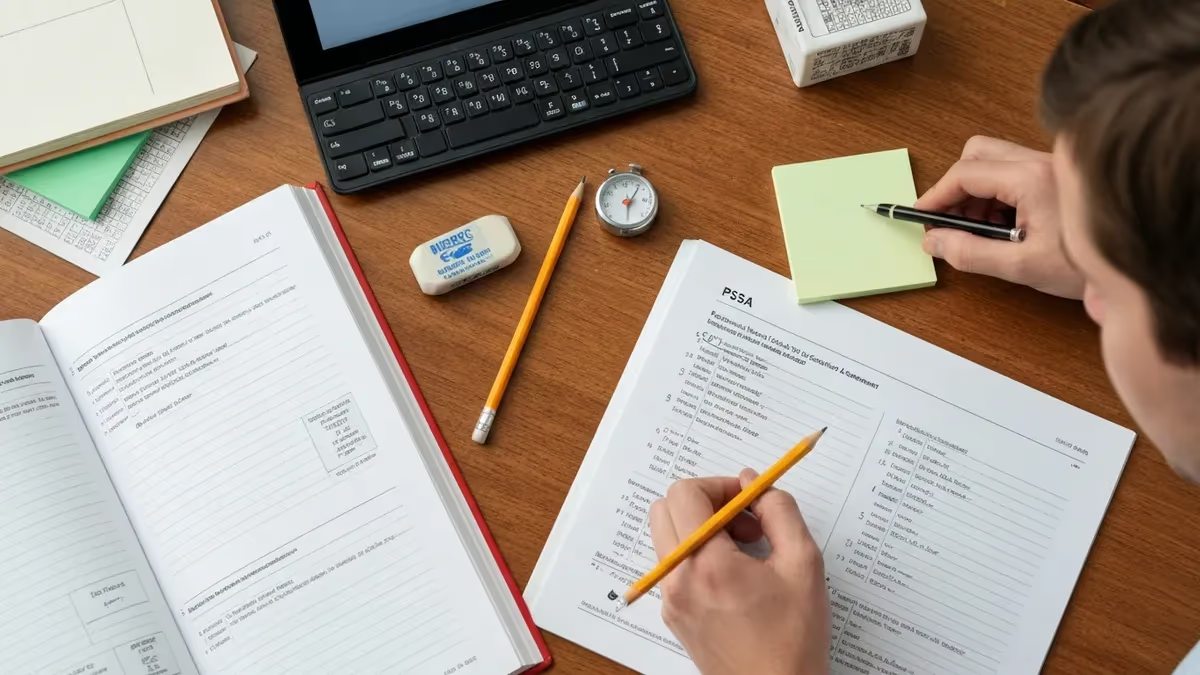
PSSA online testing has become the standard experience for most Pennsylvania students in grades 3 through 8, and understanding exactly how the digital format works can make a significant difference in performance. The Pennsylvania System of School Assessment measures proficiency in English Language Arts, Mathematics, and Science, and the shift toward computer-based delivery has changed how students interact with test questions, tools, and timing. Knowing what to expect before you sit down at the computer removes anxiety and lets you focus entirely on demonstrating what you know.
The online format is not simply a digital version of a paper test. It includes embedded tools like highlighters, eliminators, calculators, and rulers that appear directly on screen depending on the subject and grade level. Students who have practiced using these digital tools consistently during preparation tend to perform better because they do not waste time figuring out the interface during the actual exam. Familiarity with the testing platform is as important as content knowledge, and that is a point many preparation guides overlook entirely.
Pennsylvania has rolled out computer-based PSSA testing gradually over the past several years, working with schools and districts to ensure that technology infrastructure meets the demands of simultaneous testing sessions. Most schools now administer the PSSA entirely online, though paper-pencil accommodation options remain available for students with certain individualized education programs or 504 plans. If you are unsure which format your school is using, your teacher or guidance counselor can confirm the delivery method before testing begins.
One of the most practical things students can do before pssa online testing begins is complete a practice session using the official PearsonAccess Next platform, which Pennsylvania uses to administer the exam. This platform allows students to experience the exact interface they will encounter, including how to flag questions for review, navigate between sections, zoom in on text or images, and use the built-in notepad tool. A 30-minute practice session on this platform is worth more than hours of paper-based review in terms of reducing test-day stress.
The scoring process for the online PSSA is handled centrally, and results are typically available to schools before the end of the academic year. Unlike paper tests, which require manual scanning and scoring, computer-based responses can be processed much more quickly. Multiple-choice and technology-enhanced items are machine-scored, while constructed-response items — where students type extended written answers — are scored by trained human raters using established rubrics. Understanding this scoring structure helps students allocate their time and energy appropriately during the test itself.
Students with disabilities or English language learner designations have access to a wide range of accommodations within the online platform. These can include screen readers, text-to-speech functionality, magnification, color contrast adjustments, extended time, and separate testing environments. Schools are responsible for configuring these accommodations in the testing platform before the exam begins, so students who require them should confirm their accommodations with their special education coordinator or ELL teacher well in advance of the testing window.
Preparation for PSSA online testing should combine strong content review with deliberate practice in the digital format. Working through sample questions in a timed, computer-based environment helps students develop the pacing and focus they will need on test day. The sections below cover everything from the structure of the online exam to specific strategies for each subject area, so read through carefully and use the resources provided to build your confidence before the assessment window opens.
PSSA Online Testing by the Numbers

How the Online PSSA Is Structured
The ELA section includes reading passages, literary analysis, and constructed-response items where students type extended answers. Students read on-screen texts and answer multiple-choice, evidence-based selected response, and text-dependent analysis questions across two or three sessions.
Math testing includes multiple-choice, multi-select, and technology-enhanced items such as drag-and-drop and fill-in-the-blank. A four-function or scientific calculator is embedded in the platform for designated sections, and a reference sheet is accessible on screen.
Science is assessed in grades 4 and 8 only. The online format includes multiple-choice questions covering life science, physical science, earth and space science, and the nature of science. No calculator is provided, but on-screen diagrams and data tables support certain items.
These interactive question types — including drag-and-drop, matching, graphing, and equation editors — appear across all subjects. Students click, type, or move objects on screen to demonstrate understanding. Practicing these item types beforehand prevents confusion during the real exam.
Navigating the PearsonAccess Next testing platform is a skill in its own right, and students who invest time learning the interface before test day gain a measurable advantage. The platform is designed to be intuitive, but the first time you see the toolbar, the question navigation panel, and the text highlighting feature all at once can be disorienting if you have never practiced with them. Pennsylvania provides a publicly available practice test through its official testing portal, and every student should complete it at least once before the actual testing window opens.
The navigation panel on the right side of the screen shows the number of questions in the current section and allows students to jump directly to any question they have flagged for review. Flagging a question — clicking the small bookmark icon — is one of the most useful features of the online format. Students who are unsure of an answer can flag it, continue through the section, and return to flagged items at the end without any penalty. This strategy is particularly effective for the ELA section, where a later passage may provide context that clarifies an earlier question.
The highlight and strikethrough tools allow students to mark text in passages and eliminate answer choices that they have ruled out. On a paper test, you would physically cross out wrong answers with a pencil. On the PSSA online platform, you right-click or use the toolbar to apply these markings digitally. Practicing this workflow — read the question, eliminate two choices, highlight supporting evidence in the passage — builds a repeatable process that speeds up performance on the actual exam and reduces second-guessing.
The embedded calculator available in designated math sections works identically to a standard four-function or scientific calculator, depending on grade level. Students should practice using this on-screen tool rather than assuming their familiarity with a physical calculator will transfer automatically. Typing numbers with a keyboard while reading a math problem on screen is a slightly different cognitive task, and students who have only practiced with handheld calculators sometimes make avoidable entry errors during the exam. A few sessions using an on-screen calculator simulator will address this quickly.
Text-to-speech functionality is available as an accommodation for eligible students, and for those who have it enabled, the experience of hearing questions read aloud while reading them on screen can be quite different from listening alone. Students with this accommodation should practice the combined reading-and-listening approach during preparation so that the dual input feels comfortable rather than distracting. Schools configure accommodations through the platform before testing begins, so students do not need to request them on test day — they should simply confirm with their teacher that everything is set up correctly.
The online platform also includes a notepad tool that functions like a digital scratch pad. Math students can use it to work through multi-step calculations, and ELA students can jot down notes about passage themes or character details before constructing a written response. The notepad is not submitted with the exam and is not scored, but using it actively during practice helps students develop the habit of organizing their thinking before committing to an answer. Students who skip the notepad and try to do all their thinking in their head tend to make more errors on complex items.
Finally, understanding how to submit sections properly is essential. The online PSSA uses a section-by-section structure, and once a section is submitted, students cannot return to questions in that section. This is different from some classroom tests where students can flip back through all pages freely. Teaching yourself to review flagged items carefully before clicking the submit button at the end of each section is a habit worth building during practice sessions, because the confirmation pop-up is the last opportunity to catch any unanswered questions before your responses are locked in permanently.
Subject-by-Subject Online Testing Strategies
For the English Language Arts section, the most effective online strategy begins with reading the questions before reading the passage. Because the passage is long and displayed as scrollable text on screen, knowing what the questions ask allows you to read purposefully rather than trying to absorb everything at once. Highlight key evidence in the passage using the digital highlighter as you identify it, so you can reference it quickly when you return to write your text-dependent analysis response.
Constructed-response and text-dependent analysis items in the online ELA section require students to type extended written answers directly into a text box. Give yourself enough time — at least 10 to 15 minutes — for these items, because they carry significant scoring weight. Use the notepad tool to outline your response before typing it into the answer box. Check your response for a clear claim, supporting evidence with specific quotes or details from the passage, and a concluding sentence. A well-organized typed response scores higher than a longer but unfocused one.

Online vs. Paper PSSA Testing: Key Differences
- +Faster score processing means results reach families earlier in the school year
- +Embedded digital tools like highlighters and eliminators are always available without needing extra supplies
- +Technology-enhanced items allow more authentic demonstration of mathematical and scientific reasoning
- +Text-to-speech and other digital accommodations are more consistently delivered than paper alternatives
- +Students can flag and revisit questions within a section without physically flipping pages
- +Online submission eliminates the risk of bubbling errors or illegible handwriting affecting scores
- −Students who are not comfortable with typing may take longer on constructed-response items than on paper
- −Screen fatigue can set in during long reading passages, making concentration harder than with printed text
- −Technical issues — though rare — can interrupt testing and require troubleshooting during exam time
- −The on-screen calculator interface differs from physical calculators students use in class daily
- −Scrolling through long passages on screen can cause students to lose their place more easily than flipping a page
- −Students who have primarily practiced on paper may find the digital interface unfamiliar and distracting at first
Pros and Cons at a Glance
| Pros | Cons |
|---|---|
| Faster score processing means results reach families earlier in the school year | Students who are not comfortable with typing may take longer on constructed-response items than on paper |
| Embedded digital tools like highlighters and eliminators are always available without needing extra supplies | Screen fatigue can set in during long reading passages, making concentration harder than with printed text |
| Technology-enhanced items allow more authentic demonstration of mathematical and scientific reasoning | Technical issues — though rare — can interrupt testing and require troubleshooting during exam time |
| Text-to-speech and other digital accommodations are more consistently delivered than paper alternatives | The on-screen calculator interface differs from physical calculators students use in class daily |
| Students can flag and revisit questions within a section without physically flipping pages | Scrolling through long passages on screen can cause students to lose their place more easily than flipping a page |
| Online submission eliminates the risk of bubbling errors or illegible handwriting affecting scores | Students who have primarily practiced on paper may find the digital interface unfamiliar and distracting at first |
PSSA Online Test-Day Preparation Checklist
- ✓Complete at least one full practice session on the PearsonAccess Next platform before the real test.
- ✓Confirm your testing accommodations with your teacher or special education coordinator at least one week ahead.
- ✓Practice using the on-screen calculator, highlighter, strikethrough, and notepad tools until they feel natural.
- ✓Get at least eight hours of sleep the night before each testing session to support memory and focus.
- ✓Eat a nutritious breakfast on test day — avoid high-sugar foods that cause energy crashes mid-session.
- ✓Arrive at school on time and know which room or lab your class will test in before the day begins.
- ✓Bring any allowed materials your school permits, such as scratch paper or an approved calculator if not using the embedded one.
- ✓Review the flagging strategy: flag uncertain questions, finish the section, then return to review before submitting.
- ✓Practice pacing by timing yourself on sample sections so you know how many minutes to spend per question.
- ✓Remind yourself that the online format is the same across all schools — your preparation puts you ahead of students who did not practice the platform.
Practice the Platform, Not Just the Content
Research on computer-based standardized testing consistently shows that students who are unfamiliar with the testing platform perform below their actual ability level. Spending even two or three hours practicing on the official PearsonAccess Next interface can raise scores by helping students avoid interface confusion and focus entirely on demonstrating their knowledge. Platform familiarity is one of the highest-return investments a student can make before PSSA testing begins.
Accommodations for the PSSA online platform are extensive, and Pennsylvania's Department of Education has worked to ensure that the digital format does not disadvantage students with disabilities or English language learners. The online platform supports a wide range of accommodations that are configured by the school before testing begins, meaning students simply log in and find their individualized settings already active. This removes a logistical burden from students on test day and ensures accommodations are applied consistently across all testing sessions.
Text-to-speech is one of the most commonly used digital accommodations, allowing the platform to read questions, answer choices, and passages aloud to students who are eligible. Students who use text-to-speech should practice with this feature activated during their preparation, because the pace and voice of computer-generated speech is different from human reading and takes some adjustment. Many students find it helpful to read along silently while the text is being read aloud, using both visual and auditory input to process information more thoroughly.
Extended time is another accommodation that is fully supported in the online format. The testing platform can be configured to allow additional time beyond the standard session length, and proctors are trained to manage extended-time testing environments. Students who receive extended time should still practice pacing during preparation so they develop the stamina to stay focused for a longer testing session. Extended time is only beneficial if the student uses it actively — returning to flagged questions, reviewing constructed responses, and double-checking calculations.
Color contrast adjustments, magnification tools, and font size increases are built directly into the online platform and can be activated for students who have visual processing differences or low vision. Unlike paper tests, where accommodations like large-print versions must be ordered weeks in advance, digital accommodations can be configured quickly and adjusted if needed. Students who use these features in their everyday classroom technology should advocate for their activation on the PSSA platform to ensure a consistent experience with what they are already accustomed to.
English language learners who are eligible may receive translated directions, bilingual dictionaries, or extended time depending on their ELL classification and years in U.S. schools. The specific accommodations available to ELL students are governed by state policy and are documented in each student's ELL plan. Families who want to understand exactly which accommodations their child will receive on the PSSA online platform should request a meeting with the ELL coordinator before the testing window opens to review the student's accommodation profile together.
Students who experience a technical disruption during online testing — such as a computer freezing, internet connection dropping, or browser crashing — should raise their hand immediately to alert the proctor. The testing platform is designed to save responses automatically at regular intervals, so most technical disruptions do not result in lost answers. The proctor will log the incident, contact the technology coordinator, and work to restore the student's session as quickly as possible. Students should remain calm, avoid touching the keyboard, and let the adults handle the technical issue.
For students who are unable to test on the computer due to a documented disability that makes computer-based testing inaccessible even with accommodations, Pennsylvania does provide paper-pencil testing as an alternative. This alternative format must be requested and approved through the IEP or 504 plan process before the testing window begins, and it cannot be arranged on the day of the exam. Parents and guardians who believe their child needs paper testing should raise this with the special education team at the beginning of the school year to allow sufficient lead time for the required approvals and materials ordering.

All PSSA online testing accommodations — including text-to-speech, extended time, and paper-pencil alternatives — must be documented and approved through your IEP, 504 plan, or ELL plan before the testing window opens. Schools cannot add or modify accommodations on test day. Contact your special education coordinator, 504 coordinator, or ELL teacher at least four to six weeks before testing begins to confirm your accommodation profile is correctly entered in the PearsonAccess Next platform.
Understanding how PSSA scores are reported helps students and families interpret results accurately and identify meaningful areas for future growth. The PSSA uses a four-level performance scale: Below Basic, Basic, Proficient, and Advanced. Proficient is the state-defined benchmark for grade-level mastery, and students who score at the Proficient or Advanced level are considered to have met Pennsylvania's academic standards for their grade and subject. Scores in the Below Basic and Basic ranges indicate areas where additional instruction and support are recommended.
Score reports for the online PSSA include an overall performance level as well as subscale scores that break down performance by content area within each subject. For ELA, subscales typically reflect narrative and informational text comprehension and writing. For Math, subscales align with the major content domains such as numbers and operations, algebraic concepts, geometry and measurement, and data analysis. These subscale breakdowns help teachers and parents understand which specific areas of the curriculum need additional attention before the next testing cycle.
Scores from the PSSA are used at the school, district, and state level to evaluate educational programs and identify students who may need additional academic support. They do not directly affect individual students' grades, promotion, or graduation eligibility, which is an important distinction. However, PSSA results can influence placement in accelerated programs, and consistently strong performance across grade levels builds a positive academic record. Understanding this context helps students approach the test seriously without treating it as a high-stakes personal evaluation.
Results from the online PSSA are typically released to schools by late spring or early summer, depending on when the testing window occurred. Schools then distribute individual score reports to families, usually in paper form or through a secure online parent portal. Families should review these reports carefully and discuss the results with their child's teacher if they have questions about what the subscale scores mean or how to support their child's learning before the next grade level. The score report also includes comparison data showing how the student performed relative to the state average.
Year-over-year PSSA score data is valuable for tracking academic growth over time. Students who take the PSSA in consecutive grades can see whether their performance level has improved, remained stable, or declined relative to their peers. Pennsylvania uses growth measures alongside proficiency levels to give a more complete picture of student progress, recognizing that a student who moves from Below Basic to Basic has made meaningful academic growth even if they have not yet reached Proficient. Celebrating growth, not just proficiency, is an important part of how families and educators should interpret and discuss results.
One of the structural advantages of online scoring is the significantly reduced time between test administration and score reporting. Constructed-response items are scored by trained human raters through a secure online scoring system, which allows for faster turnaround than the physical scanning and mailing required for paper tests. Machine-scored items — multiple-choice, multi-select, and technology-enhanced — are processed almost immediately after submission. The result is that schools and families receive actionable data earlier in the school calendar, leaving more time to use results to inform instruction before the academic year ends.
Students who want to take an active role in understanding their own performance should ask their teacher to help them interpret the detailed diagnostic information in their score report. The subscale scores and item-type performance data can reveal patterns — for instance, a student who performs well on multiple-choice items but struggles with constructed-response items has a clear and targeted area for improvement.
Similarly, a student who scores well overall in math but shows relative weakness in the data analysis subscale knows exactly where to focus preparation before the next testing cycle. Treating PSSA results as a diagnostic tool, rather than just a final verdict, is the most productive mindset for long-term academic success.
Building effective preparation habits for the PSSA online format takes planning, consistency, and the right mix of content review and platform practice. The most successful students approach their preparation systematically rather than cramming in the days immediately before the test. A preparation timeline that begins six to eight weeks before the testing window gives students enough time to cover all content areas thoroughly, practice with the digital tools, identify weak spots, and review targeted material before the exam date arrives.
Content review should be organized by subject and aligned to the Pennsylvania Core Standards that the PSSA assesses. For ELA, focus on close reading strategies, identifying evidence in both literary and informational texts, understanding author's purpose and craft, and constructing clear, well-supported written responses.
For Math, review the major content domains for your grade level — do not try to review every possible topic, but focus on the areas your teacher has identified as PSSA priorities. For Science in grades 4 and 8, organize your review around the four domains: life science, physical science, earth and space science, and the nature of science and technology.
Practice tests are the single most valuable preparation resource for PSSA online testing. Pennsylvania's Department of Education provides official sample items and practice tests on its website, and these reflect the actual question types, difficulty levels, and platform features students will encounter. Working through these practice items in a timed, distraction-free environment replicates the testing experience and builds the mental stamina needed to stay focused across multiple testing sessions. Students who complete at least three or four full practice sessions before the real exam consistently report feeling more confident and less anxious on test day.
One often-overlooked aspect of preparation is building reading stamina for the online ELA section. Reading long passages on a screen is physically and cognitively more demanding than reading the same content on paper for many students, particularly those who spend limited time reading on screens in their daily lives.
Students who read for pleasure on e-readers, tablets, or laptops have an incidental advantage, but any student can build screen reading stamina by practicing with online texts for 20 to 30 minutes at a time over several weeks before the exam. The goal is to be able to read and absorb a 600 to 800-word passage on screen without losing focus or needing to re-read entire sections.
Working with a study partner or study group adds accountability and can accelerate learning, particularly for content areas where a student feels weak. Explaining concepts aloud to a study partner is a well-documented learning technique that deepens understanding more effectively than reading alone. Study groups can also simulate the question-and-answer format of the exam by taking turns posing questions based on practice materials and challenging each other to provide evidence-based answers. For ELA, partners can review each other's constructed responses and give feedback on clarity of claim, quality of evidence, and strength of explanation.
Sleep and nutrition are preparation variables that students sometimes undervalue. Research in cognitive science consistently shows that adequate sleep — eight to nine hours for middle school students — significantly improves memory consolidation, problem-solving ability, and sustained attention. In the week before the PSSA, students should prioritize consistent sleep schedules over late-night cramming. Meals on testing days should include protein and complex carbohydrates to sustain energy and focus across a multi-session exam day. Simple habits like these can measurably improve performance without any additional academic effort.
Finally, maintaining a positive mindset throughout preparation and on test day is genuinely important, not just a motivational platitude. Students who approach the PSSA with confidence — grounded in thorough preparation rather than wishful thinking — make better decisions under time pressure, recover more quickly from difficult questions, and sustain focus across long testing sessions.
Reminding yourself that you have prepared the platform tools, reviewed the content, and practiced the timing gives you a concrete basis for confidence rather than anxiety. Approach each question as an opportunity to demonstrate what you have learned, and use every tool at your disposal to show your best work.
If you want more targeted practice, the pssa practice test page covers the same material with additional questions and explanations.
Sample PSSA - Pennsylvania System of School Assessment Practice Questions
Try these questions from our free PSSA - Pennsylvania System of School Assessment practice tests. The correct answer and an explanation follow each question.
A student writes: 'The firefighters battled the blaze bravely.' This sentence is an example of which sound device?
- A. Onomatopoeia
- B. Rhyme
- C. Alliteration
- D. Assonance
Answer: C. Alliteration
Alliteration is the repetition of the same consonant sound at the beginning of nearby words, as in 'battled the blaze bravely' (b-b-b).
A frequency table shows: 1-10: 5 students, 11-20: 8 students, 21-30: 12 students, 31-40: 3 students. Which interval has the highest frequency?
- A. 1–10
- B. 11–20
- C. 21–30
- D. 31–40
Answer: C. 21–30
The interval 21–30 has 12 students, which is the highest frequency among all four intervals.
A pie chart shows that 25% of students chose math as their favorite subject. If 200 students were surveyed, how many chose math?
- A. 25
- B. 40
- C. 50
- D. 75
Answer: C. 50
25% of 200 = 0.25 × 200 = 50 students chose math as their favorite subject.
The following data represents students' quiz scores: 70, 75, 80, 80, 85, 90, 95. What is the range?
- A. 15
- B. 20
- C. 25
- D. 30
Answer: C. 25
The range is the difference between the maximum and minimum values: 95 - 70 = 25.
Take the full PSSA - Pennsylvania System of School Assessment practice test
PSSA Questions and Answers




About the Author

Educational Psychologist & Academic Test Preparation Expert
Columbia University Teachers CollegeDr. Lisa Patel holds a Doctorate in Education from Columbia University Teachers College and has spent 17 years researching standardized test design and academic assessment. She has developed preparation programs for SAT, ACT, GRE, LSAT, UCAT, and numerous professional licensing exams, helping students of all backgrounds achieve their target scores.
Join the Discussion
Connect with other students preparing for this exam. Share tips, ask questions, and get advice from people who have been there.
View discussion (8 replies)