

Portraits & Caricatures Practice Test
Updated for September 2026Portraits and Caricatures Questions and Answers
- Plan with thumbnails
- Plan out the head
- Make an initial drawing
- Introduce tone
- Push the shadows
- Focus on the eyes
- Develop the nose
- Open the mouth
- Draw the ear
- Layer up the hair
- Add some volume
- Introduce the context
- Detail the features
- Finishing touches
- Look for what’s special. Take a close look at each face feature. Maybe the nose on your subject is very short. That may be emphasized in the drawing. It’s crucial to depict how their features are spaced as well.
- Be bold. Try using bold lines or colors. When creating something for another person, go above and above what they requested.
- Be aware of your audience. Funny and relatable caricatures are the best. However, avoid insulting or offending anyone’s feelings. You have to be careful when you go over that exaggerated line.
- Create a Light Sketch First Start by drawing a thin outline. Get the main elements down first when learning how to draw a self-portrait. To lay the groundwork for the eventual addition of your details, lightly sketch them. In this way, if you make a mistake, it will not impact the minute elements you will spend additional time constructing.
- Smudge the edges and add shadows. Add shadows to your self-portrait drawing to make it look more professional. Use a smudge tool or your finger to draw out the shadows for realistic shadow effects. Whether you use graphite, charcoal, or pastel as your medium, this will mix it, making your shadows lighter and simpler to fix if you make a mistake.
- After you outline, do your hairline Knowing when to draw the hairline is one of the hardest aspects of learning how to draw a self-portrait. Determine the right length by working from the head first. Draw thick lines to fill it in, and add highlights and shadows as you go. Draw the general shape first, then add the hairline.
- Fine Details Come Last It’s time for the fine details once you’ve completed the outline and some shading. Spend some time filling in the lips, eyes, and neck with more shadowing to prevent your face from looking like it is floating in space. The more minute elements are what give a self-portrait its lifelike appearance.
- Select a quality frame Select a stunning frame for your portrait sketch if you like it. A good frame may enhance your artwork and show off your drawing prowess. When using charcoal, a simple black frame is nice, and soft hues look best with items made of light wood.
- Select an image with excellent highlights and shadows. When taking someone else’s picture, try to pick one with various values, from light to dark. Pose your subject such that there are some regions of darkness on the face; this gives the painting more depth. Avoid using a flash since it will “flatten” out your subject and remove all the nice colors.
- Draw the image or trace it onto your support. Don’t be hesitant to trace your portrait or use a projector to get the proportions right if you’re not confident drawing it by hand. Block the fundamental forms where the shadows and highlights would be placed, and think in shapes rather than lines.
- Only arrange the hues you’ll need for your palette. The colors are available from Blick individually or at your neighborhood art supply store.
- Begin by applying eye makeup. It’s crucial to understand that the eye’s white area is never completely white; there are always nuances and shadows. Fill in the pupils after you’ve finished the eye whites. You can always add more paint over the top to create highlights; these will be added afterward.
- Fill in your darks and shadows To check that the colors are similar, feel free to mix your color and dab a little bit of it directly into your image. As you paint, keep blending and dabbing since skin tones will fluctuate and are never the same across the face.
- You generally want to work from dark to light, so add your mid-tones to the portrait once your darks are in place. Keep an eye out for slight color variations around the face as you proceed. Add a little ultramarine to your skin color to cool it down for colder tones. Add some yellow or crimson for warmer tones.
- Top your painting with the palest hues. Your top layer should be light tones. You should always add a little cool or a little warm paint to the light portions of a face. My light portions in this painting are warm, so I blended a peachy color with primarily crimson, yellow, amber, and white.
- Make the portrait more defined and detailed throughout. Once you’ve blocked your fundamental values, you may start experimenting with the tones and making corrections. Where necessary, add darks and brightness, and always aim for a pleasing level of contrast.
- Add the foundational hair colors and progress. You can see where the face needs additional color once you take the dark of the hair out of the picture. In this instance, I had to add some to the neck, the left side along the hairline, and the forehead.
- Summarize your main points and minute details. When the light catches the hair and reflects in the eyes, this is when you alter the details and add highlights. Don’t go overboard; you just need to stress a few important points.
- Use background painting The backdrops in the majority of my portraits are simple. To keep it simple, I like to crop in closely on my subject and then block in color. Try to pick a color that doesn’t compete with your subject and put it around the portrait if you haven’t previously painted the background. Simply wipe off the color you just blocked in and use another if you don’t like it. Like anything else, you’ll learn more about painting portraits and get better the more you practice, but I hope these pointers will be helpful while you’re learning.
- Tap your tile when on a FaceTime conversation.
- Tap the tile. To exit Portrait mode, press the button once more.
- Select a source or image. Make sure the image(s) you chose are appropriate for your level of drawing ability. If you’re starting, it’s probably best to avoid choosing a picture with too many shadows taken from a strange perspective, etc.; keep it straightforward. If you’ve drawn more portraits, you could try something trickier to test your abilities.
- Draw a broad outline of the head and face. If you don’t have any pencils with a different lead, use a mechanical or lighter pencil. If you need to adjust the contour, these pencils produce smaller, lighter lines that are simpler to erase. In more detail, draw the general facial characteristics, such as the eyes, some lines on the nose, the inside of the ear, and the lips, but don’t add any shadows.
- Never make assumptions. Just depict what you can see. Do not draw the undereye area if there are no bags there. Don’t add extra lines to the nose’s perimeter if you can only see two or three at most. Making assumptions is dangerous because they could be incorrect and ruin the message. You can go back later and add details that aren’t visible in your reference image.
- Start shadowing. The hardest element of creating a portrait, but the step that gives the subject life. Identify the person’s face’s lightest and darkest areas. Make the lightest areas of your portrait as white as possible (with your hardest/finest pencil) and the darkest areas as black as you can if you want it to look dramatic and three-dimensional (with your boldest pencil).
- Use your sharp sense of observation. Constantly glance back and compare your drawing to the reference to make sure the shadows and features look realistic and similar. You shouldn’t obsess over this, especially if you’re starting, because your drawing will rarely resemble the source image. Don’t forget that capturing the individuality and expression of your subject is a crucial component in drawing a successful portrait. Don’t attempt to slim down a nose larger than typical if your person has one. Or don’t try to darken their eyebrows if they have more sparse hair. Not an ideal, but a real person should appear in a portrait. 6. Take your time and be patient. Rushing a portrait will make it less impressive.
- Draw a crooked upright oval shape with a wider bottom in the exact middle of your page. By creating an intersecting horizontal and vertical line, you can make reference lines to ensure that the caricature is drawn in the center.
- Outline the Caricature’s Content On either side of the head of your caricature, draw an ear. As demonstrated by the figure, the top portion of the ear is disproportionately larger than the bottom portion. Make sure the ears are drawn equally and at the same level on both sides of the caricature’s face. This will aid in giving your drawing a balanced appearance.
- Draw the neck of the caricature. Under the head of the caricature, draw two downward diagonal lines that point in the same direction. The head of your caricature drawing is produced in this way. You can adjust the space between the diagonal lines depending on how thick or thin you want the neck to look. An inch of space ought to be adequate as a general rule.
- Sketch the shirt collar for the caricature. The collar of the shirt your caricature is wearing will be made in this step. At the base of the neck, begin by drawing an unlevel V-shaped line with both endpoints passing through the neck. Then, on either side of the line we created, draw two sideways V-shaped lines. The entire collar should be finished at this time.
- After that, sketch the caricature’s hair. Draw the top of your caricature’s hair and its hairline after that. Don’t forget to add hair clumps to give the appearance of the hair more texture. As you can see in the example, we kept our caricature’s hairstyle very straightforward. We merely sketched a rough contour of the hairline and added a few stray hairs here and there.
- Draw two thick eyebrows. Directly below the forehead, draw the eyebrows. Make sure to darken the eyebrows completely. When drawing the eyebrows, remember that men often have larger brows than women.
- After that, draw your caricature’s nose. Draw an upward curved line with a hump in the center representing the nostrils or the nose’s tip. The nose’s look is finished by adding two diagonal lines over the nostrils.
- Draw the lips on the caricature. Create the top lip by connecting two curved lines. The bottom lip is then made by joining the ends of each line to another curved line below it. To distinguish the upper lip from the bottom lip, you should now draw a line inside the contour of the lips. Additionally, the information inside both ears will be added at this step. Following the outline of the ears, draw a curved line at the top of each ear. The inner portion of the ears should then be created by adding two more brief curved lines.
- Next, draw the caricature’s eyes. Add the eyeballs to complete your caricature’s appearance. Each brow should have a downward-curving line beneath it to represent the eyelid. Then, trace a circle to represent the iris beneath each curving line. Then, on both eyes, draw a tiny circle inside each iris. To achieve a dramatic “sparkling eyes” look, shade the entire iris, omitting the little circle. Remember that a caricature is usually exaggerated, so feel free to enhance any particular facial feature. After creating a caricature successfully, it’s time for the most pleasurable part—picking colors and coloring your drawing.
- A proportions chart To chart the proportions, a hard pencil works best.
- Sketch the lips, nose, and eyes. When drawing, keep the shapes simple and don’t press hard on the paper. Use triangles, circles, and ellipses to represent the various facial features.
- Add more details You give your proportional drawing a personality in this step. Here, pay close attention to the details. Because they influence the personality of your drawing, pay close attention to these particulars. For this phase, either the HB or the B pencil will work. You’ll produce the first shadows with the higher graphite concentration.
- The shading If your drawing has acquired character and personality, you can add even more shading with a softer pencil. This increases the contrast and intensity of your drawing. The best pencils for this are those with a hardness of 4B and 6B.
- Erase the highlights If you shaded past the areas of your drawing that are the lightest, simply use the eraser to reveal those areas so that the white paper is once more visible.
- Pick a picture with good highlights and shadows When possible, it’s ideal for taking photos by yourself, so you have more control over the lighting. The best lighting is from the sun, but a lamp or other source will do. Additionally, ensure that the face has several shadowy regions to provide depth to the painting. Once you have the image, resize it to fit your panel or canvas. Then, print off that image so you can use it as a reference while honing your oil portrait painting skills.
- Sketch or trace the image. If you find it difficult to draw the portrait free-hand, you can use a projector, a sketchbook, or any other method to correct the proportions.
- Paint the eyes Start by filling in the whites of the eyes. The white portion of the eye is never completely white; it always has variances and shadows. Add color to the pupil gaps after the subject’s eyes’ white portions are finished. The highlights can be included either at the beginning or the conclusion of this paragraph. It is always acceptable to build them up by adding paint on top of the paint.
- Fill in the shadows and darkness Earlier in the painting process, blocking in the darks helps create a sense of the face’s shapes.
- Use mid-tone colors as blocks. The general rule while learning to oil paint portraits is to work from dark to light. Now that the darks are in place, it’s time to add the mid-tones. Consider making color tweaks around the face as you paint. Add a tiny dab of ultramarine to it to cool down the skin’s color. Warm it up, or add some yellow or red.
- Top off with the lightest tones. It is best if the top layer is light in color. Also, remember that a face’s light parts are not just white but somewhat warm or slightly chilly. You should blend the colors accordingly because of this.
- Define, detail areas, and make adjustments You start by defining the areas, adding details, and making revisions after blocking the fundamental values. Where appropriate, provide additional lights and darker shades and always remember to offer a healthy level of contrast.
- Work on the colors of the hair Once more, block in the black portion of the hair before adding the lighter portions on top. You can see where to add extra color to the face once the dark portion is finished.
- Focus on the highlights and details before finishing your painting. This phase entails minor adjustments to the details and adding highlights that catch the light as it bounces off the hair and into the model’s eyes. Please avoid using too many highlights.
- Create a background with paint. Backgrounds frequently have simple designs. To avoid overcomplicating things, you could want to add color and crop your work closely. Consider a color that doesn’t clash with the subject and use it as the backdrop color. If you’ve already added color and decide it’s wrong, clean it up and add another.
- Nikon 50mm f/1.8G
- Canon EF 85mm f/1.4L IS USM
- Nikon AF-S 70-200mm f/2.8E FL ED VR
- Sigma 40mm f/1.4 DG HSM | Art
- Canon EF 50mm f/1.2L USM
- Nikon 105mm f/1.4E ED
- Sony FE 85mm f/1.4 GM
- Canon RF 28-70mm f/2L USM
- Nikon Z 85mm f/1.8 S
- Tamron 70-210mm f/4 Di VC USD
- Create an outline first Because they don’t have an outline, many portraits are doomed from the start. Some portrait painters are overconfident and just begin painting without considering scale or balance. Start by outlining, starting with the eyes and moving outward.
- Repeated Eye Practice The eyes are frequently the only distinction between a novice and an intermediate portrait painter. Try painting your eyes. Instead of just painting white eyes, colored irises, and black pupils, pay great attention to the detail in the eyes and try to imitate it. Unbeknownst to many, an eye has a great deal more detail.
- Work from dark to mid to light-tones. While tones are significant in all paintings, they are especially crucial in portraiture because they draw attention to the portrait’s details, shadows, and balance, among other features.
- Discover Textured Hair Painting Techniques Many neophytes in portrait painting have trouble with their hair. Like eyes, hair is simple to goof up and to challenge to get right. Instead of painting hair as individual strands, paint it as a single mass for better results. Start with deeper tones and progress to lighter parts, as was previously suggested. This advice works especially well with hair because lighter and darker tones can imply distinct hairs without actually painting each one.
- Select the Proper Colors for Flesh Tone Effects It can be challenging to select the ideal palette for a portrait painting. Even seasoned artists occasionally struggle to produce realistic flesh tones. It’s simple to produce hues that resemble flesh while still resembling unrealism. You can enhance your painting’s realism by picking the appropriate colors.
- Spend More Time Looking for a Good Reference Image The reference image often distinguishes between an excellent and a mediocre portrait. A good reference image is big, distinct, and thorough. Strong, efficient lighting with just the right amount of shadow on the face—enough shade to highlight features without hiding them—are characteristics of good reference photos. Your portrait can be doomed from the start if you don’t have a solid reference image. To make your paintings more realistic, spend extra time investigating the reference photograph.
- Paint more realistic portraits. Today Painting portraits gives you power. The ability to accurately depict someone using paint and brushstrokes is something extraordinary. Applying the aforementioned advice will help you more realistically paint self-portraits or portraits based on reference. photos.
- Spread out your light source. Consider that the ideal lighting for taking photographs is soft, diffused natural light from an indirect source when choosing your setting.
- Make use of a longer lens. A 50mm lens is regarded as a mid-range telephoto lens and is a popular choice among portrait photographers as a common focal length. However, its length results in a recognizable and commonplace scene. To achieve greater image compression without distorting the pixels, use a longer lens, such as one in the 85mm to 200mm range.
- Opt for a different spot. By breaking the rule of thirds and taking pictures from unorthodox angles or even at your subject’s eye level, you can give your pictures a fresh viewpoint. Try shooting pictures of your figure from various angles and distances.
- Don’t forget to bring light. Although the camera’s flash is crucial for adding light to your images, it sometimes falls short of your requirements. Some flash can make a subject’s face appear washed out and disproportionate, especially if it is utilized in a close-up headshot. By altering the lighting, you may improve contrast and manage shadows in your portraiture to create more visually engaging and dynamic images.
- Change the aperture. A shallow depth of field created by a large aperture will blur the backdrop and make your subject the main focus. However, a smaller aperture will keep everyone in focus if you have multiple subjects (such as a family photo).
- Use props. Shoot through foreground elements like vegetation or structures to give your picture a more dynamic feel. An interesting aesthetic element can be added to your photo by using a longer lens to blur the foreground objects and focus attention on your subjects.
- Apply gels. Gels can adjust the color temperature or mood of your portraits. You might need to modify your light temps if your photo shoot results in abnormal skin tones or strange color casts.
- Complete the post-processing and editing. Your scenario can get the final look required by editing tools to retouch and enhance your images. Learn about editing applications and their features to advance your portrait photography, whether you need to crop out an unwelcome edge, remove a disturbing shadow, or alter the background of your shot.
- Import your portrait for editing
- Adjust the white balance
- Adjust exposure, highlights, and shadows
- Increase the vibrance and saturation
- Crop your image
- Soften the skin
- Fine tune your skin adjustments
- Brighten the eyes
- Add color to the mouth
- Whiten the teeth
- Lighten the hair and background
- Add color to the canvas or paper The canvas or paper must be toned first. You can do this by painting the area after combining a little amount of dark paint with water. This will assist in laying a more level foundation for your painting.
- Select Your Reference Image This could be a photo of you, a friend, or even a famous person. It advises using a close-up photo if you are starting so that you can accurately capture every detail.
- Draw your outline on a canvas or piece of paper. You may use this to organize your composition and ensure that everything is in its proper location before you begin painting. To create a crude sketch, you can use a pencil or a piece of charcoal, or a fine-point pen to draw in more depth.
- Start With The Basic Colors The best method to get started is to combine a few of the lightest colors, then apply the mixture to the canvas. Use tiny layers of paint to ensure that the colors beneath can be seen, giving your portrait a more genuine aspect. We’ll start with a light peach shade for the skin. Use dark brown or black for the hair. Additionally, you can pick any color you like for your outfit.
- Start Adding Details Following the light hues, you may begin incorporating darker tones. Once more, using thin layers of paint will prevent the portrait from being too dark or flat. In this step, you should concentrate on the mouth, nose, and eyes. Using various tones of black and brown, add the eyes, eyebrows, and pupils. Use dark crimson or purple for the mouth to produce a realistic impression.
- Add Highlights And Shadows To Complete. You can add highlights by combining white paint with the color of your choice. Black paint can be blended with various colors to produce shadows.
- Find a good picture of the person you want to draw as a caricature. Ensure the person’s face and facial features are visible in the photograph.
- Examine the picture. You will need to identify the person’s distinctive facial features that you want to emphasize. When creating a person’s caricature, you should focus on and exaggerate the aspect of their appearance that strikes the most to you when you see them.
- Get out a scrap of paper and experiment with numerous novel approaches to depict the subject’s facial features.
- Start by sketching the basic contour of your subject’s head with a pencil on your paper before beginning your final draft of your caricature artwork. Draw a big head because a caricature’s head is typically excessively and unnecessarily large compared to its body. They will appear more cartoonish as a result.
- Start outlining the subject’s head using the following facial features: Nose, Mouth, Eyes and Brows, Chin, Forehead, Ears, Hair, and Neck. Drawing the features in this order will help you learn to proportion them fast and accurately. You want to adhere to a definite proportion guideline while drawing a caricature.
- While the drawing is still in pencil, edit any areas that need it. If you’re happy with the outcome, you can choose to use a sharpie or a black art pen to erase the pencil lines. Once you’re done, remove any unnecessary pencil lines from the drawing.
- Your finished caricature should resemble the original photo in some ways, but it should also resemble a cross between a cartoon and an exaggerated animation. Using colored pencils, markers, crayons, or pastels, you can decide to add any color you like to your drawing.
- Plan the facial features A portrait is a piece of art that accurately depicts a person. The first step in sketching a realistic image is choosing the location of the head on the paper and determining its size so that you can accurately lay out its proportions.
- On the sketch, block the sketch’s highlights and shadows. Knowing where to add shadows and highlights to your portrait painting is one of the most difficult aspects of drawing portraits with charcoal. The perfect quantity can help your artwork stand out, while too little makes it look unprofessional. Start by altering settings where you can see the face’s darkest and lightest areas. Utilizing a grayscale swatch to compare the values of your shadows is one useful suggestion.
- Finish your sketch by adding details, blending, and highlighting. Now that you’ve established a solid framework for your charcoal portrait drawing, it’s time to fill in the details using charcoal pencils for a more realistic portrait. Use a kneaded eraser or pencil to remove highlights and lighter values while highlighting with the white charcoal pencil. To achieve a more refined appearance, you can apply darker tones using vine charcoal and blend with a blending stump. To add details, sharpen a charcoal pencil. Layer once more as you add the finishing touches, especially to the hair. You’ll have more control over your charcoal drawing with this method. Additionally, it enables you to concentrate on a particular area of the charcoal drawing until you achieve a more accurate likeness of the portrait you are painting. Additionally crucial is blending. It is among the most important methods to remember when working with charcoal for portraiture. Blending helps the transition look more natural because the portrait in charcoal is monochromatic.
- Increase the background and your portrait’s contrast. Increase the contrast between your background and your portrait whenever you’re satisfied with the quality of the details, values, and highlights in your portrait drawing. It gives your charcoal portrait its contour without using a line drawing that can detract from the quality of your portrait drawing and give it a cartoonish appearance. Bonus Step: your charcoal portrait is sealed The ease with which charcoal sketches can be damaged and smudged is one of its problems. Use a fixative to stop that from happening. Spray light, even coats of fixative, onto the artwork while holding the bottle about 12 inches away.
- Lightly outline the subject with a 4H or another hard pencil. Instead of focusing on the finer details, pay particular attention to the head and face’s dark and light outlines. The details will be added later; therefore, for these washes, use a large round or flat brush rather than a small rigger or liner because you will work from general to specific.
- Use dark washes to initially block in the darkest values. For anything dark, avoid using black and instead blend Burnt Umber with dark blue. To better isolate the dark values in your topic, try squinting your eyes as you stare at it. You will have the opportunity to darken these washes even further in the future, so don’t worry that they aren’t as dark as they could be.
- Block in the lighter values of the face using lighter washes, keeping the lightest portions unaffected. Use lots of water in your washes to prevent oversaturated colors and soften warm washes, so they don’t become too vivid. Add a tiny quantity of a cold pigment, such as a dark blue.
- It’s simpler to see where your first washes can be darker after laying down your lighter washes. Using a greater pigment-to-water ratio, re-establish the darkest values, such as the spectacles and hair. Look closely at the placement of the highlights in your hair. You may frequently highlight these by leaving a preceding, lighter wash visible while adding darker values. The value difference will indicate to the viewer that the hair is shiny without you having to paint every strand. Utilize a tiny round brush to go into the face’s details.
- Begin laying in background washes. The background wash can also bring out a face’s highlights.
- Prepare your camera Prepare a face-containing photo, then drag it to Caricaturer.io.
- Attend to processing Typically, each shot takes 3 to 5 minutes to process. Be patient, please. You can register to get an email when it’s finished.
- Download a cartoon When it’s done, you can download every caricature picture or even the HD versions if you’re a member.
- Get your portrait ready. To create a cutout layer of your subject, use the Magic Wand tool. (Or use Select Subject to do it quicker and with only one click.) Outline the facial features you want to experiment with using the Curvature Pen tool, and then use Control + Enter to make the selection of the outline. Every selection in this phase will be saved as a separate layer by Photoshop, so repeat it for any face feature you want to accentuate. For greater flexibility, convert each layer into a Smart Object.
- Experiment with the ratios. It’s time to distort the features now that they have been chosen, stored, and converted to Smart Objects. Making the head very large is one such method. To achieve this appearance, use the Free Transform tool to shrink the body layer. Stretch and bend each layer as necessary after molding the head layer with the Warp function. Perhaps you extend the nose, make the chin more pointed, or widen the lips.
- Put everything together. To combine each feature into a new composition, add a Layer Mask to each one and apply black paint with a gentle brush. It’s time to use Photoshop’s Liquify function, which gives drawings a funnier and more fluid appearance, to fully realize their caricature potential. Utilize Liquify effects like Forward Warp and Bloat to further distort those conspicuous characteristics after merging your layers into a single Smart Object
- Include a backdrop. To make it appear more like a painted image, use a Layer Mask to add a painting background.
- Use the fewest lines to sketch the upper lid’s outline. I normally start at the tear duct and work out to the corner. The hills and valleys you see in the upper lid should all be followed. Since this is your first line on the paper and you have nothing to compare it to, you won’t be able to measure much. Make the upper lid as wide as you believe it to be.
- Draw the eye’s lower portion after completing the upper lid. Follow your subject’s features as you create this contour line, beginning at the outside corner of the eye and moving in the direction of the tear duct. When drawing the lower portion of the eye, the line is sometimes much thinner than the line on the upper lid. This is because the lower eye often has fewer deep shadows and has lashes with finer hair than the upper eye. To depict the eyelashes, start at the corner of the eye and create a rather thick line. Lighten the line gradually as you approach the tear duct. Occasionally, to the point where the line is severed from the tear duct.
- The right eye’s top and lower contours should now be visible. Consider taking measurements of the height and width of your sketched eye, then comparing them to your topic. If you don’t want to accentuate the eye, then do this. If you want to exaggerate the eye, you have to pray that it will appear correctly in the finished caricature because you choose to draw it out of proportion.
- Sketch the shape of the eyes. If you are confident that the eye measurements are accurate, measure the distance between the subject’s eyes, mark it on your drawing, and then sketch the left eye’s upper lid and lower lid contours. Don’t only mirror the right eye; notice how the left eye’s contour differs from that of the right, even though the measurements are inflated, which is a caricature. Tighten the contour lines at the corners of the eyes to draw in the eyelashes.
- Include the pupil and iris People will say it’s the best eye they’ve ever seen if you draw the iris with a nice gradient. You only created a darker shadow near the top of the eye than at the bottom. You might choose to start by adding a middle gray tone to the entire iris before darkening it closer to the top of the eye. Create a crescent-shaped pupil to accommodate the highlight. You would not draw that portion of the gradient and leave it white if there was another highlight in the iris. At this point, I would add any details to the upper lid and lightly outline the nose’s ball. To accurately capture the contour, you must be attentive and sketch it exactly as you see it. Start the “J” line roughly with the left eye’s tear duct and place it between the eyes by eye; obviously, the left eye would be closer to the line than the right. If you had measured the length of her nose, it would be around 1.5 eyeballs long. To help you determine how long to make the nose, you might want to note the location of the one-and-a-half eyes. You may make the ball and lobes of the nose wide enough by holding your pencil vertically at the edge of the nose’s ball in the photograph and noting where that line intersects the eye (like the red dotted line). You can depict the lobes by making “C” shapes. Due to its distance from the viewer in this image, the left lobe would be smaller than the right one. The bottom of the lobe would be drawn with a heavy, shaded line, while the top of the lobe would be slightly lighter.
- Start at the base. Draw each face’s root structure between the eyes when drawing from the eyes down and then outward when drawing from life. Four lines, the distance between which is that root measurement we previously noted, are used to achieve this. The inner two lines indicate the top borders of the root that meet the brow. This region, which consists of thin skin stretched across the nasal bone, has a sharper edge than the rest of the nose. The brow also tends to cast shadows in this area, further defining the margins.
- Then move on to the base of the nose, where the overall shape, the T-shape, and all of the prior considerations for exaggeration of the general face shape truly come into play. In the studio, sketch in the general shape before drawing the lower nose within it, but do not have that luxury when working in real-time. Begin by drawing the ala on each side of the nose to define its length and width. These lines can be more powerful since they have distinct edges, although some are rounded and curved.
- Sketch the nostrils and septum if they are visible. If your nose is down-turned, you can draw one line from ala to all, with the peak in the middle. The nose’s nostrils have the deepest grooves. Even though the septum can be depicted as joining the two nostrils, there is typically considerable space between these lines.
- Sketch the apex. This is challenging. Real boundaries to define it don’t exist. Some apexes are oval, while others are circular. Others have a boxy or trapezoidal shape or even two distinct shapes cut in half. The edge of the shadow from under the nose provides a more pronounced plane, making the lower half of the apex the most distinct. You can represent the bottom of the apex by a solid line if the nose is straight on or down-turned. Keep in mind that you are defining the shape of the nose’s tip with these lines, so if it has a round apex, use a rounded line. Utilize a straight line if it is square. To assist in distinguishing what would be a highlight at the end of the apex.
- Join the nose’s root and apex. The dishonesty starts at this point. Draw two lines, one of which is longer and more precise than the other. Incorporating a 3/4 view into the straight-on view, draw a small cheat. It’s a subtle trick that will make the nose appear larger. The lines must taper and disappear near the apex since they are much lighter. They should appear to be moving toward either side of the nose’s apex, but they should vanish before they get there. Draw the lines that continue from the top of each ala and wrap around the corners of the mouth, known as the alar and nasolabial furrow lines, to connect the nose to the rest of the face. This will tie the bottom of the nose to the rest of the face. When drawing in real-time, reserve these lines after the mouth has been created. Those first lines we drew connect the root to the brow. The nose is integrated with the entire by being connected to it.
- Open Macromedia Flash MX and add the staged image.
- Create a rough shape of the caricature based on the snapshot. For this phase, mouse handling is crucial; a roller mouse is preferable over an optical mouse. I’m drawing with the BRUSH tool; an alternative tool is the PENCIL tool. For a beginner, you must practice drawing on the stage for a while.
- Use the first level color to fill in the outline sketch. The TOOLS PANEL’s FILL tool is available for usage.
- At this point, you can add the second-level color. Based on the photo, you must accurately capture the caricature shadow region.
- Once the shadow is complete, you must draw the bright region and fill it with a slightly brighter hue.
- You’re going to finish the foundational coloring of a caricature. Before that, improve your drawing by including third and fourth-level coloring. This process is where a slightly dark color is sketched from the shadow area, and a slightly bright color is sketched from the brilliant area.
- Apply the same coloring method used in steps 1 through 6 to the body and hair in. a completed digital caricature.
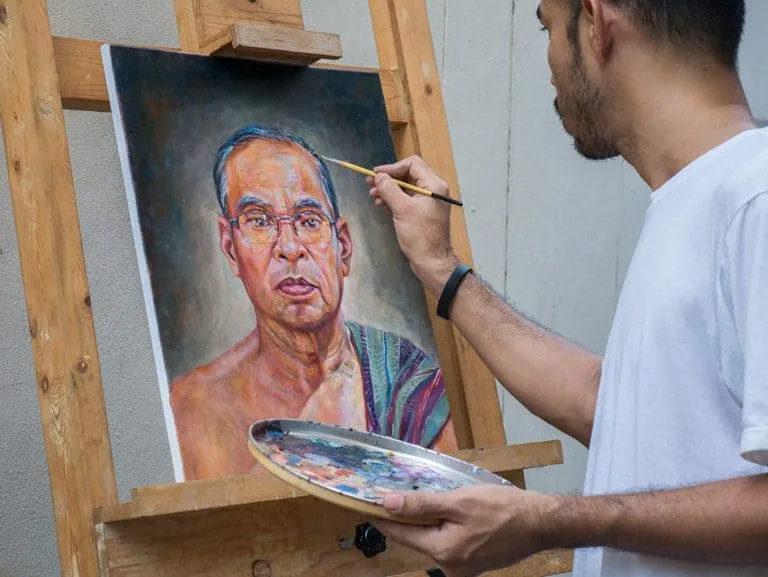
Portraits & Caricatures Practice Test Questions
Prepare for the Portraits & Caricatures exam with our free practice test modules. Each quiz covers key topics to help you pass on your first try.
Portraits & Caricatures Caricatures
Portraits & Caricatures Exam Questions covering Caricatures. Master Portraits & Caricatures Test concepts for certification prep.
Portraits & Caricatures Portraits & Carica...
Free Portraits & Caricatures Practice Test featuring Portraits & Caricature. Improve your Portraits & Caricatures Exam score with mock test prep.
Portraits & Caricatures MCQ
Portraits & Caricatures Mock Exam on MCQ. Portraits & Caricatures Study Guide questions to pass on your first try.
Portraits & Caricatures Case Studies & Pra...
Portraits & Caricatures Test Prep for Case Studies & Practical Application. Practice Portraits & Caricatures Quiz questions and boost your score.
Portraits & Caricatures Communication & St...
Portraits & Caricatures Questions and Answers on Communication & Stakeholder Relations. Free Portraits & Caricatures practice for exam readiness.
Portraits & Caricatures Facial Anatomy & P...
Portraits & Caricatures Mock Test covering Facial Anatomy & Proportions. Online Portraits & Caricatures Test practice with instant feedback.
Portraits & Caricatures Business & Client ...
Free Portraits & Caricatures Quiz on Portraits & Caricatures Business & Client Management. Portraits & Caricatures Exam prep questions with detailed explanations.
Portraits & Caricatures History & Art Move...
Portraits & Caricatures Practice Questions for Portraits & Caricatures History & Art Movements. Build confidence for your Portraits & Caricatures certification exam.
Portraits & Caricatures MCQ
Portraits & Caricatures Test Online for Portraits & Caricatures MCQ. Free practice with instant results and feedback.
Portraits & Caricatures Techniques & Mater...
Portraits & Caricatures Study Material on Portraits & Caricatures Techniques & Materials. Prepare effectively with real exam-style questions.
Portraits & Caricatures Professional Stand...
Free Portraits & Caricatures Test covering Professional Standards & Competencies. Practice and track your Portraits & Caricatures exam readiness.
Portraits & Caricatures Quality Control & ...
Portraits & Caricatures Exam Questions covering Quality Control & Assurance. Master Portraits & Caricatures Test concepts for certification prep.
Portraits & Caricatures Regulatory Framewo...
Free Portraits & Caricatures Practice Test featuring Regulatory Frameworks & Compliance. Improve your Portraits & Caricatures Exam score with mock test prep.
Portraits & Caricatures Research & Evidenc...
Portraits & Caricatures Mock Exam on Research & Evidence-Based Practice. Portraits & Caricatures Study Guide questions to pass on your first try.
- ✓Confirm your exam appointment and location
- ✓Bring required identification documents
- ✓Arrive 30 minutes early to check in
- ✓Read each question carefully before answering
- ✓Flag difficult questions and return to them later
- ✓Manage your time — don't spend too long on one question
- ✓Review flagged questions before submitting
Portraits & Caricatures Study Tips
What's the best study strategy for Portraits & Caricatures?
Focus on weak areas first. Use practice tests to identify gaps, then study those topics intensively.
How far in advance should I start studying?
Most successful candidates begin 4-8 weeks before the exam. Create a structured study schedule.
Should I retake practice tests?
Yes! Take each practice test 2-3 times. Focus on understanding why answers are correct, not memorizing.
What should I do on exam day?
Arrive 30 min early, bring required ID, read questions carefully, flag difficult ones, and review before submitting.

Caricatures of Famous People
- +Validates your knowledge and skills objectively
- +Increases job market competitiveness
- +Provides structured learning goals
- +Networking opportunities with other certified professionals
- −Study materials can be expensive
- −Exam anxiety can affect performance
- −Requires dedicated preparation time
- −Retake fees apply if you don't pass
About the Author

Certified Professional Development Expert & Niche Certification Advisor
University of Pennsylvania Graduate School of EducationDr. Alexandra Kim holds a PhD in Professional Studies from the University of Pennsylvania and is a Certified Professional in Learning and Performance (CPLP) and Certified Professional in Talent Development (CPTD). With 17 years of corporate training and professional certification advisory experience, she helps professionals navigate specialized, emerging, and cross-industry certification programs.