
CSWP Segment 2 Practice: Master Advanced Mates and Feature Modification
Ace CSWP Segment 2 with free practice tests covering advanced mates & feature modification. Real exam questions, tips & study plan. 🎯

If you are preparing for the cswp certification, Segment 2 is widely regarded as the most technically demanding of the three exam segments. CSWP Segment 2 practice is essential because this portion tests your ability to work with advanced mates, mechanical mates, and complex assembly configurations that go far beyond basic part modeling. Understanding exactly what the exam expects — and rehearsing those skills under timed conditions — is the single most effective strategy for earning your Certified SolidWorks Professional credential on the first attempt.
The CSWP exam is structured in three separate segments, each purchased and scheduled independently. Segment 2 focuses exclusively on assemblies, requiring candidates to build, modify, and troubleshoot complex assemblies using advanced mating relationships such as gear mates, rack-and-pinion mates, cam mates, and screw mates. These mechanical mates simulate real-world machine behavior, which means you cannot simply rely on intuition — you need deliberate, repeated practice to internalize each mate type and know when to apply it in a timed setting.
Many engineers who sail through the CSWA (Certified SolidWorks Associate) exam are surprised by how different the CSWP exam feels. The complexity of Segment 2 alone accounts for a significant share of first-attempt failures. The exam awards partial credit per question, but the questions are multi-step, meaning an early error can cascade through subsequent answers. Consistent CSWP segment 2 practice with realistic questions is the best way to break that cascade pattern before exam day.
This guide is designed specifically to support your Segment 2 preparation. You will find free practice questions organized by topic, a breakdown of the exam format, expert study strategies, and a curated checklist of skills to master before you sit for the real test. Whether you are a mechanical engineer, a product designer, or a drafter looking to validate your SolidWorks expertise, the resources here will help you walk into the exam with confidence rather than uncertainty.
One critical point candidates often overlook: Segment 2 questions are not graded on a simple right-or-wrong basis. SolidWorks uses a tolerance-based scoring system where your numeric answer must fall within a specified range. That means your modeling technique — the order of operations, the reference geometry you select, and the mate relationships you establish — must be precise enough to produce results within acceptable tolerances. Only realistic CSWP practice questions can train you to hit those tolerances consistently.
Throughout this page you will encounter quiz tiles linked to practice sets covering advanced mates, mechanical mates, and feature modification scenarios drawn directly from the exam blueprint. Work through each set, review any missed questions carefully, and revisit problem types where your accuracy falls below 80 percent. That feedback loop — practice, review, repeat — is what separates candidates who pass on the first attempt from those who need multiple retakes. Let's start building the skills you need to earn your solidworks cswp credential.
CSWP Segment 2 by the Numbers

CSWP Segment 2 Exam Format
| Section | Questions | Time | Weight | Notes |
|---|---|---|---|---|
| Advanced Mates | 2 | ~15 min | 40% | Gear, cam, rack-and-pinion, screw mates |
| Mechanical Mates & Assembly Motion | 2 | ~15 min | 40% | Universal joints, hinge, linear/linear coupler |
| Assembly Modification & Evaluation | 1 | ~10 min | 20% | Mass properties, interference detection |
| Total | 5 | 40 minutes | 100% |
Advanced mates are the backbone of CSWP Segment 2, and understanding each mate type at a mechanical level — not just a software-click level — is what separates high scorers from candidates who struggle. A gear mate, for example, constrains the rotational relationship between two cylindrical faces so that one gear's rotation drives another at a defined ratio. To apply it correctly, you must first add standard concentric and coincident mates to locate each gear in the assembly, then select the appropriate cylindrical faces and define the gear ratio. Skipping any step produces incorrect motion and wrong mass-property answers.
The cam mate is another frequent Segment 2 topic. It constrains a follower surface to remain tangent to a cam profile throughout the full rotation of the cam. Candidates often apply the cam mate successfully but then forget to check that the follower's path does not produce interference at any point in the rotation. The cswp exam will sometimes ask you to report a specific measurement — such as the center-of-mass X coordinate — at a particular rotation angle, so your cam follower must be modeled accurately enough to produce a numerically correct result.
Rack-and-pinion mates convert rotational motion to linear motion, and vice versa. To configure one, you select the cylindrical face of the pinion and the linear face of the rack, then specify the distance the rack travels per revolution of the pinion. This is calculated as 2π times the pinion's pitch radius. If you use the wrong face or enter an incorrect travel distance, every downstream answer about position or displacement will be wrong. Practicing this mate in isolation — building small test assemblies — before the exam is time well spent.
Screw mates are conceptually similar to rack-and-pinion mates but apply to helical motion. They constrain a nut to move linearly along the axis of a bolt as the bolt rotates, with the linear travel per revolution equal to the thread pitch. Mechanical mates like this one are tested because they require candidates to understand the underlying geometry, not just click through a dialog box. If you cannot articulate why you are entering a specific pitch value, you will struggle to catch and correct modeling errors under exam pressure.
The hinge mate is a compound mate that replaces the combination of a concentric mate and a coincident mate for cylindrical components that also have a limited rotation angle. Many candidates apply individual standard mates instead of the hinge mate and then wonder why their assembly behaves unexpectedly. Using the dedicated hinge mate reduces degrees of freedom more efficiently and makes the assembly easier to animate and measure, which matters when you need to report a specific position value within a tight time window.
Linear-linear coupler mates link the linear motion of two components so that one moves a defined distance for every unit of distance traveled by the other. This mate type shows up in Segment 2 scenarios involving slider-crank mechanisms or synchronized actuators. To apply it, you must define which linear motion paths to couple and specify the ratio between them.
Again, getting the ratio wrong — even slightly — cascades into incorrect answers on mass properties and displacement questions. Deliberate CSWP segment 2 practice with these specific mate types, using both the quiz sets on this page and your own SolidWorks software, builds the muscle memory you need to apply each mate type quickly and accurately under real exam conditions.
CSWP Practice Strategies by Topic
Start every advanced-mate study session by building a small, isolated test assembly from scratch. Create a simple two-gear system, apply a gear mate, and then animate it to verify the motion ratio is correct. This takes about ten minutes and forces you to encounter and fix common errors — wrong face selection, incorrect ratio entry, improper base mate sequence — before the real exam. Repeat with cam and rack-and-pinion setups until applying each mate feels automatic and you can do it without consulting help documentation.
Once your isolated assemblies work correctly, move to multi-mate scenarios where two or three mate types interact in the same assembly. These compound scenarios are what the actual CSWP Segment 2 exam uses. For example, you may need a gear mate driving a cam that simultaneously pushes a follower along a rack. Practicing compound scenarios trains you to sequence your mates correctly and to diagnose over-defined or under-defined conditions quickly, which is a critical skill when the exam clock is running down and you still have mass-property questions to answer.

CSWP Segment 2: Hardest vs. Most Manageable Aspects
- +Partial credit is awarded, so a modeling error does not automatically zero out an entire question
- +The question count is small (roughly 5), so each one has high weight and high potential payoff
- +Advanced mate types follow predictable patterns that reward structured practice
- +Mass-property questions have a defined tolerance band, giving you a numerical target to aim for
- +SolidWorks' drag-to-verify workflow lets you catch mate errors before reporting answers
- +Segment 2 skills transfer directly to real engineering work, making study time doubly productive
- −The 40-minute time limit is extremely tight for multi-step assembly questions
- −A single early mate error cascades into wrong answers on all downstream measurements
- −Mechanical mate parameters (pitch, ratio) must be memorized — no formula sheet is provided
- −The exam environment may differ from your practice SolidWorks version, causing UI surprises
- −File management (saving, inserting components) consumes precious minutes if not practiced
- −Tolerance-based grading means even a technically correct approach fails if precision is off
CSWP Segment 2 Pre-Exam Skills Checklist
- ✓Apply gear mates correctly using the cylindrical face selection method and verify the motion ratio by animating the assembly
- ✓Configure cam mates with a follower surface and confirm no interference occurs throughout the full cam rotation
- ✓Set up rack-and-pinion mates by calculating the correct travel distance as 2π times the pitch radius
- ✓Apply screw mates using the thread pitch value and verify linear displacement per revolution matches the specification
- ✓Use hinge mates in place of separate concentric and coincident mates for cylindrical revolute joints with angle limits
- ✓Configure linear-linear coupler mates between two sliding components and verify the displacement ratio is correct
- ✓Insert multiple components into an assembly, apply base mates first, and then add advanced mates in a logical sequence
- ✓Use the SolidWorks mass properties tool to report center of mass, moments of inertia, and total mass to four decimal places
- ✓Run interference detection after completing an assembly to identify overlapping geometry before reporting measurements
- ✓Practice modifying features in the tree (dimensions, suppress, reorder) and rebuilding cleanly without errors

Mate Sequence Is Everything
The single most common reason candidates fail CSWP Segment 2 is applying advanced mates before fully constraining the assembly with standard mates. Always fully constrain each component with concentric, coincident, or parallel mates first, then layer in the advanced or mechanical mate on top. This sequence prevents over-definition errors and ensures the advanced mate drives the motion you actually want rather than fighting with an under-constrained base configuration.
Understanding how SolidWorks scores CSWP Segment 2 is just as important as knowing the technical content. Each question in Segment 2 is worth a fixed number of points, and partial credit is awarded based on how many sub-parts of a multi-step question you answer correctly. For example, a question might ask you to build an assembly, report the total mass, and then report the X coordinate of the center of mass.
If your assembly is correct but you misread the coordinate axis, you might earn partial credit for the mass while losing points for the coordinate. Knowing this structure lets you triage intelligently: finish as much as possible on each question rather than abandoning it entirely when one step goes wrong.
The tolerance ranges used by SolidWorks for numeric answers vary by question but are typically within one percent of the expected value. For mass properties reported in grams, that means your answer must be within a few tenths of a gram. This level of precision is achievable only if your modeling geometry is accurate.
Common sources of precision error include using the wrong material assignment (the exam will specify a material, and you must apply it via the material dialog, not guess), selecting the wrong unit system (verify you are working in MMGS or IPS as specified), and referencing incorrect datum features when placing components in the assembly.
Time management is another scoring factor that candidates underestimate. With only 40 minutes for roughly five questions, you have an average of eight minutes per question. In practice, some questions take four minutes and others take twelve. Experienced candidates budget their time by mentally flagging questions as fast or slow based on the mate types involved and tackle the faster ones first to bank early points before diving into complex compound-mate scenarios. This is a strategy you can only develop through repeated timed CSWP segment 2 practice — you need to know your own speed on each question type.
One often-overlooked detail is the SolidWorks exam interface itself. The Segment 2 exam is delivered through the Certiport testing platform, and the exam window includes a SolidWorks session running alongside the question panel. You must manage window switching, file saving, and model insertion without losing time or accidentally closing the exam browser. Practice in an environment that mimics this dual-window setup: open your SolidWorks session in one window and a timer in another, and force yourself to switch between them as you would during the real exam.
The cswp practice exam resources available on PracticeTestGeeks include questions calibrated to the actual exam's difficulty and format. Unlike generic SolidWorks tutorials, these practice questions are structured as multi-step problems with numeric answer prompts, giving you experience with the exact question format you will encounter on exam day. Working through six to eight full practice sets across the different mate types — gear, cam, rack-and-pinion, screw, hinge, linear coupler — is a realistic preparation target for candidates aiming to pass on the first attempt.
It is also worth understanding how Segment 2 fits into the broader CSWP certification picture. Segments 1 and 3 cover part modeling and configurations respectively, and all three segments must be passed within one year of passing the first segment. This time constraint means you cannot delay your Segment 2 attempt indefinitely after passing Segment 1. Plan your study schedule so that you sit for Segment 2 within four to six weeks of completing Segment 1, while your assembly fundamentals are still fresh and you have enough time to address any retakes before the one-year window closes.
Candidates often ask how Segment 2 compares in difficulty to Segments 1 and 3. By most accounts, Segment 2 is the hardest of the three, primarily because of the mechanical mate complexity and the tight time limit. Segment 1 allows 90 minutes and covers part modeling, which most working SolidWorks users practice daily. Segment 3 covers configurations and design tables, which is more conceptually straightforward once you understand the workflow. Segment 2's combination of specialized mate knowledge, precision modeling, and time pressure creates a unique challenge that rewards focused, targeted preparation rather than general SolidWorks experience.
All three CSWP segments must be passed within 12 months of your first passed segment. If you pass Segment 1 today and wait more than one year before attempting or passing Segments 2 and 3, you forfeit your Segment 1 score and must repurchase and retake all failed segments. Schedule your Segment 2 attempt within four to six weeks of passing Segment 1 to keep your certification momentum and avoid losing progress.
Building a structured study plan for CSWP Segment 2 is more effective than ad hoc practice. A four-week plan works well for most candidates who already have solid SolidWorks fundamentals. In Week 1, focus exclusively on understanding each advanced and mechanical mate type: read the documentation, build isolated test assemblies, and complete one or two practice question sets.
In Week 2, move to compound-mate scenarios where multiple mate types interact in the same assembly. In Week 3, shift to timed practice: simulate the 40-minute exam window and complete as many questions as possible before the timer expires. In Week 4, review your weakest areas based on Week 3 results and do final targeted drills.
The most productive type of CSWP practice is active modeling — actually building the assemblies in SolidWorks, not just reading about them. Passive review of tutorials or YouTube videos builds conceptual awareness but not the procedural fluency you need under timed conditions. Every hour you spend actively applying mates in a live SolidWorks session is worth approximately three hours of passive video watching in terms of exam preparation value. This is especially true for mechanical mates, where the parameter entry dialogs and face-selection workflows are only learned through direct hands-on experience.
Joining a study group or online forum can also accelerate your preparation. The SolidWorks Community forums and Reddit's r/SolidWorks community regularly host CSWP preparation discussions where candidates share practice questions, discuss specific mate configurations, and troubleshoot errors. Reading through threads where others describe their Segment 2 mistakes is genuinely educational — you get exposure to error types and edge cases that you might not encounter in your own practice, which broadens your troubleshooting repertoire before the exam.
Another preparation resource worth exploring is the official Dassault Systèmes CSWP exam guide, which lists the competency areas tested in each segment. Cross-reference that list against your practice session results to identify gaps. If the official guide lists a specific mate type or workflow that you have not practiced, address it immediately rather than hoping it does not appear on your exam. The exam blueprint is not arbitrary — every item on it has appeared in past exams and is likely to appear again.
For candidates who have already failed Segment 2 once, the 14-day waiting period between retakes is an opportunity for targeted remediation, not passive waiting. Review the score report from your failed attempt, which indicates the point areas where you lost the most credit. Use that data to focus your next two weeks of practice on exactly those skill gaps. Candidates who treat the retake as a fresh start rather than a continuation of their previous preparation often repeat the same errors and fail again. Targeted gap-filling based on your actual score report is far more efficient than generic re-study.
Understanding the solidworks cswp certification's value in the job market can also motivate your preparation. CSWP holders consistently report higher average salaries than non-certified SolidWorks users, and many employers specifically filter job postings for CSWP or require it for senior design roles. The certification signals not just that you can use SolidWorks, but that you can use it accurately, efficiently, and across a wide range of modeling and assembly scenarios — exactly the skill set that Segment 2 validates. Every hour of CSWP segment 2 practice is an investment in a credential that has measurable career impact.
In the final week before your CSWP Segment 2 exam, shift your focus from learning new content to refining execution speed and accuracy on material you already know. Run at least two full timed simulations of the 40-minute exam window, using the quiz sets on this page as your question bank.
After each simulation, immediately review every question you got wrong or spent more than ten minutes on. The goal is to identify not just what you got wrong but why — was it a conceptual gap, a procedural error, a unit system mistake, or a time management failure? Each root cause requires a different corrective action.
On the day before your exam, avoid intensive modeling sessions. At this point, additional practice is unlikely to introduce new skills and may actually introduce new anxiety. Instead, spend 30 to 45 minutes reviewing your index cards for mechanical mate parameters, confirming your unit system settings in SolidWorks, and mentally walking through the mate application sequence for each mate type. Then close your computer and do something restorative. Arriving at the exam well-rested and calm is worth more than one additional hour of frantic last-minute practice.
During the actual Segment 2 exam, read each question completely before touching SolidWorks. Identify the mate types involved, the measurements you will need to report, and any material or unit specifications stated in the question. Build a brief mental model of your approach — which components to insert first, which mates to apply in what order, which face selections to make — before you start building. This 30-second planning pause consistently saves more time than it costs because it prevents you from building down a wrong path and needing to start over mid-question.
When you apply each mate during the exam, use SolidWorks' assembly animation or physical dynamics feature to quickly verify the motion is correct before moving on. A gear mate that drives the wrong direction, a cam mate that allows interference, or a screw mate with the wrong pitch will produce wrong measurement results. A five-second verification drag of the assembly is far faster than discovering an error after you have already reported a measurement and moved to the next question. Verify-as-you-go is not a nice-to-have; it is a core exam strategy.
After completing each assembly and before reporting your answer, use the mass properties tool with the output set to the precision specified in the question (usually four decimal places). Copy the value directly from the SolidWorks mass properties dialog rather than hand-calculating or rounding. Transcription errors — writing down a number incorrectly from the dialog — account for a surprising number of lost points on otherwise correct assemblies. Read the value twice before entering it into the exam answer field.
Finally, remember that the CSWP certification is not a one-time achievement — it is a credential that represents your current skill level, and SolidWorks Professional competency is something you continue to build throughout your engineering career. Passing Segment 2 opens the door to advanced specialty certifications such as CSWP Sheet Metal, CSWP Simulation, and others that extend your demonstrated expertise into specific domains.
The advanced assembly skills you develop preparing for Segment 2 are foundational skills for those advanced credentials, making your preparation investment compound over time rather than expire after the exam. Use the practice resources on this page, commit to a structured study plan, and approach exam day with the confidence that comes from thorough, targeted preparation.
Whether you are sitting for Segment 2 for the first time or coming back after a retake, the path forward is the same: identify your weakest mate types, practice them with deliberate focus, simulate the exam under timed conditions, and refine your execution based on what the results reveal. The CSWP certification is achievable for any dedicated SolidWorks user, and the resources on PracticeTestGeeks are here to support every step of that journey. Start with the practice sets below, work through the checklist above, and take your next step toward earning the full CSWP credential.
CSWP Questions and Answers

CSWP Sheet Metal Exam: The Complete Study Guide for Certified SolidWorks Professional Success

CSWP Simulation: The Complete Training Guide for the Certified SolidWorks Professional Exam
CSWP Practice Test PDF (Free Printable 2026)
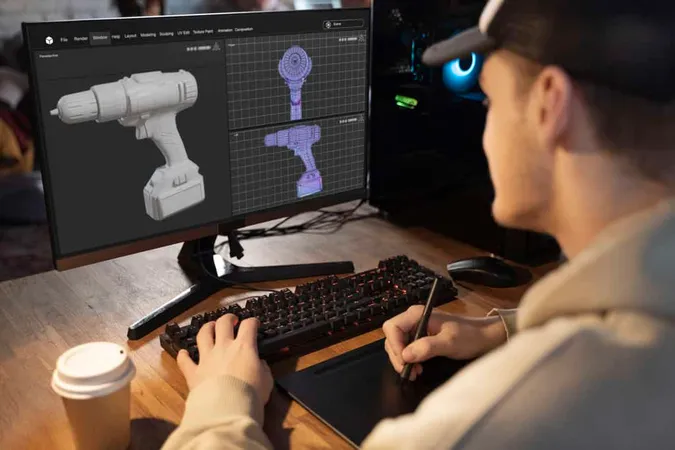
CSWP Exam Cost: A Comprehensive Guide

CSWP PDF Study Guide: Everything You Need to Pass the Certified SolidWorks Professional Exam
About the Author

Educational Psychologist & Academic Test Preparation Expert
Columbia University Teachers CollegeDr. Lisa Patel holds a Doctorate in Education from Columbia University Teachers College and has spent 17 years researching standardized test design and academic assessment. She has developed preparation programs for SAT, ACT, GRE, LSAT, UCAT, and numerous professional licensing exams, helping students of all backgrounds achieve their target scores.