
CDL PowerSuite: Carrier Compliance Software Complete Guide 2026 September
✍🏼 CDL PowerSuite by ISC powers 30+ state DMVs for CDL issuance, ELDT, and FMCSA reporting. Learn how it shapes your CDL experience.
If you have applied for a commercial driver's license in the last decade, there is a strong chance your application passed through a system most drivers have never heard of: CDL PowerSuite. Built by Information Systems Corp (ISC), it is the back-office software that more than 30 state DMV agencies use to administer the commercial licensing program. You don't log into it. You don't see its screens. But every endorsement code, every medical certificate flag, and every skills test score that ends up on your driver record likely traveled through it.
The trucking industry runs on paperwork, and CDL PowerSuite is the spine that holds that paperwork upright at the state level. When a state CDL examiner enters your pre-trip inspection score, when an Entry-Level Driver Training provider transmits your completion record, when FMCSA queries your driving status during a roadside stop — PowerSuite is often the system on the other end of that transaction. Understanding what it does (and what it does not do) helps you understand why some CDL processes feel instant while others take weeks.
This guide pulls back the curtain. You'll learn who builds PowerSuite, which states use it, how the modules fit together, and why misconceptions about "the DMV computer system" lead drivers to blame the wrong party for delays. Whether you're a first-time applicant, a fleet manager, or an examiner curious about the wider ecosystem, what follows will sharpen your understanding of the digital plumbing behind your CDL — the part of the process that runs silently while you're focused on the test in front of you.
One more thing worth flagging up front: this article is descriptive, not a vendor pitch. ISC doesn't pay practice-test sites to write about its software, and we don't endorse any specific licensing vendor. The goal here is simple — answer the questions drivers, instructors, and small fleet managers actually type into search engines when they hit a wall during a CDL transaction and someone at the counter mutters something about "the system."
CDL PowerSuite by the Numbers
Information Systems Corp is a Texas-based vendor that has specialized in driver licensing technology since the 1980s. PowerSuite isn't a single application. It's a suite — a connected set of modules covering driver records, vehicle registration, dealer transactions, and commercial licensing. The CDL piece is the one that matters for truckers, school bus operators, and hazmat haulers, and it's tightly woven into the federal compliance fabric run by FMCSA.
States buy PowerSuite because building DMV software from scratch is brutally expensive. A modern driver licensing system has to talk to AAMVA (the American Association of Motor Vehicle Administrators), to the federal Commercial Driver's License Information System (CDLIS), to FMCSA's Drug & Alcohol Clearinghouse, and to the state's own court and law-enforcement systems. PowerSuite handles those handshakes out of the box, which means a state can adopt it and skip years of custom development work.
It also means liability gets distributed differently. When a custom in-house DMV system fails a federal audit, the state owns the problem entirely. When PowerSuite fails one, the vendor is on the hook for the patch and the state is on the hook for installing it. That's part of the appeal for state CIOs: outsourcing the chase after every new federal mandate, from Real ID compliance to the latest Clearinghouse rule, means smaller in-house teams can focus on customer experience rather than reading the Federal Register.
What ISC actually sells
Information Systems Corp licenses PowerSuite to state DMV agencies under multi-year contracts. The license covers the software, integration with AAMVA/CDLIS/FMCSA, updates for federal compliance changes, and ongoing technical support. States pay annually based on transaction volume and module selection — the CDL module is one of several they can license. Some states pair the CDL module with regular driver licensing and vehicle registration; others mix and match across vendors.
PowerSuite isn't one giant program — it's a collection of modules. Each one handles a slice of the licensing workflow, and they share a common database so a change in one place ripples everywhere it needs to. Understanding the modular structure makes it easier to predict where your data lives at any given moment, and which office to call when something looks wrong.
The CDL examination module is where the rubber meets the road for new applicants. It stores the question bank used by knowledge tests, schedules skills tests, records examiner notes, and pushes results into the driver record the moment the test ends. The driver license records module is the system of truth for your license history — issuance dates, endorsements, restrictions, medical self-certification status, downgrade flags, and disqualifications. The FMCSA reporting module batches and transmits state data up to the federal layer, including hazmat endorsement activity that triggers TSA background checks.
There's also a transactions module that handles fees, renewals, address changes, and duplicates. Then there's a queue management layer that decides which clerk window you're called to. Each of those modules touches the others through the shared database, so an address update entered at one counter shows up the moment your record is pulled at another. That sounds obvious in 2025 but it was genuinely novel when many state DMVs were still running mainframe systems with overnight batch synchronization. PowerSuite was one of the products that pushed real-time updates into the mainstream of state driver licensing.
Inside the CDL PowerSuite Modules
Delivers knowledge tests on testing terminals, schedules skills tests, captures real-time examiner scoring against the federal rubric, and automatically posts results to your driver record within seconds of submission.
System of truth for your CDL history — issuance dates, endorsements (H, N, P, S, T, X), restrictions, medical self-certification category, downgrade flags, and any disqualifications imposed by state or federal action.
Batches and transmits state CDL data up to federal systems — CDLIS for license history, the Drug & Alcohol Clearinghouse for prohibited-status checks, and the Training Provider Registry for ELDT completion verification.
Handles photo capture, digital signature pads, fingerprint integration where required, and the production queue that sends physical license cards to central production facilities for printing and mailing to your address.
Manages CDL application fees, renewal payments, duplicate-card orders, address changes, and endorsement add-ons. Generates receipts and reconciles daily revenue for state accounting systems.
Routes customers from check-in to the right clerk window based on transaction type, examiner availability, and appointment status. Tracks wait times and feeds DMV performance dashboards.

Walk into a CDL examination office in a PowerSuite state and you'll see the front end of the system in action — though you won't recognize it as PowerSuite. The examiner pulls your record by entering your application number or scanning your barcode. They see your photo, your knowledge test history, your medical certificate status, and any flags that might block today's road test. None of that screen says "PowerSuite" in big letters; the branding is buried, the way most enterprise software branding is.
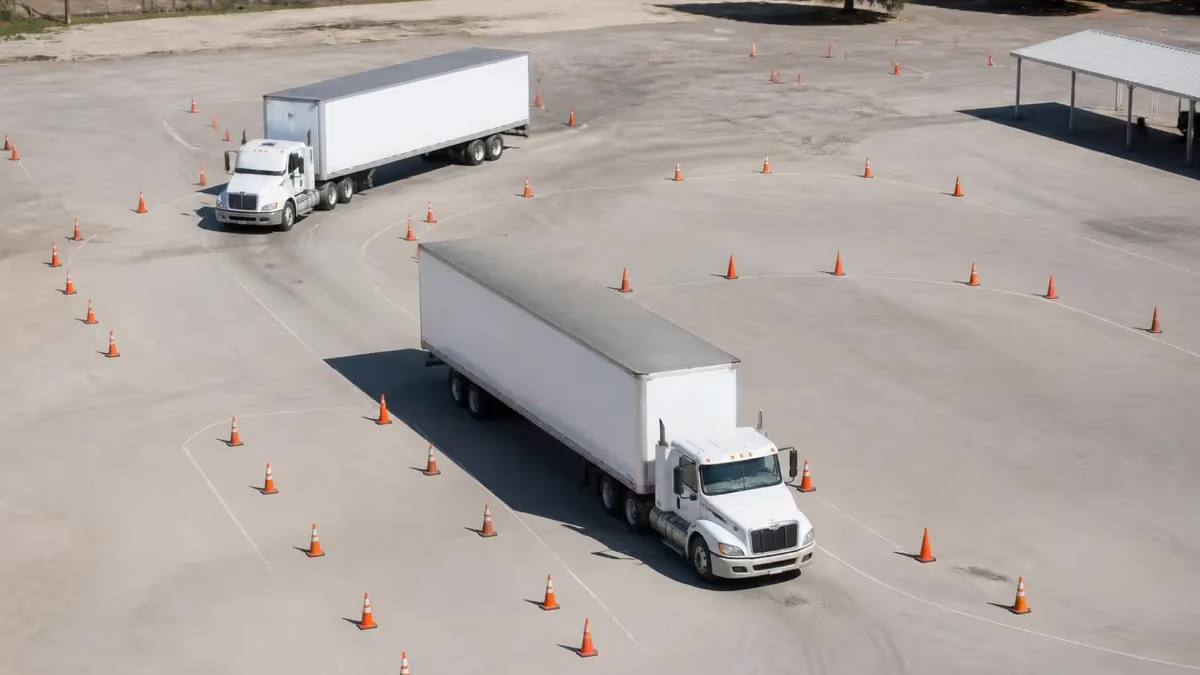
When you take the pre-trip inspection portion, the examiner uses a checklist screen that mirrors the federal scoring rubric. Each missed item generates a point deduction logged in real time. The basic vehicle control test (offset back, alley dock, parallel parking) and the road test work the same way. The moment the examiner clicks "submit," your provisional pass status updates and the system queues your physical license card for production at the central facility. You walk out with a temporary paper credential, and the plastic arrives by mail a few days later.
Examiners also use PowerSuite to flag issues that don't fit the standard rubric — a driver who appears impaired, a vehicle that doesn't match the class endorsement applied for, or paperwork mismatches with the carrier's medical examiner certificate. Those flags create review tasks that supervisors handle before the license prints. This is one of the reasons CDL processes occasionally pause mid-stream: not because the examiner failed you, but because the system caught a discrepancy the examiner didn't see in person, like a medical certificate that expires next month or an out-of-state record that just synced via CDLIS.
What you don't see is just as important. PowerSuite is constantly running background checks during your visit — verifying your identity against the state's customer database, querying CDLIS for prior CDL history in other states, pinging the Clearinghouse for prohibited status, checking the Training Provider Registry for ELDT records, and confirming your medical certification is current. All of that happens in seconds. When everything matches, you don't notice. When one of those queries returns a problem, the system stops the transaction and shows the clerk what's blocking you.
How Each CDL Test Phase Touches PowerSuite
Computer-based testing terminals pull questions from the PowerSuite question bank. Each test session is logged, scored automatically, and posted to your record within seconds of submission. Three attempts allowed in most states before retraining is required. The system also blocks re-attempts within state-mandated cooling-off periods, so you can't burn through your tries in a single afternoon.
The Entry-Level Driver Training (ELDT) mandate took effect in February 2022, and it changed the CDL application flow in every state. Before you can take the skills test for a Class A or Class B license, or add a passenger, school bus, or hazmat endorsement, you must complete training with an FMCSA-registered training provider. That provider uploads your completion record to the federal Training Provider Registry (TPR).
Here's where PowerSuite earns its keep. The state's CDL system queries TPR before scheduling your skills test. If your completion record isn't there, the system blocks the scheduling — examiners don't have discretion to override it.
PowerSuite handles that query in the background, which is why drivers sometimes get a "training not on file" error even when they have their certificate in hand. The certificate doesn't matter; the federal database record does. This is one of the most common pain points for new CDL applicants in 2025, and it's almost always a problem at the training provider's end, not the DMV's.
The fix, when this happens, is to call your training provider and ask them to verify the upload in their TPR portal. If they uploaded under a typo, an old name, or a wrong driver's license number, the federal record won't match your state record and the query will keep returning empty. The training provider has to correct it on their end — your DMV cannot. Knowing this saves a lot of frustration. Once it's fixed, the next query at your skills test appointment will succeed and you'll be scheduled normally.
Your training provider's certificate is just paper proof of what they uploaded to the Training Provider Registry. If the upload failed or is delayed, your state's PowerSuite query will return no record and your skills test will not be scheduled. Always confirm your provider uploaded successfully before booking your skills test, and ask for screenshot proof from the TPR portal if you've had any communication problems with the school.
Drivers who don't realize their state runs on PowerSuite often blame the wrong target when things go wrong. A license takes three weeks to arrive in the mail? That's usually card production and postal logistics, not the licensing system. A hazmat endorsement gets denied? That's TSA, not the DMV. An old conviction shows up on your record? That came through CDLIS from another state. Knowing what PowerSuite does — and what it doesn't — saves you time on hold with the wrong office.
The checklist below sorts the most common CDL friction points into the buckets where they actually live. Use it next time you're tempted to ask the DMV clerk why your hazmat endorsement is delayed (it isn't them) or why your medical card hasn't shown up in the system (your medical examiner uploads it, not you). The clerks in your local CDL office can usually tell you which system flagged the problem if you ask them politely — that's a faster path than escalating to a supervisor.

Which Office Owns Your CDL Problem
- ✓Handles: Logging your knowledge test, skills test, and pre-trip inspection scores in real time as the examiner enters them.
- ✓Handles: Querying CDLIS to check for licenses you've held in other states under any name or driver's license number.
- ✓Handles: Querying the FMCSA Drug & Alcohol Clearinghouse before every CDL transaction, including renewals and endorsement upgrades.
- ✓Handles: Verifying ELDT completion via the federal Training Provider Registry before allowing skills test scheduling.
- ✓Handles: Routing license card production orders to the central facility after a passing skills test result is posted.
- ✓Does NOT handle: TSA hazmat background checks — those run through Universal Enrollment Services as a separate federal process.
- ✓Does NOT handle: Physical license card printing or mailing — that happens at a central production facility, not your local DMV office.
- ✓Does NOT handle: Medical examiner certification — those records are uploaded by FMCSA-registered medical examiners directly to the National Registry.
- ✓Does NOT handle: USDOT number registration for carriers — that lives in FMCSA's URS portal, completely separate from state DMV systems.
- ✓Does NOT handle: Drug testing program registration for owner-operators — also a separate FMCSA system.
The FMCSA Drug & Alcohol Clearinghouse went live in January 2020 and became fully integrated with state CDL systems in November 2024. Now, every time a state issues, renews, transfers, or upgrades a CDL, it must query the Clearinghouse to check for unresolved drug or alcohol violations. A driver with a prohibited status cannot operate a commercial motor vehicle until they complete the return-to-duty process — and the state cannot issue them a CDL. This is one of the biggest changes to CDL administration in a generation, and it's all happening invisibly through the licensing system.
PowerSuite handles this query automatically. When a clerk processes your renewal, the system pings the Clearinghouse in the background, gets a response within seconds, and either greenlights the transaction or stops it with a prohibited-status flag. If you've never had a violation, you'll never see the query happen. If you have, you'll see your application halt with a referral to the Clearinghouse to clear your record before proceeding. There's no judgment from the clerk — the system simply enforces what federal regulation requires.
One thing drivers sometimes miss: this query happens on every CDL transaction, including renewals. So a driver who completed a return-to-duty process several years ago but never logged it correctly in the Clearinghouse will discover the problem at renewal time, often after years of clean driving. The fix is to work through the Clearinghouse process to resolve the open status, not to argue with the DMV clerk who has no power to override a federal block.
CDL PowerSuite Tradeoffs for State DMVs
- +Pre-built integration with AAMVA, CDLIS, FMCSA Clearinghouse, and the Training Provider Registry saves years of custom development for any state adopting it.
- +Vendor handles federal compliance updates as mandates change — the November 2024 Clearinghouse II rollout, for example, was deployed as a vendor patch rather than a state IT project.
- +Modular design lets states license only the pieces they need (CDL examination, regular driver records, vehicle registration, dealer transactions) instead of paying for a monolithic platform.
- +Real-time data entry by examiners reduces paperwork backlogs, eliminates overnight batch synchronization delays, and delivers faster license issuance to applicants.
- +Centralized error logging makes it easier to audit failed transactions and identify upstream data problems at training providers or medical examiners.
- −Vendor lock-in: switching systems later is expensive and risky for any state, especially after years of data accumulated in vendor-specific formats.
- −Bug fixes and feature requests depend on the vendor's release schedule, not the state's own priorities or political timelines.
- −Customization for state-specific workflows can be limited compared to fully in-house systems, leading to workarounds that frustrate frontline staff.
- −Outage at the vendor level can affect multiple state DMVs simultaneously.
Before you take any CDL test, your knowledge of the material is what determines whether you walk out with a passing score logged in PowerSuite or a failure that resets your three-attempt counter. State examiners can't help you pass — they can only record what you demonstrate. The smartest preparation is realistic practice on the same topic blocks PowerSuite uses to organize its question banks.
States that adopt PowerSuite typically go through a multi-year implementation. Legacy data has to be cleaned and migrated, examiner workflows have to be retrained, and integration points with court systems, law enforcement, and federal databases have to be tested. During cutover, drivers sometimes notice slowdowns or temporary outages — that's usually the data migration, not the new system itself. State DMV communications departments rarely explain this clearly, so drivers blame the new software for problems that are really just transition pain.
Once live, the system runs largely invisibly. Maintenance windows are scheduled during off-hours. Updates roll out to handle new federal mandates (the Clearinghouse II rollout, for example, required nationwide system changes by November 18, 2024). States that maintain current versions get those updates as part of their licensing agreement; states that fall behind on patches sometimes experience compatibility issues with federal endpoints. That's why a CDL transaction that worked fine last year might suddenly throw an error — the federal endpoint changed and the state's local system hasn't been updated yet.
The bottom line for drivers: CDL PowerSuite is a tool that helps states do a complex job faster and more accurately. It doesn't make decisions for examiners, and it doesn't change federal rules.
If your state uses it, your interaction with the DMV is almost certainly smoother and your record more accurate than it would be on an aging mainframe — but you still need to study, still need to bring the right documents, and still need to pass the same tests every other CDL applicant takes. Solid CDL preparation matters far more than which software your state happens to run.
If you're a fleet manager, the practical takeaway is that compliance breakdowns rarely originate in the licensing system itself. They usually start at the training provider (ELDT upload errors), the medical examiner (missed certificate uploads), the carrier's drug-testing program (unreported violations that should have gone to the Clearinghouse), or a driver's own paperwork. PowerSuite just surfaces those upstream problems at the moment a transaction tries to complete. Good fleet compliance habits — verifying ELDT uploads, tracking medical card expirations, keeping Clearinghouse queries current — prevent most of the friction.
For new drivers, the message is even simpler. Study hard for the knowledge test. Show up prepared for the skills test. Bring every document on the state's required list. Trust your training. The licensing system on the other side of that counter, whatever it's called, is built to give you a fair shot at passing — and most of the time, it does exactly that.
CDL Questions and Answers
About the Author
Licensed Driving Instructor & DMV Test Specialist
Penn State UniversityRobert J. Williams graduated from Penn State University with a degree in Transportation Management and has spent 20 years as a certified driving instructor and DMV examiner consultant. He has personally coached thousands of applicants through written knowledge tests, skills assessments, and commercial driver licensing programs across more than 30 states.
Join the Discussion
Connect with other students preparing for this exam. Share tips, ask questions, and get advice from people who have been there.
View discussion (7 replies)