

ASUS Practice Test
Updated November 2026Facts verified Oct 25, 2026 against ASUSTeK Computer Inc.
- ASUS Certified Repair Engineer training courses involve fees and schedules, and ASUS directs candidates to their local ASUS Support for details.[1]
- The ASUS Certified Repair Engineer qualification is earned through online theoretical training and/or onsite hands-on practice arranged by local ASUS service teams.[1]
- ASUS commercial partners can select training modules for the ASUS Certified Repair Engineer qualification, but completing the course does not make them an ASUS Authorized Service Provider.[1]
Numbers in brackets link to the official sources listed under Sources & last verified. Dates that have passed are removed automatically.
ASUS Exam at a Glance
| Item | Detail | Source · Verified |
|---|---|---|
| Exam fee (ASUS Certified Repair Engineer) | Fees apply; contact local ASUS Support for pricing[1] | ASUSTeK Computer Inc. · Oct 25, 2026 |
| Delivery (ASUS Certified Repair Engineer) | Online courses plus optional onsite hands-on practice[1] | ASUSTeK Computer Inc. · Oct 25, 2026 |
| Eligibility (ASUS Certified Repair Engineer) | For ASUS commercial partners; does not make you an Authorized Service Provider[1] | ASUSTeK Computer Inc. · Oct 25, 2026 |
What changed for ASUS in 2026
- Oct 25, 2026: Delivery (ASUS Certified Repair Engineer) changed to Online courses plus optional onsite hands-on practice (previously Online courses plus optional onsite hands-on practice (varies by country)).[1]
- Oct 25, 2026: Eligibility (ASUS Certified Repair Engineer) changed to For ASUS commercial partners; does not make you an Authorized Service Provider (previously For ASUS commercial service partners; completing it does not make you an Authorized Service Provider).[1]

ASUS is globally recognized for its innovation in laptops, gaming devices, and a range of technology solutions. With millions of users worldwide, the company ensures that its products are maintained at the highest level of service through its ASUS Certified programs. Whether you’re a customer looking for repairs, a technician aiming to become certified, or a company exploring ASUS refurbishment services, this guide provides essential insights.
According to ASUSTeK Computer Inc., “Completion of this course does not grant authorization as an ASUS Authorized Service Provider. For information on how to become an authorized ASUS service partner, please contact ASUS Support.”[1]
ASUS Practice Test Questions
Prepare for the ASUS - ASUS Certified exam with our free practice test modules. Each quiz covers key topics to help you pass on your first try.
ASUS Advanced Techniques & Methods
ASUS Exam Questions covering Advanced Techniques & Methods. Master ASUS Test concepts for certification prep.
ASUS Hardware Architecture & Components
Free ASUS Practice Test featuring ASUS Hardware Architecture & Components. Improve your ASUS Exam score with mock test prep.
ASUS Software & Firmware Management
ASUS Mock Exam on ASUS Software & Firmware Management. ASUS Study Guide questions to pass on your first try.
ASUS Certified Product Expertise
ASUS Test Prep for Certified Product Expertise. Practice ASUS Quiz questions and boost your score.
ASUS Certified Repair & Maintenance
ASUS Questions and Answers on Certified Repair & Maintenance. Free ASUS practice for exam readiness.
ASUS Certified Support Standards
ASUS Mock Test covering Certified Support Standards. Online ASUS Test practice with instant feedback.
ASUS Certified System Troubleshooting
Free ASUS Quiz on Certified System Troubleshooting. ASUS Exam prep questions with detailed explanations.
ASUS Communication & Documentation
ASUS Practice Questions for Communication & Documentation. Build confidence for your ASUS certification exam.
ASUS Foundational Concepts & Principles
ASUS Test Online for Foundational Concepts & Principles. Free practice with instant results and feedback.
ASUS Industry Regulations & Compliance
ASUS Study Material on Industry Regulations & Compliance. Prepare effectively with real exam-style questions.
ASUS Network & Connectivity Solutions
Free ASUS Test covering Network & Connectivity Solutions. Practice and track your ASUS exam readiness.
ASUS Professional Standards & Ethics
ASUS Exam Questions covering Professional Standards & Ethics. Master ASUS Test concepts for certification prep.
ASUS Quality Assurance & Improvement
Free ASUS Practice Test featuring Quality Assurance & Improvement. Improve your ASUS Exam score with mock test prep.
Worked examples: how to reason through ASUS questions
These are practice questions written for this site, not questions from the real exam. Each explanation shows why the right answer is right and why the others are wrong.
Example 1
Question: What does informed consent require in ASUS Certified practice?
- A quick verbal agreement
- Full disclosure of relevant information before obtaining agreement
- Only a signed document
- Agreement from a third party
Answer: B. Full disclosure of relevant information before obtaining agreement
Explanation:
The correct answer is full disclosure of relevant information before obtaining agreement. Informed consent only counts when the person understands what they are agreeing to, such as what work will be done on their device, what the risks are and what the alternatives are. Only then can the decision be knowledgeable and voluntary.
A quick verbal agreement is wrong because speed and informality say nothing about whether the person understood. Only a signed document is wrong because a signature can be collected without any real explanation. Agreement from a third party is wrong because the decision belongs to the person affected, or someone properly authorized to act for them.
Rule to remember: consent is about understanding first, and the paperwork or the wording comes second.
Example 2
Question: In ASUS Certified, what is the purpose of team-building activities?
- To waste time during work hours
- To strengthen collaboration, trust, and communication
- To identify the weakest team member
- To comply with HR requirements
Answer: B. To strengthen collaboration, trust, and communication
Explanation:
The correct answer is to strengthen collaboration, trust and communication. Team-building activities exist so that people who work together, for example on repair and support tasks, hand over information more clearly and rely on each other more easily.
Wasting time during work hours is wrong because the activities have a working purpose, even when they feel informal. Identifying the weakest team member is wrong because the aim is to build the group up, not to rank or single out individuals. Complying with HR requirements is wrong because an administrative obligation is not the reason the activity is useful, even if an employer happens to require it.
Rule to remember: when a question asks about the purpose of a team activity, choose the option about working better together.
Example 3
Question: What is a fundamental principle of Foundational Concepts & Principles in ASUS Certified practice?
- Working in isolation without guidance
- Following established standards and best practices
- Ignoring industry guidelines
- Using outdated methods
Answer: B. Following established standards and best practices
Explanation:
The correct answer is following established standards and best practices. A foundational principle is the baseline that everything else builds on, and in service work that baseline is a documented, repeatable way of doing things, which keeps quality and consistency steady from one job to the next.
Working in isolation without guidance is wrong because it removes the checks that catch mistakes. Ignoring industry guidelines is wrong because those guidelines capture lessons already learned. Using outdated methods is wrong because standards are updated as products and procedures change, so old methods drift away from current practice.
Rule to remember: when two options sound careful and two sound careless, the answer is the one that relies on current, agreed standards rather than personal shortcuts.
How to use these practice tests
Start with the official ASUS support page for the Certified Repair Engineer course and read what the online modules cover. Ask your local ASUS Support contact about schedules, fees and how assessment is handled where you are, and write down the answers so you are working from the real arrangements.
Next, take one practice set at a time rather than jumping between topics. Begin with Foundational Concepts and Principles, then move to System Troubleshooting and Repair and Maintenance, since those are closest to the day-to-day work. Add Hardware Architecture and Software and Firmware Management as you finish each online module.
After each set, read the explanation for every question you missed and write a short note in your own words about the rule behind it. Return to those notes before retaking the set.
If you take part in the onsite hands-on practice, use it to test what you wrote down. Bring the questions you could not answer to the instructors there or to ASUS Support, because our answers are AI-assisted and the official material always takes priority.
Key Takeaways
Free ASUS Practice Test Online
- High-Quality Repairs: ASUS Certified Repair Centers use only genuine parts and tools to ensure high-quality repairs that align with the manufacturer’s specifications.
- Cost-Effective Refurbished Products: ASUS Certified Refurbished devices are a great choice for those looking to save money without compromising on quality.
- Expert Technicians: ASUS Certified Technicians receive extensive training and are equipped to handle a wide range of technical issues specific to ASUS devices.
- Service You Can Trust: Choosing an ASUS Certified Service Center means that your device is in the hands of professionals who follow strict standards set by ASUS.
What is ASUS Certification?
ASUS Certified refers to the official recognition given by ASUS to service centers, technicians, and refurbishing services that meet the company’s strict quality and service standards. Certification ensures that repairs, refurbishing, and servicing are handled by professionals trained specifically to work with ASUS products.
ASUS Certification is a testament to the expertise of the technicians, the quality of service provided by the centers, and the assurance that only genuine parts and tools are used. It also means that refurbishing processes are carried out to meet high standards of performance and durability.
- ✓Confirm your exam appointment and location
- ✓Bring required identification documents
- ✓Arrive 30 minutes early to check in
- ✓Read each question carefully before answering
- ✓Flag difficult questions and return to them later
- ✓Manage your time — don't spend too long on one question
- ✓Review flagged questions before submitting

The Importance of ASUS Certified Repair Centers
ASUS Certified Repair Centers are facilities that have undergone extensive training and certification from ASUS. These centers are authorized to repair and service ASUS products, ensuring that all repairs are done with original ASUS parts and tools.
- Quality Assurance: These centers provide a guarantee that repairs are done with the highest level of technical expertise.
- Use of Genuine Parts: Only ASUS-authorized centers are equipped with original components, ensuring product longevity.
- Warranty Coverage: Customers who get their devices serviced at certified centers benefit from ASUS warranties, protecting them from future malfunctions.
Visiting an ASUS Certified Repair Center provides peace of mind, knowing that trained professionals are handling the diagnosis and repairs.
ASUS Certified Refurbished Products
ASUS Certified Refurbished products are devices that have been returned, restored, and resold by ASUS or certified vendors. These products undergo rigorous testing and are restored to the manufacturer’s specifications. Buying ASUS Certified Refurbished offers several advantages:
- Cost-Effective: Refurbished devices come at a significantly lower price than new products while maintaining high quality.
- Strict Testing Process: All refurbished devices go through extensive quality testing, ensuring that they function as new.
- Sustainability: Purchasing certified refurbished products helps reduce electronic waste by extending the lifecycle of the device.
Customers interested in reliable, budget-friendly devices can confidently choose ASUS Certified Refurbished products, knowing they meet ASUS's standards for quality and performance.
What Makes an ASUS Certified Service Center Stand Out?
An ASUS Certified Service Center stands out by providing more than just repairs. These centers are committed to delivering superior service through certified technicians, genuine parts, and adherence to ASUS's strict standards.
- Advanced Training: Technicians at certified service centers receive hands-on training specific to ASUS products, ensuring they can resolve issues efficiently and accurately.
- Comprehensive Service: From troubleshooting and repairs to software upgrades and system optimization, certified service centers offer a full range of services for ASUS devices.
- Reliability and Trust: Customers trust ASUS Certified Service Centers for their transparency, expertise, and commitment to delivering high-quality repairs.
Choosing an ASUS Certified Service Center ensures you receive expert services backed by ASUS itself, providing peace of mind for all repairs and maintenance needs.
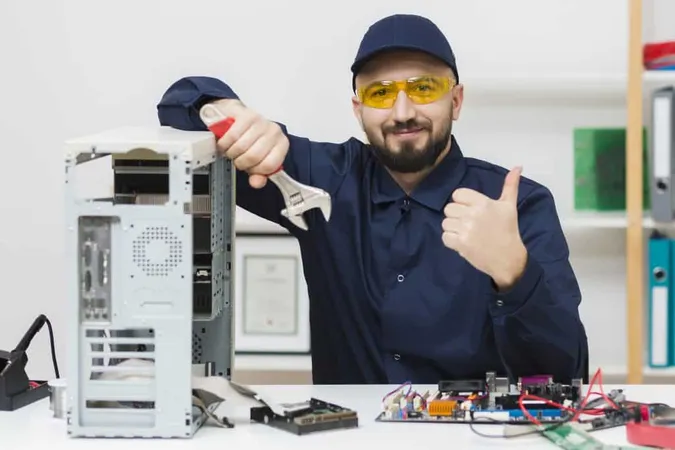
ASUS Certified Technicians: What You Need to Know
Becoming an ASUS Certified Technician is a prestigious qualification for professionals in the technology and repair industry. This certification proves that a technician has undergone specific training and testing to work with ASUS products. The certification process typically includes:
- Hands-on Training: Technicians are trained to handle both common and complex repairs for a wide range of ASUS devices.
- Knowledge of ASUS Systems: Certified technicians understand the intricacies of ASUS hardware and software, ensuring that they can provide accurate diagnoses and repairs.
- Customer Service Excellence: In addition to technical expertise, certified technicians are trained to offer professional customer service, making them reliable points of contact for clients seeking support.
ASUS Certified Technicians are highly valued in the industry, as their certification confirms their ability to deliver excellent service and repair ASUS products to the highest standards.

Conclusion
ASUS Certification is an assurance of excellence in the world of technology repairs and services. Whether you are seeking a reliable place to repair your ASUS device, looking for refurbished products, or aiming to become an ASUS Certified Technician, the certification guarantees quality, trust, and professionalism. ASUS ensures that certified centers and technicians uphold the highest standards, ensuring that customers receive top-notch service every time.
ASUS: Pros and Cons
- +ASUS certification validates expertise recognized by employers nationwide
- +Certified professionals typically earn 15-20% higher salaries
- +Opens doors to advanced positions and leadership roles
- +Demonstrates commitment to professional standards and ethics
- +Builds a strong professional network through certification communities
- −Exam preparation typically requires 2-4 months of dedicated study
- −Certification and exam fees can range from $150-$500+
- −Must complete continuing education to maintain active certification
- −Pass rates vary — thorough preparation is essential for success
- −Some certifications require prerequisite experience or education
Pros and Cons at a Glance
| Pros | Cons |
|---|---|
| ASUS certification validates expertise recognized by employers nationwide | Must complete continuing education to maintain active certification |
| Opens doors to advanced positions and leadership roles | Pass rates vary — thorough preparation is essential for success |
| Demonstrates commitment to professional standards and ethics | Some certifications require prerequisite experience or education |
Sample ASUS Certified Practice Questions
Try these questions from our free ASUS Certified practice tests. The correct answer and an explanation follow each question.
Which security measure is essential for protecting ASUS Certified digital systems?
- A. Using simple passwords
- B. Implementing multi-factor authentication
- C. Sharing login credentials
- D. Disabling firewalls
Answer: B. Implementing multi-factor authentication
Multi-factor authentication adds extra layers of security beyond passwords, significantly reducing unauthorized access risk.
Which documentation practice is essential in ASUS Certified communication?
- A. Only documenting positive outcomes
- B. Recording all relevant interactions accurately and timely
- C. Keeping mental notes instead of written records
- D. Documenting only when required by supervisors
Answer: B. Recording all relevant interactions accurately and timely
Accurate and timely documentation ensures a reliable record of interactions, decisions, and outcomes for legal and professional purposes.
A customer's ASUS ZenBook fails to power on. After confirming the adapter output is correct, what is the next recommended step in ASUS certified support protocol?
- A. Perform a hard reset by holding the power button for 40 seconds
- B. Immediately send the unit for depot repair
- C. Update the UEFI BIOS
- D. Replace the motherboard
Answer: A. Perform a hard reset by holding the power button for 40 seconds
A hard reset (power drain) clears residual charge and resolves many no-power scenarios before escalating to hardware repair.
What role does empathy play in ASUS Certified client interactions?
- A. It is unnecessary in professional settings
- B. It helps build trust and understand client needs
- C. It shows weakness
- D. It slows down the process
Answer: B. It helps build trust and understand client needs
Empathy allows professionals to understand client perspectives and feelings, building trust and improving service quality.
(ASUS) ASUS Certified Questions and Answers
Sources & last verified
- ASUSTeK Computer Inc. — exam fee, delivery, eligibility (official source). “Training courses involve related fees and schedules. Please contact your local ASUS Support for details.” Verified Oct 25, 2026.
How we verify: editorial & fact-checking policy. Report an error: contact us.
How this page was made: written with AI tools and published by Nathan Beja, founder of Practice Test Geeks, who is responsible for its content. Exam facts are checked against the official sources listed below. Not reviewed by a subject-matter expert. Editorial policy
Sources & references
Exam facts on this page (fees, format, dates, passing scores) are checked against these official sources; the date is our last check. Editorial policy
- asus.com — Test delivery, eligibility, fees · verified Oct 2026