
How To Get Started In Video Editing 2025
Video editing is the art of manipulating and arranging videos to present all the information they contain. It can be used in a variety of applications including television shows, films, advertisements, and video essays. The techniques of video editing can also be used to produce short films and other types of media. If you are interested in becoming a video editor, consider getting a degree or training.
Free Video Editing Practice Test Online


Freelance Video Editing Part Time Job
Getting started as a freelance video editor can be difficult if you have no experience. However, it can be a great way to learn about the field. You can start by looking for freelance video editing projects through local community groups, schools, and non-profit organizations. Another great way to get started is by cold emailing local companies. This method will help you build long-term relationships with clients and create repeat business.
If you are looking for freelance video editing opportunities, you can sign up with freelance video portals such as Indy. These services are designed to make your video editing experience easy and convenient. These websites allow you to find work that suits your skills and experience. They also provide smart templates and tools that will help you manage your business in one place. After you have created a portfolio, you can start looking for new clients. The main thing to remember is that it will take time to build your reputation as a freelance video editor. You should also make sure that you save up at least three months’ salary. It is important to keep this money in case you run into some financial problems in the beginning.
If you want a flexible schedule and a stable income, you should look for freelance video editing jobs. Freelancer is a popular freelance platform with 45 million employers from 247 nations. It is also free to join, so there is no reason not to sign up for it.
| What is a Video Editing Test? | A Video Editing Test is an assessment that checks how well you can cut, arrange, and enhance footage to tell a clear visual story. |
| What skills does a Video Editing Test measure? | It usually measures your timing, storytelling, software proficiency, audio syncing, and ability to follow a creative brief. |
| Who should take a Video Editing Test? | Aspiring editors, content creators, and professionals who want to prove their editing skills for jobs or clients often take these tests. |
| How is a Video Editing Test different from a video editing certification? | A single test checks your skills at one point in time, while a video editing certification is a broader credential that may require courses, projects, and multiple exams. |
| What types of tasks are on a Video Editing Test? | Common tasks include cutting a short scene, adding transitions, adjusting color and audio, and exporting to a specific format. |
| Does the Video Editing Test include multiple-choice questions or practical projects? | Many tests focus on hands-on projects, but some also include theory questions about tools, codecs, and workflows. |
| What software is commonly used during a Video Editing Test? | Most tests use popular editors like Adobe Premiere Pro, Final Cut Pro, DaVinci Resolve, or similar non-linear editing software. |
| How long does a typical Video Editing Test take to complete? | Some tests last 30–60 minutes, while more advanced assessments can take several hours to finish. |
| How do you register for a Video Editing Test or certification exam? | You usually sign up through a training provider, testing center, or online platform that lists available video editing certification exams. |
| Are there prerequisites before you can take a Video Editing Test? | Some programs require basic editing experience or completion of an introductory course, while entry-level tests may be open to beginners. |
| Is the Video Editing Test available online as a remote exam? | Many providers now offer remote Video Editing Tests where you download assets, edit at your computer, and submit the final render online. |
| How much does it cost to take a Video Editing Test? | Prices range from free practice assessments to paid certification exams that can cost anywhere from a few dollars to a few hundred. |
| How is a Video Editing Test scored? | Reviewers typically score your work on timing, creativity, technical accuracy, and how well you followed the project instructions. |
| What is a good score on a Video Editing Test for job applications? | A strong score is one that meets or exceeds the benchmark set by the employer or school, often reflected in a pass mark or rubric rating. |
| Can a Video Editing Test help you qualify for video editing jobs? | Yes, many studios, agencies, and YouTubers use editing tests to choose candidates and see how they handle real project files. |
| How much do video editors typically earn after proving their skills with tests and certifications? | Pay varies by region and experience, but certified editors with strong test reels often qualify for higher rates and more consistent work. |
| How should you prepare for a Video Editing Test? | Practice regularly, study video editing tips, and simulate test conditions by cutting short projects with time limits. |
| Are there practice questions or quizzes for the Video Editing Test? | You can find video editing quizzes and sample questions through online courses, tutorial sites, and exam prep platforms. |
| What kind of test video should you use to practice editing? | Use a test video with varied shots, movement, and audio so you can practice cutting, pacing, and sound design realistically. |
| Where can you find sample Video Editing Test questions and answers? | Look for video editing questions and answers PDFs, exam prep guides, and blogs that share common interview-style editing questions. |
Best Graphics Card for Video Editing
A dedicated graphics card is a requirement for most video editing applications. Whether you’re using software for color grading, VFX, or hardware-accelerated rendering, you’ll need a powerful card. When deciding on which GPU to buy, consider the type of editing you’ll be doing and what kind of effects you’ll be using. For most applications, NVIDIA is the best choice.
The latest generation of Nvidia cards boast new technologies and enhanced performance. These include a higher number of Cuda cores, dedicated ray-tracing and Tensor cores, and more current GDDR6 memory with higher bandwidth. The Nvidia GeForce RTX 2080 is one of the latest cards to take advantage of this technology.
While AMD cards tend to be cheaper than NVIDIA and Intel graphics cards, they are still lagging behind when it comes to creative workloads. They are also less compatible with professional software because of AI super sampling and CUDA. But they do offer better price-performance ratios.

Video Editing Degree
While it is possible to learn to edit video without a formal degree, the most effective way to gain a solid foundation is to take an intensive video editing course. These programs range in length from several weeks to several months, and they teach the fundamentals of editing in greater detail than tutorials can. Additionally, these programs help students build a professional portfolio of sample videos.
While learning the basics of video editing is relatively straightforward, it is not without its challenges. The process of video editing requires patience, drive, and a willingness to learn from those who have been there and done that. It also requires an understanding of the fundamentals and a keen eye for what the audience wants to see.
While a bachelor’s degree may be sufficient for a video editing assistant position, many aspiring professionals go on to earn a master’s degree in the field. While traditional universities often offer master’s degree programs in this field, it is also worth checking out art or film schools to obtain more specialized training.
Budget Laptop for Video Editing
If you’re looking for a budget laptop for video editing, you may not be able to go wrong with the Lenovo Flex 5 14. This lightweight laptop has a modest AMD Radeon graphics chip, which is adequate for light video editing. However, if you’re planning on working on projects with higher resolutions, you may want to consider a model with at least 16 GB of RAM.
Another thing to look for in a budget laptop for video editing is the storage capacity. If you need to edit large video files, you’ll probably need more than one hard drive. A laptop with a 512 GB SSD is an excellent option. It will save you time on file access and help to boost overall processor speed. In addition, it will support an SD card reader, so you can add up to 256 GB of additional storage.
Another great budget laptop for video editing is the HP EliteBook x360 1030 G2. Although it doesn’t have a discrete graphics card, this model is a great choice for creative professionals. It has a great display and a powerful i7 processor. Lenovo has been a trusted name in the laptop industry for years, and their latest lineup of budget laptops is no exception.
Non Linear Video Editing Program
A non linear video editing program is a piece of software that is designed to make the editing process easier. The software typically consists of a number of components, called Projects. These components contain discrete media files and metadata that define how they should be processed. Non-linear editing programs also have other advantages, such as batch-file editing, responsive systems, and a safe environment.
A non linear video editing program is an excellent choice for beginners and professionals alike. Its unique interface allows for simultaneous editing of multiple media files without worrying about file order or tiers. Furthermore, it allows for advanced VFX effects that are not possible with a linear interface. These effects can include split-screen and picture-in-picture.
One non linear video editing program is Hitfilm Express. This program is compatible with both Mac and Windows computers. It allows users to add video clips and audio tracks to create a more vivid video. However, users should consider the features of the software and the output resolution before making a final choice.
Entry Level Video Editing Jobs
As a video editor, you must be able to work under direction. You must also have an eye for detail and the ability to position people on camera. Video editors are also responsible for color grading the videos to specific standards. Other skills that you should have include understanding the process of transitions, stabilization, and ad on effects.
In order to get started, you can find freelance editing opportunities online or through networking on social media. Social media platforms like Facebook and LinkedIn allow you to network with professionals and find projects to apply for. However, you should know that it takes time to get a job, so you need to be patient and persistent.
In addition, you should study video content in order to develop the skills required to become a professional video editor. For inspiration, look for videos created by the world’s best video editors.
Video Editing Setup
A good video editing setup is essential to the smooth running of a video production workflow. Having a good setup will not only give you the tools you need to produce a high-quality video, but it will also make it easier to save bad rushes. Although many people don’t consider a video editing setup when they’re starting out, it is something that should not be overlooked.
A high-quality video editing setup includes a powerful computer workstation, including a powerful processor and a high-end graphics card. Fortunately, there are some inexpensive video editing setup options available. Here’s a look at a few of the most common video editing peripherals. A good video editing setup will also include a high-resolution monitor with a good color accuracy.
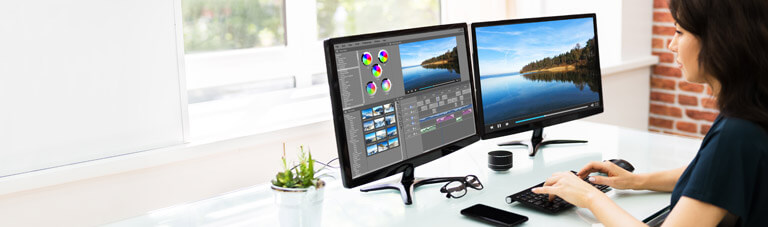
Your monitor should be large enough to give you a clear view of your editing workspace. You may want to consider a dual or triple monitor set-up. This way, you can view your work in two different views: on the first one, you’ll edit the video in real-time, while on the other, you can play it back for color correction.
Video Editing Skills
Developing your video editing skills is not only important if you want to land a job in this field, but it also requires several personal attributes. You need to be self-starting, detail-oriented, and organized. You also need to have a good memory. Employers appreciate people who pay attention to detail and are meticulous about their work. If you’re messy or disorganized, you may not get the job you’re looking for.
One of the best ways to succeed in the video editing industry is by having the skills to communicate effectively. There are a lot of technical terms used in this industry, and understanding them can help you communicate better with others. For example, you should know about jump cuts, montage, L cuts, and J cuts. These terms are essential when you’re trying to communicate with an editor or a client.
Video editing skills also include attention to detail and experimenting with different lighting and angles. This is important because you need to choose the best shots and avoid wasting your time on shots that aren’t as good. It also takes technical knowledge, and you must be able to focus on your work when it gets tough.
Video Editing Questions and Answers
A video editing benchmark test measures how fast your CPU, GPU, and storage handle editing and rendering tasks.
You can run a performance test using benchmark apps or by timing exports of the same project on your system.
A good benchmark test uses real timelines, high-resolution footage, and repeatable export settings.
Yes, many employers ask candidates to complete a short, timed Video Editing Test as part of the hiring process.
Contest organizers often give everyone the same clips and use a short test format to compare edits fairly.
Many online editing certification programs end with a graded final test or project to prove you mastered the material.
You can polish test projects and add them to your reel as long as you follow any usage rules from the client or course.
Theory tests may ask about shortcuts, codecs, frame rates, color spaces, and best practices for exporting videos.
Yes, many sites offer a free Video Editing Test or quiz so you can gauge your level before enrolling in a course.
Courses teach skills step by step, and Video Editing Tests are used at the end to check how well you can apply them.