
Is FAFSA Down? FAFSA Website Status, Outages and Login Errors 2026 October
⏳ Is FAFSA down? Check FAFSA website status, current outages, scheduled maintenance, login errors, and what to do when studentaid.gov is not working.

If you tried to log in to studentaid.gov and got a blank page, a spinning wheel, or a polite but unhelpful error, you are not alone. The FAFSA website goes down more often than most federal sites, and the outages tend to cluster around the worst possible moments, such as the night before a state deadline or the first morning of a new application cycle. This guide explains how to figure out whether FAFSA is actually down, what kind of outage you are looking at, and which workarounds actually save your application.
FAFSA outages fall into a handful of categories. Sometimes the entire studentaid.gov domain is offline because the Department of Education is running maintenance. Sometimes only the FAFSA form itself is broken while the rest of the dashboard works. Sometimes login is busted because the FSA ID identity service is having problems. And sometimes the site looks fine on the surface but quietly fails when you click submit. Each type needs a different response, and treating a login error like a full outage will burn time you may not have.
The pattern of FAFSA downtime has changed since the form was redesigned for the 2024-25 cycle. The new dynamic form pulls IRS data live, depends on multiple contributor accounts, and is hosted on infrastructure that has visibly struggled with peak traffic. Before the redesign, the old paper-style FAFSA was boring but stable. Today the website breaks more often, and small bugs in the form can lock out entire categories of applicants until federal engineers push a fix. Knowing this context helps you stop blaming your browser when the real problem is national.

Open studentaid.gov in a private or incognito window. If you still see a blank screen or error, FAFSA is likely down on their end, not yours. Check the official FAFSA status banner at the top of studentaid.gov and the Federal Student Aid social accounts on X (formerly Twitter) for confirmed outages. If only login is broken, try the FSA ID password reset flow on a different device. If the form crashes after you submit, do not refresh, write down what you entered and come back in 30 minutes.
Before assuming the site is down, run a quick self-check. Open a private browsing window so cached files do not interfere. Clear the cookies for studentaid.gov specifically. Switch from Wi-Fi to mobile data, or vice versa. Try a different browser entirely.
About a third of the reports we see on Reddit and Twitter that begin with "FAFSA is down" are actually local issues such as expired session cookies, browser extensions that block the IRS data retrieval frame, or corporate networks that filter government domains. Eliminating these takes maybe four minutes and saves you from waiting on a fix that was never coming.
If the private window still fails, check studentaid.gov from a second device on a different network. A phone on cellular data and a laptop on home Wi-Fi will fail at the same time only if the problem is actually on the FAFSA side. This dual check is the fastest reliable way to confirm a real outage. After you confirm, stop trying to push through the broken page. Repeatedly retrying a failing submission can corrupt your draft, lock your FSA ID, or generate duplicate records that the Department of Education has to untangle later.
Types of FAFSA Website Problems
Studentaid.gov returns 502, 503, or just a blank page. Affects everyone. Usually resolved within a few hours when announced, sometimes a few days when not. Wait it out.
You can reach the homepage, but signing in with your FSA ID fails or loops. The identity service (Login.gov-style federation for FAFSA) is the issue. Try password reset, then wait.
Login works, dashboard works, but clicking Start a New FAFSA spins forever. The application engine is degraded. Affects new applicants more than people checking status.
You complete the form, click submit, and get a generic error. Do not refresh. Your draft is usually preserved. Try again in 30 to 60 minutes after capacity recovers.
The Direct Data Exchange that pulls tax info from the IRS goes down independently of FAFSA itself. You can sometimes finish manually if you have your tax return on hand.
Announced downtime usually overnight Eastern time. Studentaid.gov posts a banner ahead of time. Plan around these windows rather than fighting them.
Scheduled maintenance is the easiest type of FAFSA outage to handle because it is announced in advance. The Department of Education typically posts a banner across studentaid.gov a few days before any planned downtime, listing the window in Eastern time. These are usually overnight from roughly 3 AM to 7 AM ET on weekends. If you cannot avoid filing during a maintenance window, prepare your documents ahead of time, draft answers offline, and log in immediately when the site comes back up. Trying to use the site during posted maintenance always fails.
Unannounced outages are harder, and they happen more often than the official channels admit. Federal Student Aid is generally slow to acknowledge problems, so the unofficial signal is usually faster. Search X for "is FAFSA down" or "studentaid.gov" sorted by latest, and you will see real-time complaints surge within minutes of an outage starting. Downdetector tracks studentaid.gov and shows useful aggregate graphs. If both sources spike at the same time, the outage is real and you can stop troubleshooting your own setup.
What Different FAFSA Errors Actually Mean
Error Code 0 generally means the studentaid.gov session expired or the form submission timed out before reaching the back-end servers. It is one of the most common FAFSA errors. Do not refresh aggressively. Log out, close the browser, wait 15 minutes, and log in fresh. Your form data is usually preserved as a draft. If the error repeats three times in a row, the issue is server-side and you should wait for capacity to recover.
The single most useful trick during a confirmed FAFSA outage is to keep your application data ready offline so you can fly through the form when the site comes back. Have your Social Security number, your parents' SSNs if you are a dependent, your most recent tax return, a list of asset balances rounded to the nearest dollar, and the federal school codes for every school you might apply to. The form remembers your draft, but only if you reached the right section before the crash. Reaching far into the form quickly means you save more progress.
If FAFSA is down on the last day before a state deadline, do not panic, but do document. Take screenshots of the error pages with the timestamps visible. Email your state aid agency the same day explaining you attempted to submit by deadline and the federal site was unavailable. Many states honor good-faith attempts when the federal infrastructure failed. The screenshots become your evidence. The Department of Education has also occasionally extended federal deadlines after major outages, though they do this reactively rather than proactively. Watch the FAFSA news page for any extension announcements.
Never enter your FAFSA login credentials on any site that is not studentaid.gov or fafsa.gov. During outages, fake FAFSA status pages and phishing emails spike because scammers know students are searching for help. The real Federal Student Aid site never asks for your FSA ID password over email or text. If a third-party tool offers to "submit your FAFSA for you" while the site is down, walk away. Your FSA ID is essentially a federal benefits credential and giving it to a scammer can cost you years.
The 2024-25 cycle introduced a level of FAFSA instability that was historically unusual. The redesigned form launched months late, then experienced rolling outages for the first quarter of its availability. The 2025-26 cycle has been calmer but not perfect, with intermittent slowdowns during peak weeks. Expect more bumps when the next form opens, especially in October when most people start filing. If you have flexibility, filing in November or December usually means a much smoother experience than filing on the first day or the deadline day.
Government shutdowns are a separate category of FAFSA disruption. During a partial shutdown, studentaid.gov often stays online because Federal Student Aid operations are funded out of mandatory appropriations, but customer support staffing drops dramatically and processing of paper applications stalls. The website itself is unlikely to go fully dark from a shutdown alone, but expect longer wait times for issues that require human review. If you have a specific question about how a shutdown affects your aid, see our dedicated FAFSA news coverage which we update through each event.

What to Do When FAFSA Is Down
- ✓Open studentaid.gov in a private browsing window to rule out cached files or extensions causing local errors
- ✓Try the site from a second device on a different network to confirm whether the outage is national or local
- ✓Check Downdetector and X for real-time outage reports before assuming the problem is on your end
- ✓Look for a status banner on studentaid.gov announcing scheduled maintenance or known issues
- ✓If login is the only problem, run the FSA ID password reset flow as a diagnostic before making support calls
- ✓Take dated screenshots of any error pages in case you need them as evidence for a state deadline waiver
- ✓Wait at least 30 minutes between retries during a confirmed outage to avoid rate limiting
- ✓Prepare your documents offline so you can finish the form fast when the site comes back online
- ✓Never submit your FSA ID credentials to any third-party site claiming to fix or submit FAFSA for you
How long FAFSA outages last varies enormously. Routine overnight maintenance windows usually run three to four hours. Unscheduled outages caused by traffic spikes typically clear within one to three hours once federal engineers throttle traffic and add capacity. Bugs that require a code deploy can take twelve hours to several days, which is why the 2024-25 launch was so painful. A complete database problem or identity service failure can drag on longer because rollback procedures for federal financial systems involve compliance steps that take time.
You can usually keep working on your FAFSA even when the main form is down by switching to the parts of studentaid.gov that are still functional. The dashboard often loads when the form does not, so you can still check FAFSA status for an existing application. Account management, loan dashboards, and document upload pages each run on slightly different services, so partial outages mean some pages stay alive while others die. If you only need to do something administrative, try anyway.
The FSA ID identity service deserves its own discussion because it fails differently from the rest of the site. FSA ID issues affect both new account creation and existing logins, and the failure modes can be subtle. Sometimes you get a clear error. Sometimes the page just redirects you back to login without explaining anything. Sometimes the password reset email never arrives. If your FSA ID was created very recently, particularly in the last 24 to 48 hours, expect intermittent issues because Federal Student Aid runs Social Security verification asynchronously and your account may not be fully provisioned yet.
If FSA ID login fails repeatedly and you have already tried password reset, the next step is the Federal Student Aid Information Center at 1-800-433-3243. They can verify your identity by phone and unlock your account, but wait times during outages can exceed two hours. Call early in the morning Eastern time before the queue builds. Have your Social Security number, date of birth, mailing address, and any prior FAFSA confirmation numbers ready before you dial. The agent will ask security questions that are easier to answer when you have your information laid out in front of you.
FAFSA Outage Reality Check
Where to Check Real FAFSA Status
Official notices appear at the top of the studentaid.gov homepage when known issues exist. This is the slowest source but the most authoritative when it does post.
User-reported outage tracker that aggregates complaints across social media. Useful for spotting outages within minutes of them starting, before federal channels acknowledge anything.
@FAFSA on X (Twitter) sometimes posts updates faster than the site banner. Searching the FAFSA hashtag also surfaces real-time user reports during outages.
Community-driven discussion that often catches outages early. Useful for confirming whether others see the same error and for crowdsourcing workarounds.
1-800-433-3243 is the official phone line. During outages, agents will confirm known issues if you wait through the queue.
Our internal news feed at /fafsa/fafsa-news covers major outages, policy changes, and deadline shifts as they happen.
Mobile access to FAFSA deserves a quick note because the mobile experience fails differently from desktop. The myStudentAid mobile app exists but has been deprecated in favor of the responsive studentaid.gov website. The site works on phones but the form is more tedious on a small screen, and certain validation messages do not render correctly on iOS Safari. If your desktop is up and you are stuck on mobile, switching to a real browser usually fixes the immediate issue. If both fail, the outage is on the federal side and the device choice does not matter.
One last consideration is the difference between FAFSA being slow and FAFSA being down. Slow loads, where the page eventually renders after 30 to 60 seconds, indicate the back end is overloaded but not completely broken. During slow periods, your best move is patience rather than retries. Open the form, then go make coffee. Come back, finish a section, save, walk away again. Treating studentaid.gov like a slow government office rather than a normal website saves a lot of frustration. The form will accept your application eventually, even if every page takes a minute to load.
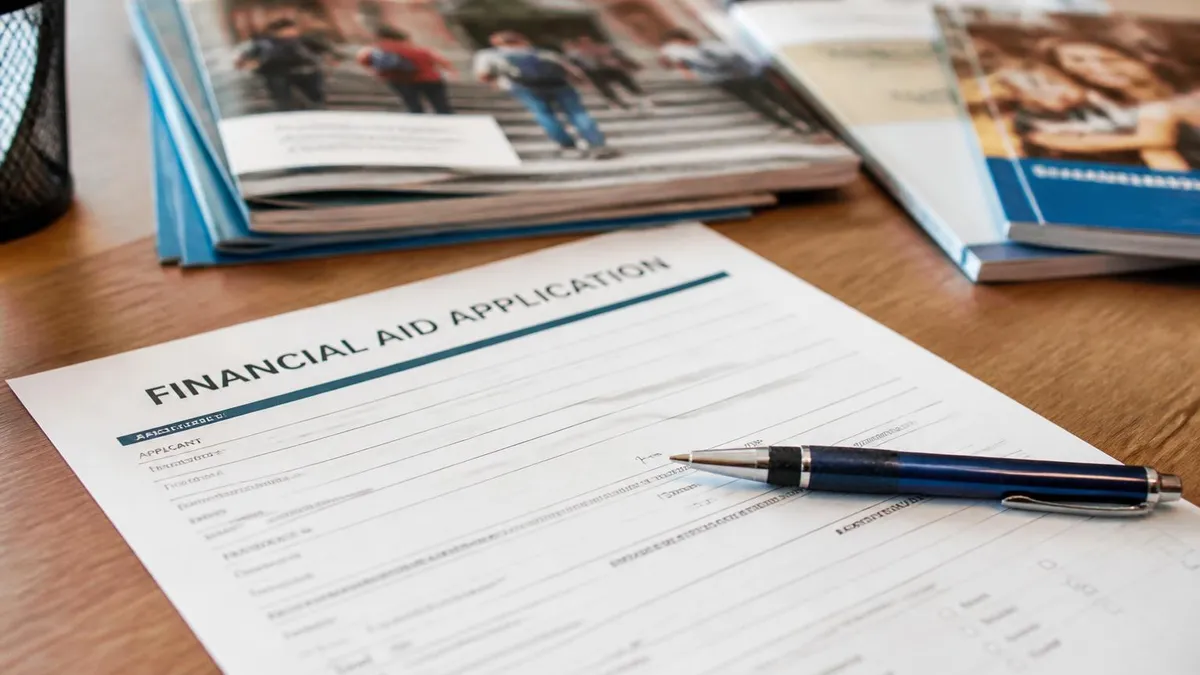
Slow loads are not the same as a real outage. If pages eventually render after 30 to 60 seconds, the back end is overloaded but functional. Patience usually beats retries. Aggressive refreshing during a slow period can rate-limit your IP and turn a slow session into a blocked session.
Backup options when FAFSA is truly stuck for an extended period include paper filing and direct contact with your school's financial aid office. Paper FAFSA forms still exist and can be requested from the Federal Student Aid Information Center, though processing takes weeks instead of days and most students will prefer to wait out an outage rather than switch to paper. Your school's financial aid office can often complete preliminary aid packaging based on prior-year FAFSA data while you wait for the new form to go through, which keeps your enrollment plans moving even when the federal system is broken.
Communication with schools you have applied to matters more than people realize during FAFSA outages. Financial aid offices have direct contact with Federal Student Aid and often get advance notice of outages before the public does. If a major outage hits during your aid review window, calling the financial aid office at your top-choice school is worth more than another hour of refreshing studentaid.gov. They can usually flag your file as awaiting federal data and hold their internal review process. Most aid offices are understanding when the failure is on the federal side.
During Extended Outages
- ✓Call your school's financial aid office; they often have better real-time information than the public studentaid.gov banner
- ✓Request paper FAFSA forms from the Federal Student Aid Information Center if the outage drags on for days
- ✓Ask whether your school can begin aid packaging based on prior-year FAFSA data while you wait
- ✓Confirm in writing that the school will accept a late federal submission caused by the outage
- ✓Document every error message with screenshots before contacting any state aid agency
Browser compatibility issues account for a surprising number of FAFSA complaints that look like outages but are not. Studentaid.gov works best on the current versions of Chrome, Edge, Firefox, and Safari. It does not work reliably on older browsers, on certain corporate or school-managed browsers with locked-down configurations, or on browsers running aggressive ad-blocking or script-blocking extensions. If you are filing from a school computer lab, the lab's network may also be blocking parts of the form. Switching to a personal device on a home network solves a meaningful percentage of these false-outage cases.
If you suspect a browser issue rather than a real outage, the fastest diagnostic is to open studentaid.gov on a phone using cellular data only. No Wi-Fi, no school network, no work proxy. If the site loads cleanly there but not on your usual computer, the problem is local. Common culprits include uBlock Origin, Privacy Badger, certain VPN clients, school-issued antivirus software that intercepts HTTPS, and corporate proxies. Disabling extensions one at a time on your primary browser usually identifies the offender within five minutes.
Filing Strategies Around Outages
- + —
- + —
- + —
- + —
- + —
- − —
- − —
- − —
- − —
- − —
If you are filing FAFSA for the first time, expect at least one bumpy session before you successfully submit. The form is long, the studentaid.gov interface has rough edges, and any of the moving parts can fail. Plan for two or three sittings rather than one perfect attempt. Most students who report a smooth FAFSA experience are renewing rather than filing fresh. New filers should also consider doing a dry run with our apply for FAFSA walkthrough before logging in for real, so you know what each section asks before the timer pressure of a live form session starts.
For parents helping a dependent student file, the contributor flow adds another point of failure. The parent has their own FSA ID, their own login session, and their own piece of the form. If the site is down for the student, it is usually also down for the parent.
But sometimes only one side breaks, and the entire application stalls waiting for the missing contributor signature. If you are stuck waiting on a parent signature that never arrives, have the parent check whether their dashboard shows the pending invitation. The link from the original email sometimes expires and a new invitation is needed.
Plan to file FAFSA in November or December rather than on opening day or right before a deadline. Opening day is the single highest-risk day for studentaid.gov outages each year, and deadline days produce smaller but still meaningful traffic spikes. The middle of the cycle has the most stable performance and the lowest probability of running into a national outage.
One pattern worth understanding is that FAFSA outages tend to cluster predictably around specific calendar events. Opening day for a new cycle, originally October 1 but historically delayed in recent years, is the highest-risk day of the year for studentaid.gov. Major state deadline days in February and March produce smaller traffic spikes that can still take the site down. Sunday evenings during peak season are slower than weekdays. Knowing these patterns lets you plan around them. If you can possibly avoid filing on opening day or the day of a major deadline, your odds of a smooth session improve dramatically.
Long-term, the reliability of studentaid.gov is gradually improving as Federal Student Aid invests in better infrastructure, but progress is incremental. Each FAFSA cycle reveals new edge cases and the engineering team patches them. Filing experience for students with simple situations, such as a single tax filer dependent student with one federal school code, has become quite stable.
Filing experience for complex situations, such as multiple contributors, divorced parents, custodial parent income verification, or recently amended tax returns, remains where most outages and errors concentrate. The more unusual your situation, the more you should expect to encounter at least one snag during the application process.
FAFSA Questions and Answers
About the Author

Educational Psychologist & Academic Test Preparation Expert
Columbia University Teachers CollegeDr. Lisa Patel holds a Doctorate in Education from Columbia University Teachers College and has spent 17 years researching standardized test design and academic assessment. She has developed preparation programs for SAT, ACT, GRE, LSAT, UCAT, and numerous professional licensing exams, helping students of all backgrounds achieve their target scores.