
FAFSA Draft: How to Save, Edit, and Submit Your 2026 October-26 Application Successfully
🏆 Learn how to save your FAFSA draft, fix errors, and submit before the 2026 October deadline. Complete step-by-step guide for students and parents filing for aid.

Filing the FAFSA is one of the most important steps any student can take toward funding their college education, and understanding how to properly manage your FAFSA draft can save hours of frustration during application season. A FAFSA draft allows you to begin filling out the Free Application for Federal Student Aid without submitting immediately, giving you time to gather documents, verify financial information, and ensure accuracy before final submission to the Department of Education.
The FAFSA application process involves numerous data points including income information, tax return details, household size, and asset declarations that many families cannot recall from memory. Many applicants find themselves needing to pause midway through because they cannot locate a particular document or need to consult with a parent or spouse about specific financial figures. The draft feature on StudentAid.gov exists precisely for this scenario, preserving your progress so you can return and finish the form when you have everything gathered.
For the 2025-26 academic year, the FAFSA underwent significant changes through the FAFSA Simplification Act, which reduced the number of questions from over one hundred to approximately thirty-six core items. Despite this streamlining effort, the application still requires careful attention to detail and accurate financial reporting. Starting a FAFSA draft early in the application cycle gives you a comfortable buffer to address any complications such as obtaining your FAFSA ID or resolving data retrieval issues with the IRS.
Many students wonder when is FAFSA due and whether saving a draft counts as meeting the deadline for the FAFSA. The answer is straightforward but critically important to understand: only a fully submitted FAFSA counts toward any federal, state, or institutional deadline. A saved draft is merely a placeholder that allows you to resume work later, but it provides absolutely no protection against missing priority filing dates that determine your aid amount.
The federal FAFSA deadline 2025 for the current cycle is June 30, 2026, but most state and institutional deadlines fall much earlier, often landing in February or March of the preceding year. Because these earlier priority deadlines determine funding levels for grants and need-based institutional aid, starting your draft well in advance gives you the best statistical chance at receiving maximum financial support for your education costs.
Throughout this comprehensive guide, we walk you through every aspect of managing your FAFSA draft effectively and avoiding common pitfalls that delay submission. From creating your initial draft to troubleshooting technical errors, verifying information against tax documents, and finally submitting a completed application, each section provides detailed actionable steps that any applicant can follow regardless of their experience with the financial aid process.
Whether you are a dependent student relying on parental financial information or an independent applicant managing the entire process alone, this resource helps you navigate the FAFSA draft workflow with confidence. The strategies outlined here apply equally to first-time filers encountering the system for the first time and returning students who need to renew their application for continued aid eligibility in the 2025-26 academic year.
FAFSA Draft Filing by the Numbers
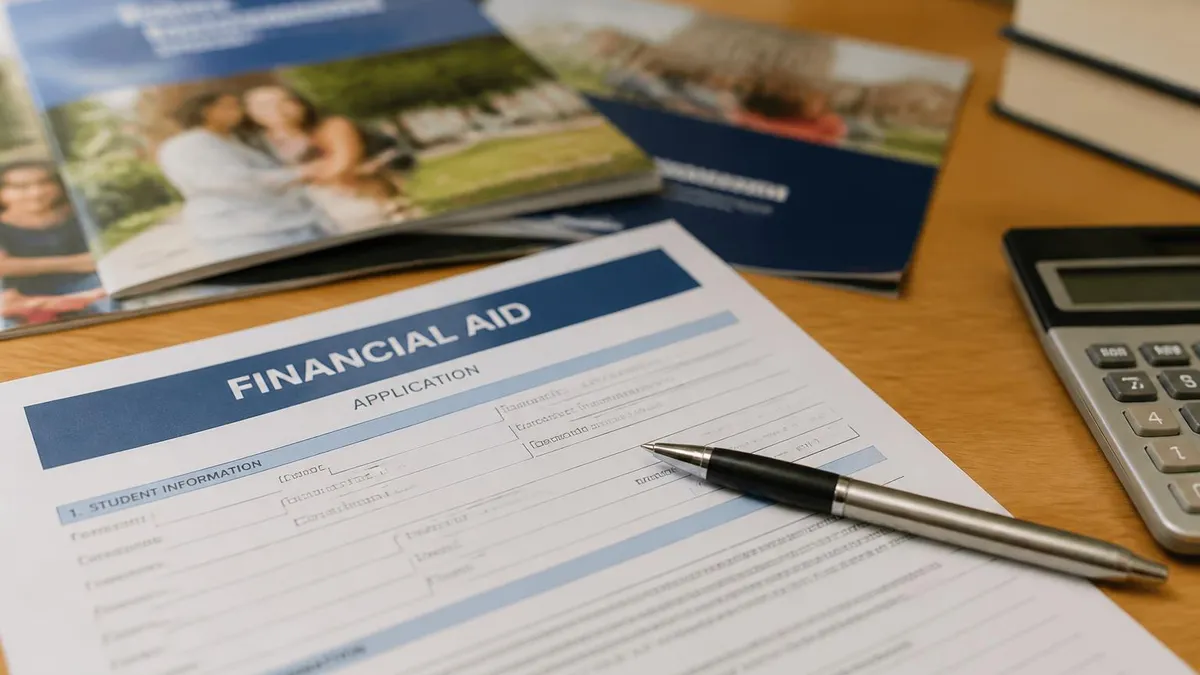
How to Create and Submit Your FAFSA Draft
Create Your FSA ID Account
Start a New FAFSA Application
Complete Each Section Carefully
Invite Contributors If Needed
Review and Verify All Information
Sign and Submit Your FAFSA
Once you have saved your initial FAFSA draft, you may need to return and make edits before submission, which is one of the primary advantages of the draft system. Common reasons for editing include updating income figures after finding the correct tax documents, adding or removing schools from your list, or correcting personal information such as your legal name spelling or Social Security number that must match federal records exactly to avoid processing delays.
To access your saved FAFSA draft, log into StudentAid.gov using the same FSA ID you used when creating the application initially. Navigate to the FAFSA section and select your in-progress application for the 2025-26 academic year. The system displays which sections are complete and which still require information, making it easy to identify exactly where you left off or which fields need correction before you can proceed to submission.
The editing process works differently depending on whether your FAFSA is still in draft status or has already been submitted to the federal processor. For drafts that have not yet been submitted, you can freely modify any field on any page without restriction. Simply navigate to the relevant section, make your changes, and save the updated information. There is no limit to the number of times you can edit a draft before final submission.
If you discover that a contributor such as a parent has entered incorrect information in their section, you will need to communicate with them directly about making corrections. The primary applicant cannot edit contributor sections due to privacy protections built into the new FAFSA system. The contributor must log in with their own FSA ID, navigate to their portion of the application, and make the necessary corrections themselves.
One important consideration when editing your FAFSA draft is the impact on IRS Direct Data Exchange data that was previously transferred into your application automatically. If you manually override any transferred tax data, the system flags this change and may require additional verification from your school's financial aid office. Whenever possible, allow the automatic transfer to populate fields rather than entering figures manually to avoid triggering verification.
Students who need to add schools to their FAFSA draft can include up to twenty school codes on the federal application, though individual schools can only see their own information. Research each institution's federal school code before editing to ensure accuracy. You can find school codes through the Federal School Code Search tool on the StudentAid.gov website or by contacting the financial aid office at each school you plan to attend.
After making all necessary edits to your draft, perform a final review of every section before submitting your completed FAFSA 2025 application. Pay special attention to fields that commonly contain errors such as household size, number of family members in college, and adjusted gross income figures. These three data points have the highest error rates among all FAFSA fields and frequently trigger verification requests that delay aid disbursement.
FAFSA Practice Test Questions
Prepare for the FAFSA - Free Application for Federal Student Aid exam with our free practice test modules. Each quiz covers key topics to help you pass on your first try.
FAFSA Dependency Status
FAFSA Exam Questions covering Dependency Status. Master FAFSA Test concepts for certification prep.
FAFSA Deadlines and Renewal
Free FAFSA Practice Test featuring FAFSA Deadlines and Renewal. Improve your FAFSA Exam score with mock test prep.
FAFSA Verification Process
FAFSA Mock Exam on FAFSA Verification Process. FAFSA Study Guide questions to pass on your first try.
FAFSA Federal Aid Types
FAFSA Test Prep for Federal Aid Types. Practice FAFSA Quiz questions and boost your score.
FAFSA Federal Aid Types and Eligibility
FAFSA Questions and Answers on Federal Aid Types and Eligibility. Free FAFSA practice for exam readiness.
FAFSA Financial Aid Eligibility
FAFSA Mock Test covering Financial Aid Eligibility. Online FAFSA Test practice with instant feedback.
FAFSA Income and Asset Reporting
Free FAFSA Quiz on Income and Asset Reporting. FAFSA Exam prep questions with detailed explanations.
FAFSA Practice Test
FAFSA Practice Questions for Practice Test. Build confidence for your FAFSA certification exam.
Understanding FAFSA Deadlines 2025 by Filing Type
The federal FAFSA deadline for the 2025-26 academic year is June 30, 2026, which applies to all students regardless of their state of residence or institution type. However, filing close to this deadline virtually guarantees you will miss out on significant aid opportunities because most funding sources distribute money on a first-come basis throughout the cycle. Filing early maximizes your chances substantially.
Students who miss the federal deadline cannot receive any Title IV aid including Pell Grants, Direct Loans, or Federal Work-Study for that academic year. There are no extensions or exceptions to this date under any circumstances. If your FAFSA draft remains unsubmitted past June 30, you must wait until the next application cycle opens in October to apply for the following academic year instead.
Saving a FAFSA Draft vs. Submitting Immediately
- +Allows time to gather all required financial documents without rushing through questions
- +Reduces errors by letting you verify figures against tax returns and bank statements
- +Enables parent or spouse contributors to complete their sections on their own schedule
- +Provides opportunity to research and add correct school codes for all target institutions
- +Lets you compare information with prior year FAFSA for consistency checking
- +Gives you time to resolve FSA ID issues or IRS data transfer problems before deadline pressure
- −Draft does not count toward any federal, state, or institutional deadline
- −Risk of forgetting to return and submit before priority dates pass
- −Saved drafts expire after approximately ninety days of inactivity on StudentAid.gov
- −Contributors may delay completing their sections indefinitely without follow-up
- −Technical issues could cause draft data loss if the system experiences outages
- −May create false sense of security that you have already completed the FAFSA process
Pros and Cons at a Glance
| Pros | Cons |
|---|---|
| Allows time to gather all required financial documents without rushing through questions | Draft does not count toward any federal, state, or institutional deadline |
| Reduces errors by letting you verify figures against tax returns and bank statements | Risk of forgetting to return and submit before priority dates pass |
| Enables parent or spouse contributors to complete their sections on their own schedule | Saved drafts expire after approximately ninety days of inactivity on StudentAid.gov |
| Provides opportunity to research and add correct school codes for all target institutions | Contributors may delay completing their sections indefinitely without follow-up |
| Lets you compare information with prior year FAFSA for consistency checking | Technical issues could cause draft data loss if the system experiences outages |
| Gives you time to resolve FSA ID issues or IRS data transfer problems before deadline pressure | May create false sense of security that you have already completed the FAFSA process |

FAFSA Draft Pre-Submission Checklist
- ✓Confirm your legal name matches exactly what appears on your Social Security card
- ✓Verify your FSA ID is active and you can successfully log in without password issues
- ✓Gather federal tax returns or tax transcripts for the required tax year
- ✓Collect W-2 forms and records of untaxed income such as child support received
- ✓Note current bank account balances and investment values as of today's date
- ✓Research and record federal school codes for every college on your list
- ✓Confirm all contributors have completed and signed their respective sections
- ✓Review household size and number of family members currently attending college
- ✓Check that IRS Direct Data Exchange successfully transferred your tax information
- ✓Save a printed or digital copy of your FAFSA summary page for personal records
The 90-Day Draft Expiration Rule
StudentAid.gov automatically deletes FAFSA drafts that remain inactive for approximately ninety days. If you start your application in October but do not return to complete it until February, your saved progress may be gone entirely. Set calendar reminders to log in and save your draft periodically, even if you are not ready to submit, to prevent automatic deletion of your work.
After you successfully submit your FAFSA draft as a completed application, the federal processor begins reviewing your information and calculating your Student Aid Index, which replaced the Expected Family Contribution starting with the 2024-25 cycle. This numerical value determines your eligibility for need-based federal aid programs including Pell Grants, Supplemental Educational Opportunity Grants, and subsidized Direct Loans. Most students receive their SAI within three to five business days of submission.
Your submitted FAFSA is automatically sent to every school you listed on the application, and each institution's financial aid office uses your SAI along with their own institutional methodology to build a financial aid package tailored to their cost of attendance. Schools typically begin sending award letters in March and April for the following fall semester, though timing varies significantly by institution type and application volume during peak filing periods.
If you discover an error after submitting your FAFSA, you can make corrections through the StudentAid.gov website by logging in and selecting the option to make corrections to your processed application. Common corrections include updating marital status changes, fixing income figures, adding schools you forgot to include initially, or adjusting household size after a change in family circumstances that occurred after your original submission date.
The correction process differs from editing a draft because changes to a submitted FAFSA must be reprocessed by the federal system, which takes an additional three to five days for each correction cycle. Some changes trigger verification requirements where your school requests documentation proving the accuracy of your reported information. Respond to verification requests immediately to avoid delays in receiving your financial aid disbursement at the start of the semester.
Students selected for verification will receive notification from their school's financial aid office requesting specific documents such as tax transcripts, verification worksheets, or proof of identity. Approximately one-third of all FAFSA submissions are selected for verification either randomly or because of data inconsistencies flagged by the federal processor. Having organized records from when you prepared your draft makes verification significantly less stressful and faster to complete.
Your school may also request additional information beyond what the FAFSA collects, such as the CSS Profile for private institutions or state-specific supplemental applications for certain grant programs. Check with each school's financial aid office to understand their complete application requirements beyond the federal FAFSA. Some schools will not finalize your aid package until all supplemental materials are received and reviewed by their staff.
Monitor your StudentAid.gov account regularly after submission to check for any status updates, requests for additional information, or notifications about your application processing status. The system sends email notifications for major status changes, but logging in directly provides the most current and detailed information about where your FAFSA stands in the processing pipeline and whether any action is required from you.
A saved FAFSA draft has NOT been submitted to the federal processor and does NOT meet any deadline. Only applications showing "Submitted" or "Processed" status count toward federal, state, and institutional deadlines. Check your application status on StudentAid.gov immediately after attempting to submit. If it still shows as a draft, your submission did not complete successfully and you must try again before your earliest deadline passes.
Technical difficulties represent one of the most common reasons students fail to convert their FAFSA draft into a submitted application before critical deadlines pass. The StudentAid.gov website experiences significant traffic spikes during peak filing periods, particularly in the weeks immediately before major state deadlines. Planning your submission for off-peak hours such as early morning or late evening on weekdays can dramatically reduce the likelihood of encountering timeout errors or system unavailability.
FSA ID problems account for a large percentage of draft abandonment cases where students start the application but never complete submission. The most common issue involves mismatched identity information between your FSA ID account and Social Security Administration records. If your name, date of birth, or Social Security number contains even a minor discrepancy between these systems, your FSA ID will not verify properly and you cannot electronically sign your FAFSA.
To resolve FSA ID issues, contact the Federal Student Aid Information Center using the FAFSA phone number at 1-800-433-3243, where representatives can help troubleshoot verification problems and guide you through the identity confirmation process. Phone support is available Monday through Friday from 8 AM to 11 PM Eastern Time. Having your Social Security card and government-issued photo identification ready when you call speeds up the resolution process considerably.
The IRS Direct Data Exchange sometimes fails to transfer tax information into your FAFSA draft, which leaves financial fields blank and prevents submission until they are populated with accurate data. This can happen when your tax return was recently filed, when you filed an amended return, or when there are processing delays at the IRS. If automatic transfer fails, you may need to manually enter information from your tax return or wait until the IRS systems synchronize with StudentAid.gov.
Contributor invitation failures represent another frequent technical barrier, particularly for dependent students whose parents must complete a section of the FAFSA. If a parent's invitation email goes to spam, if they create their FSA ID incorrectly, or if they do not understand the process, the student's draft remains incomplete indefinitely. Proactively walk your contributors through the process and confirm they received and accepted the invitation successfully.
Browser compatibility and cache issues occasionally prevent the FAFSA website from saving draft progress correctly or displaying all form fields properly on the screen. Use an updated version of Chrome, Firefox, Safari, or Edge for the best experience with StudentAid.gov. Clear your browser cache and disable pop-up blockers before beginning a FAFSA session. Avoid using mobile phones for initial completion as the form works best on desktop or laptop computers with larger screens.
If you experience persistent technical problems that prevent you from submitting your FAFSA draft despite multiple attempts, document each error with screenshots and timestamps. Contact your school's financial aid office to explain the situation, as many institutions will extend flexibility for students who can demonstrate good-faith attempts to submit before the deadline. Some schools accept paper FAFSA submissions as a backup method when electronic filing proves impossible.
Maximizing your financial aid outcome starts with treating your FAFSA draft as a living document that requires attention throughout the application season rather than a one-time task you complete and forget about. Set up a dedicated folder on your computer or in cloud storage containing all relevant financial documents, tax returns, bank statements, and identification copies so you can reference them quickly whenever you return to work on your draft application.
Create a timeline working backward from your earliest deadline, whether that is a state priority date or your top-choice school's institutional deadline. Build in buffer days for unexpected complications such as contributor delays, technical problems, or missing documents that require ordering from the IRS or other agencies. A realistic timeline might allocate two weeks for FSA ID creation, one week for document gathering, and one week for completing and reviewing the actual application.
When entering financial information into your FAFSA draft, use exact figures from official tax documents rather than estimates or rounded numbers that might trigger verification requests. The IRS Direct Data Exchange automatically pulls precise figures, but if you must enter information manually, match your entries to the exact dollar amounts on your filed tax return. Even small discrepancies between your FAFSA entries and IRS records can flag your application for additional scrutiny.
Consider the strategic implications of your school list order on the FAFSA, understanding that while schools cannot see what other institutions you listed, the order may affect state grant determinations in some states. Research your specific state's policies regarding school list ordering before finalizing your draft. Some financial aid advisors recommend listing your top-choice school first, while others suggest listing your state's public institutions first for potential state aid advantages.
If your family's financial situation has changed significantly since the tax year reported on the FAFSA, such as job loss, divorce, disability, or death of a wage earner, do not let this discourage you from filing. Submit your FAFSA draft with the required tax year information, then contact each school's financial aid office to request a professional judgment review or special circumstances appeal that considers your current reduced income situation instead of the higher figures from the prior tax year.
Parents and family members who serve as contributors should understand their role clearly before they receive the invitation to participate in the student's FAFSA application. Explain what information they will need to provide, how long the process takes, and why timely completion matters for meeting deadlines. Provide them with a list of required documents in advance so they can gather materials before sitting down to complete their section of the form.
Finally, remember that filing the FAFSA is an annual requirement for every year you attend college and wish to receive federal financial aid. Each October, a new FAFSA cycle opens for the following academic year, and previous year data does not automatically carry over into a new application. Building good habits during your first FAFSA experience, including saving documents and understanding the draft process, makes subsequent annual renewals significantly faster and easier to complete before priority deadlines each year.
Sample FAFSA Practice Questions
Try these questions from our free FAFSA practice tests. The correct answer and an explanation follow each question.
Which parent's information do you submit on the FAFSA if a parent has remarried?
- A. Put down both the biological parent and the stepparent that the student is living with.
- B. Only list the biological parent that the student is currently living with and not their stepparent.
- C. You can either put down both biological parents or the biological parent that you are living with and the stepparent that you are living with.
- D. Put down both biological parents and not the stepparent that the student is living with.
Answer: A. Put down both the biological parent and the stepparent that the student is living with.
When a student's biological or adoptive parent has remarried, the FAFSA requires financial information for both that parent and their stepparent if the student lives with them. This is because the stepparent's income and assets are considered part of the household's financial resources available to support the student's education. The FAFSA aims to capture the financial capacity of the entire household the student resides in.
How often must a student typically submit the FAFSA?
- A. Once for their entire education
- B. Every academic year
- C. Only when changing schools
- D. Every semester
Answer: B. Every academic year
Students must complete the FAFSA every academic year to remain eligible for aid.
How long is a single FAFSA application valid for?
- A. One semester
- B. One academic year
- C. Two academic years
- D. Until the student graduates
Answer: B. One academic year
A FAFSA application is valid for one academic year only; students must reapply each year to continue receiving financial aid.
If a student is selected for verification and does not submit the required documents, what happens?
- A. The school can still disburse aid using estimated amounts
- B. Federal aid disbursement is held until verification is complete
- C. The student is automatically disqualified from receiving aid forever
- D. The school pays the aid and recovers it later
Answer: B. Federal aid disbursement is held until verification is complete
Schools cannot disburse federal financial aid to a selected student until the verification process is complete and all required documents are submitted and reviewed.
FAFSA Questions and Answers

StudentAid.gov FAFSA: Complete 2025-26 Guide to Filing, Deadlines, and Aid

FAFSA Qualifications 2025-26: Complete Eligibility Requirements Guide

Do Retirement Accounts Count as Assets for FAFSA? Complete 2025-26 Guide

FAFSA Income Limit 2025-26: Complete Guide to Eligibility, Thresholds, and Aid Calculations

FAFSA 2025 Updates and Changes: September 2025 Status Report and What Families Need to Know Now
About the Author

Educational Psychologist & Academic Test Preparation Expert
Columbia University Teachers CollegeDr. Lisa Patel holds a Doctorate in Education from Columbia University Teachers College and has spent 17 years researching standardized test design and academic assessment. She has developed preparation programs for SAT, ACT, GRE, LSAT, UCAT, and numerous professional licensing exams, helping students of all backgrounds achieve their target scores.