
Best Audio Interfaces Guide: USB vs Thunderbolt, Preamps, and Top Picks by Budget
Pass your Best Audio Interfaces Guide: USB vs exam on the first attempt. Practice questions with detailed answer explanations, hints, and instant scoring. 💡

The best audio interface depends on your recording needs and budget. For home studios recording 1-2 sources, a USB-C interface like the Focusrite Scarlett 2i2 ($170) or Universal Audio Volt 2 ($170) delivers professional quality. For multi-track recording or professional studios, Thunderbolt interfaces like the Universal Audio Apollo Twin ($900+) offer lower latency and higher channel counts.
The Music & Audio Advice exam uses a multiple-choice format with questions covering all major domains. Most versions allow 2-3 hours for completion.
Questions test both knowledge recall and application skills. A score of 70-75% is typically required to pass.
What an Audio Interface Does and Why You Need One
An audio interface serves as the bridge between analog audio (microphones, guitars, keyboards) and your computer's digital recording software (DAW). Here is what it does and why it matters:
Core Functions:
- Analog-to-Digital Conversion (ADC) — Converts microphone and instrument signals into digital audio files your DAW can record, edit, and process
- Digital-to-Analog Conversion (DAC) — Converts digital audio from your DAW back to analog signals for your headphones and studio monitors
- Microphone preamp — Boosts the weak signal from microphones to a usable recording level. Preamp quality directly affects recording clarity.
- Phantom power (+48V) — Provides the power required by condenser microphones through the XLR cable
- Instrument input (Hi-Z) — High-impedance input designed for direct-connecting electric guitars and basses without a DI box
- Headphone amplifier — Drives studio headphones for monitoring during recording and mixing
Why Not Just Use Your Computer's Built-in Audio?
Built-in laptop and desktop audio has three major limitations that make it unusable for serious recording:
- No microphone preamp — The 3.5mm mic input on a laptop cannot power condenser microphones and adds significant noise to dynamic mic signals
- High latency — Built-in audio drivers introduce 30-100ms of delay, making real-time monitoring impossible (you hear yourself with a noticeable echo)
- Poor conversion quality — Consumer-grade converters introduce noise and distortion that professional interfaces eliminate
Understand signal flow and connectivity concepts by practicing with our Audio Interfaces and Connectivity practice questions.
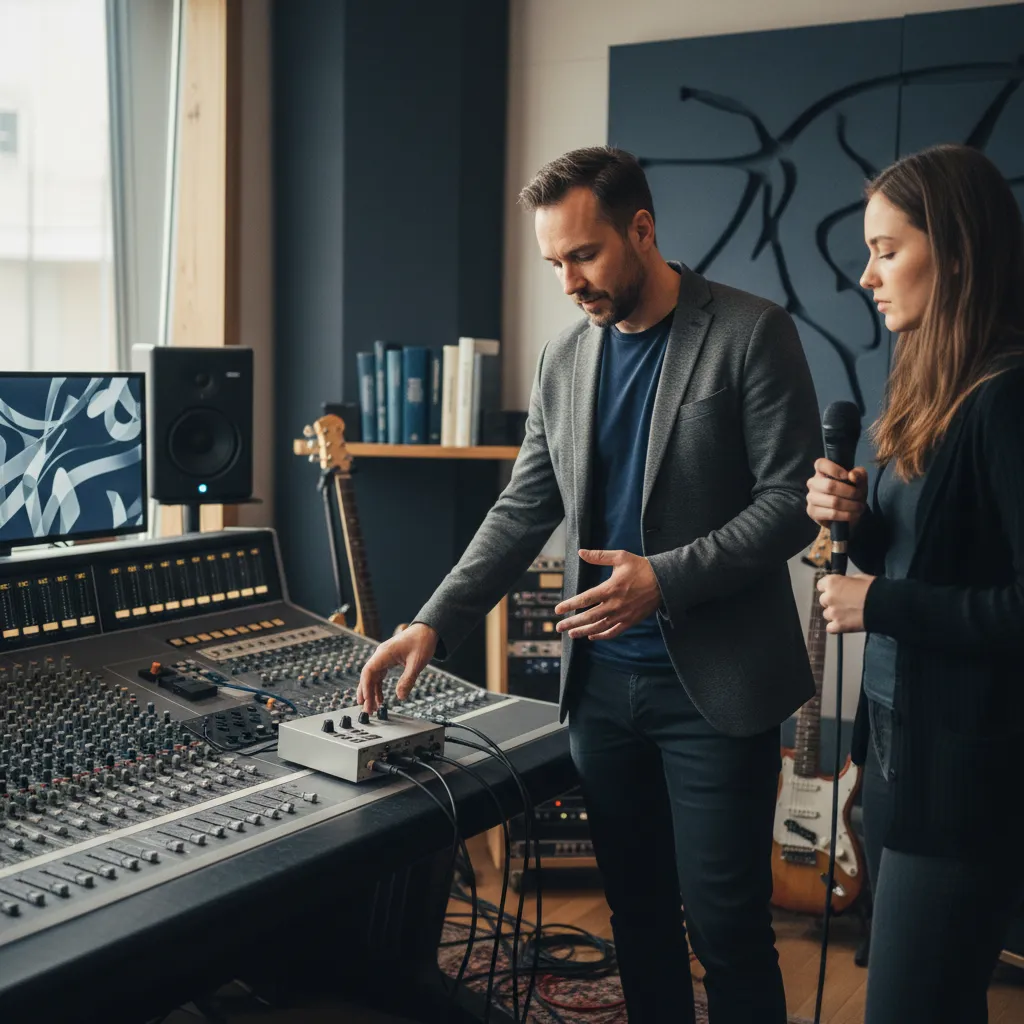
USB vs Thunderbolt: Connection Types Compared
The connection type between your audio interface and computer affects latency, channel count, and compatibility. Here is how the main options compare:
| Feature | USB 2.0 | USB-C (USB 3.x) | Thunderbolt 3/4 |
|---|---|---|---|
| Max bandwidth | 480 Mbps | 10-20 Gbps | 40 Gbps |
| Typical round-trip latency | 8-15 ms | 5-10 ms | 2-5 ms |
| Max practical channels | 8-16 channels | 16-32 channels | 64+ channels |
| Computer compatibility | Universal | Most modern computers | Mac native, PC with TB port |
| Price range of interfaces | $50-$500 | $100-$1,000 | $500-$3,000+ |
| Bus powered | Yes (2-4 inputs) | Yes (2-4 inputs) | Some models |
USB 2.0 remains viable for interfaces with up to 8 inputs. The bandwidth is sufficient for 8 channels at 24-bit/96kHz. Many popular interfaces (Focusrite Scarlett series, PreSonus AudioBox) use USB 2.0 with USB-C connectors for physical compatibility.
USB-C (USB 3.x) is the current sweet spot. Modern interfaces like the Focusrite Scarlett 4th Gen, MOTU M2/M4, and Arturia MiniFuse use USB-C and deliver excellent performance. USB-C interfaces work on any computer with a USB-C or USB-A port (with adapter).
Thunderbolt 3/4 offers the lowest latency and highest channel counts. Universal Audio Apollo, Antelope Audio, and RME interfaces use Thunderbolt for demanding professional workflows. Thunderbolt is native to all modern Macs and available on many Windows PCs with Thunderbolt ports. The tradeoff is higher cost and more limited computer compatibility.
Which Should You Choose?
- Solo artist / home studio: USB-C is the best choice — universal, affordable, low enough latency for monitoring
- Band recording / project studio: USB-C with 8+ inputs or entry Thunderbolt
- Professional studio / post-production: Thunderbolt for lowest latency and highest channel counts
- ✓Review the official Music & Audio Advice exam content outline
- ✓Take a diagnostic practice test to identify weak areas
- ✓Create a study schedule (4-8 weeks recommended)
- ✓Focus on your weakest domains first
- ✓Complete at least 3 full-length practice exams
- ✓Review all incorrect answers with detailed explanations
- ✓Take a final practice test 1 week before exam day
Preamp Quality, Latency, and Key Specs Explained
When comparing audio interfaces, these specifications determine real-world recording quality and performance:
Preamp Quality:
The microphone preamp is the single most important component in an audio interface. A clean preamp provides sufficient gain without adding audible noise or distortion:
- Gain range — Look for at least 56 dB of gain. Dynamic microphones like the Shure SM7B need 60+ dB of clean gain for quiet sources. Interfaces with less gain force you to crank the preamp, introducing noise.
- Equivalent Input Noise (EIN) — Lower is better. Professional preamps achieve -127 to -130 dBu EIN. Budget preamps are around -120 dBu.
- Character — Some preamps are "transparent" (MOTU, RME), adding minimal coloration. Others add subtle warmth (Universal Audio, Audient). Neither approach is better — it depends on your preference.
Latency:
Latency is the delay between singing/playing into a microphone and hearing yourself through headphones connected to the interface. It depends on three factors:
- Buffer size — Set in your DAW (32, 64, 128, 256, 512, 1024 samples). Lower buffer = lower latency but more CPU load.
- Sample rate — Higher sample rates (96 kHz vs 48 kHz) reduce latency at the same buffer size.
- Driver quality — ASIO drivers (Windows) and Core Audio (Mac) provide the lowest latency. Some interfaces include proprietary low-latency drivers.
For comfortable real-time monitoring, you need under 10ms round-trip latency. Most USB-C interfaces achieve this at a 128-sample buffer at 48 kHz. Many interfaces also offer direct monitoring (hardware routing of input to headphones with zero latency), which bypasses the computer entirely.
Other Important Specs:
- Bit depth — All modern interfaces offer 24-bit recording. This provides 144 dB of dynamic range, more than enough for any recording scenario.
- Sample rate — 48 kHz is standard for most music production. 96 kHz is used for high-resolution recording and post-production. 192 kHz is rarely necessary.
- Dynamic range — Measured in dB. Higher numbers mean cleaner recordings. Look for 110+ dB on inputs and 115+ dB on outputs.
Top Audio Interface Picks by Budget in 2026
Here are the best audio interfaces at each price point, based on preamp quality, latency performance, build quality, and value:
Under $100 — Entry Level:
- Behringer UMC22 ($50) — 1 XLR input, 1 instrument input, USB 2.0. The most affordable way to start recording with decent quality. Preamps are clean but limited in gain.
- M-Audio M-Track Solo ($50) — Similar to UMC22 with a slightly better build. Good for podcasting and basic vocal recording.
$100-$200 — Home Studio Sweet Spot:
- Focusrite Scarlett 2i2 4th Gen ($170) — The industry standard for home studios. 2 inputs, USB-C, excellent preamps with Air mode for added brightness, very low latency. Compatible with every DAW on Mac and Windows.
- Universal Audio Volt 2 ($170) — 2 inputs with a vintage preamp mode that adds analog warmth. Includes UA's Spark plugin bundle. Excellent value.
- MOTU M2 ($200) — 2 inputs with best-in-class converters at this price point. Features a real-time LCD level meter and exceptionally transparent preamps. Popular with engineers who want neutral monitoring.
$200-$500 — Expanded Home/Project Studio:
- Focusrite Scarlett 4i4 4th Gen ($260) — 4 inputs (2 preamps + 2 line), MIDI I/O, 4 outputs for dual monitor setups. Great for recording guitar and vocals simultaneously.
- Audient iD14 MkII ($300) — 2 preamps from Audient's acclaimed console heritage, class-leading converters, optical ADAT input for expansion. Exceptional value for the quality.
- SSL 2+ ($300) — Solid State Logic console-grade preamps with the "4K" Legacy mode for that classic SSL sound. 2 inputs, 4 outputs, headphone amp with its own volume.
$500-$1,000+ — Professional Studio:
- Universal Audio Apollo Twin X ($900) — Thunderbolt, UA's Unison preamps that model classic hardware in real time, includes UAD plugin processing. The go-to for professional home studios.
- RME Babyface Pro FS ($900) — 12 channels, Thunderbolt-class latency over USB, legendary driver stability, TotalMix FX routing software. Preferred by engineers who prioritize reliability and specs over features.
- Antelope Audio Zen Go ($500) — Thunderbolt or USB-C, high-quality converters, real-time FPGA effects processing, 4 preamps. Strong value in the mid-range professional tier.
Test your knowledge of interface specifications and connectivity with our Audio Interfaces and Connectivity practice questions.
USB Pros and Cons
- +USB has a defined, publicly available content blueprint — candidates know exactly what to prepare for
- +Multiple preparation pathways (self-study, courses, coaching) accommodate different learning styles and schedules
- +A growing ecosystem of study resources means candidates at any budget level can access quality preparation materials
- +Clear score reporting allows candidates to identify specific strengths and weaknesses for targeted remediation
- +Professional recognition associated with strong performance provides tangible career and academic benefits
- −The scope of tested content requires substantial preparation time that competes with existing professional or academic commitments
- −No single resource covers the full content scope — candidates typically need multiple study tools for comprehensive preparation
- −Test anxiety and exam-day performance variability mean preparation effort does not always translate linearly to scores
- −Registration, preparation, and potential retake costs accumulate into a significant financial investment
- −Content and format can change between exam versions, making older preparation materials less reliable
Sample Music & Audio Advice Practice Questions
Try these questions from our free Music & Audio Advice practice tests. The correct answer and an explanation follow each question.
When daisy-chaining two Thunderbolt audio interfaces, what is a common requirement?
- A. Both interfaces must be from different manufacturers
- B. A powered USB hub is needed between them
- C. The interfaces must support aggregate device or daisy-chain functionality
- D. They must use different sample rates
Answer: C. The interfaces must support aggregate device or daisy-chain functionality
Daisy-chaining requires that the interfaces explicitly support this feature or that the operating system can aggregate them.
A recording setup involves an audio interface and two external 8-channel preamps connected via ADAT. The engineer notices intermittent clicks and pops in the audio. What is the most likely cause and solution for this issue?
- A. The preamps are generating too much analog noise and need to be replaced.
- B. The devices are not synchronized to a common word clock reference.
- C. The optical cables are too short, causing signal reflections.
- D. The DAW's sample rate is set too high for the interface to handle.
Answer: B. The devices are not synchronized to a common word clock reference.
When multiple digital audio devices are interconnected, they must all operate on the same timing reference to avoid digital errors. Clicks and pops are classic symptoms of a clocking mismatch. The solution is to designate one device as the master clock (usually the main interface) and set the other devices (the preamps) to slave, syncing their clock to the incoming ADAT signal.
Which connector type is most commonly used for balanced audio connections on professional audio interfaces?
- A. XLR and TRS
- B. RCA and TS
- C. TOSLINK and SPDIF
- D. USB and Thunderbolt
Answer: A. XLR and TRS
XLR and TRS (Tip-Ring-Sleeve) connectors carry balanced audio signals using three conductors for hot, cold, and ground.
What is the primary advantage of using a Thunderbolt audio interface over a USB 2.0 interface?
- A. Lower latency and higher bandwidth
- B. Better preamp quality
- C. More durable connectors
- D. Wider operating system compatibility
Answer: A. Lower latency and higher bandwidth
Thunderbolt offers significantly lower latency and higher bandwidth than USB 2.0, allowing more simultaneous channels.
Music Audio Advice Questions and Answers
About the Author

Music Producer & Performing Arts Certification Educator
Berklee College of MusicProfessor Marco Rivera holds a Master of Music from Berklee College of Music and has produced over 40 commercially released albums spanning jazz, R&B, and classical genres. As a Berklee Online certified instructor, he teaches music theory, audio engineering, and music production certification courses, guiding aspiring producers and musicians through professional certification and career development pathways.
Join the Discussion
Connect with other students preparing for this exam. Share tips, ask questions, and get advice from people who have been there.
View discussion (5 replies)