
Free Alternative to Adobe Illustrator: The Best Vector Tools for Every Budget in 2026 September
Looking for a free alternative to Adobe Illustrator? Compare the best vector design tools in 2026 September — 📝 free, open-source, and low-cost options reviewed.

If you have been searching for a free alternative to Adobe Illustrator, you are far from alone. Adobe Photoshop and Adobe Illustrator together have long defined professional graphic design, but their combined subscription costs — often exceeding $60 per month — push many students, freelancers, and small business owners toward capable free and low-cost options that have matured dramatically in recent years. The good news is that the gap between premium and free vector tools has never been smaller, and several alternatives can handle the majority of real-world design tasks without costing a single dollar.
Vector graphics software creates artwork from mathematical paths rather than pixels, which is why logos, icons, and illustrations scale to any size without blurring. Adobe Illustrator has dominated this space for decades because it combines precision Bézier tools, robust typography controls, and seamless integration with the rest of the Creative Cloud ecosystem. However, understanding what you actually need from a vector tool is the first step toward choosing the right free replacement — not every project demands every Illustrator feature, and many alternatives cover the most common workflows extremely well.
The free vector landscape in 2026 includes desktop powerhouses, browser-based editors, and open-source workhorses that rival commercial tools in specific areas. Inkscape, Gravit Designer, Vectr, Canva's vector mode, and Affinity Designer (now free for personal use) each occupy a distinct niche. Some excel at technical illustration, others at rapid logo concepting, and a few shine specifically for web-ready SVG exports. Matching your workflow to the right tool saves hours of frustration and avoids costly subscription commitments you may not need long-term.
For designers transitioning from Illustrator, the learning curve of any new application is a real consideration. Many free tools deliberately mimic Illustrator's panel layout and keyboard shortcuts to reduce friction, while others offer a completely fresh interface paradigm that can feel liberating once mastered. If you already invest time in adobe illustrator tutorials, you will find that core vector concepts — anchor points, path operations, stroke and fill — transfer cleanly to every major alternative discussed here.
Cost is not the only driver behind the shift away from Adobe's flagship vector tool. Creative professionals in certain markets cite concerns about subscription lock-in, file format portability, and the fact that Adobe regularly deprecates features or restructures plans. Open-source tools like Inkscape store work in the W3C-standard SVG format natively, meaning your files remain readable by any software for decades without proprietary encoding. That portability argument resonates strongly with agencies managing large asset libraries and with developers who need clean, hand-editable SVG output for web projects.
Performance and platform support also factor into the decision. Adobe Illustrator requires a current Creative Cloud subscription tied to your machine and an internet connection for license validation. Several free alternatives run entirely offline, work on older hardware, or offer Linux support that Adobe has never provided. If you work across multiple operating systems or maintain legacy machines in a studio environment, free cross-platform tools can simplify your workflow considerably without sacrificing the vector editing capabilities you rely on daily.
This guide evaluates the strongest free and low-cost alternatives across five dimensions: core vector editing power, typography and text handling, export flexibility, learning resources, and community support. Whether you are a student exploring adobe illustrator and its ecosystem for the first time or a seasoned professional looking to cut software costs, you will find actionable recommendations tailored to specific use cases, skill levels, and the types of projects you are most likely to tackle in the year ahead.
Free Illustrator Alternatives by the Numbers

Top Free Alternatives to Adobe Illustrator in 2026
The gold standard of free vector editing. Inkscape supports full Bézier path control, node editing, Boolean operations, and native SVG. It runs on Windows, Mac, and Linux with no subscription required — ever. Ideal for technical illustration and web graphics.
Serif's professional-grade vector app went free for personal use in 2025. It combines vector and raster workspaces in one interface, supports artboards, and handles complex typography. The closest commercial-quality alternative to Illustrator at zero cost for individual creators.
Browser-based and cross-platform with a polished interface that closely mirrors Illustrator's workspace. Gravit handles multi-page documents, artboards, and responsive design scaling. The free tier covers most design tasks; a Pro upgrade unlocks offline mode and advanced export options.
A simplified real-time collaborative vector editor that runs in any browser or as a lightweight desktop app. Vectr is ideal for beginners and for teams that need simultaneous editing. It lacks advanced features but handles logo concepting and icon design efficiently.
Canva's free tier now includes basic vector shape editing and SVG export. While not a full Illustrator replacement, it excels for marketing assets, social media graphics, and simple logo work — especially for non-designers who need professional-looking output fast.
Choosing the right free alternative to Adobe Illustrator starts with an honest assessment of the tasks you perform most often. Designers who spend most of their time on adobe illustrator logo design work will have different priorities than illustrators creating complex multi-layer editorial artwork or developers generating clean SVG icons for web components. Mapping your top five weekly tasks before evaluating software prevents the common mistake of choosing based on feature lists rather than actual workflow fit.
Inkscape is the default recommendation for users who need a full-featured, completely free desktop vector editor without any usage restrictions or cloud dependencies. Version 1.3 and later introduced significant performance improvements, a revamped XML editor, and better font rendering that addresses longstanding complaints about text handling. For users on older hardware or Linux systems, Inkscape remains the only serious choice, and its Python-based extension ecosystem means you can automate repetitive tasks in ways that rival Illustrator's Actions and scripts.
Affinity Designer deserves special attention for anyone serious about professional output. Since Serif made it free for personal use, it has become the strongest single argument against maintaining an Adobe subscription for individual designers. Its dual vector and pixel persona switching, non-destructive effects, and support for .ai file import give it a practical edge over purely open-source options when client deliverables require precise compatibility with existing Adobe project files. The learning curve is gentle for anyone already familiar with Illustrator's panel-based interface.
Browser-based tools like Figma's vector networks and Canva's vector mode have carved out significant adoption among product designers and marketing teams respectively. Figma's vector network model — where paths can branch and merge without requiring separate closed shapes — solves a specific problem that Illustrator users encounter repeatedly when designing complex icons or UI elements. While Figma is primarily a UI design tool rather than a pure illustration application, its free tier is genuinely useful for vector work that will be deployed in digital contexts.
Platform constraints also matter more than they once did. Remote work has made cross-device consistency essential, and browser-based tools solve the problem of working from different machines without syncing files manually. If you regularly switch between a studio workstation, a home laptop, and a tablet, a browser-based vector editor with automatic cloud saving eliminates friction that even Creative Cloud's sync occasionally fails to handle reliably. Evaluate whether your workflow is primarily local-file-centric or cloud-native before committing to a desktop-only open-source tool.
The file format question deserves its own paragraph. Illustrator's native .ai format is not truly open, and files saved without PDF compatibility cannot be reliably opened in other applications. Free alternatives that default to SVG give you a format that is human-readable, version-controllable with git, and renderable natively in every modern browser. For web developers who create iconography or UI assets, SVG's openness is a genuine advantage over proprietary formats, and tools like Inkscape that use SVG as their native format eliminate an entire conversion step from the typical workflow.
Support and documentation quality varies significantly across free tools. Inkscape benefits from nearly two decades of community documentation, tutorial videos, and forum threads covering virtually every edge case. Affinity Designer has excellent official documentation and an active community forum. Browser-based tools tend to have thinner long-form documentation but compensate with interactive onboarding and contextual help panels. Before committing to any tool, spend thirty minutes searching for solutions to the three most complex tasks you regularly perform — the quality of search results for those queries is a reliable proxy for how well-supported you will be when you encounter problems.
Adobe Illustrator Alternative: Feature Breakdown by Use Case
For adobe illustrator logo design work, Affinity Designer is the strongest free alternative in 2026. Its Bézier pen tool behavior mirrors Illustrator closely, and features like corner rounding, symbol libraries, and precise alignment tools cover everything needed for professional logo production. SVG export quality is excellent, and the software handles both single-color and gradient-heavy mark designs without the rendering artifacts that can plague some open-source tools.
Inkscape also performs well for logo work, particularly when the final deliverable is an SVG file for web or a print-ready PDF. The XML editor gives designers direct control over SVG code, which is invaluable when a developer needs clean, minimal path data without redundant attributes. Inkscape's SVGO integration and path simplification tools help reduce file sizes while preserving visual fidelity — a concern that Illustrator users often overlook until deployment.

Free Illustrator Alternatives: Honest Pros and Cons
- +Zero subscription cost eliminates $55–$85/month Creative Cloud expense
- +SVG-native tools produce cleaner, more portable files than .ai format
- +Cross-platform support including Linux not available with Adobe
- +No license validation or internet connection required for offline desktop apps
- +Open-source tools are extensible with custom scripts and community plugins
- +Affinity Designer matches Illustrator quality for most professional deliverables
- −No direct .ai file round-trip — some complex files lose fidelity on import
- −Typography and OpenType feature support lags behind Illustrator in most free tools
- −Inkscape performance degrades on very complex documents with hundreds of nodes
- −Fewer third-party assets, brushes, and stock integrations than Adobe's ecosystem
- −Client collaboration is harder without Creative Cloud's shared library features
- −Steeper initial learning curve when switching from a familiar Illustrator workflow
Migration Checklist: Switching from Illustrator to a Free Alternative
- ✓Audit your existing .ai and .eps files and identify which ones require highest-fidelity import
- ✓Export critical Illustrator files as SVG or PDF before canceling your Adobe subscription
- ✓Install Inkscape or Affinity Designer and open your three most complex project files to test compatibility
- ✓Remap your most-used Illustrator keyboard shortcuts in the new tool's preferences panel
- ✓Download and organize your custom fonts so they are available to the new application
- ✓Re-create your three most-used color swatches and save them as a named palette in the new tool
- ✓Test your final export workflow — check PDF, SVG, PNG, and EPS output from a real project file
- ✓Join the official community forum or Discord for your chosen tool before you need help
- ✓Install at least two community extensions or plugins that cover your most frequent automated tasks
- ✓Run a complete client-deliverable project in the new tool before fully canceling Adobe access
90 Days Is the Real Test Window
Most designers who try a free alternative for a weekend conclude it cannot replace Illustrator — then discover three months later that the tool handles 95% of their actual work. Give yourself a full billing cycle of exclusive use before making a final judgment. The switching cost is perception as much as capability.
Learning resources are one of the most underrated factors when evaluating any design tool, and the free vector landscape varies enormously in this dimension. Inkscape's official documentation at inkscape.org has been maintained continuously since 2003, covering everything from basic path creation to advanced filter effects and Python scripting. The Inkscape community on Reddit and the official forum contains solutions to virtually every problem a designer will encounter, and video tutorials on YouTube number in the thousands — many produced by professional designers who made the switch from Illustrator and document exactly which workflows translated smoothly and which required adaptation.
Affinity Designer's learning ecosystem has grown substantially since Serif made the software free. The official Affinity workbook, while not free, covers the application comprehensively, and Serif's YouTube channel provides high-quality tutorials for every major feature. The Affinity Forum community is active and technically knowledgeable, with particular strength in typography, print production, and the kind of precision technical illustration that mirrors professional Illustrator use cases. If you are already familiar with design a logo adobe illustrator workflows, Affinity Designer's tutorials will feel immediately accessible because the underlying concepts and terminology align closely.
Browser-based tools tend to rely more heavily on interactive onboarding than long-form documentation, which suits some learners and frustrates others. Figma's learning resources are exceptional for UI design contexts but thin for pure vector illustration. Canva's help center is extensive but oriented toward template use rather than foundational vector skills. If building a strong conceptual foundation in vector design matters to you — understanding why Bézier curves work the way they do, how path boolean operations function mathematically — desktop tools with traditional documentation serve that goal better than consumer-focused browser apps.
Community and peer learning deserve as much weight as official documentation. The logo design community on X (formerly Twitter) and Dribbble is populated with professionals who use every tool in this guide and share work-in-progress screenshots, process videos, and tool comparisons regularly. Following twenty to thirty active vector designers across different tools gives you a realistic sense of what quality output looks like from each application and surfaces tips that never appear in official documentation because they represent discovered workflows rather than intended features.
Certification and portfolio considerations matter for designers building a client base or seeking employment. Adobe certifications carry brand recognition that free-tool equivalents simply do not yet match. However, clients and employers increasingly evaluate portfolios on output quality rather than software credentials, and a strong body of work created in Inkscape or Affinity Designer is indistinguishable from Illustrator output in the vast majority of contexts. The exception is agencies that require staff to collaborate in real-time on shared Creative Cloud libraries — a workflow constraint that has more to do with team infrastructure than individual tool preference.
The professional development argument for learning a free alternative also has a long-term career dimension. Designers who understand vector editing at the mathematical level — who know how to manually adjust SVG path data, write Inkscape extensions, or optimize assets for web performance — are more versatile and more valuable than those whose skills are locked to a single proprietary tool.
The freelance market in particular rewards adaptability, and a designer who can deliver clean SVG to a developer, a print-ready PDF to a printer, and a layered source file to a client without requiring the client to own specific software is genuinely more competitive.
Time investment in learning any new creative tool should be calibrated to expected return. If you use Illustrator for four hours per week and pay $22 per month for a single-app subscription, switching to a free alternative saves $264 per year — enough to justify perhaps forty hours of learning time at a reasonable hourly value.
For designers billing at $75 per hour or more, the math strongly favors learning a capable free tool, especially if that tool handles your core workflows without the friction of workarounds. The quality threshold for professional use has risen dramatically in the past five years, and the free options available today are categorically different from the limited open-source tools that gave free vector editors a poor reputation a decade ago.

Export all project files to SVG and PDF before letting your subscription lapse — once your license expires, cloud-stored Creative Cloud Library assets may become inaccessible. Also save any custom brush libraries, swatches, and symbol sets as local files. Adobe allows a 30-day grace period after cancellation during which you can still access the apps in read-only mode to retrieve files.
The financial case for switching from Adobe Illustrator to a free alternative is straightforward but often underestimated because subscription costs are easy to normalize. At $54.99 per month for the all-apps Creative Cloud plan or $22.99 per month for a single-app Illustrator subscription, designers pay between $275 and $660 annually for vector editing capability that free tools now replicate at a high level. Over a five-year career, that represents between $1,375 and $3,300 in software costs before accounting for price increases — and Adobe has raised subscription prices multiple times in the past decade.
For freelancers and small studios, the calculation extends beyond the direct subscription cost. Creative Cloud storage, font licensing through Adobe Fonts, and the implicit lock-in cost of maintaining compatible software for client file exchange all contribute to a total cost of ownership that significantly exceeds the advertised subscription price. Free alternatives that use open file formats eliminate the file compatibility tax entirely — when your source files are standard SVG or PDF, any designer with any tool can open, edit, and deliver them without requiring matching software licenses.
The cost comparison shifts when you factor in team collaboration features. Adobe Creative Cloud's shared library system, real-time co-editing in newer applications, and enterprise license management are genuinely valuable for mid-size and large agencies where consistency across designers matters as much as individual capability.
For teams of five or more, the per-seat cost of Creative Cloud may be justified by workflow efficiency gains that free tools cannot yet match. However, for solo practitioners and teams of two to three people, free tools combined with a shared cloud storage service like Dropbox or Google Drive provide equivalent practical collaboration capability at a fraction of the cost.
Inkscape's total cost of ownership deserves specific mention. The application is not only free to download but free to deploy on as many machines as needed, supported by an active development team funded by the Software Freedom Conservancy and community donations. Businesses that need to deploy vector editing to fifty workstations can do so without any per-seat licensing discussion, which is particularly relevant for educational institutions, nonprofits, and startups managing tight technology budgets. The lack of per-seat costs also simplifies procurement and IT management significantly compared to managing Adobe license compliance across a distributed team.
Hybrid strategies are worth considering for designers who genuinely need specific Illustrator features but want to reduce costs. Using Affinity Designer for the majority of vector work while maintaining a single shared Illustrator license for client file compatibility or specific advanced features — like Illustrator's 3D effects or its broader library of third-party plugins — can cut software costs by sixty to eighty percent while maintaining access to capabilities that have no adequate free equivalent. Some studios maintain a single Illustrator subscription for occasional complex tasks while equipping junior designers with free tools for production work.
The subscription vs. perpetual license debate also factors into long-term cost planning. Adobe ended perpetual license sales years ago, meaning Illustrator users are permanently committed to recurring costs with no option to purchase outright. Affinity Designer, even when purchased rather than used free, offers a one-time payment model that many designers prefer for budget predictability. For studios projecting software costs over a three-to-five year horizon, the difference between perpetual and subscription licensing often represents the single largest line item in the technology budget.
Ultimately, the best free alternative to Adobe Illustrator is the one that fits your actual workflow without requiring expensive workarounds or constant tool-switching. The designers who successfully transition from Illustrator to free tools share a common trait: they spent time understanding what they actually use Illustrator for before evaluating alternatives, rather than trying to find a feature-for-feature match.
Most discover that the eighty-twenty rule applies — eighty percent of their work requires twenty percent of Illustrator's features, and free tools cover that twenty percent extremely well. That realization, more than any feature comparison chart, is what drives successful transitions away from subscription-based design software.
Practical migration tips from designers who have completed the switch from Illustrator to free tools reveal patterns that are not obvious from feature documentation. The first and most universal piece of advice is to resist recreating your Illustrator workspace exactly in the new tool. Every application has a different internal logic, and fighting that logic to replicate familiar panel arrangements typically produces a worse experience than learning the new tool's natural workflow. Spend the first week using the tool as designed, not as a facsimile of what you left behind.
Path editing is the core skill that transfers most directly across all vector tools, and spending focused time with the pen tool in your chosen alternative pays dividends quickly. Inkscape's node editor and Affinity Designer's pen tool both support the same Bézier curve mathematics as Illustrator, and the muscle memory for creating and adjusting smooth curves translates with only minor adjustment to different modifier key assignments. The biggest workflow adjustment for most switchers is not drawing paths but managing them — how the tool handles groups, subgroups, layers, and the selection hierarchy differs meaningfully across applications.
Typography handling remains the most significant practical gap between free tools and Adobe Illustrator for many professional designers. Illustrator's integration with Adobe Fonts provides access to thousands of high-quality typefaces within the application, and its OpenType feature panel exposes ligatures, stylistic alternates, and small caps in a way that most free tools do not match.
Inkscape's text tool has improved substantially in recent versions but still lacks the fine typographic control that demanding editorial and brand designers require. If typography is central to your work — branding, editorial design, packaging — budget for a standalone font license or a type subscription service rather than relying on built-in font access.
Export workflows deserve more attention than most migration guides provide. Illustrator's export dialog offers finely granular control over PDF compatibility versions, SVG optimization settings, and raster resolution for mixed-format files. Free tools handle common export cases well but may require additional steps for specialized deliverables like print-ready PDFs with bleed and crop marks, or SVGs optimized for specific rendering environments. Test your complete export chain — from source file to final deliverable — before relying on any free tool for client work, and document any additional processing steps required so your workflow remains reproducible.
Plugin and extension ecosystems extend free tools significantly beyond their out-of-the-box capabilities. Inkscape's extension library covers automated text effects, path manipulation, technical drawing templates, and data-driven graphics generation. Affinity Designer's macro system allows recording and replaying multi-step operations, which handles a significant portion of the repetitive tasks that Illustrator users address with Actions. Investing time in learning these extension systems early in your migration substantially reduces the feature gap you perceive between free alternatives and the commercial tool you are replacing.
Community support during the transition period is genuinely valuable, not just as a source of answers to technical questions but as a source of motivation and validation. The online communities for Inkscape and Affinity Designer include many designers who made exactly the transition you are considering and who document their experience honestly — including the workflows where free tools fell short and the adaptations they developed. Reading those accounts before starting your migration sets realistic expectations and surfaces potential problems early, when you still have time to develop workarounds before a client deadline forces the issue.
The practical reality of using free vector tools professionally in 2026 is that the tools are genuinely ready for most professional work. The designers who struggle most with the transition are those who conflate software familiarity with software capability — who interpret the discomfort of learning something new as evidence that the new thing is worse.
Given the cost savings, the file format advantages, and the quality ceiling that modern free tools have reached, the strongest argument for maintaining an Adobe Illustrator subscription is team workflow consistency, not individual capability. For independent designers willing to invest thirty to sixty hours in learning a new tool, the free alternatives available today represent exceptional value that was simply not achievable five years ago.
Adobe Illustrator Questions and Answers

Adobe Illustrator Shortcuts: The Complete 2026 Guide to Keyboard Commands That Save Hours Every Week

Adobe Illustrator Draw: How to Sketch, Vector, and Build Logos in 2026

Adobe Illustrator Image Trace: The Complete 2026 Guide to Converting Raster Images Into Clean Vectors

Adobe Illustrator Tutorials: The 30-Day Path from Beginner to Confident Designer
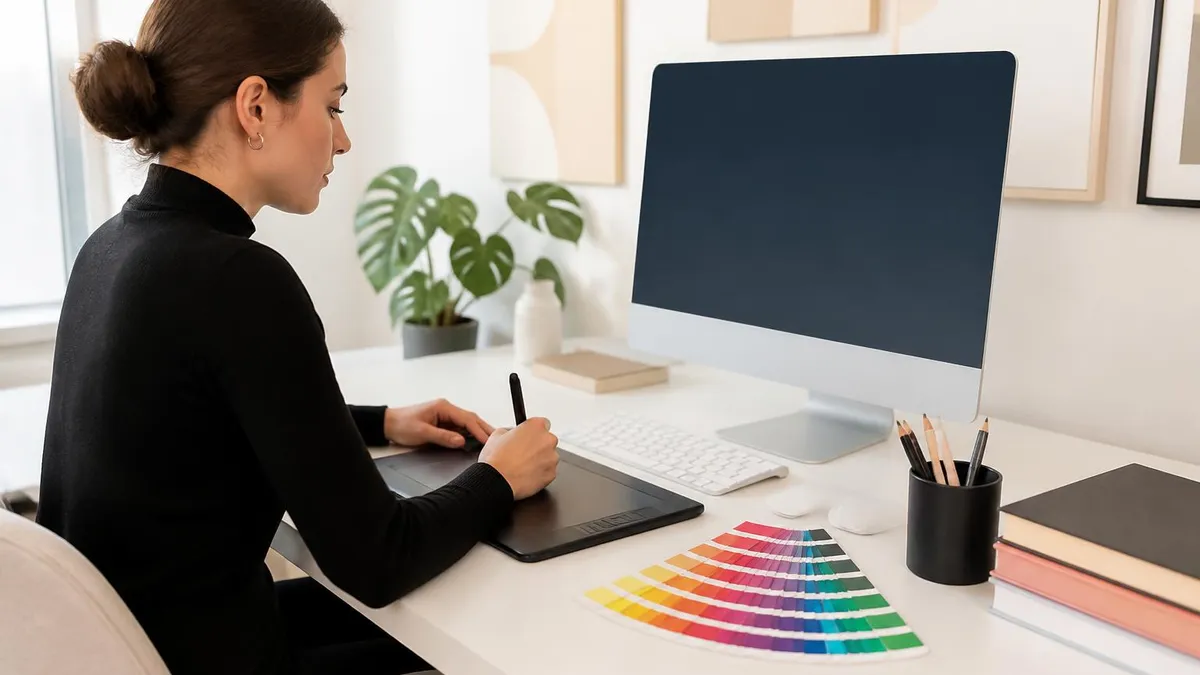
Free Adobe Illustrator Alternative: 12 Powerful Vector Tools That Cost Nothing in 2026
About the Author

Educational Psychologist & Academic Test Preparation Expert
Columbia University Teachers CollegeDr. Lisa Patel holds a Doctorate in Education from Columbia University Teachers College and has spent 17 years researching standardized test design and academic assessment. She has developed preparation programs for SAT, ACT, GRE, LSAT, UCAT, and numerous professional licensing exams, helping students of all backgrounds achieve their target scores.