
Adobe Illustrator for Fashion Design: Flats, Croquis, and Prints in 2026
How fashion designers use Adobe Illustrator: 🏆 technical flats, croquis, textile and print design, key tools, and how to learn it in 2026.
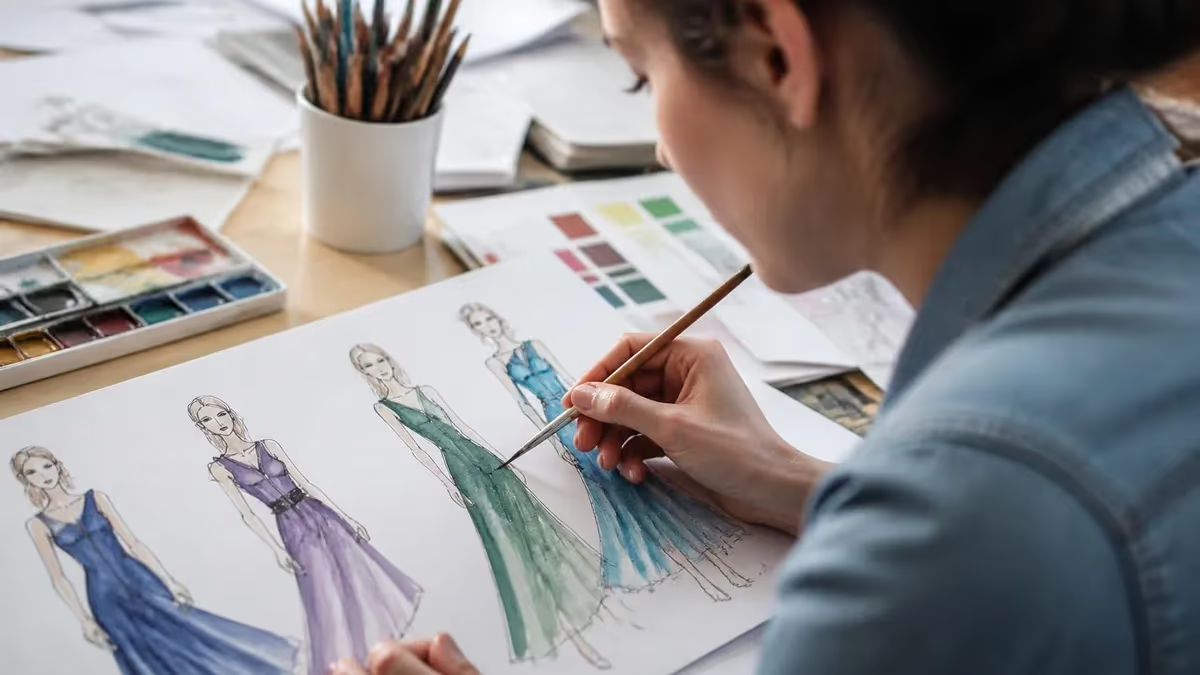
Walk into almost any fashion design studio or apparel company and you'll find Adobe Illustrator open on the screens. It has quietly become the industry-standard tool for translating a designer's idea into the precise, technical drawings that actually get a garment made. If you're studying fashion or breaking into the field, learning Illustrator isn't optional anymore—it's as fundamental as knowing how to sketch by hand once was.
The reason Illustrator dominates fashion comes down to one word: vectors. Fashion design lives and dies by clean lines, precise proportions, and drawings that scale and repeat perfectly—exactly what vector graphics deliver. A technical flat or a textile repeat built in Illustrator stays crisp whether it's viewed on a phone or printed on a spec sheet, and every line can be edited, recolored, and reused without ever degrading.
This guide covers how fashion designers actually use Illustrator—technical flats, croquis, textile and print design—plus the key tools, why vector beats raster for this work, and how to learn it efficiently. If you're brand new to the software, getting comfortable with how to use adobe illustrator comes first, and structured adobe illustrator tutorials aimed at apparel make the climb much faster than poking around alone.
One reframe before we dive in: you don't need to be a brilliant freehand artist to use Illustrator for fashion. Much of the work—precise flats, clean repeats, consistent specs—rewards patience and tool knowledge more than raw drawing talent. Designers who felt limited by their sketching often find Illustrator liberating, because it lets them produce polished, professional drawings their hand alone never could. The software levels the playing field.
It's also a skill that has reshaped how fashion is taught. A generation ago, design education leaned almost entirely on hand sketching and draping; today, nearly every reputable fashion program builds Illustrator into its curriculum because employers demand it. Students who arrive already comfortable in the software have a real head start, and those who graduate without it often scramble to catch up once they hit the job market and discover how central it is to daily studio work.
Illustrator in Fashion by the Numbers

How Fashion Designers Use Illustrator
The bread and butter—precise, proportional, black-and-white line drawings of garments showing every seam, dart, and detail. Flats are what manufacturers actually work from, so accuracy matters more than artistry here.
Stylized figure drawings—croquis—that present designs with flair for portfolios and presentations. Designers build or trace figure templates and dress them with their designs to communicate mood and styling.
Creating motifs and building seamless repeating patterns for fabrics. Illustrator's pattern tools make it ideal for designing prints that tile perfectly across yards of material.
Assembling the technical specification documents—flats, measurements, callouts, colorways—that communicate a design to a factory. This is where Illustrator becomes a production tool, not just a drawing one.
Let's start with technical flats, because they're the single most important Illustrator skill in fashion. A flat is a clear, proportional, two-dimensional line drawing of a garment laid flat, showing exactly how it's constructed—every seam, dart, pocket, topstitch, and closure. Manufacturers don't sew from glamorous illustrations; they sew from flats. Getting them right, with accurate proportions and complete construction detail, is what separates a hobbyist sketch from a professional spec.
Illustrator is ideal for flats precisely because of its vector precision. You can draw a perfectly symmetrical garment by creating one half and mirroring it, ensure consistent line weights throughout, and edit any detail without redrawing the whole thing. Designers build libraries of reusable elements—collars, cuffs, plackets—and assemble new flats quickly from proven parts. That efficiency is impossible with freehand sketching and clumsy in raster programs.
Croquis and fashion illustration are the more expressive side. A croquis is a stylized figure—often elongated for fashion's signature proportions—that designers dress with their creations to present a look with personality. In Illustrator, you can build or trace a figure template, then layer garments, colors, and styling on top. While flats are about technical accuracy, croquis are about communicating mood, drape, and the feeling of a collection.
Textile and print design is where Illustrator truly shines for many designers. Creating an original motif and then building it into a seamless repeating pattern—one that tiles perfectly with no visible seams across yards of fabric—is a specialized skill, and Illustrator's pattern-making tools are built for it. Vector patterns can be recolored instantly, scaled to any size, and exported cleanly for printing, making the software a favorite for surface and print designers.
Then there are tech packs, the documents that turn a design into a manufactured product. A tech pack bundles your flats with measurements, construction notes, colorways, material callouts, and trim details into a single specification a factory can follow. Illustrator is the standard tool for laying these out because it combines your precise flats with text, tables, and annotations in one clean, scalable document. This is fashion design as production communication.
Beyond these core uses, designers lean on Illustrator for mood boards, line sheets, logos and branding, and presentation layouts. It's genuinely a Swiss-army tool across the apparel workflow, from initial concept through to the materials a sales team or manufacturer needs. Mastering it means you can handle far more of the design pipeline yourself rather than depending on others for the technical deliverables.
Many fashion workflows pair Illustrator with Photoshop, each doing what it does best. Illustrator handles the vector flats, patterns, and technical layouts; Photoshop handles photographic fabric textures, realistic renders, and image editing for presentations. Knowing both makes you far more versatile, but Illustrator is the foundation—the one that produces the technical deliverables the industry actually runs on day to day.
A Learning Path for Fashion Illustrator
Master the basics
Conquer the Pen tool
Draw technical flats
Try patterns and croquis
Assemble a tech pack

Why does vector beat raster for fashion specifically? It comes down to the nature of the work. Fashion drawings need to be precise, editable, scalable, and often repeatable—and those are exactly the properties vectors provide and pixels don't. A technical flat must read clearly whether it's small on a line sheet or enlarged on a spec; a vector flat does that flawlessly, while a raster version would blur or pixelate when resized.
Editability is the daily advantage. In Illustrator, every line, shape, and color is an editable object. Need to lengthen a sleeve, change a neckline, or recolor an entire flat into three colorways? It's a few clicks, not a redraw. Fashion design is iterative—designs change constantly through development—so a tool that lets you revise instantly without starting over saves enormous time across a season.
Repeatability is what makes textile design possible. A vector motif can be built into a pattern that tiles seamlessly and infinitely, recolored on demand, and scaled without losing crispness. Try that with a pixel-based image and you fight resolution limits and visible seams at every turn. For anyone designing prints, the vector advantage isn't a nicety—it's the difference between a usable production-ready pattern and a frustrating mess.
Precision and consistency round out the case. Vectors let you specify exact measurements, maintain uniform line weights across an entire collection's flats, and align elements perfectly. This consistency is what makes a portfolio or a set of tech packs look professional rather than amateurish. Manufacturers and employers notice the difference immediately, and clean, consistent vector work signals that you understand the technical side of the business.
None of this means raster tools have no place—Photoshop is essential for fabric textures, photographic renders, and image-based presentations. But for the core technical deliverables of fashion design, vector is simply the right tool, and Illustrator is the vector tool the industry standardized on. Understanding why clarifies what to learn first and why the investment in Illustrator skills pays off so reliably for apparel careers.
This is also why fashion programs and employers expect Illustrator specifically rather than a generic design app. The whole apparel production pipeline—from the designer to the factory—is built around the kinds of files and deliverables Illustrator produces. Learning it isn't just learning a tool; it's learning the shared technical language the fashion industry uses to turn ideas into garments. Fluency in it makes you immediately more employable.
If you're choosing where to focus limited learning time, prioritize the vector skills that produce flats and patterns over flashy illustration techniques. Employers hiring junior designers and tech designers care most about whether you can produce clean, accurate, production-ready flats and specs. Master that, and the more artistic croquis and presentation skills become valuable additions rather than the foundation your employability rests on.
Illustrator Skills for Fashion, Tab by Tab
The single most important tool for fashion flats. It draws precise paths and smooth curves that define garment shapes and seams. It's notoriously tricky at first, but mastering the Pen tool is the gateway to professional-quality flats—practice it relentlessly before anything else.
How to Learn Illustrator for Fashion
- ✓Learn the core interface, layers, and selection tools first.
- ✓Drill the Pen tool until smooth curves feel automatic.
- ✓Practice flats on simple garments before complex pieces.
- ✓Use mirroring and reusable parts to build accurate, symmetrical flats.
- ✓Follow fashion-specific tutorials, not just general Illustrator ones.
- ✓Build a seamless repeating pattern to learn textile design.
- ✓Assemble a complete tech pack to show production-ready skills.
So how do you actually learn Illustrator for fashion efficiently? Start with the fundamentals before anything fashion-specific. You need to understand the interface, layers, artboards, and the basic selection and shape tools. Trying to draw a technical flat before you're comfortable navigating the program leads to frustration. A short investment in the basics makes everything that follows dramatically smoother, so resist the urge to skip ahead.
Then conquer the Pen tool, because nothing in fashion Illustrator matters more. The Pen tool draws the precise paths and smooth curves that define garment outlines and seams, and it's famously unintuitive at first. Push through the awkward early stage with dedicated practice—drawing curves, adjusting anchor points, tracing shapes—until it feels natural. Once the Pen tool clicks, professional-quality flats become genuinely achievable.
Learn from fashion-specific resources rather than generic Illustrator courses. The program is vast, and a general tutorial spends time on things irrelevant to apparel while skipping the techniques you need most. Courses and tutorials aimed specifically at fashion flats, croquis, and textile design teach the exact workflows the industry uses. Structured adobe illustrator classes focused on apparel are worth far more than scattered general videos.
Practice on real garments, starting simple. Begin with a basic t-shirt or skirt flat before attempting a tailored jacket with complex construction. Recreate garments you own so you can study the actual seams and details, and build a personal library of reusable elements as you go. Repetition on progressively harder pieces is how the skill actually develops—there's no shortcut around the reps, but each one makes the next faster.
Build toward a portfolio of production-ready work. The goal isn't just to learn tools but to produce deliverables that prove your skills: a set of clean technical flats, a seamless print, a styled croquis, and ideally a complete tech pack. These are exactly what fashion employers and programs want to see, and assembling them forces you to integrate everything you've learned into professional output rather than isolated exercises.
Don't neglect the pairing with Photoshop as you advance. Once your Illustrator flats and patterns are solid, learning to bring in fabric textures and create realistic renders in Photoshop rounds out your toolkit and makes your presentations far more compelling. But keep the order right—Illustrator first for the technical foundation, Photoshop second for the visual polish. Trying to learn both at once tends to leave you mediocre at the skills that matter most.
Finally, be patient and consistent. Illustrator has a real learning curve, and fashion-specific mastery takes time and steady practice rather than a weekend cram. A regular habit—working through tutorials and building your own flats a few times a week—compounds quickly. Within a few months of consistent effort, most students go from intimidated beginners to producing flats and patterns they're genuinely proud to put in a portfolio.
Master the Pen tool first
If there's one skill that determines whether you'll succeed with Illustrator for fashion, it's the Pen tool. Clean technical flats depend entirely on drawing precise paths and smooth curves, and the Pen tool is how you do it. It's frustrating at first, but dedicated practice on this one tool unlocks professional-quality flats—so prioritize it above every flashier technique.
Illustrator for Fashion: What to Expect
- +Industry-standard skill that makes you immediately more employable
- +Vector precision produces clean, scalable, editable flats
- +Seamless pattern tools are ideal for textile and print design
- +Reusable libraries let you produce flats fast, season after season
- +Levels the playing field for designers with limited freehand skills
- −A real learning curve, especially the Pen tool
- −Subscription cost for Creative Cloud access
- −Fashion-specific techniques aren't covered by generic tutorials
- −Often needs pairing with Photoshop for full presentations
- −Mastery takes months of consistent practice, not a weekend
Illustrator is a huge program, and a generic course wastes time on features irrelevant to apparel while skipping the flats, croquis, and pattern techniques you actually need. Seek out tutorials and classes aimed specifically at fashion design. The fastest path to employable skills is learning the exact workflows the apparel industry uses, not the whole program in the abstract.
It's worth being clear about the career value, because that's what makes the learning effort pay off. Illustrator proficiency is listed on a huge share of fashion design job postings, from junior designer to technical designer to print and surface designer roles. Many employers treat it as a baseline requirement, not a bonus—meaning a strong portfolio of Illustrator work can be the difference between getting an interview and getting filtered out before anyone sees your creativity.
Technical designers in particular rely on Illustrator daily, since their entire job revolves around producing the flats, specs, and tech packs that communicate designs to manufacturers. This is one of the more stable, in-demand roles in apparel, and it leans heavily on exactly the vector skills this guide describes. For students unsure how to break in, technical design is often a more accessible entry point than the highly competitive creative-director track—and Illustrator is its core tool.
Freelance and remote opportunities have grown here too. Independent brands constantly need someone to turn concepts into manufacturable flats and tech packs, and many designers build entire freelance practices around exactly that service. Because the deliverables are digital and standardized, this work can be done from anywhere, giving Illustrator-fluent designers a flexibility that purely studio-bound roles rarely offer.
The skills also travel beyond traditional apparel. Surface and print designers use Illustrator across home goods, accessories, and textiles; freelancers use it to produce tech packs for independent brands and clients; and entrepreneurs launching their own labels use it to communicate with factories. The vector fluency you build for fashion applies anywhere clean, scalable, repeatable design is needed, which broadens your options considerably.
So here's the bottom line. Adobe Illustrator has become the technical backbone of fashion design, used for flats, croquis, textile prints, and the tech packs that turn ideas into garments. Its vector nature—precise, editable, scalable, repeatable—is uniquely suited to apparel work, which is why the industry standardized on it. Learning it, starting with the fundamentals and the Pen tool, is one of the most reliable investments an aspiring fashion designer can make.
Approach it patiently and specifically: master the basics, drill the Pen tool, practice flats on real garments, follow fashion-focused tutorials, and build a portfolio of production-ready work. Do that, and Illustrator stops being an intimidating program and becomes the tool that lets you turn what's in your head into designs the industry can actually produce—and the skill that gets your foot in the door of the career you want.
Start today with a single simple flat, a basic tee or skirt drawn with the Pen tool, and let each drawing build on the last until the program feels less like an obstacle and more like an extension of your own hand.
Adobe Illustrator Fashion Questions and Answers

How to Use Adobe Illustrator: A Friendly Beginner's Guide

Adobe Illustrator Tutorials: The 30-Day Path from Beginner to Confident Designer

Adobe Illustrator Classes: The Complete 2026 Guide to Course Types, Costs, and Choosing the Right Training

Adobe Illustrator Graphic Design: The Complete 2026 Guide
How this page was made: written with AI tools and published by Nathan Beja, founder of Practice Test Geeks, who is responsible for its content. Exam facts are checked against the official sources listed below. Not reviewed by a subject-matter expert. Editorial policy
Sources & references
Exam facts on this page (fees, format, dates, passing scores) are checked against these official sources; the date is our last check. Editorial policy
- certiport.pearsonvue.com — Retake policy · verified Oct 2026
- certifiedprofessional.adobe.com — Test delivery, eligibility, fees, exam format, passing score, time limit, score validity · verified Oct 2026